
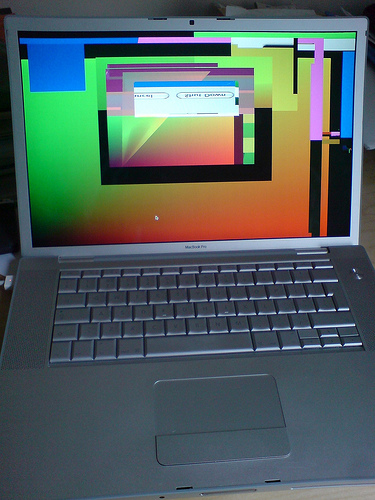
“Use an external monitor,” they said. “It will be useful,” they said. I tried it out and, lo and behold, my workspace doubled and I was a happy camper—that is, until my Macbook froze. No one warned me about the red screen of death (yes, red) on my laptop, which occurred five minutes after connecting to an external monitor. Other Mac users have reported similar problems of random screen colors on their laptop—rainbow screens of death, if you will. Alongside the colorful Macbook screen, the external monitor turns completely black. Read on for some possible solutions if your Macbook pro freezes when connected to an external monitor.
This problem has been most common among Macbooks and Macbook Pros from 2010 (mine is a late 2010 MacBook). Apple has yet to release an official support article for why the laptops have been freezing when connecting to an external monitor, but the following solutions have worked for some users in the Apple Support Community:
Reset The System Management Controller (SMC)
- Turn off your computer.
- Connect a MagSafe power adapter from your computer to an outlet.
- Press and hold Control+Shift+Option+Power button for 15 seconds.
- Release the keys at the same time.
- Turn on your computer.
Reset the Parameter Random Access Memory (PRAM)
- Turn off your computer.
- Turn on your computer.
- Press and hold Command+Option+P+R before the gray screen appears. Hold the keys until you hear the startup sound again and the computer restarts for the second time.
- Release the keys.
Some users have fixed the freezes by replacing their logic board or RAM memory. See if your warranty covers this replacement or have a professional take a look. TalkLocal can connect you with high-rated computer repair services in your area. Help is just a short service request away. Tell TalkLocal your service need, availability, and location and talk to a service provider in minutes! Meanwhile, keep your laptop away from external monitors. Don’t be greedy; you’ll survive with one screen for now.


I found when my Mac freeze due to attaching extra monitor, it’s because I had multi desktop running. Which I believe it slow down the MacBook Pro, cause after I close them, I have no problem occur when I plugin the external monitor.