Archive for the ‘services’ Category


Basic Ways To Speed Up Your Computer

Friday, June 29th, 2012

Basic Ways to Speed Up Your Computer - Computer Repair

Many issues with computer speed do not need professional repairs; a simple change of machine settings and some easy clean-up activities can increase the rate of computer functions.  Before seeking additional help, try taking the following actions that are basic ways to speed up your computer:

1) Reduce the number of start-up programs.  Unessential programs may be launching every time the computer is started.  Only allowing necessary ones to open will increase PC start-up speed.  You can manage this directly from your machine or download available programs to aid you in the process.

2) Regulate the number of desktop icons.  Littering the screen with too many of these icons consumes space, decreasing speed of performance.
Stop using screen savers.  These files take up a large portion of space, impeding more important tasks.

3) Eliminate theme sounds on your desktop.  Like screen savers, audio files occupy a significant amount of space that slow down your other projects.

4) Decrease the bytes of color and number of pixels on your display.  The lower settings of these are hardly detectable to the eye but will slightly increase the operating speed of your machine.  If you wish to open or run something where better color or more pixels would be beneficial, then temporarily increase the quality.

5) Defragment files on your hard drive (files are originally stored on your hard drive in various places by clusters). Regrouping the files will allow the computer to read files faster. A fragmented file must be reassembled every time it is accessed, decreasing its opening speed.   Defragmentation takes a bit of time, but it will run on its own once started.

6) Delete unnecessary programs and files.  An application that is never used employs valuable space on your computer and slows down computer activity.  Temporary files are also undesirable and can be cleared from your machine.  On a PC, Windows Disk Cleanup can perform this for you.

These regulatory activities and simple changes to settings can advance the speed of your machine without professional consultation.  However, some issues are more complex and require additional expertise. In this case, go to TalkLocal to find high quality computer repair businesses near you. In a matter of minutes, TalkLocal can connect you directly to a repairman that can fix your problem.


What Do Landscapers Do

Friday, June 29th, 2012

What Do Landscapers Do Landscapers

Are you sick of the way your back and front yards look? Do they lack excitement and beauty? Although you may spend the majority of your time inside your house, your front and back yard play a large role in the overall appearance of your property. While it is possible to improve your landscaping without the use of a professional, it requires an immense amount of planning. You must research planting tips and the plants that fit your needs, purchase the tools, and finally follow through with those plans to achieve your garden. Not many people are aware of all that a landscaper handles.

Two major questions people have are: What do landscapers do and how can they help me? The answers are simple, but they can make all the difference between an ordinary lawn and a truly beautiful one.

First of all, one of the most useful things about landscapers is their experience; they know what will and will not work. Nothing would be worse than having a great idea yourself but running into major problems at the start of execution–or even worse, after a few days of tedious work. Landscapers know about different plants and how they fit in to different locations and environments. They would also take into account factors such as erosion, hills, valleys, fences, and how they would affect your plants and available land.

Landscapers also have suppliers they work with that provide them with elegant additions to your land, such as simple yet stylish stepping stones, or even the option of a bird bath. One of the toughest aspects about revamping your yard alone is the manual labor that comes along with it. This would include driving to pick up the right tools and the energy needed to prepare the soil and plant the seeds.

With the use of a landscaper, you get the benefits of having an expert in design with the help of a gardening staff. A landscaper comes equipped with all the necessary supplies to make your dream backyard a reality. If you want to find a reputable landscaper available in your area, TalkLocal help you find exactly what you’re looking for in a matter of minutes. Fill out a service request stating details about your specific need. Local landscapers will then read your request and contact you if they can help. TalkLocal matches you with up to three service providers so you can consider your options.

How to Protect Your Email Account

Friday, June 29th, 2012

How to Protect Your Email Account Computer Repair

Most people keep lots of personal information in their inbox, so a hacked email account can cause a real headache.  Sometimes hackers will sell your information or use it to steal money from you directly.  Even if they can’t find valuable information in the emails, hackers will often send an email to your entire contact list asking for money.  In a common scam they impersonate you and claim you’ve been robbed while traveling, and thus are desperate for money to get home.  Often gullible friends and family will fall for the scam.  Hackers can also lock you out of your account, keeping you from accessing your contacts or emails.

How to Protect Your Email Account:

1.  Have a strong password. Use a combination of letters and numbers.  Don’t use the name or birthday of a loved one because it is easy to guess.

2.  Have a difficult security question.  Most people want to make sure they won’t forget the answer to their security question, so they select one with an obvious answer. The downside is that other people will also know or be able to guess the answer.  Make the question about something personal and private.

3.  Keep your password to yourself.  Don’t tell your password to anyone, and don’t write it down anywhere easily accessible to other people.

4.  Avoid “phishing emails.”  Some hackers send emails to try and trick you into giving them your password.  Sometimes they’ll impersonate the administrator of your mailing account and prompt you for your password.  Other times they’ll send you emails promising you that you’ll be able to hack someone else’s account after you sign into to their mail server using your email ID and password.  There is no such mail server, and your email administrator will never ask for your password over email.

5.  Avoid spyware.  Spyware can secretly run on your computer and record all your keystrokes and screenshots.  So if you type in your password, a hacker would be able to access it.  Try to always use your email account on your private computer, and make sure that you have a good anti-malware program.  If you have any questions about which malware program is best for you—or want to get rid of a virus—use TalkLocal to find a computer repairman near you.  If you are using a public computer—like in an internet café—you can use clicks on the mouse to confuse hackers.  For example, if your password is t4et155ress (an example of a secure password) you can first type “115”. Then click your mouse to the start of the text and type “t4et”; then click to the end of the text and type “ress.”  Even if the computer has spyware on it, the hacker will not know your correct password because spyware usually records keystrokes, not movements of the mouse.  This trick can be a bit of a nuisance, but it is a great precaution to preve your email doesn’t get hacked

If you do all these things your email information should be safe.  But if you ever find that your email has been hacked, you should immediately report it to the administrators of your email account and alert all your contacts so they do not fall prey to a scam.  If you have lost any emails or data, TalkLocal can help you retrieve those as well.

New Heating and Cooling System

Friday, June 29th, 2012

Installing New Heating Cooling System Seva Call

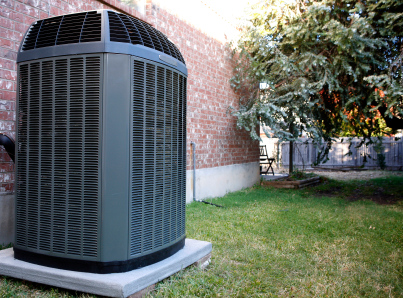
Are you considering getting a new heating and cooling system for your house? Buying a new heating and cooling system is a laborious process, as there are currently so many to choose from. These tips should provide you with a good starting point.

1.  Remember, bigger is not always better. Bigger heating and cooling systems are often more expensive, and they can end up costing much more to operate.  And it is not always necessary to install a new heating and cooling system that is the biggest or the most powerful.

2.  Ask neighbors and friends for their advice.  Often times, neighbors and friends have a success story or a complaint that can help inform your decision making process for the better.

3.  Research, research, research!  There are a lot of resources for you to check to make sure you get the best heating and cooling system for your needs.  Read blogs, reviews, check ratings, and seek the opinions of many different professionals.

4.  Ask about the contractor’s previous experiences.  You might get some tips or advice about how to install new heating cooling system and how to keep it in top condition.

5.  Inquire with the Better Business Bureau.   The Better Business Bureau is available as resource for you.  The BBB gets information from consumers and other businesses, and specializes in helps hold companies accountable for following ethical business practices.   There are archives of information here is a lot you can learn about contractors before you settle on one.

6.  Brand new systems often are riddled with problems, so don’t get discouraged.  Be sure to stay in touch with your heating cooling professional until all the bugs are worked out.

For more help with your contractor search, use TalkLocal. They will call numerous heating and air conditioning experts up for you, so you can get the help you need when you need it, even if it’s just a consultation before installation.

Simple Bookkeeping Tips that Every Business Owner Should Know

Friday, June 29th, 2012

One of the most dreadful and tiring tasks a business owner must deal with is bookkeeping. Keep this process as simple as possible by following these simple bookkeeping tips that every business owner should know:

Use Automated Invoicing

Automated invoicing software makes bookkeeping tasks much simpler. This software allows you to automatically schedule invoices for your clients. It also saves a lot of time when preparing invoices, and reduces your risk of errors.

Schedule Essential Financial Reports

This is another bookkeeping tip you should always remember. Scheduling essential financial reports will help keep you organized. This includes balance sheets, and accounts’ receivable aging, profit or loss, or income statement on a daily, weekly or monthly basis. Once the reports are scheduled, you can begin emailing them to their recipients. This tip will also help by keeping you constantly reminded of your due dates, especially for state sales tax.

Take Advantage of Reliable Accounting Software

Using automated software to record accounting and financial transactions allows you to complete a number of tasks at a time. Fortunately, when it comes to choosing reliable accounting software, you have plenty of options. QuickBooks and Open Source are both examples of good accounting software that will make your job much easier. Some software is also free to download, and comes with free online tutorials and manuals.

Keep your Papers Organized

This will help you overall by reducing your bookkeeping tasks. Make sure that you are consistently organizing the invoices and receipts in your desk. Not doing this will most likely result in a large stack of unmanageable papers, making locating specific files nearly impossible. To help you organize, consider using a file folder or a box for all unrecorded papers.

If you are still having trouble with bookkeeping, you should consider hiring an accountant. TalkLocal can help. Simply visit our website and give a brief description of you service needs to be put in contact with a professional within minutes.

Files are Missing

Thursday, June 28th, 2012

Files are Missing Computer Repair


Your files are missing and you don’t know what happened!  Missing files can be caused by accidental deletions, deletion by another file, file corruption, or maybe the file is password protected. There are several ways to fix this problem.

1.  Check your storage devices. If the file has been backed up on a flash drive, you can still access it from the flash drive. The file can be restored if you re-save it onto the computer with the flash drive.

2.  Search through your discarded files.  Your file may still be in the Trash or Recycle Bin that is present on your computer if you have not cleaned it recently.

3.  Download a recovery program.  There are free data recovery programs available on the Internet. For example, PowerQuest makes the utility Drive Image that can – in some cases – be used to recover data from a hard drive.

If you are still having problem recovering your data, it’s time to contact an IT service. One way to seek immediate service help for your computer problem is through TalkLocal, a free online service that will contact computer repair businesses for you and find ones who can help you. There is instant online support and you can call anytime.

How to Protect Your Computer from Viruses

Thursday, June 28th, 2012

How to Protect Your Computer from Viruses Computer Repair

How to Protect Your Computer from Viruses

Is your computer safe?  Could you be doing more to protect your computer?  Is your system vulnerable to viruses?

Viruses are a total nuisance. Viruses may just slow down your computer, but they can also tamper with your data, and even shut down your computer entirely.  Here are 5 ways you can protect yourself from computer viruses.

1.  Make sure you install a good anti-virus program and update it often.  Hackers develop new ways to infect computers on a daily basis, so if your anti-virus program isn’t current, it won’t protect you from new threats.  If you have any question about which anti-virus software is best for you, just use TalkLocal, the best way to get computer help locally.

2.  Don’t open attachments on emails from people you don’t know—these attachments can give a virus access to your system.

3.  Be cautious about opening all attachments, even from people you know.  Don’t open an attachment if the subject or content of the email seems fishy.  If the person’s email account has been hacked, it’s likely that the hacker that infected them is trying to infect you too.

4.  Only download software from reputable, trust-worthy websites.  Online downloads can be Trojan horses for viruses.

5.  Make sure to back up your data often on an external drive of some sort.  This way, your files are safe even if your computer does get infected.

These tips are good general rules to live by, but they by no means constitute a foolproof way to keep your computer virus free.  Hackers are smart, and even if you follow all of these tips you may still have a virus.  If that happens just use TalkLocal—the easiest way to find local computer repair.

Hiring a Landscaper

Thursday, June 28th, 2012

Hiring a Landscaper Landscapers

1. Picking a landscaper

When choosing a landscaper, especially for substantial work on your land, make sure to get quotes from three or more businesses to get a variety of costs and ranges of work. Be careful not to fall for the cheapest option, though. Make sure the company is more than a nice website or popular name. Some smaller business can offer the same quality service at a competitive price. Look at reviews online to see how well other customers have been satisfied by the business’ service. Also, browse the business’ type of work to see if it aligns with your taste. They may have done a great job with an extravagant backyard, but the skill may not translate well onto a smaller workspace and more modest budget. Landscaping is an art and you may not like every landscaper’s plans and ideas.

2. Buying your own landscaping additions

While getting additions to your lawn from a landscaper is the easiest way, they might not always offer the cheapest prices. Going to your local garden supply or home improvement store will allow you to browse the different options for plants, bird baths, lights, stones, etc. and to buy what you want for more affordable prices. The downside to this is that the quality of these products may not necessarily be the best. Also, if you buy lights, for example, and you have a landscaper install them but they malfunction, there may be some disagreements about who should pay to buy replacements. Finally, if a landscaper is not familiar with the brand of lights or water pump, etc., they may not install it correctly and might waste some time (and your money) trying to figure out how to do so.  Thus, while it may be cheaper to buy the items yourself, there could be complications along the way.

3. Reducing the cost of a landscaper.

If you take the time and effort to do a few things on your own, you’ll be able to greatly reduce the cost of hiring a landscaper. Buying your own items, as mentioned above, is a good start. Many requests for landscapers deal with putting in plants, but if you get rid of weeds and put in some small plants by yourself, you would only need a landscaper for larger plants, such as trees, if you are even interested in having them. Requests also deal with the need for putting in items like stepping stones, lights and fences, though putting those in yourself is much more difficult. If you are able to do so, you won’t even need a landscaper at all, though this would require multiple weeks and most likely the help of an assistant or two which is not available to everyone.

If you feel lost, or even if you feel comfortable about your landscaping options but simply wish to talk to a professional before you begin any projects to get as much information as possible, use TalkLocal to locate a landscaper who is available in your area.

Importance of Ventilation in the Home

Thursday, June 28th, 2012

Importance of Ventilation in the Home Heating & Cooling

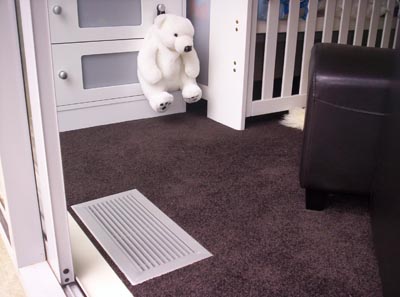
We often think of the outdoors as a place to get “fresh air,” but few realize the importance of ventilation in the home–which is usually less than good. You may think the air is cleaner because it is separated from the rest of the world, but simple day-to-day activities and processes within the home can contaminate it and trap it inside.

There is a specific kind of dust that can be found in every home – made up of pollen, dander, skin cells, and many other things that come when animal and plant life are present.  While not dangerous to general health, this type of dust irritates allergies (everyone has subtle allergies!) and decreases the quality of air in your home. Non-living things inside your walls can also secrete air contaminants.  Items such as insulation, carpet, furniture, and building materials constantly release unnecessary particles into your house.  Again, these are rarely dangerous, but do decrease the quality of the air.

Besides constant processes, specific activities within your home may be reducing your air quality.  Smoking, painting, using cleaning supplies, and utilizing combustion sources all contaminate the air.  Some types of these products are obviously less harmful than others (e.g., “green” cleaners, cleaner-burning forms of energy), but nothing leaves the air ideal for breathing.

It may seem we are all doomed to breathe this dangerous air for every minute we spend in our homes…but don’t worry!  There is an easy solution to removing these contaminants from the air:  ventilation.  Whether it be natural ventilation through doors and windows or mechanical ventilation by use of fans and ducts, you need to keep your air moving in and out.  This is especially true of areas that are damp, warm, or particularly susceptible to fumes, such as basements, bathrooms, and kitchens.

Due to this recent concern of poor air in the home, many heating and cooling companies have added indoor air quality to their list of services.  TalkLocal can quickly and easily connect you to these experts for more information on these services.  After submitting a service request online, you can talk to a local heating and cooling company on the phone in as little as 90 seconds–and be well on your way to breathing cleaner air!

Finding a Tax Professional

Thursday, June 28th, 2012

Finding a Tax Professional Accountants

Are you in need of a professional who will prepare your tax returns?  There are hundreds of websites that offer services on taxation so finding a tax professional is not that difficult.  There are also sites that offer free instructions and manuals on how to prepare your income tax.  However, when finding a tax professional make sure that the site that you are using has complied with the internet legalities. Then, check the following factors to find a good tax professional.

Credibility

The credibility of the tax preparer is important because tax preparers must have undergone special trainings and seminars. It is better to use a site or tax preparer that is recommended by someone you know. Ask around to find a professional who is in good standing in your community.

Background

Once you know that the tax preparer is reputable, get to know the tax preparer’s background. A person who has been in the profession longer may be more reliable. Also check what other services are offered for future business with this tax preparer. Maintaining business with one professional throughout the year is recommended because it ensures that they are regularly accessible. There’s nothing worse than a tax preparer who won’t pick up the phone during a hectic time such as April.

Costs

Address the tax preparer’s fees upfront. You don’t want to be surprised by charges after your tax return has been filed. Research prices from a variety of firms to comparison shop. You can do this before you meet with them to save everyone time.

If you are crunched on time, let TalkLocal filter these tax preparers for you. TalkLocal uses social reputation, online ratings and reviews, and call analytics to match you with the best tax professionals in your area. Submit a request online, stating your service need, availability, and location. Then, you will be connect with up to three tax professionals who can help you with your specific need. Usually, you will be on the phone with someone who can help you minutes after submitting your request.