Archive for April, 2013


We’re In Sunny Miami, Florida, (Expletive Omitted)!

Wednesday, April 3rd, 2013

We’re In Sunny Miami, Florida, (Expletive Omitted)! - Seva Call

Seva Man is thrilled to have arrived in sunny Miami, Florida where the one thing you’ll never need us for is finding the party, it’s practically everywhere! Sun, sand, and palm trees- it doesn’t get any better than this. Or does it?

If the 85,000 or so local businesses are any indication, Miami residents need the same things everyone else needs- except of course a working heater or a shovel. Nor do most people need as many bathing suits as they do pairs of socks. The point is… the clear blue skies may be deceiving but car trouble, un-vaccinated puppies, and cavities happen everywhere, including Biscayne Park and Little Havana. Not to mention the fact that every now and then in Miami a tree might find itself on top of the garage. Such are the times when Seva Man comes to the rescue and makes life better.

What Is Seva Call?

Seva Call is a virtual concierge service that saves you time and energy by matching your needs, location, and availability to service providers in your area.

No more hours of research — we do the research for you.

No countless phone calls — matching professionals and businesses call you directly!

“We help get help — fast, and from professionals you can trust”, says founding president Manpreet Singh. With only a few basic details and in a few minutes, you can hear from up to 3, highly-rated, local professionals ready to serve you on your time! So, go to www.talklocal.com to find your friendly, neighborhood fixers, fast! Se habla espanol!

TV Remote Won’t Change Channels

Tuesday, April 2nd, 2013

TV Remote Won't Change Channels - TV Repair

If you are trying trying to change the channel on your television, but the TV remote won’t change channels, this is the article for you. Below is a list of common problems that will cause your TV remote to not work, and how to fix them.

1. The most likely problem with your remote is that the batteries have died. Try changing your batteries and then see if the the remote will change channels. Also, make sure that you put the batteries in the right direction (with the positive sign on the battery facing the positive sign on the remote, and the negative sign on the battery facing the negative sign on the remote).

2. Another possible problem is that the path between the remote and television is being blocked. If there are any objects obstructing the path between you and the TV, try moving around them or in front of them and then use the remote. Also, if you are far from the TV, try moving closer. You can also try wiping down the “eye” on the front of your remote, as built up dust can be blocking the path as well.

3. The other common problem with TV remotes is that it may not be programmed correctly. If this is the case, you will need to reprogram it. Depending on your TV setup, your remote may be programmed in different ways. Read your TV instruction manual to learn how to reprogram your remote.

Find Professional Help

If you have tried all of the above options, but your TV remote won’t change channels, you may need to contact a TV repair professional in order to figure out  the problem and fix your remote. With the help of TalkLocal, you can be on the phone in minutes with up to three, high-quality TV repair professionals in your area, who are available to help you when you need them.

How To Rent A Dumpster

Tuesday, April 2nd, 2013

How To Rent A Dumpster - Garbage Removal

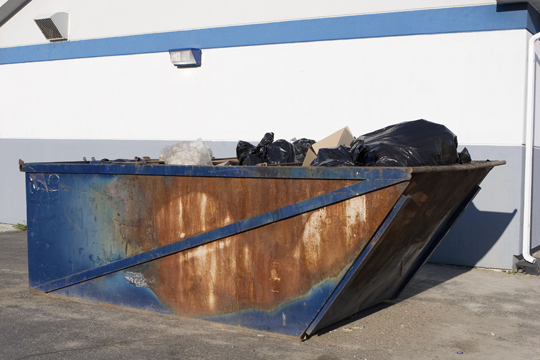
There are many different reasons why you might be wondering how to rent a dumpster. Maybe you’re renovating your home, or hosting a large event, or working with your business and producing substantial waste. Regardless, you need to get that waste out of your way.

Here are the appropriate steps for how to rent a dumpster:

Make sure you know the lingo. Professional rental services may also use terms like “container,” “roll-off,” or “yarder” (or “twenty yarder” for a 20-cubic-yard container).

Make sure you know the regulations. If you need to park this container on the street, you should discuss that with local authorities to be sure it’s parked legally. You may need a permit for your container as well.

Know what you need. Containers come in various sizes, ranging from 10 cubic yards to 40 cubic yards. Think about your project and what waste it may produce so you can estimate how large of a container you will need. If you evaluate your needs and realize you might not even need a dumpster, there are other ways to remove bulk waste from your property.

Confirm that you can get the container in and out. Wherever you are going to park the dumpster, you need to clear a space for the truck that will be dropping it off and picking it up. If your area is frequented by parallel parkers, you should invest in some orange cones to clear the area the truck will need, especially if the container is being picked up or dropped off while you are not there. If the truck cannot get in, you may not get what you need.

Connect With A Dumpster Rental Company 

TalkLocal can connect you with the professionals you need to rent a dumpster in your area. We make it easy for you by removing the work from your search. We can also connect you with professionals that can answer any questions about your projects, be it a smaller home renovation project or something large that requires dumpster rental.

Popping Sound from Computer Speakers

Tuesday, April 2nd, 2013

Popping Sound from Computer Speakers - Computer Repair

Do you get extremely frustrated when you’re listening to some awesome music on your computer and all of a sudden there’s another sound playing in the background? Is it annoying when you can’t figure out where it’s coming from? What if that noise continued all the time, nonstop, as a constant popping? You would lose your mind wouldn’t you?

Why You Hear a Popping Sound

The popping, cracking, and breaking up of audio in speakers seems to be a very common occurrence.  This could be a result of many different things such as the sound card, plugins, or sound drivers.  While there is no guaranteed way to prevent a popping sound from computer speakers, there are a few things you can try.

How Prevent Popping Sound from Computer Speakers

1. Double-check and make sure your headphones and speakers are properly plugged in.  Improperly plugged in devices can result in crackling and such unnecessary noises.

2. Also check to see if the speakers make similar sounds when plugged into a different computer.  If not, it may be the computer and not the speakers.

3. Make sure that the surge protector is properly seated.

4. If none of these steps help, you can try to sync digital audio between devices with different levels.

5. Furthermore you can attempt to check the sound drivers.  To do this, go to the Start Menu > My Computer > Properties > Hardware > Device Manager > Sounds > Sound Card > Drivers. Uninstall the drivers, restart the computer and then reinstall them.

6. In the rare case that none of these solutions helps you, you may need to either update the sound card or replace the speakers.

Find Professional Help

Before taking any drastic steps you should definitely consult a professional.  In today’s economy there are hundreds of choices that you can make to get help, but only the best are available through TalkLocal.  Just tell us what you need, where you are, and when you are available, and we will connect you with up to three computer technicians. They will call YOU, ready to help — for free!

Tips For Power Washing A Painted Deck

Tuesday, April 2nd, 2013

Tips For Power Washing A Painted Deck - Handyman

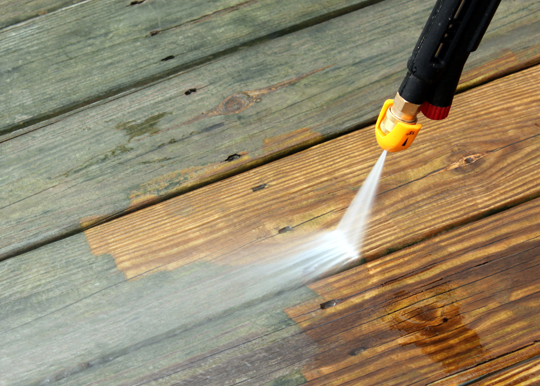
Your deck is exposed to all of the elements, including dirt and natural grime that can build up over time. If you have painted the exterior of your home, and your deck to compliment, you may find yourself in need of some tips for power washing a painted deck.

There are certain things you do not want to do:

– You want to make sure you avoid using a power washer at close range. This can damage the paint and cause it to fade or peel.

– Avoid using really harsh chemicals, as well.

– Don’t leave furniture, décor, or plants on the deck if you can help it. Anything you can move should be removed from the area, and anything that cannot  be removed should be covered up.

– Avoid trying to clean your painted deck on very windy days so that the risk of debris infiltrating your cleaning system is lower.

When you’re ready to start washing, follow these tips for power washing a painted deck:

You will need:

– A bucket

– Unscented dish detergent

– A garden hose with a spray nozzle attachment

How to Power Wash Your Deck

1. Fill a mop bucket with about 3 ounces of unscented dish detergent. Mix with water until you have a soapy mixture and either use a mop, or splash the mixture to spread it around the deck. We recommend using a mop on larger areas.

2. Let the soapy mixture sit on the deck for about 5 to 10 minutes and soak into the grime and dirt, but don’t wait much longer than that.

3. Connect the spray nozzle attachment to your garden hose and spray the soapy mixture off of the deck. If your spray nozzle attachment has adjustable speeds, start spraying on medium and only switch to high if medium is too weak to remove the dirt and grime.

This should take care of the majority of the filth on the deck. If you find you still have a mess, here are some tips for washing a painted deck with stubborn grime and muck:

1. After following the above steps, get a long-handled cleaning brush with soft bristles.

2. Mix 1 or 2 ounces of dish detergent and water.

3. Dip the brush into this new soapy mixture and gently scrub the grime in circular motions. Go slowly so you avoid scratching or removing paint.

Looking For Help?

These tips and tricks will help you wash your painted deck without a blast washer or harmful chemicals that may affect your paint. If you need professional assistance or find that your grime is too stubborn, TalkLocal can help you by connecting you with a qualified handyman in you area, when you need one.

What Exactly Is A Surety Bond?

Tuesday, April 2nd, 2013

What Exactly Is A Surety Bond? - Bail Bonds

If you are in the process of building a contract with another person or a company, you might be asking “what exactly is a surety bond?” A surety bond, in its simplest terms, is a contract between at least three parties: the obligee, the principal, and the surety.

1. The obligee (such as a bank) is the recipient of an obligation, or the fulfillment of a contract.

2. The principal (such as an individual) is the primary party who is to perform the obligation, or fulfill the contract.

3. The surety (such as a bonding agency) is the party that assures that the principal can perform the agreed-to task.

The purpose of a surety bond is to provide credibility to the principal. For example, if you are applying for a loan from a bank, you would be entering into a contract with that bank. In this example, you are the principal, and the bank is the obligee. The bank may not believe that you have sufficient income or assets to pay back the loan. So you find a bonding agency that sells surety bonds. The bonding agency (now the surety) will back you up, telling the bank that you are capable of repaying the loan. You will pay the bonding agency a premium, in exchange for this back-up. If you fail to repay the loan, the bonding agency will repay it for you. With the support of a bonding agency, the bank will feel confident that you will repay the loan, and give you the desired loan.

This can also be applied to bail bonds, where a bonding agency ensures the courts that you will pay your bail.

How Do I Get A Surety Bond?

You, as the principal, will need to purchase a surety bond from a bonding agency, which would act as your surety. You pay for the bond, and the agency steps in and supports your contract with the obligee. A bonding agency will often run a credit check and verify you income and assets, so be prepared to give this information.

Where Do I Find A Binding Agency?

If you need a surety bond, simply submit a service request with TalkLocal.  Just tell us your what you need, where you are, and when you are available, and we will connect you with up to three bonding agencies in your area who will be able to help you out. Our service is fast, easy, and free!

TV Not Getting Cable Signal

Monday, April 1st, 2013

TV Not Getting Cable Signal - TV Repair

If your TV is not getting cable signal, there are a number of possible issues. This article will go over the possible issues and how to fix them.

TV Not Getting Cable Signal?

1. Make sure that your TV is actually on.

2. If you are positive your TV is on, check to make sure it is on the correct channel for cable television. This is a different set of channels than the basic TV stations that you watch such as ABC and NBC. In most areas the correct channel for television is channel 3, but it may be channel two or channel four in some places.

3. It is also possible that the problem is with your remote. Check that the batteries in your remote are not dead.

4. If all of the above are in working order, check the power switch sending electricity to your TV. If it is set to off, switch it on and then wait twenty minutes. Also check that your television is plugged in, that the cords connecting your television to your outlet are not damaged, and that the outlet you are plugging your TV into is not damaged by plugging another appliance into the outlet and see if it is working.

5. On either your A/B switch or the remote control, you should see a switch that has the option to be set to something labeled either “CATV” or “Cable.” Make sure that it is switched to this setting.

6. Ensure the cable connectors in the back of your TV are tight.

7. Try switching to different channels, if you are only having an issue on one channel, the problem is likely with that channel.

TV Not Getting Cable Signal…Still

If you try all of the above and you are still not getting a cable signal, call your cable company and see if they are having a problem in your area. If they do not believe they are having a problem in you area, the problem is likely with your television. You should contact a TV repair professional to check out your television. With the help of TalkLocal, you can be on the phone in minutes with up to three, high quality TV repair professionals in your area that are available when you are.

How Is My Property Taxed?

Monday, April 1st, 2013

How Is My Property Taxed? - Accountants

Paying taxes is never fun — and there are certainly many of them out there. Property tax often leaves homeowners grinning and bearing as they drop the check in mail. Many homeowners are fed up with property taxes because they are left wondering: How is my property taxed?

Hopefully, this brief overview will answer that question and give you an idea of where your money is going.

What Are Property Taxes Used For?

Property taxes make up a large amount of the revenue that is given to local governments to use. This money is put forth to fund a number of public services, including, but not limited to:

– Public transportation

– Education

– Parks and recreational activities

– Emergency services

How Is My Property Tax Calculated?

Two major components are factored in order to determine what amount you pay in property taxes: the assessed property value and mill levy. Here is what those terms mean.

Assessed property value: This estimate is made every year and takes into account local real estate conditions. The assessed property value estimates the market value for your home.

Mill levy: This is just lingo for the tax rate. Mill levies differ from area to area. One mill is equivalent to $1 out of every $1,000 of your assessed property value. You might often see in local elections where residents are asked to vote for a millage increase, which would increase property taxes and, subsequently, the revenue available to the local government.

Contact A Local Accountant

Still left wondering: How is my property taxed? Accounting professionals are experts at all things tax-related, and are the perfect resource when you run into issues with your property or other taxes. TalkLocal makes it easy for you to locate such a professional. Simply visit our web site, provide a few details about the services you require, and you will have up to three professionals calling you within minutes.

Why Is My Mac So Slow At Startup?

Monday, April 1st, 2013

Why Is My Mac So Slow At Startup? - Computer Repair

Apple products are renowned for their speed, usability, and sleek designs.  But what happens when your device starts to act up? These products seem perfect, so it can be very annoying when they are not performing properly — “Why is my Mac so slow at startup?” If your Mac computer is slow when starting up there may be a couple different things acting wrong.

Problems

There are a few possible things that will slow your mac down when it starts up:

1)     There may be too many applications during Login.

2)     The disk is too full.

3)     Your Mac needs maintenance.

4)     The hard drive is failing.

Solutions

If you have too many applications during login, it will cause your computer to be unusually slow at start-up.  You should clear them out or change their settings so that multiple applications do not have to start up when you login to your computer.  By only starting the applications when you need them, you will save both time when starting your computer, as well as battery life, because the applications will not be running 24/7 in the background.

Another problem could be that your Disk is overloaded with programs and installations. You should reset SMC and PRAM and then run the disk utility so that you can see exactly what is going on in your computer.  If you see any programs taking up space that you don’t use and are unnecessary, you should delete them.

In the case that your computer needs maintenance, you should look up which operating system you have.  The pre-Lion systems have a different method of repairing the hard drive from Lion’s method.  You should look up the instructions in your operating system manual.

In the most severe case, where you have a traditional hard drive disk rather than a solid-state drive, this could be a indicator that your hard drive is failing.  In this case you should seek professional help.

Additional Help

If you are having issues with your Mac you can go to Apple’s help site or find a professional.  Use TalkLocal to be put in contact with reliable, local computer technicians within minutes.  You don’t have to do any work! Simply input your problem and availability and we will do the rest! You will receive up to three calls from qualified computer technicians who can help you out.

Natural Remedies for Bad Breath

Monday, April 1st, 2013

Natural Remedies for Bad Breath - Dentists

Bad breath is a common issue in dental hygiene, and can be embarrassing for anyone who has it. A date or a meeting can be over when bad breath rears its ugly head. Luckily, there are some simple causes, and natural remedies for bad breath.

Causes Of Bad Breath

– Plaque is one of the most common causes of bad breath. Plaque is bacteria that forms in the mouth. Massive build-up of plaque can cause periodontal or gum disease, which further produces bad breath.

– Decaying food between the teeth or  broken filling.

– Dry Mouth.

– Smoking.

– Cavities or broken fillings can cause bad breath because they expose decaying teeth.

– Strong-odor foods such as garlic or onions.

– Frequent drinkers of coffee, soda, or alcoholic beverages can experience bad breath.

– If it is not these problems, it could be a symptom of a respiratory condition, gastrointestinal tract, or diabetes. A diabetic’s mouth may have a nasty chemical smell.

Natural Remedies For Bad Breath

– Brush twice and floss once each day to keep plaque at bay. When brushing, remember to clean the tongue. The tongue also harbors bacteria.

– Use a toothpaste with baking soda to make the mouth a hostile environment for bacteria.

Rinse your mouth with water after each meal to help clean out food and smells from the mouth.

– Eating cheese has been known to fight bacteria in the mouth. Though eating smelly cheese might be counterproductive.

– Eat citrus fruits or suck on mints to salivate the mouth and tone down bad breath.

– Chew cloves, fennel, anise seeds, mint leaves, sage, or parsley to freshen your breath with herbal scents.

– Use a mix of apple cider vinegar and water as a natural mouthwash.

– Drink tea to freshen breath.

Prevention Of Bad Breath

– Lessen your consumption of coffee, soda, or alcoholic beverages.

– Remove strong-odor and sugary foods from your diet.

– Keep a water bottle close by to hydrate and refresh your mouth.

Find A Dentist

If you continue to have problems with bad breath, there could be a more serious underlying cause. Speak with a dentist to get checked out. TalkLocal will connect you with up to three dentists in your area in just minutes, so you can get the help you need, when you need it.