Archive for the ‘services’ Category


Email is Stuck in Outbox Outlook 2010

Thursday, January 24th, 2013

Email is Stuck in Outbox Outlook 2010 - Computer Repair

Microsoft Outlook is a useful tool for email organization and synchronization.  Unfortunately, sometimes it has some problems.  One frequent problem occurs when users think they have sent an email, but it turns out that the email is stuck in outbox waiting to be sent.  This article contains a few ideas about what might be causing this problem and what you can do to fix it.

Why the Email is Stuck in Outbox

  • Are you working offline? When your computer is not connected to the internet, Outlook is designed so that you can still press “send” on emails and it will send them as soon as you connect to the internet again.  Check your internet connection to make sure that you have not been disconnected.
  • Are your send options properly configured? One feature of Microsoft Outlook is the ability to set a time delay on message sending.  However, if you unknowingly activate one of these delays, you may become frustrated when you realize that none of your emails are being sent.  To check your send options, click on the “Tools” menu and select “Options.”  Under the “Send” tab, be sure that you have the options selected for  both Send Messages Immediately and Save Copy of Sent Messages in the ‘Sent Items’ folder.  If you have to make any changes to these settings, be sure to click “OK” when you are done.
  • Are your mail folders or your email messages damaged? It is possible that one or more of your folders or messages has a problem with it.  If this is the case, try deleting your existing Outbox folder.  You can do this by closing out of Outlook and searching your hard drive for a file named “outbox.dbx”. When you find it, delete it.  Then reopen Outlook and it will automatically create a new Outbox folder.

Additional Help

If you try these tips and you are still struggling with your Outlook, or if you have any other problems related to Outlook or your computer in general, visit TalkLocal. We will find you up to three local computer repair professionals and have them call you back within minutes.
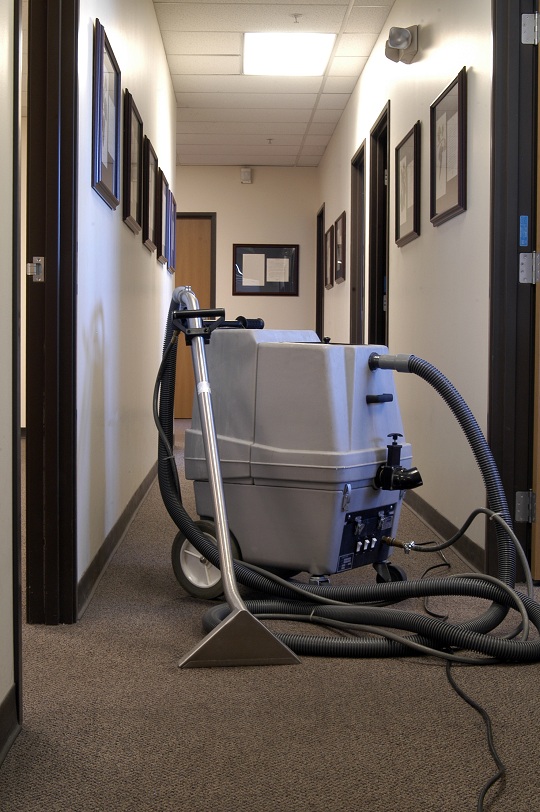
Deep Carpet Cleaning with a Steam Cleaner

Thursday, January 24th, 2013

Deep Carpet Cleaning with a Steam Cleaner - Carpet Cleaners

We’ve all been there- the red wine on the white carpet, the new puppy that needs to be potty-trained, and the normal wear-and-tear until the carpet is dirt-covered.

Carpet cleaning can be difficult depending on what kind of carpet stain you have. But one way to fix all of these problems is to target deep carpet cleaning with a steam cleaner.

Deep Carpet Cleaning with a Steam Cleaner

Steam clean carpets with plain water and a steam cleaner vacuum. Don’t bother with the detergent. Just use water and operate the machine as directed. The hot water will remove a considerable amount of dirt, even without detergent.

If you must use soap or detergent while steam cleaning, don’t use more than 3-4 tablespoons of mild liquid soap or detergent and at least one gallon of water. Do not mix vigorously because suds may clog the steam cleaner vacuum.

Avoid steam cleaning in the winter, as you won’t be able to open the windows. However, also avoid steam cleaning on a hot, humid day, as the carpet will not dry.

Removing Shampoo Residues

To remove shampoo residues from earlier cleaning attempts, use a mixture of 1 cup white vinegar and 2-1/2 gallons of water. (Add another cup of vinegar for a stronger solution.)

Removing Grease Stains

1. If you have grease stains on your carpet, sprinkle the grease stains with baking soda or corn starch.

2. Let stand six hours or overnight.

3. Vacuum the area. The grease stain should be gone after that.

Cleaning Liquid Spills

1. Soak up liquid spills by covering them with clean white (or light-colored) towels or paper towels.

2. Scrape sticky substances off carpets with a spatula or spoon.

3. Avoid rubbing in spills. This will damage carpet fibers and make the stain spread.

Removing a Stain

1. Mix one cup of warm water and 1/2 teaspoon mild liquid soap, such as dishwashing liquid or fine fabric detergent.

2. Apply a small amount, blot by pressing a clean white towel into the carpet and lift. R

3. Repeat thia process until the stain is removed. Don’t scrub. Be patient.

One last tip: Club soda will remove red wine stains. Just do follow the above steps with club soda and you should be set!

Additional Help

Keeping your carpet spotless is close to impossible. You can find your local carpet cleaning professionals using TalkLocal! This free online service will connect you with up to three carpet cleaners for you so you can get the help you need at the time you want it.

Dell Laptop DVD Drive Keeps Opening

Thursday, January 24th, 2013

Dell Laptop DVD Drive Keeps Opening - Computer Repair

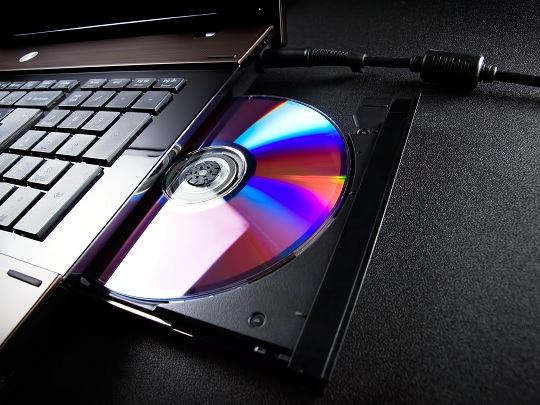
Dell laptop DVD drives do not stay closed sometimes. It only closes if the CD drive is in use, and when the CD tray is empty it keeps opening. Or, the DVD tray keeps ejecting when it is empty or in use. Keep reading if your dell laptop DVD drive keeps opening. This issue could be due to either a software or a hardware malfunction.

Software Problem

Scan your computer for viruses or run a diagnostics test on your computer. Sometimes, there could be a glitch in the software that keeps commanding the DVD tray to eject. Eliminating any potential viruses by scanning your computer with a trusted virus scanner could fix the issue.

Hardware Problem

The problem could be the electronic circuit board, which can be easily replaced for a low cost. It is not recommended that you tamper with your computer’s circuit board if you are not an expert in computer hardware.

It can also be caused by a faulty connection to the DVD drive, in which case you can remove the data cables and power cables that are connected to the drive and then plug them in again.

Additional Help

In the worst case scenario, your tray sensor might not be functioning properly. In this case, it may be best if you call a technician to help you replace it. TalkLocal can help connect you to up to three professionals in your area, who can help you when you need them.

Car Key Replacement

Thursday, January 24th, 2013

Car Key Replacement - Auto Repair

Everybody misplaces car keys from time to time. And if they seem lost for good your car dealership may charge a fortune for a car key replacement. Luckily there are affordable alternatives. Key replacement retailers like https://www.ikeyless.com usually have replacement keys available to cut keys based on your car’s Vehicle Identification Number (VIN). The VIN is a 17 number code usually visible through the driver’s side dashboard.

How to Order a Replacement Car Key

Order your car key replacement by entering your VIN, year, make, and model. Follow the instructions on the retailer’s website to complete the order. You will be able to receive your keys in a few days. Once you receive your key you can program it to your car without the help of a technician. Instructions on how to do so are usually included with the key. By ordering the car key replacement from a retailer and programming ti yourself, you may be able to save money, since a dealership would charge you for the replacement key as well as the service of programming the new key for you.

Additional Help

If you need professional help to replace a lost key or to change a lock, TalkLocal can help you find a high quality technician. TalkLocal will match you with up to three professionals locksmiths or car key replacement retailers in your area, in just a matter of minutes.

How to Remove Burns from Carpet

Wednesday, January 23rd, 2013

How to Remove Burns from Carpet - Carpet Cleaners

Are you trying to figure out how to remove burns from carpet? This article will help you make your carpet look like new!

Before you begin, you will need these supplies:

– carpet glue

– glue gun

-roller carpet tractor

– replacement carpet patch

– vacuum or hard brush

– scissors

– paper

– pencil

– carpet knife or a utility knife

– and steel wool or light sandpaper.

Steps to Remove Burns from Carpet

1. Take your sandpaper or steel wool and slowly rub along the burned area of the carpet. Rubbing the carpet in this way will get rid of the burned fibers.

2. Use your vacuum or brush on the burned area to get rid of any excess burned fibers or ashes. Check the burned area. At this point, you may have already eliminated any trace of the burn and you may be finished. If you still see evidence of the burn on your carpet, there is more you can do.

If you still see evidence of the burn…

3. Take your utility knife or carpet knife and cut the burned area out of the carpet. Make sure you cut at least two inches outside of the burned area. Also, make sure not to cut the floor below your carpet.

4. Put the burned piece of carpet that you cut out on a piece of paper. Trace the outside of the burned piece of carpet with a pencil on the paper.

5. Cut out the outline that you drew on the paper and use it to cut out replacement carpet.

6. You can match your carpet exactly by using a piece from the back of the closet or other hidden area. If you have no extra carpet, buy a square of similar carpet.

7. Glue your replacement carpet patch to the main carpet. Make sure to apply the glue the bottom of the new patch, as well as all along the edges.

8. Use your roller to seal the seams together.

Additional Help

While you can save money removing burns from a carpet yourself, you may not have the time, or you may not wish to go to the trouble of creating a replacement carpet patch. Don’t worry! You can contact a carpet cleaning professional to remove the burn from your carpet. With the help of TalkLocal, you can be on the phone within minutes with up to three high quality carpet cleaning professionals your area, that are available when you are.

My Headphone Jack Broke Inside My Laptop

Wednesday, January 23rd, 2013

My Headphone Jack Broke Inside My Laptop - Computer Repair

My headphone jack broke inside my laptop once. Here are some recommendations for dealing with this frustrating issue.

Home Remedies (Not Recommended in General)

Pliers: Strongly Not Recommended

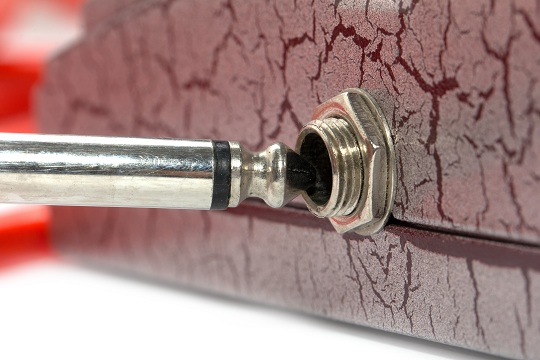
Your first instinct may be to try to pull out the broken jack with the thinnest pliers you can get your hands on. However this is strongly discouraged. Headphone jacks are designed to “lock on” to the place linearly, requiring non-angular and extensive force for it to be dislodged from the laptop.

With the very limited space that you have to lever the pliers through, the work of dislodging the broken jack is almost impossible. Using the pliers will also almost certainly damage your computer.

There is a chance that a jeweler or a watchmaker may be able to help you with their precision tools, but don’t count on them helping you out – their tools are not exactly designed for pulling off broken jacks, and the tools may become damaged.

Glue: Not Recommended, but Can Be Effective

Do not try to douse the adhesive directly onto the broken jack. Instead apply the glue to the end of the stick and let it dry for a bit first – this is to lessen the fluidity of the glue while keeping its adhesiveness.

After the glue dries for a bit at the end of the stick and becomes firm, carefully attach the stick’s glued end to the broken jack, find something to hold it in place until it dries, and pull the stick in hopes of getting the jack out.

Although this step has been proven to be successful, it is generally not recommended – one wrong move and your computer may be permanently damaged. Exercise your own discretion. If it is a cheap laptop you plan on throwing away after a bit, use home remedies. If not, consider getting help from a professional.

Help from a Professional: Highly Recommended

Home remedies can work, but always at a risk of damaging your computer. If you are willing to spend a few bucks to ensure everything works smoothly, hire a professional to help you. TalkLocal will connect you with up to three local professionals who can help you when you need it.

Home Remedies for Killing Roaches

Wednesday, January 23rd, 2013

Home Remedies for Killing Roaches - Pest Control

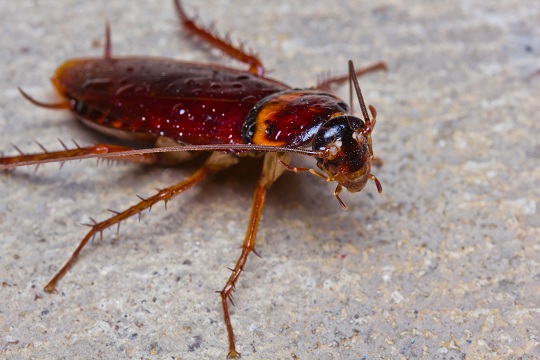
There is a belief that cockroaches can survive anything, even nuclear warfare. So don’t fret if those pesky bugs won’t seem to go away.  Sometimes a natural approach is the best way to get rid of these stubborn pests. Try these home remedies for killing roaches.

Mix Sugar and Baking Soda

This method is cheap, simple, and cost effective. Stir together ½ cup of sugar and ½ cup baking soda. Place dabs of the mixture in strategic spots like behind or beneath appliances, in closets, or near wastebaskets. Roaches are attracted to the sugar, and ingest the mixture. The baking soda gives them gas and ultimately kills them. This mixture can make pets sick, so make sure to place the mixture in places they can’t reach. Pill bottles wedged horizontally into tight spots and plates underneath furniture work well to keep things tidy.

Boric Acid

Boric acid is a chemical compound that is very effective in removing roaches. Treat areas under cabinets, behind appliances, and anywhere else where roaches walk. The boric acid will kill the insect through ingestion or contact with their exoskeleton. You can purchase the compound at most home goods stores. Be sure that the boric acid is hidden out of reach of children and pets.

Roach Ball Recipe

This recipe takes the boric acid solution to the next level.

Mix:

1 cup borax

¼ cup granulated sugar

¼ cup chopped onion

1 tablespoon cornstarch

1 tablespoon water

Mix the ingredients into a paste and roll the paste into little balls. Place two or three balls into a sandwich –size plastic bag and leave the bag open. Then place the bag anywhere you have a roach problem. The roaches will eat the balls and carry them away. They will die out of sight, other roaches will eat the carcass, ingest the poison, and so on. This recipe makes about 50 balls for 10 applications. Make sure to hide the bags carefully so that they are out of reach of children and pets.

Get a Gecko

This idea may seem a little wacky, but it has proven to work. Purchase a gecko at a local pet store and let it loose in the house. Geckos naturally eat roaches and will get rid of the problem pretty quickly. Once the roach population dwindles, the gecko will start to hang out in the open. When the roaches are gone, keep your new pet in an appropriate tank and feed them crickets daily.

If you need professional help, TalkLocal will connect you to up to three reliable pest control professionals in you area  in minutes!

Will Moving Companies Move Liquor?

Wednesday, January 23rd, 2013

Will Moving Companies Move Liquor? - Moving and Storage

Are you in the process of moving to a new home or apartment? Do you happen to have a stash of aged whiskey or imported rum that you don’t want to move by yourself? Will moving companies move liquor for you? Well, moving liquor is not an item specifically listed on most moving company’s service descriptions. But you may be able to find a moving company that is willing to move alcoholic beverages.

Federal Law states that moving companies are prohibited from transporting alcoholic beverages. This is partly due to the fact that alcoholic liquids are highly flammable and can cause excessive damage.

Will Moving Companies Move Liquor?

However, after speaking to several moving companies in the area, the majority said that they would move alcoholic beverages as long as they are already boxed up. Moving companies are not allowed to open up boxes. Make sure the bottles are packed securely and safely though. If the bottles happen to break, the moving company may or may not report you to the authorities depending on how strict they are. In more extreme cases, the liquids from the broken bottles can cause a fire. Furthermore, another company that I contacted stated that if the bottles were not packed they would simply pack the bottles for an additional charge.

After getting in touch with several moving companies in my area, I highly recommend getting in contact with the moving company you are using to find out if they will move alcoholic beverages for you, as company policy may vary from company to company.

Additional Help

If you are still unsure about whether or not your alcoholic beverages can be moved, or if you would like to speak with a professional moving company in your area, use TalkLocal. We will connect you with up to three professionals in your area in just minutes, who will be available when you need them.

Stop Your Neighbor from Using Your Wireless Network

Wednesday, January 23rd, 2013

How to Stop Your Neighbor from Using Your Wireless Network - Computer Repair

The fact that someone else is tapping into your wireless network can pose a serious problem. Your neighbor not only has the capacity to slow your internet connection by stealing bandwidth, but even possess the potential to steal your passwords if you are using an insecure network. Here are some tips to stop your neighbor from using your wireless network.

Change Your Wireless Router Settings

You have the capacity to set the list of trusted “MAC” addresses that can connect to your router and get into your wireless network. MAC addresses are unique addresses possessed by every network card used to connect to the internet.

Once you set the list, any other network card that is not listed will be blocked from joining the network. Follow the steps in this guide on how to set the list of MAC addresses:

The steps may differ depending on the kind of router you have, but these are general. You will need to know the IP address of your wireless router as well as how to find the MAC addresses of the network cards that you own/approve on your network.

Your Router’s IP Address

This is the default IP address. Although it may differ depending on the type of router you have, it is typically for most networks.

How to check the MAC address of a network adapter

1. Click on the Windows Start Button.

2. On the “search programs and files” bar, put “Run” and press enter.

3. A small screen should come up. Type “cmd” and press enter to open command.

4. Type “ipconfig /all” to list your network card information.

5. Locate your Physical Address. This is your MAC address.

How to Set the List of MAC addresses on your Router

1. Open any web browser and enter the IP address of your wireless router.

2. A Login window should appear. Login using your administrator account.

3. Click on Advanced Settings.

4. Click on MAC address Filter/Filtering.

5. Configure the list of MAC addresses to fit your intentions.

6. Save your settings.

You can find more specific directions depending on your type of router at this link:

http://wintelguy.com/2010/20101024_mac_filter.html

Additional Help

Seek help from a professional if the above recommendations do not resolve the issue.

TalkLocal can help with finding the correct local expert to fix your issue quickly, which saves you time and energy in a stressful situation.

Why is my Dog Limping?

Tuesday, January 22nd, 2013

Why is my Dog Limping? - Veterinarians

Why is My Dog Limping?

Have you started to notice that your dog is limping, either occasionally or constantly? There are many factors, causes, and explanations for why your pup may be injured, and here’s what you can do to figure it out.

Causes

Factors leading to limping can include the age of your dog, the amount of walking/exercise your dog sees daily, their health, the ground they are walking on, etc. If you see that the limping comes and goes or that it gets gradually worse, there could be a few different explanations.

If your dog is older, arthritis and aching joints may be a cause of the limping. If you notice pain in the wrist, elbow, shoulder of a front leg, ankle, knee, or hip of a hind leg, this may result in discomfort all the way down through the leg and explain the limping.You should also examine your dog’s limbs for other possible sources of the problem.

Examining your dog

Look at your dogs paws and toes. A bleeding cut, thorn, shard of glass stuck in their paw, or a split toenail, can be very painful and may explain the limping. A cracked or split nail may be a problem because they can often expose the nerves and/or sensitive tissue in the dog’s feet that make it very painful to put weight on that foot. Your dog may even have a fractured or broken toe or foot. If you examine the webbing between their toes as well, you may come across a tear or embedded piece of glass or rock causing discomfort. In these cases, you may be able to help by simply removing the object. In other cases, a more serious condition may require a visit to the vet.

In other more serious cases, a disease or development problem may have resulted in the limping of your pet. There may be problems with their leg nerves, ligaments, or even partial paralysis.

Professional Help

If you have tried home remedies to no avail, or believe that there may be a more serious problem with your dog, try using TalkLocal to locate a veterinarian immediately. TalkLocal is a free service that will connect you with top-quality, reputable professionals in your neighborhood, within minutes. Simply enter in your specific problem, location and availability and TalkLocal will contact multiple vets, who will then call YOU directly, ready to help.