Archive for the ‘services’ Category


Why do Mice Live in Homes

Friday, September 14th, 2012

Why do Mice Live in Homes Pest Control

Unless you’re a cat, chances are you don’t like mice. Mice are a nuisance to deal with because of the damage they cause, the diseases they can spread, and because they’re small little creatures that seem to always be one step ahead of the people trying to catch them. Now you may be asking yourself, why do mice live in homes?

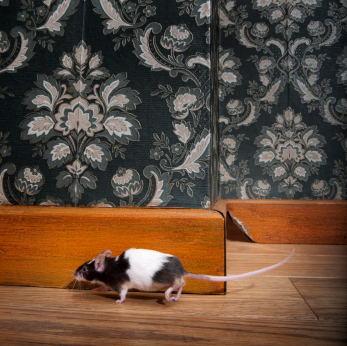
Mice love invading peoples’ houses because they are driven by their survival instinct to always look for food and shelter. Living outside has many inherent dangers for these furry rodents, ranging from snakes to cats to humans to even the weather.  Living inside, though, often means unlimited food, no predators except humans, and comfortable living conditions. So for a mouse, living in someone’s home where a lot of its work is done for it seems like a better deal than the outdoors.

While it’s true the mouse is simply looking out for itself, it is not advisable to leave a mouse population within your home unchecked. Mice can be very destructive in groups with their constant gnawing and potential for disease spreading. So if you are aware of mice in your home, here are a few steps to follow to get rid of them.

The first step is to keep your house as clean as possible. This means throwing out and vacuuming any bits of food lying around, sealing any trashcans, and cleaning places like counter tops, sinks, and kitchen floors. This step is important to prevent the mice population from growing much larger.

The next step is to start setting up traps all around your house in places that appear mouse-friendly. Areas like cracks or small holes in the walls, dark corners in your home, and crevices are great places to keep these traps. Make sure you remember where you keep your traps though! The best types of traps are the ones that trap the mice in place. Glue traps, snap traps, and similar traps are good for this, as they keep the mouse in place for disposal. Traps that poison the mouse are not recommended, as these poisons can take time to work. Poisoned mice may retreat back to the hard to reach areas before they die, resulting in smelly carcasses in places where cleanup may be difficult.

While mice may be just living their life with no intention of harming others, the fact remains that they are sometimes dangerous rodents. Their feces and saliva may contain viruses and bacteria so it is vital to exterminate any mouse infestation.

If you have followed these steps and still need help getting rid of these pests, consider using TalkLocal to find a pest control company for you. TalkLocal is a free service that will connect you with top-quality, pest control companies in your neighborhood within minutes. Just enter in your specific problem, location and availability, and up to three companies will call YOU directly, saving you the time and stress of finding one yourself.
Air Conditioning Unit not Cooling Well

Friday, September 14th, 2012

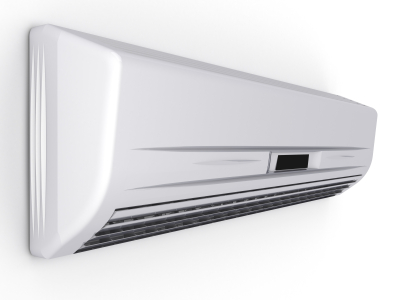
It’s summer. It’s hot. The last thing you want when you walk into your house is to find out that your air conditioning unit is running but not cooling. There are a couple explanations for why your air conditioning unit is not cooling well, and here are some troubleshooting tips to get it back to normal working condition.

If the air conditioning unit is in fact running, but not cooling well enough, your filters may need to be replaced. If they are dirty and the pan underneath has no condensation water in it, then you need to replace the filter. In addition, you may want to check the coils inside and outside unit and clean them.

Your unit could be low on Freon, which could explain why the air coming from the system is not as cool as it should be. If you go to the outside unit and inspect the two copper pipes sticking out, the larger one should be cool to the touch, and the smaller should be warm/hot. Warm air should usually be coming out from the unit. If these situations are not the case, refrigerant may be necessary.

Another possible explanation is that some vents in your house are closed. Go around and make sure they are all open and not blocked by anything that may be preventing maximum airflow.

There could even be a problem with your thermostat, which means that it is not correctly reading and failing to relay the temperature you have set. If none of these solutions have helped, you should contact a professional for insight and help.

To locate an HVAC company near you, try using TalkLocal. TalkLocal is a free service that will connect you with top-quality, reputable HVAC professionals in your neighborhood within minutes. Simply enter in your specific problem, location, and availability and TalkLocal will contact multiple companies, who will then call YOU directly, ready to help. Save time and sweat from trying to locate the right HVAC company on your own, and let TalkLocal do it for you.

Do Cooling Pads for Laptops Work

Friday, September 14th, 2012

Do Cooling Pads for Laptops Work Computer Repair

Laptops are much easier to use than desktop computer because they are portable, allowing you to work wherever. However, they do have one major drawback. Laptops can often overheat causing them to run slowly or even stop working entirely so you might be wondering, do cooling pads for laptops work?

Why Laptops Overheat

In order to make your laptop smaller, the parts inside of it need to be compacted and cramped into a very small space, which causes the laptop to get hot. When the laptop becomes too hot, it will not work correctly. Laptops are built with cooling fans in order to help deal with this problem. Cooling fans within laptops help decrease the temperature to a degree, but laptops still tend to overheat if you actually put them on your lap. If you keep your laptop on a flat surface, such as your desk, they will usually stay at a temperature that will allow your computer to continue to function properly.

Cooling Pads Allow You to Use Your Laptop on Your Lap

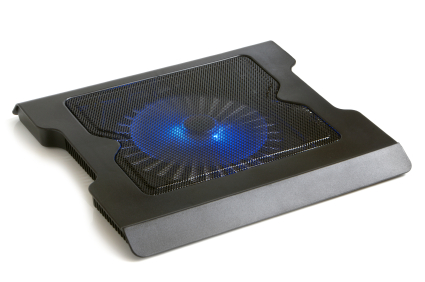
Cooling pads provide a flat surface for you to rest your laptop on, so that you can work on your laptop from your lap without the computer overheating. Laptop cooling pads are typically made with a material such as aluminum or plastic that will absorb the heat coming from your laptop, unlike your body. Some cooling pads even have fans that will help to reduce the temperature of your laptop even more.

Other Tips for Keeping Your Laptop from Overheating

In addition to using a cooling pad, there are some other things that you can do to keep your laptop from overheating and keep it functioning properly:

– Make sure to clean the cooling fans and cooling vents in your laptop regularly.

– Use your laptop somewhere with space where it will get proper ventilation.

– Avoid placing your laptop on soft surfaces like your lap or bed. Use hard surfaces like a desk.

– If your laptop starts to become very hot, use a lower power setting in order to lower the heat.

If you are using a cooling pad and keeping your laptop properly ventilated, but it is still overheated and not functioning properly, there may be something wrong with your computer. You can contact a computer repair professional with the help of TalkLocal and be on the phone in minutes with up to three high quality computer repair professionals in your area that are available when you are.

How to Set Up Slingbox on a Remote Computer

Thursday, September 13th, 2012

How to Set Up Slingbox on a Remote Computer Computer Repair

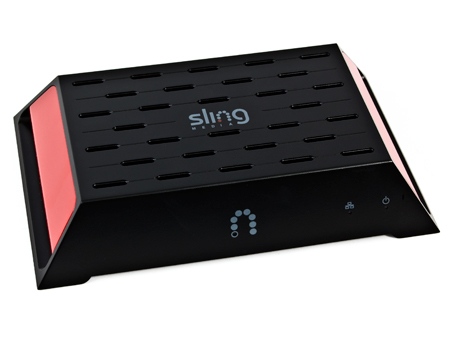
A slingbox is a device that allows you to stream TV media straight to your computer via the internet.  It is a handy device that allows you to watch your favorite television shows and recorded episodes from your computer, wherever you are.  Continue reading for more information on how to set up Slingbox on a remote computer.

When you are getting ready to install your Slingbox, you will need to make sure that you have all the necessary things.  Specifically, you will need the slingbox device itself, a router/modem, an audio-visual source, and a computer connected to an internet network.

When trying to access your slingbox from a remote location/computer, you should make sure that your device is configured correctly.  This will ensure that remote viewing is allowed.  Using the alias and finder ID found under the properites of your slingbox device you can log into your home TV from wherever you are.  You should make sure that the appropriate SlingPlayer software is installed and configure it to the correct specifications necessary to be able to watch on the device you are using.  All you have to do now is click “Watch” and you should be able to view whatever programs you desire.

If you are having problems setting up your Slingbox or cannot get it to work with a remote computer you should seek professional help.  Use TalkLocal to be put in contact with reliable local IT businesses today.  Simply input your problem, location and availability, and within minutes, you should be connected to someone who can help.

Faucet is Clogged

Thursday, September 13th, 2012

Faucet is Clogged Plumbers

If the water flow from your faucet is slow or essentially non-existent, your faucet is probably clogged. You can make sure this is the case by checking other faucets in your home. If you have a normal water flow from your other faucets, you can be sure the problem is an isolated clog and not a water system failure. Read on for solutions if your faucet is clogged.

Repairing a clogged faucet is fairly simple. First, inspect the debris that is blocking the water flow. Remove the aerator screen from the faucet and observe the particles.

If the particles look like soap build-up: Simply soak the aerator screen in hot water for a few minutes to dissolve away any particles.

If there is other debris: Clean the aerator screen more thoroughly. Use a toothbrush or a pin to dislodge the particles.

After cleaning away all types of debris, reattach the aerator screen.

Preventing Clogged Faucets

Extremely hard water can eventually block faucet water flow. If the particles on the aerator screen look like mineral buildup, you may want to consider adding a water softener to the water supply lines. Affirm this need by checking both the hot water and cold water lines for sediment buildup. If both lines cause mineral buildup, you will likely need a water softener. If you find that only the hot water causes buildup, then the problem may lie in the water heater. If this is the case, you may need to replace the water heater dip tube, the anode, or the water heater itself.

For professional help, use TalkLocal to find a reliable plumbing professional near you! Just go to TalkLocal’s website and state your location, availability, and service need. Within minutes of submitting your request, you will receive up to three phone calls from local service professionals that can help you.

How Do I Know If I Need a Root Canal

Thursday, September 13th, 2012

How Do I Know If I Need a Root Canal Dentists

Teeth have a hard, durable outer enamel and a soft tissue on the inside. There are few options available besides pulling the teeth out once the decay breaks through the enamel and infects the tissue. Go to regular dental checkups to maintain your oral health and to avoid this kind of a disaster.

How Do I Know If I Need a Root Canal?

Check the state of your teeth by doing these three tests yourself:

1. Does you teeth/tooth hurt at random times, including the times when you are not using them (other than eating, talking, making oral movements)?

2. Does it hurt when you apply pressure to them (clenching teeth, chewing food, etc.)?

3. Does drinking cold liquid change the feelings to the teeth?

If you are able to feel the cold drink on the other teeth but not on the set of the affected teeth, the chances are that you need a root canal done. If you feel pain on pressure only, the chances are that you need a root canal as well.

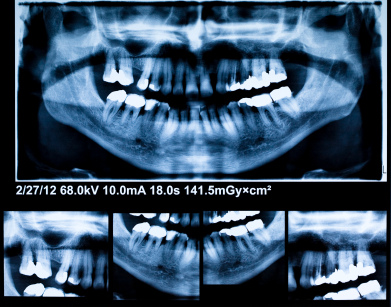
Other indicators for root canal include a hole (black spot) in a tooth and a stinging feeling on the affected tooth that indicates infected nerves. The surest way to identify a breach and an infection through the enamel is to take an x-ray and actually locate the breach.

Do not be afraid of getting a root canal done. In most experiences, people say that it is not that different from getting a filling done. Dentists will use a needle to inject an anesthetic that will dull away the pain, too. If you are afraid of needles, ask them to use gas instead or find a dentist that does gas treatments.

As for the duration of the treatment, it varies per specific case. Most root canal treatments are done in one visit to the dentist. The reason for variations in treatment time  is the variation of the extent of the inflection and/or the fact that some teeth have more roots than others.

Additional Help

If you feel like you need professional help on figuring out if you need root canals, TalkLocal can help with finding the correct local experts in this case, saving you time and energy in what may be a stressful situation.

My Monitor Keeps Flickering

Thursday, September 13th, 2012

My Monitor Keeps Flickering Computer Repair

You’re looking something on your computer and suddenly it goes in and out.  You are wondering why my monitor keeps flickering?  Read this article to learn why.  Your computer monitor is the gateway to your computer’s brain.  You need your screen to be able to see what you are doing and for general use of your computer. But what happens when your monitor begins to flicker? There are a couple things that could be going on with your computer monitor that could cause the monitor to flicker.

Potential Problems:

Cables

One possibility is that your cables are messed up. The 15 pin connection cable could be malfunctioning.  You should get a new cable and replace it to see if it helps your situation. If not, the problem lies somewhere else.

Environment

There could also be an electromagnetic interference affecting your computer.  You should move the laptop around the building or room to see if the position of the monitor changes the flickering.  If it stops when you change positions, then there is something in the virtual environment affecting your monitors ability to display properly.

Display settings

If your display settings are improperly set, then your screen could flicker as a result.  You should go into your desktop main screen, click Properties > Settings > Advanced > Monitor, and set your screens refresh rate at around 85 hertz or less.

Video card

The other possibilities are that the video/graphics card that was integrated into your computer has stopped working.  You should switch it out with a new one to see if this helps your situation.

Monitor

Try to plug your monitor into a different PC/laptop. If it works properly, then you have an internal computer problem.  You should also update your monitor’s drivers just in case.

Continuing Problems

If you continue to have problems with your computer monitor, seek professional help. Use TalkLocal to be put in contact with reliable local IT businesses. You don’t have to do any work! Simply input your problem and availability and TalkLocal will do the rest.  Within minutes you should be connected to someone who can help you out on the phone.

Refrigerator is not Cooling

Thursday, September 13th, 2012

Refrigerator is not Cooling Appliances Repair

So, your refrigerator is not cooling? Is there green smoke and a funky smell coming from your fridge? Let’s get rid of that nastiness so you can get back to having fresh, safe food! Check out these common problems and their solutions.

Defrost that build up

A common problem with refrigerators stems from the freezer component of the unit. Sometimes a buildup of ice occurs and blocks the evaporator cover of the unit. If this is the case, unplug the unit and allow the frost to melt.

Check the fan

If the fans under the refrigerator are not working, it will affect your whole unit. Get close to the refrigerator and listen for the fan. If you do not hear the fan running, you may have an issue.

Deice the drain

Occasionally your drain may back up with water. When this happens, the water freezes. If the water freezes, water will be leaking inside the fresh food section. Look on the back or bottom of the freezer to locate the evaporator cover and remove the ice. Once the ice is removed and melted, unclog the drain. To take preventative measures, mix baking soda and water together and pour the mixture down the drain.

Listen closely

If you hear a clicking noise every three minutes or so, your condenser may be the culprit. This is happening because the condenser is overheating and is clicking to take time to cool off again. In order to fix this problem, remove the back of the refrigerator and locate the condenser coils. If they are dirty, take time to clean them. Allow the refrigerator to sit unplugged for about 30 minutes to give it time to cool off before you plug it back in.

If you are still having issues, check out TalkLocal, a free service that can connect you directly to professionals right in your neighborhood.

Why is my File Opening in Wrong Program

Wednesday, September 12th, 2012

Why is my File Opening in Wrong Program Computer Repair

You open a file only to see lines of text—all in gibberish—staring back at you.  You’re thinking, why is my file opening in wrong program.  The unrecognizable words displayed on your screen are the result of opening a file in the wrong program. This error is a pretty common one for many computer users. Check out this article to understand why it happens and how to fix this issue.

Your files are opening up in the wrong program for a variety of reasons. The most common culprit is the registry of the files through which your computer has automated the file opening process. This means that either you clicked a button without fully realizing what you were doing or your computer was already programmed to recognize a file, but it is not doing it correctly.

There is an easy fix for this problem, thankfully. If you find yourself in this bind and it involves a link, simply right click on the link and choose “Open with…” This is the key for solving this problem. If you are able to find this option anywhere, then click it. Select the correct program that you want to use and you will be able to read your program in the correct form. Your file should now be normal. If not, you may need to contact professional help because the problem may lie elsewhere.

To get more help and information about your computer, check out TalkLocal. You will be connected to local professionals that can help you with your specific problem at the time that is most convenient for your schedule! Just go to the TalkLocal website and submit your service need, location and availability. A service professional will be on the phone with you within minutes of submitting your request. Best off all, TalkLocal’s service is completely free!


How to Keep Bugs from Eating Tomato Plants

Wednesday, September 12th, 2012

How to Keep Bugs from Eating Tomato Plants Pest Control

Having your own garden or tomato plant can provide you with enough of the vegetables to last you all season.  You can enjoy perfectly ripened, all natural tomatoes whenever you want.  There is no hassle of worrying about whether or not they were sprayed with pesticide.  But sometimes bugs will attack your plants and snack on the tomatoes before you can.  This can be very annoying especially since the bugs attack all the bulbs at once leaving not one for you to enjoy.  But fear not, there is a way to stop these bugs in an all natural way. Read on to learn how to keep bugs from eating tomato plants in your garden.

Potential Solutions

1)   Spice Spray

The way to make a spice rack spray is as easy as it sounds.  Take every single thing you have on your spice rack and some other smelly ingredients and throw them together. Onions, peppers, bay leaves, garlic, paprika, and anything with a strong scent works.  Put a spoon or two of each into a pot of water.  Steep this concoction for a few minutes and allow it time to cool.  Strain everything and put it into a spray bottle.  You can also add a few drops of dish detergent if it is your prerogative, but this is not recommended because the detergent could burn the tomatoes.  The stinkier the mixture the better. You will have to reapply the solution after every rain or watering.

2)   DIPEL

Bacillus Thuringiensis also known as DIPEL is a pest control spray used by organic farmers all around the globe.  This solution contains a highly effective repellant against a wide variety of bugs.  Caterpillars, moths, butterflies, and other pests stand no chance against this industrial strength spray.  This solution works as a biological control.  The bug must first ingest it and then it will die three to five days later.  Sunlight does break the compound up so repeat spraying after a few days.  This should take care of your bug problem.

Continuing Problems

If you still have problems with bugs attacking your tomato plants, you should seek professional help.  Use TalkLocal to be put in contact with reliable local businesses.  You don’t have to do any work! Simply input your problem and availability to talk to help within minutes.