Archive for the ‘services’ Category


Computer Not Working

Monday, July 16th, 2012

Computer Not Working Computer Repair

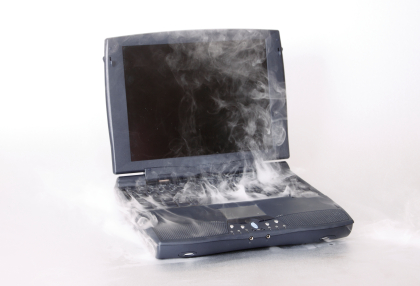
Have you ever had a problem with your computer not working? All you want to do is go on Facebook, check your email, and listen to some music on iTunes or Spotify. You go to turn on your computer and nothing happens. You can’t access any information, data, pictures, or other files you want from your Windows or Mac computer. What to do?

The first thing to check is your power source. If you’re using a laptop computer, make sure your computer is charged. If you’re using a desktop computer, make sure the cord is plugged in. Both of these may sound silly, but it’s always good to double-check. You may be having a problem with your outlet and not your computer, so try plugging into a different one.

If your computer won’t turn on at all, no lights, no fans, you might have to replace your computer’s power cable or power supply. The power cable is the cable that runs between the computer case and the power source.  If it is a laptop, try using a friend’s cable. If it is a desktop computer, switch the power cable from your monitor to the computer.  The power supply is inside the computer and usually shaped like a box. If it is not functioning properly, it needs to be replaced.

If that doesn’t work it may be time to call for some help. TalkLocal, a free online service, can connect you to high quality computer repair businesses in your area within minutes. Just fill out a short form stating your problem, location, and availability and you will be talking with a service provider who can fix your specific problem.
Computer Frozen and Won’t Turn Off

Friday, July 13th, 2012

Computer Frozen and Wont Respond Computer Repair

It is frustrating when you are in the middle of working on something and your computer stops responding—it freezes—and prevents you from shutting down. When your computer is frozen and does not turn off, you may be immediately inclined to hold down the power button, unplug your computer, or remove the battery (for laptops). Although this definitely shuts down your computer, you run the risk of data loss and corrupting files. Instead of taking the shortcut that can damage your computer, you should try to identify the problem area. Your computer may be frozen due to viruses, program incompatibility, overheating, or more. Keep reading to learn what to do when your computer frozen and won’t turn off.

Viruses may cause your computer to randomly freeze and stop you from being able to shut down your computer properly. If your computer only works smoothly in Safe Mode, then you might have a virus. Make sure you install an antivirus on your computer and scan your computer regularly.

Another cause could be new software or updates installed on your computer. New programs might be incompatible with your operating system. When this occurs, uninstall the program and try to find a different program that is compatible with your system.

When your computer is frozen, it could actually be on the verge of a meltdown due to overheating. A hot computer is usually a slow computer, so check the CPU fan every now and then to make sure it is dust-free and functioning.

Running multiple programs at once can use up all the memory and cause your computer to freeze. In this case, try pressing “control + alt + delete” to open up the Task Manager if you are using a PC. You might need to select “End Task” to close the programs that cause your computer to freeze.

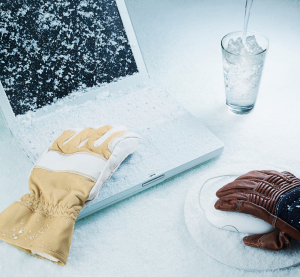
Still unable to control your cold-hearted computer? Use TalkLocal to help connect you to the best professionals in your area. Fill out a short form on TalkLocal’s website stating your problem, location, and availability. In minutes, TalkLocal will match you with up to three service providers who can help you “unfreeze” your cold-hearted computer.

How to Paint a Textured Ceiling

Friday, July 13th, 2012

How to Paint a Textured Ceiling Painters

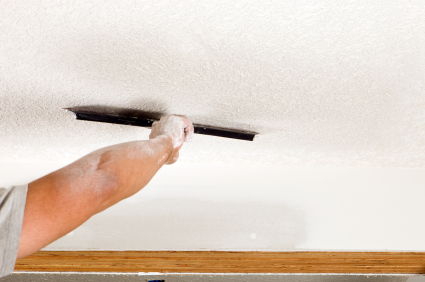
Textured ceilings can be tricky to paint evenly, but it is not as hard as you may think. Using the proper tools will make this task much more simple. The tips provided below go over how to paint a textured ceiling.

Tools

A roller with an extension handle is the best tool to paint a textured ceiling. A thick-nap roller will give you full coverage over the irregularities over the textured surface. You will also need a roller pan and paint.

Prep the room

Make sure you prep the room so that you do not damage any furniture or the floor. Remove all furniture and cover the floor with drop cloths or tarps. Blue painters tape will help you cover any trims, door handles, frames or light fixtures.

Prime and paint

Prime the ceiling before you begin painting to ensure that you use less paint and the paint will last longer. After you prime, paint a cut line with a paintbrush on the ceiling where the ceiling meets the wall. After you have done this, you can use your thick-nap roller to paint the rest of the ceiling. Apply the paint in a zig zag followed by straight line motion. Paint one layer at a time and wait for the layers to dry between applications or else texture will peel away.

You may also spray paint your textured ceiling. The advantage is that you can guarantee even coverage in all the nooks and crannies of your textured ceiling. However, with spray paint you risk getting more paint on furniture and floors, so take extra caution.

TalkLocal can help connect you with the best-rated painters in your area. Learn how to use TalkLocal today!

Tips to Keep House Cool without Air Conditioner

Friday, July 13th, 2012

Tips to Keep House Cool without Air Conditioner Heating and Cooling

Air conditioning can hike up your energy bill during hot summers. However, this doesn’t mean you have to turn off the A/C and be miserable in the heat. Read below to learn some tips to keep house cool without air conditioner by being more “green”.

Fans

Circulating air on a hot summer day helps you stay cool. Ceiling fans or portable fans are useful for cooling off. A breeze is always welcome when you are outside during the summer, so bring the breeze inside your home to cool you down. You can also try to put a bowl of ice in front of your fan so that it blows even cooler air in your direction.

Insulate

Keep hot air out and cool air in by properly insulating your attic. Also, use caulking and weatherstripping around windows and other entrances to prevent cool air inside your home from leaking out. Pulling your drapes closed also prevents heat from coming in by blocking direct sunlight from heating up your home. Keep the sun out!

Reduce Heat Generating Activity

On especially hot summer days, avoid activities and appliances that generating heat. This includes doing laundry, taking hot showers and cooking hot foods. All of these activities generate humidity that gets trapped in your house. Also, turn off heat-generating lights during the daytime.

Plant Trees

Trees are not only beautiful and useful for fresh air circulation, but they also provide cool shade. If you plant trees around your house, that area will be shady and cool; perfect for a barbeque or a get together without the sweltering summer heat.

If you are having issues with your air conditioning, call a heating and cooling service to help you. TalkLocal can connect you with the best professionals in your local area in a matter of minutes.

Overheating Computer

Friday, July 13th, 2012

Overheating Computer Computer Repair

Laptop Very Hot: What happens when a laptop overheats?

Overheating computers cause many problems, such as randomly shutting down your computer or losing valuable data. Know how to recognize the symptoms of overheating and learn how to prevent your laptop from getting very hot. Read the following steps to fix your overheating computer.

Causes of Overheating

Dust is not only the enemy of allergies, but also laptops. The accumulation of dust causes your laptop to get very hot because it builds up in the cooling fan panels and prevents the CPU fan, or cooling fan, from cooling the laptop. The heat sink can also become clogged with dust and overheat laptops.

Using your laptop on your lap, bed, pillow, clothes, carpet or other soft area contributes to overheating because it prevents proper ventilation. Soft surfaces, especially cloth, are more likely to hold dust and lint, which can clog the CPU fan.

When you run multiple programs at once on your laptop you can drive the CPU usage to its maximum capacity, thereby contributing to overheating.

Signs of Overheating

If your computer is overheating, your fan will make a lot of noise because it is struggling and overworked. Over time, the CPU fan accumulates dust and eventually gets clogged. This prevents the fan from effectively cooling down the laptop, which is why the bottom of the laptop gets hot.

When the bottom of the laptop is hot then your laptop is on its way to frying an egg—or your data.

How to Prevent Overheating and Cool Down Your Laptop

Stop dust accumulation before it builds up. Regularly clean the cooling fan by blasting away dust with a compressed air can. If you wait too long and allow the dust to build up, the compressed air will just blow the dust farther into your laptop, and will deteriorate the quality of the laptop much quicker.

Make sure to always use your laptop on a hard surface, such as a desk or a table. We suggest getting a cooling pad that blows cold air on the bottom of the hot laptop. You should also consider elevating the back of your laptop with a hard prop–not a pillow or blanket–so that air ventilation can pass through to enhance the cooling process.

If the overheating problem persists, you may need to take your laptop apart to clean the CPU fan and heat sink.. We recommend hiring a professional IT technician, which you can find easily through TalkLocal.

How to Get Keys Out of Locked Car

Friday, July 13th, 2012

How to Get Keys Out of Locked Car Locksmiths

There is nothing more frustrating than getting locked out of your car and staring at your keys through the window. What makes it even worse is if you left your engine running. Luckily, there are ways to get inside most locked cars, so you can retrieve your keys without having to deal with a car dealership or a locksmith.  Below are some tips on how to get keys out of locked car.

Using a coat hanger

You are extremely lucky if you have an older car with the lock that presses up and down. Straighten out a wire coat hanger, curl the end into a little hook and slide it between the side or vent window and rubber molding. Use the hook to grab the button and pop it up.

Using  a jimmy

Go to a gas station if you are fortunate enough to be parked near one. Many of them have a jimmy you can use to open your door. It slips between the door and window and works on the locking system in the door, opening it easily.

Using roadside assistance

Call your roadside assistance provider. Your plan will probably have a service policy for opening locked cars.

Breaking a vent

Try breaking the small vent window if you absolutely must get into your car. It is relatively cheap to replace.

Using a code

If you have a newer car, check to see if your keys have been coded. Some codes are engraved on the key; others are hidden inside a plastic piece on the key. Have a key made at no charge by calling the code in to a locksmith. The cost of the locksmith’s visit will still be cheaper than having locksmith make a wax model and then craft a new key.

If none of these options work, use TalkLocal to immediately get in contact with local locksmiths who can help you.

Basic Computer Maintenance

Thursday, July 12th, 2012

basic computer maintenance computer repair

Basic computer maintenance is essential for the funtioning of your computer.  There is no guarantee of a perfectly functioning computer, but basic maintenance techniques can help preserve the life and efficiency of your machine.

If you regularly clean your hard disk, you will increase the productivity of your computer.  This includes getting rid of temporary files, temporary Internet files, and emptying your recycle bin. This unneeded information is only slowing your hard drive down.

Furthermore, you can restore your computer to its original speed by reinstalling all the programs on your system on a long-term basis.  However, make sure to save your files in a separate location before performing this action. You can also increase the speed of your machine’s activity by performing a disk defragmentation task.  Defragmentation regroups files neatly together, so the computer can read the files with more fluidity. A fragmented file must be reassembled every time it is accessed, which decreases computer speed.

Scanning for viruses is an essential maintenance practice.  Extensive corruption files and data can unknowingly occur if left alone too long.  A simple scan once a week can help to protect your computer against this.
Backing up your files is an easy way to avoid trouble.  If there is any content on your computer that you would be concerned to lose, save them in cloud storage, an external device, or use a provided backup program on your computer.

Keep your computer up-to-date by installing software updates at regular intervals.  Security updates are constantly occurring, so stay current to protect your computer from viruses. When restarting and shutting down your computer, take the proper steps–even if it takes a little longer. Wait for the computer to power down instead of simply eliminating its power source.

As with all technology, physically cleaning your machine and the area around it is an important task.  To promote the flow of heat away from your computer, it is best to keep machines off the floor and out of closets. Along with keeping your machine cool, take precautions to keep it dry. Be careful when handling drinks or food near your computer; the safest practice is to eat elsewhere.

If you experience difficulty or have questions on any of this, TalkLocal can conveniently connect you to a computer repair service for further advice and assistance.

Accent Colors for Gray Walls

Thursday, July 12th, 2012

Accent Colors for Gray Walls Painters

Think about painting a room but not sure which direction you’d like to go? Gray walls give any space a modern touch. The right accent colors for gray walls will give this neutral color some edge.

Red or cranberry tones give a wonderful pop and breathe life into your room. A rusty red accent wall or red decorations will give your room look a sophisticated and elegant look.

Blue or turquoise accent décor will bring a serene appearance to your room. A blue vase or blue plates are peaceful, calming colors.

Yellow, although not as common, matches perfectly with gray walls. A yellow sofa or yellow glass decorations bring sunshine into your neutral-walled space.

A regal violet accent makes any room more fun and adds a royal tough to your space. Try a gray room with violet bed sheets! Lavender accents also create a cool and contemporary ambience that will help you relax.

Pastel accent colors complement the neutral gray because they are softer on the eyes. If a cheerful yellow accent is not your style, try a soft pastel.

Mixing accent colors is captivating in gray-walled rooms. Blue and green mixed accent colors will freshen up your room by bring the sky and grass into your space. Black and white accents will add a clean, classic look to your room. What is your favorite color? What mood are you trying to set in your space?

The possibilities are endless with gray walls. Once you’ve decided on your accent color, use TalkLocal to connect you with the best-rated painters in your area. Learn how to use TalkLocal today!

How Often Should a Housekeeper Come

Thursday, July 12th, 2012

How Often Should a Housekeeper Come Maid Services

How often should a housekeeper come?  Below are some factors to consider when answering this question:

How many pets live in your house — If you have more than one pet, it is a good idea to have a housekeeper come at least every two weeks.

How many people live in your house — If there are multiple people living in your home, having a housekeepers come every week or every other week will take a lot of the cleaning load off of your hands.

How clean you like your home — Are you okay with having the house look a bit messy for a while? This will give you a different cleaning schedule from someone who is a perfectionist and values being in a pristine home.

How much you like cleaning — For some people, cleaning is a way to relax and unwind. If this is you, once a month would be a great choose to leave the tasks that you dislike to someone else.

How much extra time you have in your schedule — For example, if you are a single mom in an apartment with no dishwasher or washing machine, it may be more beneficial to have someone else do these chores so you can spend more time doing other activities. If you are this busy, a maid once a week for specific tasks is a great choice.

Generally, once a month or every other week are preferred time frames for how often a housekeeper should come. Go ahead and give it a try. If you don’t like it, you can always discontinue the service or adjust the scheduling. Try TalkLocal, a free service that will connect you with a high quality maid in your neighborhood. You will only talk with maid services who can accommodate your needs, and the housekeeper will come any time that works best for you.

How to Fix Rust in Wheel Well

Thursday, July 12th, 2012

How to Fix Rust in Wheel Well Auto Repair

Are the wheel wells of your car covered in rust spots?  Rust can form in many different places on your car, but wheel wells are especially prone to rust because of the water, mud, and rocks that are constantly kicked up into them by the tires while driving.  Damp conditions are ideal for rust formation and–if you do not treat it–the rust can spread and eventually eat holes through the metal of your car.  Here are some suggestions that explain how to fix rust in wheel well and prevent rust buildup in your wheel wells where your car is most vulnerable.

The first step is to get a scrubbing brush with a long handle and physically scrub as much of the rust off of the wheel well as possible.  You may need to lift your car up with a jack and remove the tire to get at the rust depending on its location.  You can purchase brushes designed specifically for this purpose from most home improvement stores in the auto section.

Next you need to get a bottle of WD-40, which is also available in any home improvement or hardware store.  Spray any remaining rusted areas with the WD-40 and let it sit and soak in for 15 – 25 minutes.  This step helps to soften the remaining rust so you can do another round of scrubbing.

If there is still remaining rust that you are unable to scrub off, you may want to purchase an acid-based rust remover from the hardware store.  You can apply this remover with a paper towel to all of the remaining rusted areas, but be sure to put on gloves beforehand.  Let the remover sit for 15 minutes and use your scrub brush to scrape away the last of the rust.

Once all of the rust has been removed, you might want to apply an undercoating to help prevent new rust from forming.  You can purchase rust proofing undercoating spray at the hardware store.  While wearing gloves and safety glasses, simply spray the undercoating on the surface of your wheel well, using short spurts to avoid over spraying.  Allow about 15 minutes for the coat to dry and apply a second coat for additional protection.

If you need more help, TalkLocal can connect you with local auto repair services.