Archive for the ‘services’ Category


Monitor Suddenly Died

Friday, December 21st, 2012

Monitor Suddenly Died Computer Repair

Have you ever been in the middle of a project when your monitor suddenly died? There are a variety of reasons why you would be blindsided by a blank screen. Before you find out why, first try inspecting the basics:

– Is the power cable plugged in?
– Does the power cable connected to a working power strip?
– Is the power cable (or power strip) connected to a working outlet?
– Is the switch for that outlet turned on?
– Are both the monitor and computer turned on?

If you are still faced with a dead monitor, try plugging a different monitor into your computer. If the new monitor works, then this narrows the scope of your problem to your old monitor.

Two common causes of a dead monitor are a broken backlight or inverter.

It is tough to distinguish between the two causes, but here is a general diagnosis:

– If your screen went to black suddenly, it is probably a problem with the inverter. The inverter supplies the power for the screen’s backlight.

– If your screen gradually became dimmer, then it would probably be a backlight issue.

You can also use a multi-meter to detect whether you have a broken inverter.

Hold the ends of the multi-meter up to the inverter board. A good inverter should have a reading of 25 to 90 hertz.

For the economically inclined (and the technologically confused), keep in mind that an inverter replacement is usually cheaper than a backlight replacement.

But why risk emptying your wallet for equipment you may not need? The safest solution is to have your monitor examined by a professional. Use TalkLocal for a fast connection to your local tech support. Just enter your problem, location, and service need and you will be connected to help within minutes. Best of all, TalkLocal’s service is completely free.


Catalytic Converter Troubleshooting

Thursday, December 20th, 2012

Catalytic Converter Troubleshooting Auto Repair

Catalytic Converter Troubleshooting

The catalytic converter is a very important device on your vehicle’s emissions control system that reduces harmful nitrogen oxide emissions.  Typically, the device stays working for the entire life of the vehicle, but occasionally the catalytic converter fails. Read on for more information on catalytic converter troubleshooting.

Although malfunction is rare, it is important to know the signs of a defective catalytic converter.  Signs that something is wrong include:

–   Your vehicle does not accelerate when you step on the gas pedal.

–   Your vehicle’s fuel efficiency suddenly drops.

–   Your vehicle des not start.

–   Your vehicle fails an emissions test.

–   The MIL or Check Engine light turns on.

All vehicles sold in the United States after 1996 include an On-board Diagnostic System that tests the catalytic converter.  If too much pollution escapes from the tailpipe, the car illuminates the MIL light and produces a trouble code that can be read by a technician.

Most commonly, the catalytic converter fails in older cars when they become clogged and gas cannot escape out of the car.  This can also cause the engine to die.

If you find that your catalytic converter is clogged you will have to replace the system.  It is more cost effective to replace the defective system then try to repair it, which may cause problems further down the road.  TalkLocal will help solve your problem by connecting you to a certified auto-repair technician in minutes!

How to Impress your Clients when Traveling

Thursday, December 20th, 2012

How to Impress your Clients when Traveling Limo Rental

There are many things you can to do to impress your clients when they’re traveling to visit you.  It’s incredibly important, especially in the corporate field, to take care your most important business clients and connections.  Impressing them will almost guarantee that they’ll want to work with you and continue to do so in the future.  Keep reading for more information on how to impress your clients when traveling.

Arranging appropriate and high quality accommodations

Your business clients’ accommodations should be one of your highest priorities.  As you continue to engage with them in both businesses and casual encounters, pampering your clients will make sure that they will be impressed and enjoy your company.  Make sure they have access to the highest quality facilities and always be available if they ever need anything. This is an easy but incredibly important way to maintain your important business relations.

City hot spots

While you’re most likely engaging with your clients in a professional manner, make sure that they still enjoy the trip as a whole and invite them to join you for a night out in the city.  This will make sure that you bond with your clients on both the professional and personal levels.  Treating your clients like VIP’s will ensure that they reciprocate the care and the feelings in your relationship.

Don’t ever make them wait

You should always be acutely aware of their needs and their schedules.  You should always build your schedule around your client’s schedule, making sure that they have a driver/car at the right time, that they arrive at meetings on time, and that they have a way back to the hotel if necessary.  Having a smooth day is one of the best first impressions that you can offer a client.

Car services

Offering clients that are flying in from out of town with a limo ride from the airport is also one of the easiest but best first impressions you could offer.  Ensure that the limo drivers are friendly, courteous, and on time for your client’s arrival and departure.  Limos are immediately perceived as a symbol of good will and partnership, so make sure you don’t forget this step.  TalkLocal can help you find a high quality limo service in your local area to make sure your client has the best of time.  You’ll be impressing your clients and closing that deal in no time!

How to Get Rid of Indian Cooking Smells in House

Thursday, December 20th, 2012

How to Get Rid of Indian Cooking Smells in House Maid Services

How to Get Rid of Indian Cooking Smells in House

Indian cuisine can be delicious and fun to cook at home, but some Indian spices are very strong and can leave an unwanted aroma in your house. If you want to know how to get rid of Indian cooking smells in your house, there are a few things you can do on your own, some being simple, but others being potentially expensive:

– Run your exhaust fan while cooking.

– Ventilate your home for a day by opening ALL windows and doors.

– Go through your house and spray Oust or another air neutralizer. Do NOT a freshener; doing so will just add another scent on top of the Indian food smell instead of getting rid of it.

– Use a fabric freshener on any furniture that may have absorbed the scent. You can also spray freshener on carpets and rugs.

– Keep your spices in tightly-sealed, glass jars to keep the effects of the scents minimal.

– Keep a bowl of warm water and baking soda near your stove while cooking to soak up the odors.

– Boil water and vinegar while cooking to neutralize odors.

– Place a can of charcoal bricks in your house. They must be clean and unused in order to absorb scents.

– Add 4 tablespoons of ReaLemon Juice to a quart of iced tea. Filter it through a coffee filter and then spray it around the house to neutralize the smell.

Other options that require more effort or money:

– Wash your walls if you think the aroma has settled in.

– Steam wash your carpet.

– Ultimately, it may be necessary to repaint your walls and/or to recarpet your floors.

If none of these options are working and you would like some professional cleaning help, try using TalkLocal to locate reputable maid and/or carpeting services in your neighborhood. Just enter in your specific problem, location, and availability and TalkLocal will contact multiple companies who will then call YOU directly, ready to help within minutes.

How to Cool your House with Window Fans

Thursday, December 20th, 2012

How to Cool your House with Window Fans Heating and Cooling

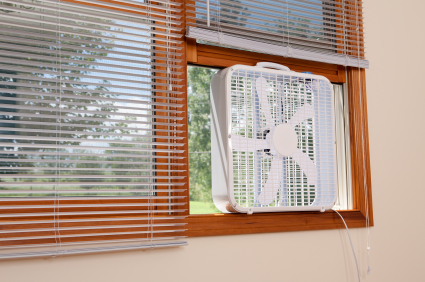
Do you not have a central A/C system in your home? Are you trying to save money on your cooling bill this summer? Learn how to cool your house with window fans as a relatively inexpensive option.

The best time to use window fans is during seasons when temperatures are hot during the day and cool/dry during the night. These fans can be used to bring in the cool, dry air from the outside at night, which can lessen the need to turn on your air conditioner during the day. This way, electricity is used only at night rather than throughout the entire day.

Here are some situations in which using window fans may not be ideal:

– If temperatures are very hot and/or humid all throughout the day & night. In this case, window fans may not be very effective and you may be better off using a central A/C system.

– If your windows are not accompanied by adequate screens, putting a fan in these screen-less windows can bring in unwanted bugs and insects.

– If you live in an area with high rates of crime, window fans may make your house more susceptible or prone to break-ins or burglaries.

When choosing the right window fans, make sure to measure the size of the window opening before you purchase your fan. Whenever the temperature drops so that it’s cooler outside than in your home, turn on the fan to bring in that cooler outside air.

It is most effective to have multiple fans; some placed so that the cooler outside air is brought in during the night, and some which will push the hot air out from inside your home during the day. Be sure to place them strategically as well. Have the inward-blowing fans on the coolest side of your house, (sides that have shade if possible,) and have the outward-blowing fans on higher levels and on sides that are most hit by the sun.

If you would like some advice on using window fans, or if you need help repairing or installing a central A/C system, try using TalkLocal, a free service that will connect you with top-quality, reputable heating & cooling specialists in your area within minutes. Simply enter your specific need, location and availability, and TalkLocal will contact multiple HVAC service providers, who will then call you directly. Save time searching companies on your own, and let TalkLocal find them for you.

My Turtle is Eating Rocks

Wednesday, December 19th, 2012

My Turtle is Eating Rocks Veterinarians

Pet turtles are cute, low maintenance animals.  They require a little attention and general feedings, but usually don’t take up a lot of your time.  Turtles are uncomplicated creatures, but ones who sometimes do strange things.  For example, people often complain, “My turtle is eating rocks.”  This strange eating habit is not good for the turtle; read the information provided below on how to fix this situation.

Why is your turtle eating rocks?

Your turtle could be eating rocks for a number of reasons, including:

– By mistake

– Because it needs more calcium

– Out of boredom

– Intentionally

Sometimes turtles will mistakenly intake pebbles because it is searching for food.  Turtles frequently search for sunken food and eat whatever is at the bottom of the tank on accident.  Another reason turtles eat rocks is because they are looking to get more calcium.  You should try to get it a cuttle bone to chew on so that it gets the necessary nutrition it needs.  Furthermore, when your turtle is bored it will begin to eat the sand and pebbles.  You should transfer your pet into a larger tank with more foliage/room to move around.  Finally, for some unknown reason, turtles will occasionally eat rocks intentionally.  There is no nutritional value, so the reason as to why it eats small amounts of this substance is unknown.

These rocks are not good for your turtle.  The gravel can get stuck in their digestive system and impact.  This will cause a larger problem in the long run.  The turtle will continue to eat rocks until it’s stomach is completely swollen and this is quickly followed by death.

If you notice your turtle eating the rocks at the bottom of its tank you should take action immediately.  Remove all the gravel and sand as soon as possible.  A bare tank floor will trap less food and create less smells as well.  If you want to keep the rocks at the bottom of the tank, you should use colorful sand/rocks so your turtle will not confuse it as food.  You should also use large rocks that are at least bigger than the turtle’s head because this way your pet will be unable to eat them.

If you are looking for a veterinarian to help out with your pet turtle and it’s penchant for eating rock, use TalkLocal.  Simply input your problem, location and availability, and you should be connected to someone who can help you out within minutes.

How Do I Know if a Tree is Dead

Wednesday, December 19th, 2012

How Do I Know if a Tree is Dead Tree Removal

Trees are an essential part of life – responsible for creating peaceful, aesthetically pleasing environments and being responsible for producing two of life’s essentials: food and oxygen. Trees contribute to their environment by improving air quality, providing us with oxygen, preserving soil, supporting wildlife, and much more. But when a tree dies, all of that contribution withers away. So how do you know if a tree is dead? It’s not complicated if you know what to look for.

First off, you want to make sure you know whether the tree is dormant or actually dying. Seasons like winter and fall aren’t very conducive to tree growth and it may make the tree appear to be dead when it is actually just dormant. These dormant trees may also have bumps along the stump or along limbs that are the beginnings of new branches being formed. If these are present, then your tree is still very much alive.

To tell if it’s dying, look for the initial signs that may indicate severe stress. Look for changes such as differences in leaf color, leaves dropping prematurely, brown dull-looking leaves with brown stems, etc. Another easy way to tell is to try breaking off a branch. An alive tree branch will resist the force of someone trying to break a branch, whereas a dead or dying tree branch will be more brittle and easy to break.

Even if all the leaves are gone, that doesn’t necessarily mean your tree is dead. It could just be part of the tree’s cycle. If you aren’t sure whether your tree is dead or not, it may be a good idea to wait and see if the leaves come back by spring. Make sure to continue watering and fertilizing the tree to give it a chance to rejuvenate, and if they aren’t back by the time they are supposed to be back, it may be time to dispose of the tree and plant a new one.

If you need help determining whether your tree is dead, or if you need help removing the tree trunk and stump, consider using TalkLocal to find a tree removal specialist for you. TalkLocal is a free service that will connect you with top-quality, tree removal companies in your neighborhood within minutes. Just enter in your specific problem, location and availability, and up to three companies will call YOU directly, saving you the time and stress of finding one yourself.

Car Radiator Fan Problems

Wednesday, December 19th, 2012

Car Radiator Fan Problems Auto Repair

Car radiator fan problems can lead to other problems with your car because the radiator fan performs a couple of very vital functions.

What does a radiator fan do?

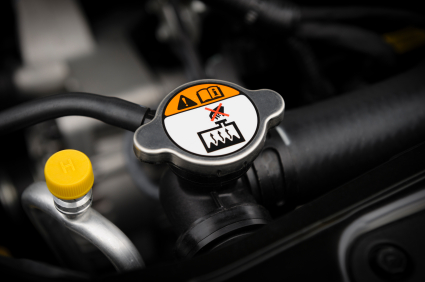
A radiator fan cools the radiator and stops the car from overheating. However, if your car is overheating, the radiator may or may not be the culprit. If your car is overheating, first check out your radiator fan.

Four parts of your radiator fan that are likely problem areas:

Fuses – Most of the time, a blown fuse is the problem. A symptom of a blown fuse is when something electrical is not working. Look around and make sure the fuses are all properly connected. If there is an issue, replace the fuse.

Temperature sensor – If your car is heating up and your fan is not kicking in, you may have an issue with the temperature sensor. If the sensor is not working, the fan will not be able to operate when the car gets too hot. To check the sensor, look under the car thermostat cover. Once there, disconnect the sensor wires and touch them together. If the fan starts, then you will need to replace the sensor because it is an indicator that you have a bad sensor.

Coolant – Look to the coolant level for additional clues. Make sure the coolant level is at the optimal level so your engine can run smoothly and efficiently.

Fan clutch –  The fan clutch holds the fan to the engine. In addition, it makes it turn. If the clutch is faulty – burnt out or simply fails – a replacement part is necessary.

Need professional help?

If you are not sure where to keep looking or are having other issues as well, there is still hope! Check out TalkLocal, a free service that connects you directly to local, high-quality professionals who can help you with your issue at a time that works best for your schedule.

Limo Safety Regulations

Wednesday, December 19th, 2012

Limo Safety Regulations Limo Rental

Ever wonder if the limo you are riding in has limo safety regulations that are up to date?  Good news – all limousines licensed for hire must pass an annual safety inspection.  In addition, limo drivers must pass many tests, both driving and written. Check out these limo safety regulations for more information.

Ensuring your safety:

Taking responsibility for your own safety is key to staying safe while having a great time.  Limos are known for being used for special occasions and fun times.  Ensuring your safety is important, and this is why limo safety regulations are enforced.

–       While it is generally expected for passengers to move around in the back of the limo, to maintain your safety, it is advised to limit the amount of time not spent in a seat.

–       To insure additional safety, limo drivers are trained to drive smoothly yet efficiently due to the nature of free motion in the back seats of limos.

–       Alcohol is usually  not allowed in limos transporting people under the age of 21.

–       If there is alcohol involved during the ride, extra caution is advised to avoid accidents when opening bottles or cans in a moving vehicle.

–       Also, if there is an accident with glass, be careful and ask the driver for assistance.  Picking it up yourself may lead to an accident, especially if it blends in with the carpet.

–       When exiting the limousine, take caution because your step may be a little more unstable than when you entered the vehicle.

–       Be sure to take your valuables out of the limo and not to leave anything valuable in the limousine if you are visiting multiple places.

–       If you need to get fresh air during your trip, be careful of overheads or other cars if you stick any body parts outside the limo.

Now that you are all set on the safety tips and safety regulations of limos, use TalkLocal to connect you to a limo service in your area within minutes.

Common Computer Problems Related to Power Outages

Tuesday, December 18th, 2012

Common Computer Problems Related to Power Outages Computer Repair

A variety of computer problems can occur due to a power outage, from data loss and operating system corruption to hardware failure of all kinds. It’s best to protect your computer with a UPS (Uninterruptible Power Supply) in the case of a surge. A UPS gives you time to save all your files and shut down your computer properly to prevent data loss. However, if it’s too late for that and damage has already been done to the computer, here are some common computer problems related to power outages.

Hardware issues

If your computer won’t turn on after an outage, there’s a good chance that the power supply is fried. Even if your fans turn on and you can hear sounds from the computer tower, your power supply may not be fully working. Replace the power supply with a part from your computer manufacturer, and see if that fixes the problem. Sometimes after replacing the power supply, none of the USB ports will work, including the monitor. Try removing all but one RAM chip, and restart your computer. Swap another RAM chip in if your computer still does not turn on. If you’ve cycled through all the RAM chips and the USB ports still do not work, then there’s a chance that your motherboard is also fried, which is a major problem.

Data loss

Computers will often be extremely slow or buggy after a power surge, similar to the way they act when infected by malware. This is because your operating system, in addition to your personal files, can be corrupted on your hard drive. If starting your computer up in safe mode fixes most of your problems, then try these steps:

1. Click on Start.

2. Search for Run.

3. In the Run dialog box, type “sfc /scanonce” and press enter.

4. Restart your computer.

If your computer is still slow/buggy, try using Microsoft’s check disk utility:

1. Click on Start.

2. Search for cmd.

3. In the command prompt window, type “chkdsk c: /f /r“.

4. Restart your computer.

There’s another option that you can try if your computer is still not working:

1. Boot up in normal mode.

2. Click on Start.

3. Search for Run.

4. In the Run dialog box, type “sfc /scannow” and press enter.

5. Restart your computer.

Since power outages can cause a myriad of complicated problems, it’s best to consult a professional. Changing certain parts of your computer can be complicated and might cause damage to the other parts of a computer if you’re unfamiliar with its interior structure. The operation system of the computer is also very sensitive, and recovering corrupt system files should also be left to an expert. Use TalkLocal for free to find a qualified computer technician to fix these common computer problems!