Archive for the ‘services’ Category


Bathroom Sink Drains Slowly

Thursday, August 23rd, 2012

Bathroom Sink Drains Slowly Plumbers

Does a clogged drain have your sink looking like a bathtub? Most people pick up a chemical drain cleaner from a convenience store if their bathroom sink drains slowly, but there are some cons to this store-bought solution. Chemical drain cleaners are dangerous to humans who inhale or touch the product; the harsh chemicals can also corrode your sink pipes and harm the environment. There are plenty of safer ways to fix a clogged drain using materials already in your home. Read on to find out how.

Using Hot Water

First, try running very hot water down the drain. Sink drains can collect a variety of gel-like substances including toothpaste, soap, and other personal hygiene products that can be dissolved with hot water. Flush the stopper with hot water, too —ensuring the water runs through small holes of the stopper.

Using a Clothes Hanger

1. Cut a wire clothes hanger at the bottom two corners using wire cutters or pliers. You will be using the long straight piece of metal.

2. On one end, bend a 3-inch piece to form a small loop, so that the end with the loop sticks out perpendicular to the rest of the wire. This part will work as a handle.

3. On the other end, curl the metal to form a small hook. It should be small enough to move around in the drain, but big enough to grab debris.

4. Lower the hook end into the drain.

5. Twirl the hook around to feel for debris.

6. Drag the hook out when you feel something.

7. Continue fishing for debris, inserting the hook into a different hole if the drain is divided by a filter.

8. Turn on the water to test the drain.

Using a Plunger

1. Plug the overflow hole with paper towels.

2. Spread a thin layer of petroleum jelly around the edge of the plunger to give it more suction.

3 . Fill the sink until it can cover the base of the plunger.

4. Put the plunger over the drain.

5. Push the plunger all the way down.

6. Pull up against the suction.

7. Repeat step 5 and step 6 until water begins draining quickly.

Using a Homemade Drain Cleaner 

1. Boil a gallon of water in a large pot.

2. Add half of a lemon to the pot.

3. Pour a 1/2 cup of baking soda directly down the drain.

4. Pour a cup of white vinegar directly down the drain.

5. Pour the water mixture down the drain.

If the above suggestions do not work, you can try using a store-bought drain cleaner or contacting a local plumber through TalkLocal. Just fill out a service request online or on the phone and TalkLocal will connect you with up to three service providers in your area who can help you.


Best Wireless Network Adapters

Thursday, August 23rd, 2012

Best Wireless Network Adapters Computer Repair

Are you frustrated with your wireless Internet service? Are you experiencing frequent problems when trying to connect or stay connected to the network? If so, you might want to consider switching your wireless network adapter.

The function of a wireless network adapter is to allow a device (laptop, phone, etc.) to join a Wi-Fi network. Within each wireless network adapter is a built-in radio transmitter and receiver, and each adapter is able to supper at least one of the three most common Wi-Fi standards (802.11a, 802.11b, or 802.11g).  According to ratings and costumer ratings, the following wireless network adapters have earned the highest performance reviews.

Best Wireless Network Adapters:

  • Cisco Linksys AE1000
  • TRENDnet TEW-664 UB
  • Netgear RangeMax WNDA 3100
  • D-Link DWA- 160 Xtreme N
  • Belkin Wireless N+
  • Cisco Valet Connector AM10

When choosing the right wireless network adapter, be aware that they typically come in one of three forms: PCI cards, USB adapters, and PC cards. Most of your local electronics stores will carry these products, or you could order one online from the manufacturer’s website. PCI cards must be installed when the computer is powered down, whereas other adapters can be installed when the computer is running normally. The installation process is simple; some modern systems even complete the installation automatically. In addition, most new laptops are manufactured with built-in wireless networking. If you ever need to stop a network adapter (usually because of security reasons), you can simply disable it instead of uninstalling it and then reinstalling it.

If you need additional help with your wireless network, use TalkLocal to get in touch with IT support services in your area. The process is easy. Just fill out a form online stating your availability, location, and service need. Within minutes, you will receive a phone call from someone who can help!

Numbers Not Working on Mac Keyboard

Wednesday, August 22nd, 2012

Numbers Not Working on Mac Keyboard Computer Repair

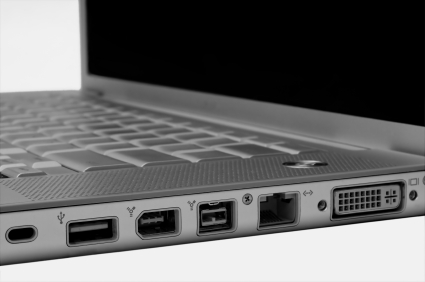
Have you been typing away on your Mac keyboard as usual, only to find that a number doesn’t shows up on your screen when you press it? No matter how many times you hit it, do you still get no response? Unresponsive keyboards are quite the nuisance, and there are a few potential causes for numbers not working on Mac keybord:

– Your keyboard is not fully connected into your computer’s USB port.

– The USB port through which your keyboard is connected is unresponsive.

– Your ‘Mouse Keys’ feature is turned on.

– There is a frayed wire or other part of your keyboard that needs to be replaced.

Possible Solutions:

– Try unplugging and reconnecting the keyboard to the USB port. Sometimes, the wire is not fully seated in the port.

– Try moving your keyboard connector to a different USB port.

– If the Mouse Keys function is turned on, you can disable in two ways. The fastest way is to press the alt/option key five times. If that doesn’t work, follow these steps:

1. Go to System Preferences.

2. Select Universal Access.

3. Switch to mouse view.

4. Turn the Mouse Keys off.

– If it is something that cannot be solved, you may need to contact an Apple Store retailer to replace your keyboard.

If you have tried any or all of these solutions and are still having problems, check out TalkLocal and connect to a local service provider who can help you with your keyboard issues! Within minutes of entering your problem, location, and availability, a reliable business will contact you to serve your needs.

Office Move Checklist

Wednesday, August 22nd, 2012

Office Move Checklist Moving and Storage

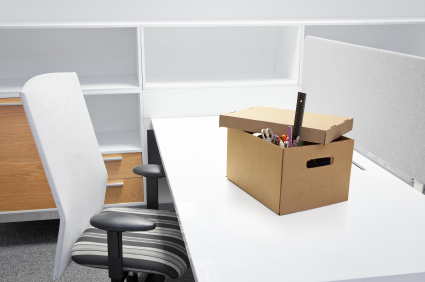
Sometimes moving an office is more stressful than moving a household. Preparing for the move is key to ensuring that everything on your list is complete. Use this office move checklist as a guide to keeping things on track!

Planning

– Determine a time frame and moving schedule.

– Make a list of tasks and assign tasks to employees. Remember to set up a moving committee to help organize the transportation of items.

– Set up a communications plan to let customers, suppliers, and other important parties know about the move. Contact current service providers to inform them of the move. Make sure that new providers are aware of installation dates, including telephone lines, fax, Internet access, postal service, etc.

– Determine the new office set-up and look.

Packing

– Purchase packing supplies, including appropriate boxes.

– Provide packing instructions to employees or professional packers. Make sure boxes are properly labeled with office location, importance, and content.

– Prepare furniture for moving and label each piece so it will be moved to the correct area of the new space.

– Properly prepare equipment for moving. This includes removing any liquids and ensuring removable parts are packed and labeled. Make sure items that you will need in the near future are still easily accessible.

Moving

– Get moving quotes from companies. Use TalkLocal to find moving companies immediately. TalkLocal will compare them for you and find a local, high-rated moving company that is available when you are.

– Book special technical assistance ahead of time to move and install important equipment such as a photocopier, computer network, or specially telephone service.

– Find out in advance where the moving truck can park to load at the old office location and where it can unload at the new location. Inform surrounding businesses of your move and if you’ll be blocking entrances or taking additional parking spaces.


Water Heater Leaks from the Top

Wednesday, August 22nd, 2012

Water Heater Leaks from the Top Plumbers

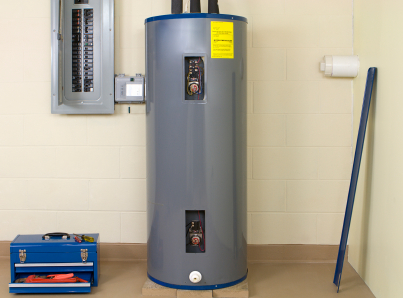
If your water heater leaks from the top, the first step in fixing it is identifying the source. The water is coming from one of three connection areas on the top of the water heater. The connection marked with blue is for incoming cold water and the connection marked with red is for outgoing hot water. The third connection is the pressure release valve, which relieves pressure from the vessel before it becomes damaged.

If the water is coming from one of the water valves, it may be caused by a loose fitting. Use a wrench to tighten it. If there is rusting in the valve, it will need to be replaced.

If the water is coming from the pressure release valve, it may be caused by a recent interaction with it. Sometimes the valve will leak if it is opened for the first time. Try opening and closing it a few times to allow it to re-seat itself. If the leak does not stop after a day or two, you need to replace the valve. You can also replace the pressure release valve on your own using the followings steps:

Materials:

Pipe wrench

Teflon tape

Pressure release valve

1. Turn off the gas, or flip the breaker, to your water heater.

2. Close the blue valve.

3. Open the pressure relief valve and the valve at the bottom of the tank to relive pressure and drain some of the water.

4. Remove the overflow pipe. If it is permanently attached to the tank (glued or soldered), you will need to cut it off.

5. Unscrew the pressure release valve.

6. Wrap the threads of the new pressure release valve in Teflon tape.

7. Screw in the new valve. The opening should be facing outward.

8. Reattach the overflow pipe.

9.Wrap Teflon tape around the threads.

10.Open the blue valve to let cold water in again.

Check the water heater in a day for leaks. If it continues, contact a high quality local plumber through TalkLocal. Just fill out an online request stating your problem, availability, and location. Up to three plumbers in your area will call you within minutes to help you with your leak.

Data Transfer Problems

Wednesday, August 22nd, 2012

Data Transfer Problems Computer Repair

If you are experiencing data transfer problems between two computers, there are usually a couple common issues that are to blame.  The causes and solutions of the most common problems are outlined below.

Data Transfer Stops before Completing

If the transfer is stopping at some point during the transfer, you most likely have a network issue. If the computers lose connectivity to the network anytime during the transfer, the computer usually automatically pauses or stops the data transfer. In order to check whether or not you have network connectivity, you should check your network adapter settings and your network connection; after confirming, start the transfer again.

Browsing Data Transfer Issues

If the browser is having issues downloading and transferring data, you should first restart your computer and then check whether you’re connected to the network.  Internet and network connectivity is necessary for this type of data transfer. You should then reset your browser settings.

No Data Transfer

There are two potential issues when there is no data transfer whatsoever, the first one being a firewall issue. Your firewall, which is there to protect you from unwanted outside intruders, could be preventing another device from accessing and transferring data with your computer. To check whether this is the issue, you can temporarily turn off your firewall and then initiate a data transfer. If this turns out to be the issue, you’ll want to change the firewall settings to accept that particular computer or program.

The other potential problem is a TCP-IP problem. To test for this issue, you should open up the command prompt by typing in “cmd” in the search bar and hitting “OK.”  You should then type in “ping 127.0.0.1” and messages should pop up saying “reply from 127.0.0.1” with a time.  If it is unsuccessful, you have found your problem—you’ll need to reset your internet protocol. If you’re using a Windows computer, you can go here and click on the “Fix it for me” button which will automatically solve the issue.

If none of the above steps solved your problem or you still don’t have any clear idea of what is causing the data transfer problems, then you should contact a local IT professional to diagnose and repair your computer.  TalkLocal can connect you to high-quality computer repair businesses in your area to get your computer back and running as soon as possible!

How to Replace Roof Shingles

Wednesday, August 22nd, 2012

How to Replace Roof Shingles Roofers

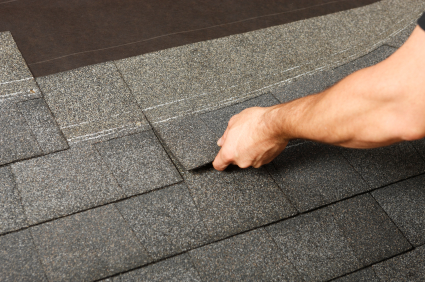
You may think you need a professional to replace your roof shingles, but people can actually do it by themselves. However, you must first understand that working on the terrace is dangerous and take all the necessary precautions for it. Use a ladder, let people know you are working up there, and have them steer clear of the area below you. Be careful while working near power lines or TV antennas. Don’t work during wet or windy weather. Most importantly, wear heavy, rubber soled shoes with a non-skid tread.

Now that you know the basics, measure your roof and buy the necessary number of shingles. Make sure you buy a few extra in case your measurements are off or a few shingles break. Also, make sure you choose the right type of shingles if you are only replacing a few damaged ones.

Here are the steps on how to replace roof shingles:

1. Loosen the adhesive under the tabs in the row above the damaged shingle.

2. Loosen and lift the tabs in the first row above the damaged shingle.

3. Take off the exposed nails.

4. Loosed the tabs of the damaged shingle.

5. Remove the tabs.

6. Place a new shingle in the same position from which the sample was removed.

7. Attach the shingle by nailing it in place.

If you have any edges that are loose, pick up roofing cement from your local hardware store. Apply a little to the problem area and wipe away the excess. Once you take care of the minute details, that’s it—you have a brand new roof!

If you are at all uncomfortable with repairing roof shingles yourself, don’t take the risk. There are plenty of roofers in your area who would love your business. Let TalkLocal help you find the best ones who can meet your needs and your scheduling availability.


SATA Port is not Being Recognized

Tuesday, August 21st, 2012

SATA Port is not Being Recognized Computer Repair

Your computer may contain a SATA port, which is a computer bus interface that allows for you to connect mass storage devices to your machine, such as hard disk drives and optical drives. If you notice that the device plugged into your SATA port is not being recognized, there could be a few explanations for this problem:

Windows XP users

If your computer is running Windows XP, it’s possible that XP is too old and won’t recognize the SATA port. Try reading this article to find some quick solutions.

Floppy disk drive

If your computer doesn’t have a floppy disk drive, this article may also be helpful.

If you’re still experiencing problems, it may be helpful to contact a computer specialist. Try using TalkLocal, a free service that will connect you with top-quality, reputable computer repair specialists in your neighborhood within minutes. Just enter in your specific problem, location and availability, and TalkLocal will contact multiple companies, who will then call you directly. Save time searching for a repair specialist on your own, and let TalkLocal do it all for you!

How Often to Repaint Interior Walls

Tuesday, August 21st, 2012

How Often to Repaint Interior Walls Painters

How often to repaint interior walls depends on the quality of paint and the wear and tear of the particular room.  In general, you should expect a good quality job done by a professional paint crew under good conditions to last from 7 to 10 years.  However, many factors can cause paint jobs to decrease their longevity and lose their luster.

Quality of Paint

The most influential factor that determines how long your interior paint job will last is the quality of paint used.  There are many types of interior paint and features, such as the degree of splatter, the abrasion resistance, and volatile organic compounds.  The more expensive paints will usually have more abrasion resistance and little splatter, which makes both application easier and the lifetime longer. Ultimately, the quality of paint and therefore the lifetime of the paint job will depend on your price point and how much you’re willing to spend.

Smoke

The nicotine in cigarette smoke is extremely difficult to remove because porous surfaces such as walls and ceilings easily absorb the chemical.  Furthermore, nicotine is actually water-soluble so it can bleed through latex paint and penetrate into the woodwork beneath it.  Likewise, a fireplace used on a regular basis or without a properly functioning dampener will release smoke into the room.  Any type of smoke will dull and stain the paint job, effectively decreasing the longevity of the paint job.

Amount of Traffic

The amount of traffic that a room will have a strong influence on the longevity as well, since high traffic rooms will have greater chances for abrasions and paint chipping.  Higher quality paints will be able to resist higher levels of abrasion, which is especially important for children’s rooms and playrooms.

Each home will have different conditions and as a result, the amount of time before you need to repaint the interior of your home can vary drastically.  The most effective way to figure out how often you need to repaint your home is to call in professional painters to evaluate your current situation and give you a precise answer.  TalkLocal can make this extremely easy, allowing you to quickly and easily connect to high quality local painters and professionals in a flash.

Best Bug Spray for Ticks

Tuesday, August 21st, 2012

Best Bug Spray for Ticks Pest Control

Ticks are a nuisance when you are hiking, camping, or just enjoying a barbeque outside. So whats the best bug spray for ticks?  A strong, but safe insect repellent is important for any outdoor adventure. We recommend Off! Deep Woods Sportsmen with 30% DEET. DEET blinds the tick’s olfactory receptors for 1-octen-3-ol, which can be found in human skin and breath. The higher the DEET concentration, the longer you can go without being bitten by ticks and other insects. However, no one should use a bug spray that contains more than 30% DEET as this chemical can be harmful to the skin. Furthermore, you should never use bug spray on broken skin because DEET is a chemical that can irritate the wound. When dealing with small children, use lower concentrations of DEET because their skin is more vulnerable and they may accidentally ingest some. Use stronger repellents for hiking and camping trips and weaker repellents for a short walk outside. Like sunscreen, the rule with bug spray is the use just as much as you need. This is especially important with bug spray because it can be harmful to humans in large amounts. Always wash off bug spray immediately after you are done with outdoor activities.

 You should take further steps to prevent ticks from biting you. Wear bug repellent clothing that has been treated with permethrin. It prevents ticks and other bugs from biting you through clothing.  Wear closed shoes and a hat. Cover up as much exposed skin as possible, especially on your legs; wear pants and tuck them into your shoes so that tick cannot crawl up them. You also want to check you entire body after going through woods or grassy areas. Also, check yourself again before entering your home. Bringing ticks inside is that last thing you want! If you need to contact a pest control service, TalkLocal can help you find help immediately.