Archive for the ‘services’ Category


Troubleshooting TV Problems

Tuesday, August 21st, 2012

Troubleshooting TV Problems TV Repair

Televisions are our portals to shows, movies, seminars, and information. In today’s day and age, a TV is among the most important pieces of technology we own.  Sometimes our TVs malfunction and have problems.  These issues could be serious while some could be less urgent. Either way if they impede your ability to watch TV, you should try to fix the problem immediately. The following are methods of troubleshooting TV problems.

Unnatural colors

This means that the flesh tones or other colors do not look as they should.  This is a common problem even in the most high-end TVs.  The cause of this problem is that the picture settings are not right. Usually these settings are optimized for the showroom from which you bought it so it looks weird when you use the television at home.  You can fix this by changing the picture mode to natural from the menu.  If you want to be even more precise you should try to manually adjust the color, contrast, and brightness until you find exactly the right combination.

White outlines

Sometimes you will see white outlines appear around the people on the screen or around objects.  This is because the sharpness is set too high or if your TV has enhancement processing technology.  You will need to go to the picture menu and change the setting until you see the outline disappear.

Pixilation

Pixilation is also a common problem with televisions.  When your picture breaks into pixels it is a result of the digital video signal getting dropped.  A signal will drop because of problems with the cable or with weak signals.  You can get an amplifier to boost the signal strength and stop the pixel problem.

Continuing Problems

If you have more questions about troubleshooting your TV, you should try to talk to a professional.  The easiest way to get in contact with reliable local electronics businesses is to use TalkLocal. Just submit your problem and availability onto the website and let them do all the work.  Within minutes you will be connected to someone who should be able to help you out.

How to Duplicate Tabs in Google Chrome

Tuesday, August 21st, 2012

How to Duplicate Tabs in Google Chrome Computer Repair

How to Duplicate Tabs in Google Chrome

If you need to duplicate tabs frequently, there is an easy way to do so with shortcuts. In Google Chrome, it’s actually possible to duplicate a tab by simply right clicking on the tab and clicking “Duplicate” on the menu. If you want to use your keyboard on a PC, an easy  shortcut that works for both Chrome and Firefox is to press Alt+D, which brings the selection to the address bar, highlighting the URL. With the Alt key still held down, press Enter to open up a new tab with the highlighted URL. Note that this loads the same page in the new tab, so the page will be essentially refreshed. If you have unsaved information on the original page, it will not carry over to the new tab! If you are using a Mac, try the same thing but with Command+D instead of Alt+D.

Here is a list of other shortcuts if you are using Chrome on a Mac:

Command+T opens a new tab.

Command+N opens a new window.

Command+Shift+T opens the last tab you closed. Chrome can remember up to 10 closed tabs.

Command+W closes your current tab.

Command+H hides Chrome.

Command+Q closes Chrome completely.

Here are most of the same commands for using Chrome on a Mac:

Ctrl+T opens a new tab.

Ctrl+N opens a new window.

Ctrl+Shift+T opens the last tab you closed. Chrome can remember up to 10 closed tabs.

Ctrl+W or Ctrl+F4 closes your current tab.

Alt+F4 closes your current window.

Ctrl+H shows the history page.

Ctrl+J shows the download page.

F5 reloads the page.

Additional Help

Looking for more little computer tips that can make your day easier? Ask a qualified computer technician through TalkLocal. TalkLocal can help you find local professionals to help you with your computer problems.

How to Convert Favorites to Bookmarks

Monday, August 20th, 2012

For all browsers, favorites and bookmarks have the same function: They acts as shortcuts to websites that a user visits often. In some browsers, such as Internet Explorer, there are two separate entities for favorites and browsers. In other browsers, such as Google Chrome, favorites and bookmarks are treated as one entity and all sites are compiled in one place. This makes it simple to search for sites you have saved. However, if you are using a browser, such as Internet Explorer, and you want all your sites in one place, you will need to convert your favorites to bookmarks manually.

Here is how to convert favorites to bookmarks:

1. In Internet Explorer you can export your favorites as bookmarks by exporting them as a folder in .htm format. Then, you can switch to your new browser and upload that file in your bookmarks folder. Check out this article for the easy step-by-step instructions.

2. If you’re trying to move them to a different computer, you could simply copy all the files in your favorites folder to a removable media storage device, such as a USB flash drive. Paste them into your new bookmarks folder on the new computer.

3. You can transfer your favorites to you bookmarks using this article. Follow the instruction in the hyperlink and you should be able to convert them successfully within minutes.

If you’re still having trouble, or are unsure of how to follow any of these steps, you could try contacting a computer specialist for additional help. TalkLocal is a free, easy, quick service that will connect you to a high rated, reliable computer expert in your area. Just visit the website to submit a service request listing your problem, location, and availability, and TalkLocal will contact professionals who will then call YOU directly within a few minutes.

How to Install a Roof Ventilator

Monday, August 20th, 2012

How to Install a Roof Ventilator Roofers

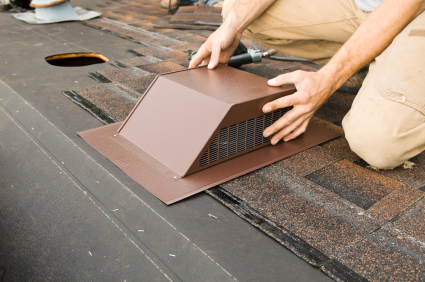
Do you want a more energy efficient and safer house?  Roof ventilators are a good solution.  Roof ventilators or roof vents release moisture from the home that rises to the roof.  They protect the roof from harsh weather to for a longer lasting roof.   Read on for information on how to install a roof ventilator.

1.  Measure the square feet of the attic to determine how many roof vents are needed. (1 vent per 150 square foot area.)

2.  Find a place to put the roof vent and mark by hammering a nail through the attic to stick out.  The roof vents should be at least two feet below the ridge of the roof.

3.  Measure and mark the dimensions ½ thicker on the roof vent with chalk.  Use the nail as a center point for measurement.

4.  Put on safety goggles and cut dimensions with a reciprocating saw.

5.  Remove cut out shingles.

6.  Use a pry bar to remove nailed portions of the shingles and nails where the vent will be installed.

7.  Cut exposed board with a reciprocating saw.

8.  Loosen shingles around the hole.

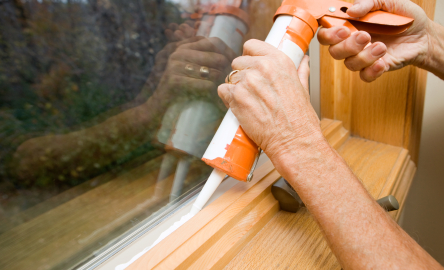
9.  Apply caulk to the roof vent’s flange and insert beneath the loosen shingles.

10.  Nail the bottom edge of the vent to the roof with a hammer and roofing nails.  Place caulk around and on the nails.

11.  Apply roofing cement to the underside of the shingles around the roofing vent and press them into the flange.

12.  Repeat if you doing multiple roof vents.

After installation, you should experience an instant change.  If you are interested in hiring a professional to install your roof vent for you, use TalkLocal.  This completely free service can connect you to several highly rated roofers in your area within minutes.

How to Stop a Leaky Faucet in Bathroom

Monday, August 20th, 2012

How to Stop a Leaky Faucet in Bathroom Plumbers

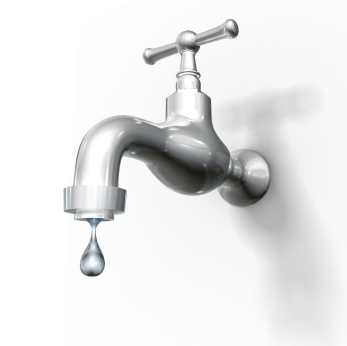
Leaking is the most common problem that occurs in faucets and it can be an expensive one, too. It doesn’t take long for the dripping water to start affecting your water bill significantly, so don’t ignore a leaky faucet! Luckily, a leaky faucet is also one of the easiest problems to repair on your own.

When the faucet is turned off, the watertight seal (usually a washer) is pressed against the faucet seat. Turning the faucet on removes the seal from the faucet seat which lets the water out. A leaky faucet signifies a broken washer or faucet seat, and all you need to do is replace the washer or repair the faucet seat.

Directions on how to stop a leaky faucet in bathroom:

1. Turn off the water for either your home or—if you have individual switches—for that specific area of your house.

2. Remove the faucet handle that is attached to the main faucet. There’s a small screw on top or on the back that may be hidden by a cap that you need to either pop or screw off.

3. Remove the packing nut with an adjustable wrench.

4. Unscrew the stem from the faucet by turning in the same direction as you would to turn on the faucet.

5. Remove the screw that holds down the washer.

6. Examine both the washer and the stem, replacing one or the other if they are damaged.

If you can not tell whether your washer and stem are damaged, are having issues unscrewing the faucet, or do not have the time needed to fix your leaky faucet, use the free TalkLocal to find a qualified plumber in your area right now! They will do the searching for you and match you with up to three local professionals who can help you with your problem at your convenience.

How to Kill a Process in Windows 7

Monday, August 20th, 2012

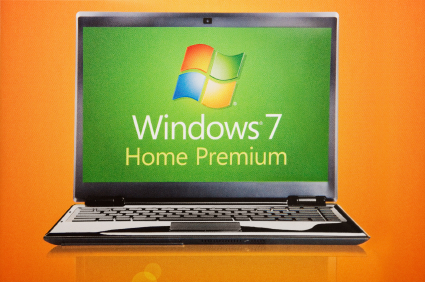
Have you ever experienced a stalled program on your computer that just refuses to close no matter how many time you click the X? This is a common problem that can be extremely frustrating, especially when the program is using a large amount of your computer’s processing power. Stalled programs are usually caused by a glitch or bug in the program that you are running when it encounters an error. Fortunately, there are some tools in the Windows 7 operating system that you can use to fix this annoying problem.  Here is how to kill a process in Windows 7:

The main tool used for handling stalled programs is the Windows Task Manager. To open the Task Manager, right click on the Windows Taskbar, which is the bar at the bottom of your screen with the Start button on it. Click “Task Manager.” The task manager should open up with a display of all the applications currently running on your computer.  Choose the malfunctioning program from this list and click the “End Task” button. When you do this, Windows will attempt to close the program automatically.

If ending the task doesn’t work or takes a long time to process, the program might have crashed too much for Windows to close it properly. Don’t worry though; there are still some steps you can try. Go to the “Processes” tab in Task Manager, which displays a list of all the processes running on your computer. Scroll down until you find the process with the same name as the program you want to close. Once you have found it, click it and then click the “End Process” button. Be careful not to end any process that has “SYSTEM” listed as its user name, unless you really know what you are doing, as these are vital systems processes that could cause you computer to crash if you mess with them.

Once you have tried both of these steps, the program should be terminated. If it is still running, you should try restarting your computer and running the program again. If it keeps giving you problems after restarting, then have a computer technician look to see what’s wrong. You can use TalkLocal to find a quality local professional; all you need to do is enter a description of your problem, your location, and availability, and you will be automatically connected in minutes.

What Questions to ask Lawyer about Wills

Monday, August 20th, 2012

What Questions to ask Lawyer about Wills Lawyers - Family

There are many estate planning lawyers out there, and you want the one who is the most qualified to represent your special case.  Make sure that the lawyer is reliable and has plenty of experience, and most importantly, he/she is someone that you feel like you can work closely with.  Read on for more information about what questions to ask lawyer about wills.

1.  If your situation is complicated, make sure that you find a lawyer who works specifically with wills and estate planning. Otherwise, if all you need is a simple will, a lawyer who has broad knowledge of many subjects such as estate planning will be able to do the job.

2.  Ask how many years of experience the attorney has in estate planning. The more experience, the more likely your lawyer will know how to deal with your specific situation. Also, ask specifically about cases similar to yours.

3.  Make sure the lawyer gives you a list of documents that he/she will need to see in order to evaluate your situation. Your lawyer will not be able to make a good decision otherwise.

4.  Does your lawyer foresee any problems that might occur in your case? By asking your lawyer to make an evaluation now, you’re preparing yourself as well for any situations that might appear, and the documents needed to possibly solve the issue.

5.  Ask your lawyer for an estimate for the length of time needed for this issue to be solved.

6.  Determine if your lawyer’s fee is a flat rate or by the hour. Most lawyers will offer a flat fee, but ask just in case to avoid any hidden fees.

7.  Your lawyer may pass on the case to another lawyer in the firm. Ask if this is the case, and if you could meet the other lawyer or staff as well.

These are basic questions to ask your lawyer about wills in almost every case, but as your lawyer learns more about your situation, expect to have more questions.  Remember that having a lawyer that you feel comfortable working with is the most important qualification, and that connection doesn’t exist with every lawyer.  Use TalkLocal for free to find the highest rated and most qualified attorneys in your area.

Computer Screen Colors Distorted

Friday, August 17th, 2012

Computer Screen Colors Distorted

If you notice particular discoloration in the monitor, then your monitor color has distorted. Don’t worry, if a monitor has color distortion, it is usually nothing major and can be improved by few quick fixes.

First, check if there is a problem with the physical monitor. Plug another monitor into the computer. If there is no color distortion from the new monitor, then the other monitor needs to be replaced. If not, read the following methods for fixing color distortion.

Adjust monitor cables to be tight and secure. Loosely connected monitor cables can create color distortion.

Adjust brightness/contrast on the monitor. For desktops, the contrast and brightness buttons is on the lip of the monitor. For laptops, the contrast and brightness control is usually the up and down arrows or a combination of keys.

Adjust color.

For Windows 7:

1. Click Start > Control panel.

2. In the search box, type “calibrate display.”

3. Click “calibrate display color.”

For a Windows XP:

1. Click Start > Control Panel > Display > Appearance.

2. Change the computer to default.

3. Click “Windows XP style” from the drop down menu.

Degauss the monitor. Magnetic fields around the monitor can cause distortion around the edges of the screen. There are various ways to degauss the monitor: You can restart the computer, which will automatically degauss upon being turned on (the computer will make a twang sound). If that does not work, degauss manually. Some computers have a degauss button (it has a picture that looks like a horseshoe). Others will degauss by pressing the brightness and contrast buttons together or going to the monitor options menu. If you are good with tools, you can try degaussing with a plug pack transformer, soldering gun, and rigged drill.

If the monitor still has color distortion after you try these solutions, then call a computer professional to assess the situation. TalkLocal connects you with best computer professional in your area for free.

How to Fix a Broken Window Pane in a Metal Frame

Friday, August 17th, 2012

How to Fix a Broken Window Pane in a Metal Frame Window Replacement

Having a broken pane of glass in your window can be an extreme annoyance.  Not only is it a security hazard but it also allows the air and bugs from outside into your home.  However, replacing the pane is not as hard as you think.  Learn how to fix a broken window pane in a metal frame with the information provided below.

Begin by removing all the glass that is left in the metal frame.  You should wear goggles and gloves, and be cautious when doing so to make sure you don’t hurt yourself.  The next step is to take out the spring clips that hold the window to the frame.  You should also pry off all the old glazier’s putty. Then you have to go to a hardware store where you can buy the replacement glass.  Get it cut to measure and fit it into the pane.  In order to seal the glass and firmly attach it to the pane, you need to put glaziers compound all around it.  Press it firmly to the frame and glass and smooth the putty down.  Remove any excess putty to give the window a clean look.  You should also paint the putty so that it matches the rest of your windows.

Having to replace a window in a metal frame is a little easier than doing so in a wooden frame.  This is because you don’t have to worry about preventing the wood from absorbing all the oil from the putty.  Furthermore you don’t have to use glazier’s putty points.  You only have to worry about putting the spring clips back in place so that your window is securely attached to the frame.  Finally, it is a lot easier to replace the window pane in metal than wood because there is less opportunity to mess up.

If you are scared to try to replace the window pane yourself or want to get a professional’s opinion you should seek help.  Use TalkLocal to be put in contact with a reliable local window replacement company within minutes.  Simply input your problem and availability and you should have someone on the phone willing to help you almost immediately.

House Cleaning for a Party

Friday, August 17th, 2012

House Cleaning for a Party Maid Services

The date of you’re big house party is quickly approaching.  The invitations are out and the R.S.V.P.’s have been accounted for, but the cleaning still needs to be done.  Here are some simple tips to make house cleaning for a party a quick and easy task.

List out all the area that need to be cleaned

List out every area that needs to be cleaned and remember closets and entryways.  Also make a list of rooms that should not be entered during the party.  This will help you stay organized.

Clean the areas that need to be clean

Start with the entryways. Then, move on to the areas that will be constantly active during the party and where the food will be placed.  Remove any clutter from these rooms as the party guests need space to move around.

Clean throughout the party

No matter how much you prepare, some sort of cleanup will always be necessary.  Have a stack of cleaning solutions to clean spills and paper towels on hand.

If you find yourself overwhelmed by the amount of cleaning that needs to be done before or after the party, you should hire a professional.  Use TalkLocal to connect you with the maid services in your area today.