Archive for the ‘services’ Category


What to Do with Frozen Pipes in House

Monday, August 27th, 2012

Frozen Pipes Ruined your Home Plumbers

Winter is a wonderful season full of snowy days, hot chocolate, and fun holidays. But it can also cause frozen pipes that can burst at anytime. The first sign that your pipes are frozen is if your water does not come out of your faucet. If this happens, you need to immediately shut off the main valve and open the faucet nearest to the frozen pipe. This allows the water to drain as the frozen pipe thaws. You should then waterproof the area around the frozen pipe with containers and plastic drop cloths in case leaks occur.

What to Do with Frozen Pipes in House?  There are several methods to warm the frozen pipe. One is to use a hairdryer as if it were a torch, blowing hot air back and forth along the pipe until it isn’t frozen anymore. Do not use an actual blowtorch. Though it may thaw the pipe, it can also boil the water and cause the pipe to burst. A heat lamp is another method. For pipes behind walls, floors, or ceilings, beam a heat lamp eight or more inches from the surface. If you don’t have access to a heat lamp or hairdryer, try wrapping the pipe in rags and pour boiling water on it. Make sure the rags are thick enough to hold a good amount of boiling water against the pipe. If you have a heat pad, you can wrap this around the frozen pipe to thaw it.

Another method to fix the frozen pipes after you turn off the main shutoff valve is to get professional emergency repair. If you go to TalkLocal’s website, you’ll get immediate help for your pipe repair problem. This free online service will contact plumbing services in your area that can help you with your frozen pipes.

How to Wire a Combination Outlet Switch

Monday, August 27th, 2012

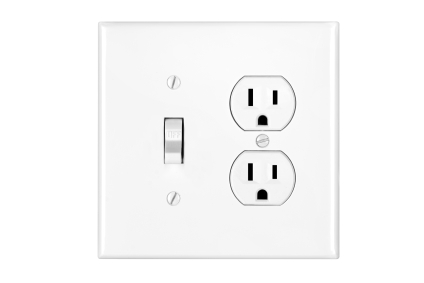
How to Wire a Combination Outlet Switch Electricians

Have you finally decided to make improvements to your place for the sake of convenience in the long term?  Good for you, go-getter.  Follow this guide in order to learn how to wire a combination outlet switch.

Materials needed:

– Screwdrivers that are compatible with the screws

– Screws that are compatible with the wall/outlet

– Voltmeter

– Rubber gloves

– Wiring & wire nuts

– Combination outlet cover plate

Steps:

1.  Go into your place’s circuitry box and power off the specific switch that you are using.  Make sure that it is the correct one before you start working.

2. Lock the box (and leave a notice) that electrical work is being done.  You could be in danger if someone flips the switch while you are working.

3.  Put your gloves on.

4.  Using the screwdriver, loose the (light) switch plate you want to replace.

5.  Use the two ends of the voltmeter to check that the power is off (report of 0V) on the switch’s terminal wires.

6.  Get hold of the wires that were connected to the switch.

7.  There should be four wires in total- two hot wires, one neutral wire, and a green ground wire. Cut them open (around 3 inches.)

8.  Remove the outer wiring to expose the metal cord with the wire clippers.

9.  Connect the hot wires together by twisting them together at the middle of the metal.

10.  Use the wire nut to cover the ends of the wires together.

11.  Connect the twisted ends of the hot wire to the bronze terminals of the combination outlet cover plate.

12.  In a similar way to how you connected the hot wires together, connect the neutral wires together and secure the connection under the terminal.

13.  Connect the ground wires together and secure the connection under a screw.

14.  Place the combination plate in position and screw it in.

If you feel like you need professional help wiring your combination outlet switch, use TalkLocal to find a high quality electrician in your area.

How to Fix the “Virtual Memory Minimum Too Low” Error Message

Monday, August 27th, 2012

How to Fix the "Virtual Memory Minimum Too Low" Error Message Computer Repair

“Application popup: Windows – Virtual Memory Minimum Too Low: Your system is low on virtual memory. Windows is increasing the size of your virtual memory paging file. During this process, memory requests for some applications may be denied.”

This is the virtual memory minimum too low error message that you may be getting when you use your computer.  This is an annoying nuisance that can prevent you from using your computer to its full potential.  You should not panic when you get this error, but instead take a few easy steps to prevent from ever receiving it again.  Continue reading for more information on how to fix the “virtual memory minimum too low” error message.

The reason you have a virtual memory minimum too low error message is because  there is not enough RAM for programs, so they infringe on your virtual memory space.  This also prevents temporary programs from running there.  There are three things you can do in order to rectify this situation.

The first thing you should try to do is increase the virtual memory settings on your computer.  This will open up a lot more space for you to work with.  You should go to properties from my computer, click on the tab labeled advanced, and under performance go to preferences. (Depending on your computer, it might be listed as something similar to, but other than, preferences.)  Go to advanced performance options and click on change under virtual memory.  Choose the drive that gives you the errors and set a larger size.

You can also attempt to add more RAM to your computer.  You will have to buy more RAM and install it directly into your computer.  Many windows based operating systems require a certain minimum for the amounts of RAM, so you should check your computer manual and make sure you buy enough.

The last thing you can do is clean your computer of any bugs.  You should scan and fix any existing computer errors.   These may be the reason that your virtual memory minimum is too low.

If you continue to have problems with your virtual memory you should seek professional help.  Use TalkLocal to be put in contact with reliable local computer repair companies.  Simply input your problem, location and availability, and TalkLocal will do the rest.  Within minutes you should be connected to someone in the technology business that can help you out.


How to Transfer Data from One PS3 to Another

Friday, August 24th, 2012

It is now possible to transfer data that is saved on your PS3’s hard disk to another PS3’s hard disk using an Ethernet cable. Read below to learn how to transfer data from one PS3 to another.

Things to know

When you do this, all data that is stored on the PS3 that will receive the data will be deleted. Deleted data cannot be restored, so be careful not to accidentally delete vital data. Also not that some types of data are not transferable.

Before transferring data

1. Update the system software on both PS3s to the latest version.

2. Prepare the PS3 that will send the data.

Transferring data

1. Use an Ethernet cable to make a direct connection between both PS3s (both an Ethernet straight-through cable or an Ethernet crossover cable will work.

2. Connect the PS3s to different video input connectors on the TV.

3. Turn on the TV and PS3s.

4. On the source PS3, go to Data Transfer Utility.

5. Choose ‘Transfer Data from this system to the other PS3 system.”

6. When the PS3 is on standby to begin the data transfer, use the TV remote to switch the video input to display the screen on the destination PS3.

7. On the destination PS3, choose Data Transfer Utility.

8. Follow the onscreen instructions to complete the operation.

Limitations

Some types of data cannot be transferred using the data transfer utility, some of these include:

– Video content that was downloaded as a rental from the PlayStation store

– Copyright-protected video files

– Video files that are compatible with the DivX VOD service

If you are still having problems with transferring data between PS3s after trying these steps, use TalkLocal to get the best help you can get quickly from local technical service professionals. Just submit an online service request stating your problem, location, and availability to get in touch with a professional in minutes!

Do It Yourself Carpet Cleaning Tips

Friday, August 24th, 2012

Do It Yourself Carpet Cleaning Tips Carpet Cleaners

Let’s face it; you can’t avoid your carpets getting stained.  The everyday traffic of dirt, crumbs, spills and pets inevitably takes a heavy toll on household carpets, and all of those stains can cost a fortune to get cleaned if you hire professional cleaners.  Luckily there are tons of do it yourself carpet cleaning tips and methods out there that you can try.  If you know the right techniques, you should be able handle all but the most resilient stains on your own.  Read on to take the first steps towards cheap and easy carpet cleaning in your home.

One of the most powerful tools in the arsenal of a DiY carpet cleaner is baking soda.  This all-purpose powder is great at absorbing stains and smells.  Try sprinkling a thick layer of baking soda over a spot stain and add water to make a paste.  Let it sit for a few hours and then blot it up with a rag and vacuum the remaining powder.  You can use this same process on larger stains as well, just repeat it a few times to get the entire stain out.  Vinegar is another household item with powerful cleaning properties.  When your carpet has strong odor problems, try mixing equal parts water and vinegar in a spray bottle and misting the entire thing.  Blot with a towel and then let the carpet dry.

If baking soda and vinegar are not enough, you may want to rent a steam cleaner.  These power appliances use steam to deeply penetrate the fibers of your carpet and scrub out stains.  Be sure to exhaust all your other options first as steam cleaners can be a big investment.  If you do rent one you should take the opportunity to do some preventative cleaning on all of your other carpets to get the most out of your money.

Once you decide to get one, it can be hard to find the best place to rent a steam cleaner.  You can try using TalkLocal to hook you up with a carpet cleaner appliance rental service for free.  Or, if you decide that your stain is too tough to tackle on your own, you can use TalkLocal to find a professional carpet cleaning company.

Painting Over Dry Rot

Friday, August 24th, 2012

Painting Over Dry Rot Painters

Dry rot can make the appearance of wood pretty unsightly, and in order to fix the problem you have a couple options.  Depending on the damage, intensity and pervasion of the rot, painting over it can be an easy and quick solution.  Continue reading for more information on painting over dry rot.

Painting over dry rot can not only cover up the damage, but also serve as a quick fix for several years.  If the wood you are dealing with has been rotting for a while though, painting over it may not last long.  If the wood is too damp or moist, the paint may not stick for long, and within a couple years it may start to peel.

If the damaged wood is too pervasive, the only viable option may be to replace the wood affected by the dry rot.

If you plan to paint, try using TalkLocal to locate a professional painter who can help you out quickly.  This painter will be able to asses the damage and suggest the best possible option for your wood.  TalkLocal is a free service that will connect you with top-quality, reliable painters within minutes.  All you need to do is enter in your specific problem, location and availability, and TalkLocal will contact multiple companies in your area who will then call you directly, ready to help.  Save time and stress from searching through directories and phone books for the right, most affordable painting contractor, and let TalkLocal do it for you.

Stop your Infrared Mouse from Jumping

Friday, August 24th, 2012

Stop your Infrared Mouse from Jumping Computer Repair

Experiencing mouse trouble?  One of the most annoying things is trying to click on something and not being able to because your cursor is all over the place.  Continue reading to learn how to stop your infrared mouse from jumping.  The following is a list of helpful tips and tricks to solve this annoying problem.

Replace the batteries

Sometimes your cursor will act unusually if the batteries are low.  Either replace the batteries or charge the mouse if it has a base.  This is a quick, easy fix that might help solve the problem.

Use a higher quality mouse pad

If you are using a surface that is not optimal for a mouse, this could be the source of your problem.  Use a mouse-friendly pad or a smooth, hard surface to fix the problem.  Using a glass surface may cause issues for optical or laser mice because they use the surface to reflect light back into the mouse to serve as a guide.

Check your surroundings

Keep clear other wireless or radio units from the proximity of your computer to avoid interference.  In addition, try shifting rooms or location in your building.  Sometimes, especially with wireless mice, interference can be a secret culprit.  Removing unrelated hubs and electronics from the area near your computer can be quite an easy fix.

Try another computer

If you have made it this far down the list and are still not able to resolve the problem, try your mouse with another computer.  This will help you determine if the issue is with the mouse or with the computer.

Hopefully by now your mouse is working perfectly.  If not, hire a professional to diagnose the problem.  Use TalkLocal to connect you to a highly rated, local computer repair professional.  Within minutes, you should be connected to someone willing to help.

Car AC Smells like Burning Plastic

Thursday, August 23rd, 2012

Car AC Smells like Burning Plastic Auto Repair

When the air conditioning in your car blows out a burning plastic smell, you should check your car or have it looked it by a mechanic. Before going to the repair shop, though, you can check to see if the following reasons are causing that unnerving scent.

Possible solutions when your car AC smells like burning plastic:

Sometimes plastic bags get stuck underneath the car and melt around the hot exhaust pipes. If you see a plastic bag blowing in the highway, try to avoid it as much as possible because it could damage your car in the long run.

Coolant Leak

The heater core could be leaking coolant onto the heating/air conditioning system. Check to see if your coolant tank has any cracks in it. Though it is usually a minor leak, it may require a major repair.

Electrical Problem

A fuse might have blown or short-circuited, causing a burning plastic smell from your A/C. Check all cable and fusible links to see if any are blown.

A/C Compressor

The car’s A/C compressor could be overheating due to lack of refrigerant and lubricant, which causes a burning smell. Whenever you bring in your car for a maintenance inspection, have the mechanic check the A/C. The mechanic will check to see if the A/C compressor is charged and he will put refrigerant and lubricant in the compressor.

Outside Smells

The burnt plastic smell could be coming from your surroundings and traveling through the A/C vent. To prevent outside smells from infiltrating, select the air conditioning option that only re-circulates air that is already in your car. This closes the vents.

If these tips did not help and you are experiencing more difficulties with your car, see a mechanic immediately. TalkLocal can help connect you with the best auto repair professionals in your area.

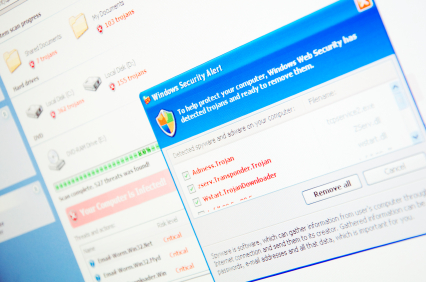
Windows Malware Virus Removal

Thursday, August 23rd, 2012

Windows Malware Virus Removal Computer Repair

Malware is a broad term for malicious software.  Malware can range from spyware to Trojans. Malware removal can be difficult and challenging, but don’t worry, we have some simple solutions for you to combat these nasty programs.

If you suspect malware on the computer but can still start up the computer normally, then use the following instructions. If you cannot access the computer normally, skip to the next set of instructions titled “Malware Virus Removal – If your computer can’t start normally.”

Windows Malware Virus Removal – If your computer can start normally

1. Delete temporary files. This can be accessed by going to Start > All programs > Accessories > System tools > Disk cleanup.

2. Run the Malicious Software Removal Tool. This can be started by typing in “MRT” in the run dialogue box.

3. If malware is found, remove using Windows OneCare. The Windows OneCare can be accessed online. Internet Explorer and Mozilla Firefox are compatible with Windows OneCare.

4. If Windows OneCare does not remove the malware completely, use third-party software. There are various forms of free antivirus software available. AVG and Avria are some examples of free antivirus software available for download.

Malware Virus Removal – If your computer can’t start normally

1. On the first boot up screen, push  F8 for “Advanced Boot Options.”

2. Choose Safe Mode.

3. Delete temporary files as instructed above.

4. Run the third-party antivirus software’s scan and malware removal system.

5. Rename the setup to go around the malware block.

If the malware has made Windows unbootable, you can use CD/DVD and USB to boot an antivirus scanner. There are various antivirus programs that can be downloaded when the computer is unbootable. If this does not work, the last option is to do a clean reinstall Windows. Use Windows OS CD and boot the CD.

If the reinstall still does not work, contact a computer professional. TalkLocal can connect you with a high quality computer professional for free.

Installing Bigger Windows in Basement

Thursday, August 23rd, 2012

Installing Bigger Windows in Basement Window Replacement

Basement windows can often be dull and unappealing.  Fortunately, this is a problem that can be fixed with the help of a professional.  Read on for tips to remember when installing bigger windows in basement.

Materials

–  Measuring tape

–  Masking tape

–  Shovel

–  Hammer drill with 12-inch masonry drill

–  14-inch concrete saw with a diamond blade.

–  Header beam (if making a big window)

–  Egress window.  Must have at least 5.7 square feet of opening space with minimum measurements of 20 inches wide and 24 inches high.  The window cannot be more than 44 inches from the floor.

–  2-by-10-foot pressure-treated board

–  Tarp

–  Hammer

–  Concrete screws

–  Caulk and caulking gun

Instructions

1.  If there not enough space to install the exterior egress window, dig a hole in where the window is going to be installed.  The hole should be 6 inches deeper than the window’s bottom and about 48 inches square.

2.  Use masking tape to position the required opening for the window for both the exterior and interior.  Add 2 to 3 inches to the windows size for installing a header beam, rough wood frame-in, and little room for a play in placement.

3.  Tarp and tape off the interior work area to prevent the dust from traveling throughout the basement and into your home.

4.  Find the center in the bottom line of your tape and drill a pilot hole.

5.  Cut around the perimeter of the window opening with the 14-inch concrete saw.  Starting at the bottom corner, cut a ½ inch deep cut through the concrete block and repeat to get a depth of 1 inch.  (It is recommended having a professional do this if your basement has a poured concrete wall.)

6.  Repeat the cutting process with the exterior portion of the wall.  Continue to saw around the area until the rectangular shape has been formed.

7.  Knock out the concrete between the cut line with a hammer.

8.  Cut the board with equal thickness to the hole and create a box to fit inside the hole.

9.  Apply adhesive tape and fit the box inside the hole.

10.  Drill a concrete screw into the box to attach it to the opening.

11.  Fold the metallic edges out and apply caulk with a caulking gun around the inside edge of the box.

12.  Place and level the window inside the box.

13.  Hammer the mounting screw into the metallic side of the window.

14.  Mortar the concrete blocks surrounding the box.

15.  Hammer around the side of the windows and add caulk around the trim. Remember to have safety glasses, gloves and masks.

If you are looking for help with window replacement, use TalkLocal.  This completely free service will connect you to multiple highly rated companies in your area within minutes.