
Printer Problems

Wednesday, July 25th, 2012

Printer Problems Computer Repair

Printer problems are among the most common computer repair problems. Your printer may fail when you change the printer’s settings or install a new printer driver. If you’ve done either of these things try undoing the changes to see if the printer starts working again.

Check that you sent the print job to the correct printer.

Other times, the printer cannot access the paper in the tray. If you are using a printer where the paper supply sits on a platform rather than inside an enclosed tray, push the paper in toward the printer. If the paper is accessible and the printer still doesn’t work, the printer may have grabbed too much paper beforehand. Clear a paper jam by opening the printer and carefully removing any paper. If an entire sheet of paper is stuck, grab the corners firmly and slowly wiggle the paper side to side until it is free.

If you’re trying to print too many documents at once, you may overload the printer. The printer can freeze if it receives too many documents to print at once. Fix this problem by clearing all the print jobs on the queue. Turn off the computer. Turn it on again and print your documents one at a time.

If these tips don’t fix the problem, it may be time to call for help. TalkLocal is a free online service that can help you find high quality computer repair services. A solution is just a click away; fill out TalkLocal’s service request online and–within minutes–you will be receiving calls from up the three reputable computer repair business who can solve your printer problem.

What is a Trojan Horse and What Can it Do

Tuesday, July 24th, 2012

You might be wondering, what is a trojan horse and what can it do?  Well, a Trojan horse is a type of virus that gives a hacker remote access over your computer system.  Following the myth, a Trojan will pretend to be useful software, and then compromise your system once it is installed in your computer. Usually, users will open them because they believe they are obtaining legitimate software from a trusted source.  This can result from opening a link in an email message or downloading software directly from a site.  However, unlike many other types of viruses, such as worms, Trojans do not replicate themselves once they’ve infected your computer.

A hacker with remote access to your computer can use your computer to do a variety of different functions, ranging from harmless and annoying to malicious and damaging.  The less malicious Trojans can just change your desktop background or replace your icons with annoying smiley faces.  However, the truly malicious Trojans can compromise your computer’s safety.  Trojans can install keylogging software, allowing hackers to capture your keystrokes as you enter specific websites (like banking websites).  Trojans will also create backdoors to your computers, which can allow hackers to automatically upload or download files, crash your computer, or steal personal data.

How can I protect my system?

First, if you think your computer has been compromised, download anti-virus software and run a scan.  This can be any anti-virus software, such as Microsoft Security Essentials or Malwarebytes; use it to detect and remove the infection.

Keep your operating system updated protects your system from security vulnerabilities that Trojans can exploit.  Likewise, installing and using a firewall will protect your computer from outside attempts to gain access or control of your computer.

If you feel your computer is still infected or would like professional advice, use TalkLocal to instantly find highly-rated local IT professionals to repair your computer!

Moldy Smell in Basement

Tuesday, July 24th, 2012

Moldy Smell in Basement Carpet Cleaning

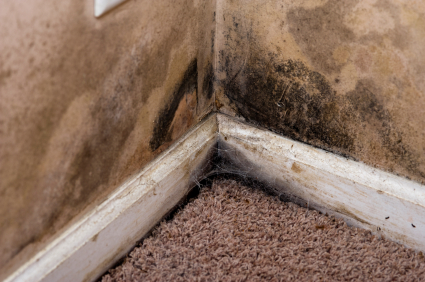
If you have an unpleasant smell in your basement (whether it is finished or not), the most likely cause of that smell is mold and mildew that could be growing anywhere, even on or under your carpet.  Before we explain what to do when you have a moldy smell in basement, here are possible reasons.

Why do I have mold and mildew in my basement?

Dark, damp, humid places are the perfect places for mold and mildew to grow. Many basements fit these conditions, even finished ones. In order to remove the smell, you will first have to kill the fungus.

How to Kill Fungus

1. Mix one gallon of cool water and one cup of oxygen bleach (you can also use chlorine bleach, but it may damage or discolor surfaces).

2. Take a scrub brush and use the water and bleach mixture to scrub all of the walls, floors, carpets and other surfaces in your basement.

3. Wait fifteen minutes.

4. Rinse everything clean with cool water.

Even though you have now killed the mold and mildew, the odor will still remain. You will have to take more steps to remove the odor.

How to Remove the Smell

– One way to get rid of the odor from your basement is to open a few boxes of baking soda in your basement and replace them with new boxes every thirty days. The baking soda will absorb the smell and you remove the odor without using any chemicals.

– Another option is to put bowls filled with undiluted white vinegar in your basement. The vinegar will get rid of the smell and kill any remaining fungus on floor as it dries.

– You can also open all the doors and windows in your basement and turn on fans in order to blow the unpleasant odor out of your basement and bring in clean, fresh air.

If your basement is finished, it may be more difficult to get the mold and mildew out of the carpet and you may want to hire a professional carpet cleaner to kill the fungus and remove the smell. With the help of TalkLocal, you can be on the phone in minutes with up to three high quality carpet cleaning professionals in your area that are available when you are.

Best Place to Catch a Taxi

Tuesday, July 24th, 2012

Best Place to Catch a Taxi Taxicabs

Catching a taxicab in New York City is notoriously difficult, and whether you are a tourist trying to find your way around or a local trying to get home from work, you can end up stuck waiting for as long as an hour.  The next time you are in the big city and facing this issue, there a couple things you can do to cut down on the time it takes to successfully find a cab and get to where you are going.

When figuring out the best place to catch a taxi, the first thing to do is to get on the side of the street that has traffic going in the direction you want to go.  This will make it easier and faster for any cab you see to pick you up.  You will generally want to wait on a street corner, rather than the side of a single street. Street corners have twice as many cars driving by so you are much more likely to see a taxi passing at any one time.  In general, more heavily trafficked corners will have more cabs around.  Where the traffic is concentrated is always changing, depending on the time and day of the week, but you can usually decrease your wait time by walking a few blocks to a more major street.  Try looking at a map of your part of the city and moving to the biggest street that you are close to.

If you have a smartphone, there is an even more sophisticated way to find the best place to catch a taxi.  The new free app called CabSense uses a huge database with information about past cab trips that was collected by the New York City Taxi & Limousine Commission to analyze traffic patterns and locate the best nearby corner to hail a cab.  The app takes the day of the week and the time of day into account in addition to the user’s location, and displays a rating of one through five stars for each of the best nearby corners.  If you download and use this app you should have no more trouble figuring out where to go to hail a taxi, but if you don’t feel like waiting at all then you should call ahead to arrange a pick-up.  You can use TalkLocal to find taxi services in your area.  All you need to do is enter your name, contact info, and a description of your needs and you will be automatically connected to a company that wants your business.

Can you Repair a Broken Tree Branch

Tuesday, July 24th, 2012

Can you Repair a Broken Tree Branch Tree Removal

You might be wondering, “Can you Repair a Broken Tree Branch?”.  Determining if you can repair a broken tree branch is a rather simple process. First, assess the damage if you have a split base. If there is plenty of bark still on both sides of the break, you are in luck! However if you are lacking a significant portion of the bark, the tree may not be able to survive much longer.

Keys to Repairing a Broken Tree Branch

Providing support is essential to establishing a smooth healing process for your broken tree. Support can be provided by many different methods. The key is to bring the split portion back together with its other half to connect them and allow for true healing and growth. There are a few options to bring the pieces back together.

First, try the twine method and glue method. Bring the split pieces together and wrap rope around them to keep them together. Use glue to then fill in the gaps. After a few days, take off the rope or your tree will wither. In addition, use twine to hold together the tree above the split to provide additional support for the base.

If you need more support than is provided by the twine/rope method, use the rod, nut, and washer method. Drill a hole through the tree and place the appropriate size metal rod through the tree. At the ends of the rods, place nuts and washers. This will provide support for the tree to reestablish its healthy growing patterns.

These methods should place the tree branches or trunks in a position to heal and grow. If you need more assistance or have other large, broken trees, check out TalkLocal. They are a free service that will connect you directly to professionals right in your neighborhood!

Colors on TV Messed Up

Tuesday, July 24th, 2012

Colors on TV Messed Up TV Repair

Have the colors on your tv started to fade green, or maybe red or orange? Maybe they have gone out altogether? Are you seeing the hated color stripes as seen in the picture above? Any of these can put a serious damper on your viewing experience, and this is quite a common problem among television owners. Here’s what might be causing the problem, and what you can do when colors on tv messed up.

The first possibility is that you have mistakenly pressed a button on your TV set or remote control that has changed the color settings. What you can do is go to the TV’s Menu, explore the Settings options, and find a way to “Reset” or “Restore” back to the factory settings. This should take your TV’s settings back to when it was first turned on, with the colors completely normal and restored.

A second possible cause for the problem is that the red, green, and blue cables that are connected from your cable box to your TV are mixed up, have come loose, or have been disconnected, producing an imbalance of colors on your TV screen. For example, the blue cable may be secured onto the red output. You can try turning the TV off, disconnecting all of the cables, reconnecting them to their correct color output, and then turning the TV back on.

If neither of these solutions help, it may unfortunately mean that your TV has failed internally, such as the main board or other part. There is not much you can do yourself, so your best bet would be to contact a TV repair professional for help.

Finding a TV repair professional is easy with TalkLocal. TalkLocal is a free service that will connect you with top-quality, reputable TV repair companies in your neighborhood, within minutes. Simply enter in your specific problem, location and availability and TalkLocal will contact multiple repair companies, who will then call YOU directly, ready to help.

Seva Call Celebrates Baltimore Launch in Inner Harbor

Tuesday, July 24th, 2012

The Seva Call team is on their way to Baltimore’s Inner Harbor to celebrate our official launch in Baltimore, Md.  Among the team members are co-founder Amandeep Bakshi, the infamous “Seva Man” superhero, and a handful of interns.  The team plans to hand out promotional merchandise while spreading the word about Seva Call to Baltimore locals.

Citizens of Baltimore can expect demos of our product, along with the possible siting of your friendly neighborhood Seva Man.  Interns will circulate the inner harbor with their iPads, iPhones and Android phones to offer test spins to interested consumers.  Co-founder Amandeep Bakshi is looking forward to returning to Baltimore, where he spent two and a half years getting his master’s degree and Johns Hopkins University.  Go Blue Jays!

Baltimore is the second major city Seva Call is launching in this summer.  We plan to launch in several other cities before the end of the summer and be nationwide before the end of the year.  Stay tuned for news about our upcoming launch in Philadelphia, as well as the launches of our iPhone and Android apps.

Choosing a Painter for Your Home

Tuesday, July 24th, 2012

Choosing a Painter for Your Home Painters

Painting your house can be a huge undertaking and you often have no choice other than to bring in some professionals to help you with the job.  If you want to get the best results, you need to shop around to find the best painter for the job, which can be a daunting task in itself.  Choosing a painter for your home used to mean pouring through the yellowpages and calling up different companies, or searching through the myriad of websites returned by a web search.  Luckily the days of blind searching are coming to an end with Seva Call.  Their free search engine will put you in contact with a reliable local professional painter within minutes, without all of the hassle of performing a manual search on your own.  Just enter a brief description of your problem, availability and location and Seva Call will directly connect you to someone who can help.

With Seva Call, you’ll be talking to a professional 90 seconds after your request goes out, so you should be prepared to discuss the details of the painting job beforehand.  There are a couple important things that you will want to bring up with the painter while getting a quote in order to ensure that they are the right match.

First, you should have a good idea of which areas in your home you want painted, and of any work that you want to be done before the painting actually starts. This includes any new molding installation, drywall repair, or new windows or doors.  Once you know what the job entails, you should decide what color of paint you want to use.  You can pick up color samples from any home, hardware, or paint store.  Having an idea of the color and type of paint that you want will help the painter to make suggestions to fit your exact specifications.

After you’ve figured out the details of the job, you should be ready to use Seva Call.  Once your search goes out you will be matched with up to three local professional painters, each of whom will call you directly.  You can set up times for each company to come and give you a quote for the job, and choose the service you feel comfortable with that gives you the best deal.  Seva Call chooses the painters you are connected with based on ratings, reviews, and many other factors, you so can rest assured that you will be dealing with tried and true professionals who are able to fill your request.

How to Share Files Between Two Computers on a Wireless Network

Tuesday, July 24th, 2012

Do you want to be able to work on documents from any computer in your house? Do you want to be able to watch your downloaded movies on a computer in another room? Sharing files on your home network is an easy way to give multiple computers access to all of the same movies,music, documents, or pictures.  Here is how to share files between two computers on a wireless network.

The easiest way to share files is over a wireless network, using a LAN (local area network).  Most wireless routers automatically support LAN technology on your home wireless network, so you shouldn’t have to worry about setting it up.

In order to successfully share files from one computer to another, both must be connected to the same network.  Once both computers are connected to the same network, make sure that the network location is set to “home” in the Windows Network and Sharing Center.  This will ensure that sharing is enabled in your network settings.  After setting the location to “home,” make sure that “Network Discovery and File Sharing” has been enabled on both computers in Network and Sharing Center options.

Now you should be ready to share.  Simply create a folder with a descriptive name and put all of the content you want to be shared in it.  For example, you might create one folder called “Movies” for all of the movie files you want to share and one folder called “Important documents” for all of your shared documents. Once you have your folders, right-click on each one and click “Properties” from the drop-down menu. Then, click the “Sharing” tab, and choose who you want to share it with. Remember that once a folder is shared, any computer on your network will have access to it.

If you are unable to find the other computer’s folders, or are having trouble accessing content, you may want to consult a professional computer technician to get your network sorted out.  You can use Seva Call to find one in your area. Just enter your location, availability, and problem and you will be automatically connected to help in minutes.

How to Transfer Data from Floppy Disks to USB

Monday, July 23rd, 2012

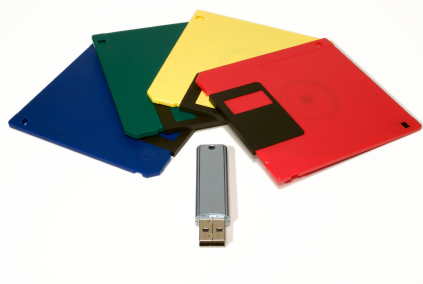
How To Transfer Data from Floppy Disks to USB Flash Computer RepairFloppy disks are pretty much extinct today, but you might still have valuable data on them.  There is a way to transfer data from floppy disks to USB flash drives.  USB flash drives are ideal for data storage and transfer, especially since they can hold more information than a floppy disk. Keep reading to learn how to copy data from floppy disks to USB flash drives.

1.  Insert the floppy disk into the appropriate slot

2. Plug the USB flash drive into the USB port.

3.  Open the floppy disk file on your computer.

4. Drag its contents into the USB flash drive icon or folder. You can also copy the floppy disk contents and then paste it into the USB flash drive folder.

5.  Once the data has loaded completely, properly eject the USB flash drive. DO NOT JUST PULL IT OUT as this could corrupt your newly loaded files.

6.  Eject the floppy disk from the drive, which can be done by pressing a button on the drive.

Please note that most computers and laptops do not have a floppy disk drive, so you may need to use an external drive.

If you need additional help with transferring or recovering lost files, use TalkLocal to contact a local tech support. Submit an online service request stating your problem, location, and availability. TalkLocal will connect you with up to three service providers in your area that can help you.