Archive for the ‘services’ Category


How to Transfer Data from PC to PC

Tuesday, March 19th, 2013

 How to Transfer Data from PC to PC - Computer Repair

Data transfer is one of the most common actions in computer use. There are numerous ways in which you can transfer data between computers. However it is advised to know the risks involved in the different processes of transferring data between computers. Here are some tips on how to transfer data from PC to PC.

Relying on the Internet for Data Transfers

Many websites including Google provide file hosting. File hosting means that the owners of the website will allow you to store files and data up to a certain extent of size on their servers. Google’s Google Drive, for example, lets you store up to 5 GB for free. Any amount above that is premium that you must pay for.

Storing files in an online server gives you flexibility. Since it’s on the internet, you can upload and download the files from any computer that is connected to the internet. But there are also risks involved with this. Viruses present in computers or the servers can penetrate an entire network of computers by attaching itself to a file being uploaded or downloaded in the server.

Exercise caution when downloading a file, even when you had previously uploaded that file. Also make sure that the server or website that is providing the file hosting is credible – there are many websites that plant malware or viruses into the files that you download.

If the file size is small, you may want to consider just emailing the files to yourself. Just set up two email accounts and send the files as attachments from one account to another. You can even send the files to yourself on one email account. Although this process may seem different from uploading a file to an online server, it’s the same thing. Your emails are stored in the server of the email provider.

Relying on Physical Hardware for File Transferring

You can buy and use an external hard drive to store your files and to transfer them between computers. USB drives or  re-writable CDs allow for a constant shift of different files between different computers. But one should be advised that using physical hardware for file transferring has risks as well.

A virus may still attach itself to the data. You may also lose the physical hardware used to transfer and store files, thus losing the files  in the process if you do not have backups made. Sometimes the physical hardware may be damaged due to environmental conditions.

Need Help?

If your physical hardware gets damaged, you may want to call for help from the local experts. Seva Call can help you find a high-quality computer technician in your area when you need it.


Get Rid Of Iron Stain On Clothes

Tuesday, March 19th, 2013

Get Rid Of Iron Stain On Clothes - Appliance Repair

There are few things more disheartening than pulling a white T-shirt out of the wash only to realize it is no longer white. Despite our best efforts, sometimes those troublesome stains can rear their ugly heads. Fortunately, there are some home remedies you can try to get rid of an iron stain on clothes before resorting to burning that bothersome piece of clothing!

Keep in Mind

Heat can worsen a stain. If it has already been dried, your odds of getting rid of the stain decrease — but there may be hope, still! Do not iron clothes once you notice a stain. Treat the stain as soon as you notice it to avoid letting it become further engrained in the fabric.

Treatments

Club Soda

This is probably one of the best known home cleaning remedies out there. Club soda can be found in almost any grocery store and usually can get rid of an iron stain on clothes.

1. Soak the stained portion of clothing in the club soda and let it remain there a bit — five minutes or so. The longer you can wait, the better, but no need to wait to excess.

2. When ready, place an absorbent pad under the clothing. If you have nothing else, an old towel will work, too.

3. Begin blotting the stain from the outer part toward the center. These steps ensure the stain won’t spread while wet. Use an absorbent pad or color fast washcloth to do the blotting. Rinse the clothing in cold water and then, if machine washable, wash in the cold cycle.

Vinegar

You can either treat clothing the same as above if the club soda does not work, or if you have many clothes, try making a solution of one gallon of vinegar, two cups of salt and three gallons of water in a tub or sink. Distilled water may work best if your home water supply contains excessive iron. Let the clothes lay out overnight and wash in the morning with a heavy detergent.

Still Need Help?

Ultimately, if you are having issues with iron stains, there is too much iron in your water, and you will continue to have problems until you fix the source. Your best bet is to find a professional handyman or appliance repair professional in your area by searching through TalkLocal. They’re great at connecting people with the right local professionals for the job.

Key Turns But Lock Doesn’t Open

Monday, March 18th, 2013

Key Turns But Lock Doesn't Open - Locksmiths

Some signs that a lock is not operating the way it should are obvious. For instance, if you insert your key into the lock, and the key turns but the lock doesn’t open, the lock is clearly busted. You might even find yourself locked out of the home or office in this situation, so remedying the problem quickly is important.

When the key turns but the lock doesn’t open, that indicates a number of potential problems. These issues could range from a locking mechanism that is in severe need of lubricant, to one that is completely broken and in need of repair or replacement.

Some of these are do-it-yourself projects, while others require the watchful eye of a skilled locksmith.

Locking mechanism is broken

Most likely in this situation, the locking mechanism is completely broken. You must remove the lockset and have it either replaced or repaired. Removing the lockset is relatively easy with the right tools

  • Start by removing the sleeve around the doorknob or deadbolt. This might require you to loosen one or more screws.
  • Once that is removed, also unscrew the lock cylinder.
  • Continue to work through the layers of the lockset until you can completely remove it. You will have to detach the door knob and unscrew and remove the faceplate and strike plate.
  • Remember these steps. Your replacement lock is going to be identical — it has to be in order to meet the specific dimensions of your door.
  • Upon receiving your new or repaired lockset, install it accordingly.

Other Lock Issues 

Weather stripping throws off alignment. If your key turns and stops short of locking completely, bulky weather stripping around the door could be throwing off the door’s alignment. Either remove the weather stripping, or adjust the strike plate to accommodate the lock correctly.

Lockset in need of lubricant. If it takes a great amount of effort to turn the key, it might just be in need of some lubricant. Apply lubricant to the lock and see if it allows the key to move more smoothly.

Mortise cut incorrectly. You might be able to turn the key, but it stops short of its full range of motion. If this is the case, the lock’s mortise might not be deep enough. This issue can be settled simply by boring a deeper mortise.

Locksmiths Are A Few Clicks Away

If all else fails, locksmiths are generally accessible and can fix most problems quickly. At TalkLocal, we make finding a locksmith ultra-simple Just type information about your problem, and professionals will be calling you within minutes happy to assist.

Leasing Vs. Buying A Car

Monday, March 18th, 2013

Leasing Vs. Buying A Car - Accountants

If you are ready to upgrade your vehicle and are lost in a sea of price options from dealerships, you may be considering the benefits of leasing vs. buying a car. Here is what you need to know before making that decision.

Buying

  • You pay for the entire purchase of the vehicle and own it whether you pay for it outright or finance it through a bank
  • You may have higher monthly payments than a lease
  • The vehicle is yours until you decide to sell it

Leasing

  • You sign a contract agreeing to pay for the use of the vehicle for a certain amount of time (12, 24, or 36 months)
  • The amount you pay is, in effect, the amount that the value of the vehicle decreases during that time
  • You usually must also pay a security deposit, and taxes are usually included in your monthly payments
  • Your monthly payments are often lower than buying
  • Leasing companies can tack on extra fees for excessive mileage or wear and tear to the vehicle

Which Is Best?

Ultimately, you must consider which option is best for you and what fits your personal budget. Are you more concerned with owning a vehicle for a long period and possibly becoming debt-free for a while? Or, are you more interested in updating your vehicle every two or three years to keep up with technology and safety upgrades?

Risk of major repairs required for your vehicle should also be considered when analyzing leasing vs. buying a car. These will often not be needed until after the two- or three-year period and are another expense to consider. Additionally, it is a good idea to consider how much the vehicle will really depreciate in that time period. A vehicle is worth only what someone is willing to pay. It’s important to research depreciation rates to see if the amount you will pay in a lease is truly the depreciation value or if you are better off buying the vehicle and selling it yourself in two years.

Find Someone To Crunch The Numbers

If you are still unsure, it might be best to talk to a professional accountant about which option is best for your particular situation. TalkLocal can get you in touch with a professional in your area quickly, easily, and best of all, for free!

DVD Drive Won’t Work After Windows 8 Install

Monday, March 18th, 2013

DVD Drive Won't Work After Windows 8 Install - Computer RepairIf you have noticed that your DVD drive won’t work after a Windows 8 install, you are certainly not alone. This is a very common issue that users are running into. Unfortunately, it is somewhat common for Windows not to recognize the CD/DVD drive following a Windows 8 install.

When you insert a CD or DVD into the drive, a window should pop up. If this does not happen, and the drive does not show up in File Explorer, that means that Windows 8 does not recognize the CD/DVD drive.

Here are some steps you can take to resolve the issue.

Check for the drive in BIOS

1. Access the computer’s BIOS to see if the drive is recognized there. To do this, first shut down your computer. When you power the computer back on press F10 right away to access the BIOS screen.

2. For a laptop, take the following path: System Configuration > Boot Options > Boot Order > Press Enter.

3. For a desktop: Storage > Device Configuration > Press Enter.

4. The absence of the CD/DVD drive on the BIOS page would indicate that you likely have an issue with your hardware.

Reset Computer’s Power

Occasionally, the drive’s communication with Windows drops out. You may have tried restarting the computer to no avail. Instead, try resetting the power completely. Shut down the computer, and once it is off, unplug the power cord to stop all power from entering.

Wait for a little bit, and reconnect the power cord (or laptop battery) and see if that resolves the issue.

For Desktop Owners

If you own a tower computer, the issue might lie in the physical connection between the CD/DVD drive and the software. Remove the side panel of your computer tower and locate the drive. Detach and reattach all of the cables to ensure that they are properly connected.

Find And Fix Problems

Windows 8 comes equipped with a program that troublehoots hardware issues. To access it, go to your control panel. There, under ‘System and Security’, click on ‘Find and fix problems’. Now, under ‘Hardware and Sound’ select ‘Configure a device’.

Let the program operate. It will bring to your attention any issues it finds and also provide a step-by-step process on how to resolve them.

Still Not Working?

Unfortunately, you can try seemingly every solution and still not fix the problem. That is when you turn to the computer repair professionals. Try finding help through TalkLocal. We know computer problems can be frustrating, but finding someone to fix them doesn’t have to be.

Why Should I File A Copyright?

Monday, March 18th, 2013

Why Should I File A Copyright? - Lawyers Family

You have worked hard on your creation and it is finally complete. Maybe it is the next Mona Lisa of its time. Maybe it’s the next Harry Potter series of the decade. Whatever it is, you are probably asking yourself, ‘Why should I file a copyright?’ The answer can be summed up in one word: Protection.

Countless people seek out attorneys to help them protect their intellectual property so that others cannot rip it off and benefit financially from that dastardly deed. Here is why you should protect yourself by filing a copyright.

Benefits of a copyright:

  • Makes your creation known to other creators
    • This will prevent the occurrence of accidental imitations.
    • This will establish your creation date for legal purposes. If someone should try to claim you have copied his or her work, you can use your copyright as a legal defense.
  • Provides you with legal grounds for action should someone intentionally imitate your work within a certain degree.
    • For example, if you were to write seven books that follow an orphaned girl witch through wizarding school, you would likely be sued by J.K. Rowling — author of the Harry Potter series — for copyright infringement.

What can happen if you don’t file a copyright:

  • Should someone happen along your work with better marketing skills than you, that person could potentially make lots of money off of your idea.
  • Worse still, that person might decide to copyright your work as their own. Unless you have substantial proof as to when you created the work, you may be out of luck.

The question you should be asking yourself is not ‘Why should I file a copyright?’ but “How soon?!”

Seek Credible Legal Advice

A licensed professional attorney can provide the answers to all of your questions regarding copyrights. They can even help you determine if the work you created needs a copyright or is infringing on another’s copyright. The best way to get in touch with one of these professionals is through TalkLocal’s free web services. They will find the right attorney for you, in your area, quickly and easily.

Install Storage Shelves At Home

Monday, March 18th, 2013

Install Storage Shelves At Home - Handyman

Just think of the superior organization you could maintain if you chose to install storage shelves at home. No more would items be strewn about the room, rather, they would be tucked neatly away on these newly-installed space savers.

Regardless of what type of shelves you are looking to install, the process pretty much remains the same. You will need a few simple tools, a little bit of your time, and some patience. The following steps and tips can help make it easier to setup shelves and utilize the space you do have in your home.

  • Gather your tools: You will need a stud finder, a level, and the style of shelves of your choosing. Gather all of your tools together before you begin work so that you are not running around looking for supplies while trying to balance shelves against the wall.
  • Find a stud: Use the stud finder to locate the studs in the wall so that your shelves are secure. Once you locate the studs, mark them so you do not lose track of them.
  • Choose the height and install brackets: You will then need to choose the height of your shelves. Keep in mind, you do not want them too high where you will constantly have to reach to retrieve items. However, installing shelves too low to the ground could require you to bend down every time you need something. Children could also get at these shelves and make a mess out of their contents. Install the brackets in this location. When installing the brackets, make sure to use a level so that your shelves do not come out uneven.
  • Put up your shelves: Center the shelves on the brackets. Secure the brackets completely to prevent them from falling off of the wall.

Seek A Lending Hand

Learning how to install storage shelves at home can greatly reduce clutter. If you feel that you do not have the time to accomplish this task by yourself, you can count on TalkLocal to connect you with businesses offering handyman services. We have streamlined the entire process to make it quick and easy.

How to Get Rid of Hornets

Sunday, March 17th, 2013

How to Get Rid of Hornets - Pest Control

Hornets are among the most timid members of the bee family. They are only aggressive when the hive is threatened. Still, they are dangerous, especially for people who are allergic to hornet stings. Before you think about calling a pest control company, you may want to look into how to get rid of hornets yourself.

The Plan

1. Buy aerosol insecticide specific to hornets. Home improvement companies typically have the largest selection of insecticides. Find the insecticide with the widest spray range, so you can be farther away from the hornet nest when applying the spray.

2. Have some protective gear ready when applying the spray. Find some clothes that can cover your entire body. Exposed skin on the body can be at risk for hornet stings when applying the insecticide.

3. The application of insecticide should be at night. The hornets are the least active at night, so there is a lower risk of a counter-attack from the hornets.

Attack!

1. Begin to apply the insecticide as far from the hive as you can, getting closer and closer to the hive a few seconds after each application. The insecticide works instantly, so as you get to the hive most of the hornets should be dead.

2. The next day, remove the hive and dispose of it in a tie-off trash bag.

Protection against Future Hornets Nests

– Do not have any type of protein products exposed. A hornet’s diet includes meat. Keep meats, compost piles, and pet food out of the yard or in sealed containers.

– Seal  and clean all garage containers on a regular basis. Find a trash can with a tightly sealed lid to prevent pests from eating the trash.

Professional Help

If you are severely allergic to hornet stings or do not want to remove the hornets yourself, find a local pest control technician. TalkLocal will connect you with up to three professional pest control companies in just minutes!

Choosing Exterior House Paint

Sunday, March 17th, 2013

Choosing Exterior House Paint - Painters

An attractive exterior house color can contribute to its curb appeal and even increase its resale value. Color is one of the first impressions someone has about your house, so make it represent you. Consider these tips when choosing exterior house paint.

Rules of Thumb

– Choose a trim color first. The main house color should be two shades apart on the same color strip.

– Natural lighting can drastically change how a color appears. When selecting exterior colors, look at the color strip outdoors where it will be used. Similarly, interior colors should be viewed indoors.

– Plan out what you are painting and how many colors you are using. Too many accents on one side of the house can make it look lopsided. Don’t try to use everything on the color wheel; stick to a few main shades that work well together. Consult with employees at a home improvement store or search online for ideas.​

Permanent colors

Certain colors on or near your home cannot change, such as brick, roof shingles, or landscaping. Select an exterior color that plays off of these constants. For example, look for color specks in your roof shingles or a color scheme from nearby flowers. You wouldn’t want to select a clashing house color, and then have to replace other parts of your home.

Geography

Sunlight tends to wash out colors, so bright shades are suitable for sunny locations. Muted shades are better for cloudy regions because a brightly colored home may look out of place or overwhelming.

Context

Observe your neighbors’ houses and their color schemes. Make sure your color choices do not clash with theirs, but instead, stand out subtly. Mismatched houses work against each other, so drive around your neighborhood to get a sense of what other people are doing.​​​

Accents

You can use an accent color to highlight unique architectural details or any part of the home you want to stand out. Lighter colors are popular for windowsills because they reflect the sun’s light and heat. Dark accent colors add a crispness to your house’s appearance, and can also hide less attractive parts of your home, such as gutters or air conditioning units.

Visual Tricks

Light colors bring objects into the foreground, while dark colors recede into the background. If you want to make a house appear bigger or closer to the curb, choose a lighter color.  If you want to downsize a large house, choose a darker color.  You can also scale down the height of a house by painting the upper half a darker color. A lighter color also makes a house seem welcoming, whereas a darker color makes a house seem grounded.

Additional Help

If you are looking to get your house painted, consider seeking professional help. A painting contractor can help you choose the most appropriate colors, as well as paint the house for you. TalkLocal will connect you with up to three, high-quality painting contractors in your area. Let Talk Local find the professional help for you!

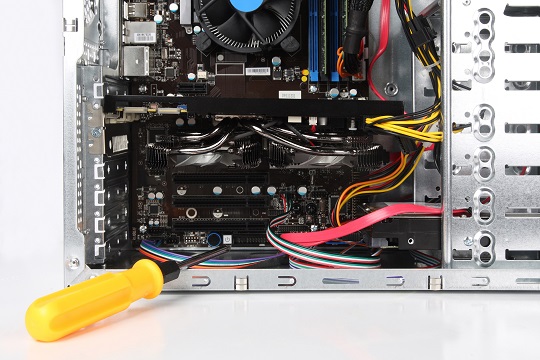
How to Clean Inside of Computer Tower

Sunday, March 17th, 2013

How to Clean Inside of Computer Tower - Computer Repair

Why Clean Your Computer Tower?

Dust can cause many issues inside your tower that will prevent your computer from functioning properly. Dust clogs the fans, which are crucial for cooling your circuit boards, and you run the risk of overheating. Dust can even slow down your computer. Overall, it decreases the lifespan of your computer tower.

Cleaning your computer tower is very important for its durability and longevity. If you want to know how to clean inside of computer tower, you can do this yourself at home.

Materials Required

You will need:

– A cotton or microfiber cloth

– A compressed air can

– A screwdriver

– A vacuum or a small handheld dust buster

How to Clean the Inside of the Computer Tower

1. Disconnect all of the cables connecting your computer with your computer tower.

2. Remove the screws on the back of the computer tower that hold the side panel in place. If you have one, disconnect the side fan that is plugged into the computer tower. Put the side panel aside.

3. Slightly dampen the cloth and wipe down the inside of the side panel. This will remove any dust. If you have a side fan, blow the dust away with the compressed air can.

4. You will need a vacuum hose or a small handheld dust buster in conjunction with a can of compressed air. You may need to place your computer tower on its side to thoroughly clean the inside easily. Aim the end of the compressed air pipe at the fan inside the computer tower. While you are blowing the dust out of the fan, use the vacuum to immediately suck up the dust so that it does not settle back into the computer tower.

5. Using the compressed air and vacuum, spray the heatsink, cable tray, fans, and motherboard until dust no longer comes off of them. Remember to spray and vacuum together so that no dust remains.

6. Use the damp cloth again to wipe dust from the bottom of the tower.

7. You are now ready to reassemble your computer tower. Re-tighten the screws that hold the side panel and computer tower together. Reconnect your computer and tower.

Further Assistance

Cleaning the inside of your computer’s tower is a fairly easy process, but if you would like professional assistance, just use TalkLocal. We will connect you with up to three, high-quality, computer repair technicians in your area, so you can find the help you need.