Archive for the ‘services’ Category


How to Increase the Maximum Volume on your Computer

Thursday, September 20th, 2012

How to Increase the Maximum Volume on your Computer Computer Repair

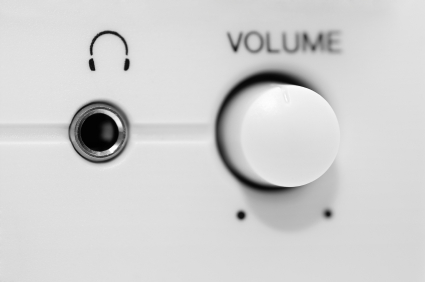
Sometimes we just want our music “blasting” on our computer for a house party, to relax, or even just to annoy. However, maximum volume on a computer can sometimes be too quiet for these situations so you might be wondering how to increase the maximum volume on your computer. There are several simple ways to do this to achieve the sound you want.

VLC Media Player

VLC media player is a media player that can be downloaded for free. It can play virtually any audio or video file imaginable. The player can also increase the volume of the computer tremendously. To increase volume on a VLC media player:

1. After selecting a media file, use the scroll wheel to increase the volume to your liking. It can go up to 400%.

2. If 400% is not enough for you, click on “Tools” on the menu bar.

3. Click Effects and Filters and check Enable.

4. Use the first slide bar to increase the volume to your liking.

Windows 7

Windows 7 has a way to increase the max volume of a computer called loudness equalization. This makes the sound have increased bass and treble for louder and richer sound. This is optimal for soft sound to become louder. To turn on loudness equalization:

1. Click on the volume icon.

2.Click on the icon above the volume bar.

3. Select the  Enchantment tab.

4. Check loudness equalization.

Speakers

If the internal speakers are the ones that are not loud enough, the best way to increase volume is to purchase speakers. Music studio quality speakers can be expensive, but more modest speakers can be pretty cheap. One of the best speakers that don’t kill your wallet is Logitech speakers. They sell for around $20-$30.

If you need to consult with a computer repair technician, use TalkLocal to find a high quality repair professional near you.

What to do when a Pipe Bursts

Thursday, September 20th, 2012

What to do when a Pipe Bursts Plumbers

A burst pipe is a major water emergency and you must act fast before water damage affects your home and belongings. Read the following tips to learn what to do when a pipe bursts unexpectedly.

1. Turn off the water supply. The valve is usually located either under the kitchen sink or in the area where the main service pipe connects to your home. If there’s no water running through your pipes, then water can’t come out of the burst pipe.

2. Drain your pipes by turning on all the cold water taps and flushing all your toilets. Turn off the hot water heater and then turn on all your hot water taps. Also turn off your electricity immediately, as the water may have soaked through your electrical system as well, making it extremely dangerous.

3. Locate the burst pipe:

a) Check first for areas with obvious water damage. If there’s a wet spot in your home that’s not usually there, it’s probably a sign that the burst pipe is nearby.

b) Check all the indoor parts of your home that have pipes, which would be around any fixture that uses water. Remember to check your water heater too!

c) If you can find no sign that an indoor pipe has burst, check outside for an area on the ground that’s especially soft and mushy, especially if it isn’t usually.

d) The burst pipe may also make a hissing, splashing, or thumping sound. If you hear any strange noises coming from the inside of your walls, that’s where it might be.

e) If the leak is very tiny, consider using electrical tape to repair it yourself. Start by wrapping the tape diagonally in a place before the leak, and then proceed to wrap the tape around the pipe until the tape is in a position after the leak. If you want, double wrap it in the other direction for greater security.

4. Get professional help! If it’s a big leak, or if the leak was in the main pipe, you must replace the pipe. An electrician needs to check and fix any wiring that had been ruined by the water leak. Also, you need to assess the water damage in your house, as it could cause a variety of huge issues, such as a rotting foundation. Because a burst pipe can affect so many different parts of your home, use TalkLocal to find all the quality professionals you need immediately. Best of all, the service is free.

HDMI Cable Troubleshooting Sound

Wednesday, September 19th, 2012

HDMI Cable Troubleshooting Sound Computer Repair

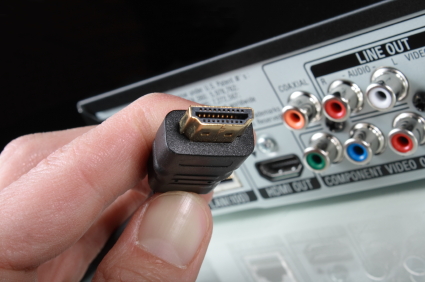
In order to hook up a laptop to a TV, most HD TVs nowadays use HDMI cables as their standard inputs, offering both a crisp graphic quality and a high quality sound.  If you’re having sound issues with your HDMI set up, there are a couple of standard troubleshooting actions that you can take to make sure it isn’t anything minute.

Check the Sound Mixer

You’ll want to make sure that your sound outputs for your laptop and your TV are functioning correctly.  Verify that nothing is muted and that you’ve selected the correct sound output (the TV speakers).  Set the HDMI connection as the default output device.

Check the HDMI Cable

It’s possible that you may have a faulty HDMI cable.  Since HDMI cables carry a digital signal, there  usually won’t be a loss of sound quality if your video is working, unless you actually have a damaged cable.  Make sure that the HDMI connection is secure on both ends and that the sound input is same as the video input for your TV.  The TV should also be configured to view via HDMI ,which is usually done through the TV set-up menu.

Some HDTVs also require that the computer is connected specifically to a PC HDMI port, rather than a standard HDMI port.  Check your TV for a PC HDMI input, and connect if possible.  You may also want to switch between a couple of HDMI ports to make sure that the input is working.

If none of the above steps solved your problem, you most likely have a problem with your graphics card or a problem with your input or output ports on your computer.  In this case, it’s highly recommended that you talk with a computer repair professional to discuss how to repair your HDMI connection.  TalkLocal can save you the trouble of finding a high quality professional.  You’ll have three highly rated IT professionals calling you within minutes!

Best Ways to Clean Painted Walls

Wednesday, September 19th, 2012

Best Ways to Clean Painted Walls Maid Services

These are five easy steps to cleaning your painted walls and brightening up the atmosphere of your home.

Here are the best ways to clean painted walls:

1. Dust your walls! This may seem like a crazy thing to do because you are going to be cleaning your walls anyways. However it will make your job of getting spiffy clean walls much easier. Think about it – if you do not get rid of the dust, it will mix with the water used to clean and make brown streaks along the walls.

2. Make yourself arm protectors! Why? Has nasty water ever dripped down your arms as you cleaned? If you dislike that feeling, there is a solution! Wrap a towel around your wrist and secure it by placing a rubber band around your wrist as well. No more dripping down your arms!

3. Hit the walls! Don’t literally hit the walls, but get to work on the walls. Have a bucket of cleaning solution (or just simply water) and a few towels ready. Dip your towel into the solution and get to work. Scrub the walls in circular motions with your wet solutions. After they are clean, take a dry towel and dry the walls.

4. Get rid of the stains. Use a Mr. Clean Magic Eraser to get rid of stains. These sponges work great for Crayons and other random stains.

5. Repeat! Some stains are hard to clean, so don’t be afraid to repeat methods two or three times. Then you can take a step back and observe all your hard work!

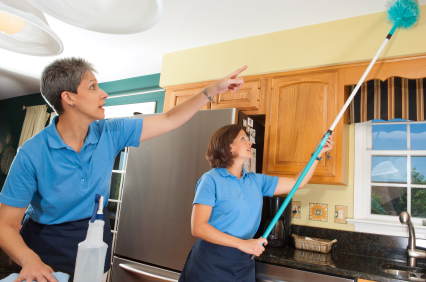
After the first time you clean your walls, you may realize that it is not so daunting a task and will make your room look crisper and brighter. To keep your walls sparkling, hire a maid service to take care of it for you. Check out TalkLocal to talk with up to three professionals right in your neighborhood who can help you out. Check it out!


Low Pressure From Shower Head

Wednesday, September 19th, 2012

Low Pressure in Shower Head Plumbers

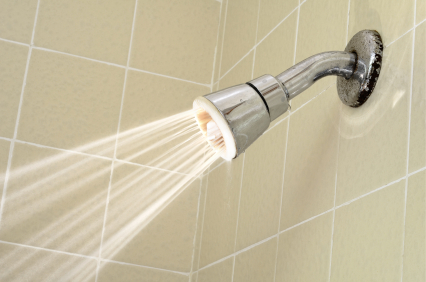
Taking a shower is one of the most relaxing things that someone can do.  It can either wake you up and get rid of drowsiness or it can relieve the stress of a day and help you unwind.  But what happens when there is not enough pressure in the shower head?  Washing your hair or trying to shave can become a tedious process because it takes longer to rinse off.

The federal Energy Policy Act of 1992 restricted all faucets to the maximum water flow at or below 2.5 gallons per minute at 80 pounds per square inch.  This is a maximum water pressure of 60 psi.  This is a countrywide regulation that makes it difficult to find faucets with other specifications. But even with this restriction, you can still enjoy a nice shower with strong water pressure.

There are a few reasons that there might be low pressure from shower head.  This could be the result of partially closed valves, hard water blockages, or a low water supply. If the supply valve is not opened completely, then the pressure of water coming from the faucet will falter.  You should turn it all the way to the left to ensure it is completely open.

Another possibility is that hard water calcification on your showerhead causes blockages. The minerals form around the water release holes so that the water spits out sporadically and at a lower pressure.

A municipal water supply shortage could also cause low pressure in your shower. It feels like you are not getting enough water through your faucet, this may be the cause. This means that there is not a problem with your plumbing, but with the area’s water supply.

If you do feel like you have low water pressure you can do two things.  You can always look into buying a booster pump to increase the volume of water available to all the appliances in your home.  You can also do research into buying a showerhead that is engineered for low water pressure.  This is a specially made showerhead that will build pressure when there is a low amount.

Continuing Problems

If you continue to have problems with your water pressure you should seek professional help.  Use TalkLocal to be put in contact with reliable local plumbing businesses within minutes.  You don’t have to do any work! Simply input your problem and availability and TalkLocal will do the rest.  Almost immediately you will be connected with someone who can help you out on the phone.

How to Fix a Loose Laptop Lid

Wednesday, September 19th, 2012

How to Fix a Loose Laptop Lid Computer Repair

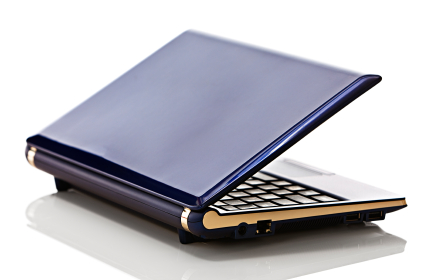
A laptop is one of the most frequently used electronic devices and such intense use can cause your laptop lid to loosen up a little bit.  This is issue is not serious can be fixed on your own. While the task is not too difficult, you should still be careful because laptops are delicate devices that need careful attention. Read on to learn how to fix a loose laptop lid.

1. Shut down the computer.  Once the computer has powered down entirely you need to pull the power cable out and unplug it from the electrical outlet. Now that the laptop is turned off and has no way to turn on while you are trying to fix it, you can start examining the lid.

2. Locate the rubber stoppers that are located around the edge of the screen.  Gently pry them off.

3. Find the screws holding the computer together underneath and use a screwdriver to take them out.

4. Pull off the plastic rimming around the computer screen.

5. You should be able to see the hinges connected the lid of the device to the main chassis.  Using the screwdriver, tighten each of these hinges individually and check to see if the looseness issue has been solved.  Look for any other screws that need to be tightened while you have the rim off.

6. Replace the plastic screen rim and fasten the screws to attach it again.

7. Put the rubber stoppers back onto the screw holes and finish up the job.  This should take care of your loose laptop lid problem.

Continuing Problems

If you continue to have problems with a loose laptop lid you should seek professional help.  Use TalkLocal to be put in contact with reliable local IT businesses.  Simply input your problem and availability in the online service request and, within minutes, you should be connected to someone who can help you out.

How to Stop Embezzlement for Small Businesses

Wednesday, September 19th, 2012

How to Stop Embezzlement for Small Businesses Accountants

As a small business owner, embezzlement can be incredibly devastating to your livelihood, so you need to make sure that you take the proper precautions to prevent embezzlement.  The following three steps are tips on how to stop embezzlement for small businesses.

Know the warning signs of embezzlement

The earlier you catch embezzlement, the faster you’ll be able to prevent further damage to your business and take the necessary actions against the individuals committing the embezzlement.  Some of the most common warning signs are bounced business checks indicating that funds are being taken out of your account, inventory shortages pointing towards unrecorded sales or employee theft, and profit declines in conjunction with increases in expenses (cash is being taken out of your business illegitimately).

Basic internal precautions

You should screen all applicants before you hire them to make sure they are of good character. Periodically examine all finances related to your employees to make sure that everything is legitimate. Your payroll should be prepared by more than one person or do it personally, which will prevent illegitimate employee checks from being written. Dividing financial responsibilities and functions will make it more difficult for an individual to embezzle money.  You should also set up an internal audit system that creates a paper trail so you can always trace an illegitimate check back to the source.

Bonding Employees

Bonding is the common practice for employers to protect themselves from employees committing fraudulent and dishonest acts such as theft, forgery, and embezzlement. You’ll want to talk with your insurance agent about the different types of coverage that you want for your business, which can range from an individual employee to a blanket fidelity bond, covering all employees at your business.

If you’re really worried about the possibility of embezzlement, you should consider hiring an accountant.  An accountant can help you monitor for signs of embezzlement, so if you don’t already have one that you trust, you should use TalkLocal to find an accountant.  You can be sure that the accountants you talk to will be high quality and highly rated!

How to get Rid of Furniture Imprints in Carpet

Wednesday, September 19th, 2012

How to get Rid of Furniture Imprints in Carpet Carpet Cleaners

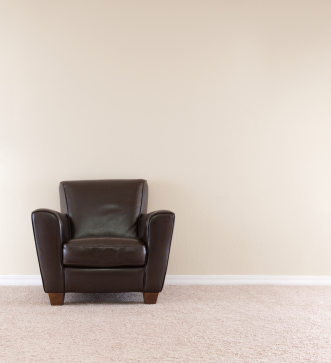
Moving furniture around seems like a good idea until you see all the carpet dents left behind by the newly moved furniture. So how exactly do you get rid of furniture imprints on carpet? Believe it or not, it’s a pretty simple process if you follow these few steps for how to get rid of furniture imprints in carpet.

The first step is to moisten the imprint left behind by the furniture. You can use ice or a spray bottle, but the key is to use enough water to help the carpet fibers rebound. It’s best to give the carpet a few hours or even the night to soak up the water. Next, with the carpet damp, use a wide-toothed comb or a fork and start rubbing the dented spot of the carpet with this comb. This step will help to loosen the dented fibers and get them back to their original position.

Next, find a hairdryer and start drying the carpet while you continue to comb the fibers. Try and lift up the carpet while drying it, if possible. Continue doing this until the carpet is completely returned to normal. If not, you will want to let it soak in ice for another night, as the imprint may be too heavy for a few hours to fix.

By following these instructions, you should be able to remove any furniture imprints left on your carpet. However, if you still need assistance, consider using TalkLocal to find a carpet cleaning company for you. TalkLocal is a free service that will connect you with top-quality, reputable companies in your neighborhood within minutes. Just enter in your specific problem, location and availability, and up to three companies will call YOU directly; your carpet will be restored to its original state in no time.

Circuit Breaker will not Reset

Tuesday, September 18th, 2012

Circuit Breaker will not Reset Electricians

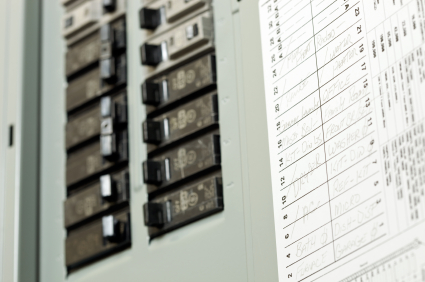
Circuit breakers are the switches that regulate the flow of electricity to your household.  They’ll protect your home in case of an overload or some other electrical fault, tripping and cutting off power to prevent any further damage to your home.  When there’s an electrical fault, the metal under the circuit breaker will heat up and bend, causing the spring-loaded breaker switch to open the circuit and cut off power.  Breakers are usually very durable and don’t malfunction very often, so make sure that you’ve isolated the problem to the breaker. To check that it is the breaker, reset the it correctly by pushing the handle fully to the off position and then to the on position. If that doesn’t do anything, read on for what to do when your circuit breaker will not reset.

Overloaded Circuit

Every appliance in the home in a circuit will attempt to draw a certain amount of power, but it’s possible that there are too many appliances plugged into a single circuit, effectively overloading it.  Try unplugging everything and shutting off light fixtures; then, attempt to reset the breaker.  If it works, slowly start plugging in appliances and lights one by one until the circuit overloads (it may be a faulty appliance or simply too many appliances in total).

Short Circuit

Overheated wires often times will lead to short circuits, creating the same symptoms of an overloaded circuit.  You’ll once again want to unplug lights and appliances individually and check for loose or torn wires.

Faulty Breaker

This is uncommon, but still very possible. Make sure that when you are attempting to replace the breaker you completely kill all power to the service panel, or you may risk severe injury.  Also, make sure that you replace the breaker with a breaker of the same rating, or you may risk overheating wires or causing a fire.  Disconnect the wires behind the old breaker and reattach them to the new breaker.  

If none of the above solutions helped reset your power, it’s highly recommended that you call a professional electrician.  With TalkLocal, you’ll be talking to a high quality local electrician who can help diagnose and solve your problem in just minutes.  It’s fast, easy, and there’s no reason why you shouldn’t use it to help you as soon as possible.

Wireless Mouse not Working

Tuesday, September 18th, 2012

Wireless Mouse not Working Computer Repair

A wireless mouse allows you to use the device from anywhere within range and reduces the clutter of wires around your desktop or laptop. If you find your wireless mouse not working including  where it is causing the cursor to move sporadically around the screen or is completely unresponsive, the cause can be one of many problems. Try the following troubleshooting techniques to get your wireless mouse working again!

1. Try a different port or environment. By connecting the receiver to a different USB port, you can eliminate any problems with the actual port. You can also connect the receiver to a USB port, specifically to the back of the computer because there is usually more bandwidth available there.

2. Replace the batteries. Issues may occur with your wireless mouse when battery power is low. Try using batteries that are recommended for use with electronic equipment. Make sure the batteries are inserted correctly before testing out the device. If you insert new batteries, you may need to resync the device with your computer.

3. Test the device on a different computer. If you can replicate the problem on a different computer, you may have a defective device. If the mouse works on another computer, there may be conflicts with other software causing the problem.

4. Uninstall any conflicting mouse software. If you have any other mouse software installed, it may cause problems with your current mouse software. Try uninstalling the other mouse software and restart your computer.

5. Remove and reinstall your current mouse software. Your mouse software may not recognize the wireless mouse. To fix the problem, try uninstalling the current software and reinstalling it again. Restart your computer after reinstalling the software.

If none of the steps seem to help, you may need to purchase a new wireless mouse. Need a professional opinion? TalkLocal can connect you to reliable computer repair professionals in minutes!