Archive for the ‘services’ Category


How to Make Mulch from Trees

Wednesday, August 29th, 2012

How to Make Mulch from Trees

If you are hoping to turn the damage caused by a storm into something positive, one way to do that is to turn the storm to debris into landscape mulch. You can contact your local Division of Waste Management to approve sites for chipping/grind for mulch.  This document will explain how to make mulch from trees.

Requirements for Chipping/Grinding Sites

1. Before grinding, the debris must be separated. Mulch can only be made out of tree waste or untreated/unpainted lumber. No other contaminants can remain. If this is not feasible, then the debris is not a candidate to be turned into mulch.

2. The site must not be located in a known floodplain or flood prone area.

3. Storage areas for debris and processed material should be at least 100 feet from all surface waters.

4. Storage areas for debris must be at least 100 feet from residential areas, commercial/public buildings, portable water supply wells, and septic tanks with leach fields.

5. The site must not contain wetlands.

6. Sites with power lines overhead may not be grinded.

If you want to make your own mulch, you can do so with just  a chainsaw and a wood chipper. If you do not already have branches lying around, use the chainsaw to remove some off of a tree. You can rent a wood chipper from your local equipment rental service. Feed the branches through the wood chipper. You can mix the different types of wood mulch or keep it separated, depending on your needs. You can also use leaves in autumn to make mulch for your flower bed. Most mulch should be a few inches deep, so calculate how much square footage you need to cover and multiply it by a few inches to figure out how much mulch to make.

If you have storm debris in your yard, you can use TalkLocal to receive phone calls in minutes from high quality, local tree removal professionals that are available when you are.


Homemade Roach Pest Control

Wednesday, August 29th, 2012

Homemade Roach Pest Control Pest Control

Cockroaches aren’t just disgusting; they actually pose a significant health risk to the homeowner because they can carry serious diseases. Even the cleanest homes are susceptible to a roach infestation due to the fact that cockroaches are able to disperse fully throughout the community under the many conditions.

Simple Approaches That Work as Homemade Roach Pest Control:

Cockroaches look for the same things as us when choosing a home: a stable source of water, a stable source of food, and plenty of room/passages for flexibility.

Try getting rid of the sources of water/food in your house by sealing all the food and emptying out the faucets. Close the doors and block the gaps between idle furniture settings. A hungry/thirsty/annoyed cockroach will start looking for a new home.

You can try various traps to directly kill the roaches, too. The popular choices include poisoned bait and “sticky” traps. Needless to say, the traps will need to be placed near the roach nest to have the best effect.

Try to estimate/observe and deduct the location of the roach nest. This is generally done by sneaking around to the place where you suspect there is a roach nest at night (in the dark) and suddenly flooding the room with light and looking at where the roaches are scurrying off to.

Or you can just place a poisonous bait in the room somewhere, and see where the roach carcasses are found – a multitude of roach carcasses would indicate a high traffic of roaches around that area, meaning that the main nest is close by.

If possible, try to identify the exact type of cockroach that is infesting your place. Knowing the type of the roach will give you a hint regarding where the infestation might be in your house and the best bait to use for them.

Additional Help

If you feel like you need professional help on eradicating the roaches and advice on other roach pest control options, TalkLocal can help with finding the correct local experts in this case, saving you time and energy in what may be a stressful situation.

Backup Outlook Files Windows XP

Wednesday, August 29th, 2012

Backup Outlook Files Windows XP Computer Repair

E-mail, one of today’s most convenient methods of communication, plays an important role in both work-related and personal matters. Because of users’ growing dependence on e-mail as a main mode of communication, it is very important that you prevent any significant data loss by backing up your files.

For those who use Outlook on Windows XP, backing up your Outlook data can be completed in several fairly simple steps.

1. Locate the pst-file.

2. Backup the pst-file.

3. Test the backup by restoring the pst-file.

To backup your Outlook files, the first thing you need to do is locate the file. The pst-file, also known at Personal Folders, is the single file with a pst-extension where all Outlook data is stored. You can locate your pst-file at “C:\Documents and Settings\%username%\Local Settings\Application Data\Microsoft\Outlook.”

Once you have located the pst-file, performing a backup of the file is fairly easy to do. Copy the pst-file into your safe location once you close out of Outlook. Use one of the following as a safe location:

– an external hard drive

– another physical hard drive in your machine or another

– a USB stick

– a Flash memory card

– a CD-R(w)

– a DVD+/-R(W)

– a backup tape

Once you’ve backed up your files, it is important to test the backup by restoring the pst-file. To do so, copy the file to the location where you want it to work. Now that you know how to back your files, remember to do it regularly to avoid losing your work. Perform backups during and after major projects so you don’t have a heart attack if your computer crashes. If any of these instructions seem too complicated or you are uneasy performing it yourself, don’t hesitate to hire a trained professional to help. Use TalkLocal to be connected to a local computer repair business within minutes who can help backup outlook files windows xp.

How to Set Up Google Alerts in Google Reader

Tuesday, August 28th, 2012

How to Set Up Google Alerts in Google Reader Computer Repair

How to Set Up Google Alerts in Google Reader

“Google alerts” is a free service provided by Google that automatically sends you information about search trends for certain keywords. You can use these alerts to get news about a company or product, follow a developing story, or keep tabs on any other kind of topic. Anytime Google finds a new result that pertains to the keywords in your query an alert is sent out containing all of the relevant information. In the age of online advertisement, Google alerts has become one of the key tools that companies can use to track their social media marketing efforts. If you want your business to be on top of all of the latest ideas and trends in the industry, you need to set up Google alerts and actively monitor them on your computer.

Setting up an alert is as simple as going to the alerts page and entering your search query. You then specify the result type, how often you want to receive the alert, and where to deliver them. Google actually provides two different tools for organizing and viewing all of the alerts you request. You can either have them emailed directly to your Gmail account or use Google reader to follow the alert as an RSS feed. If you select Gmail, the alerts will be regularly sent to you like a normal email. If you choose Google reader, the alert will automatically be added to your subscriptions. You can find all of the RSS feeds you are subscribed to by visiting your Google reader page here. Once you have filled out a query request and selected how you want to receive it you are ready to start taking advantage of the alert service.

If you do not have much experience with online marketing or search engine analytics it can be hard to figure out exactly how to best use Google alerts for your business.  Luckily, there are many sources of in-depth knowledge on the subject available online.  For a quick overview of some of the more common practices and techniques you can check out this article.  Once you get started you will find that alerts are relatively easy to pick up, and an extremely powerful tool for understanding and analyzing your companies’ online presence.

If you need computer consultation on any additional features, TalkLocal can put you in contact with local IT support services.

Dryer Timer is Not Working

Tuesday, August 28th, 2012

Dryer Timer is Not Working Appliances Repair

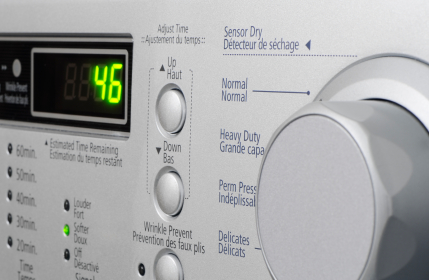
Dryer timers are arguably the most important part of a dryer. A dryer timer calculates the length of each cycle. It also advances the dryer to the next drying setting when the temperature inside the tumbler has reached a certain level. If your timer is broken, the dryer may not advance to the next setting. The dryer will continue tumbling in its first phase until you manually stop the machine. This may ruin, over-dry, or even shrink your clothes. Read below to find out why your dryer timer is not working.

Most of the time when dryer timers break, it is the small electric motor inside of them that has either burnt out or failed. It is best to replace the entire timer. Taking out the electric motor out and replacing it is very difficult. It is also difficult to find and purchase that specific part. Buying a new timer will save a lot of time and it will ease the installation. To replace the timer, you should write down the model number and search for it online. It is easiest to wait until you receive the new timer before replacing it because it will be easier to remember where each wire is supposed to go.

Taking off the broken timer is fairly simple. Locate the timer and look for the screws that are holding it down. Make sure to turn the machine off. Some screws may be located under the knob, so take off the knob as well and look for any screws that may be attached to the timer. After unscrewing, remove the wires and cords that are attached to the old timer. Double check the wire and protective lining to make sure they are working correctly. Do not be surprised if the new timer looks different from the old one as newer model timers may be modified. Attach the wires to the new timer. Double check the instructions to make sure you completed each step.

If you want professional help with installing a new dryer timer, TalkLocal can connect you with a local appliance repair service.

Can you Remove Rust from a Car?

Tuesday, August 28th, 2012

Can you Remove Rust from a Car Auto Repair

Can you remove rust from a car?  Yes, but you must be very careful and take the necessary precautions.  It is a fairly involved process and the rust and paint dust can be extremely harmful to your health.  Make sure to wear gloves, safety glasses and a dust mask throughout the entire process.

1. Cover up any parts of the car that you don’t want to get dusty.  Make sure you use a tarp with painters tape to cover up any areas that you don’t want affected.  Don’t use newspaper or anything else that’s easily permeable, as paint spray can leak through it and leave specks on your car.

2. When choosing where to partition your car, do not simply just mask out the area the rust is in, as this will cause sharp lines in the middle of the panel.  Instead, mask the car by stopping at panel lines so that the entire panel will be evenly colored.

3. Remove the paint around the rust with a dual-action sander.  You should start at approximately 80 grit and then move upwards to 150 grit to take the paint off and smooth off the area.  It should feel smooth to the touch afterwards.

4. Use a metal grinding wheel to remove the thick rust and any recessed pits that contain rust.  After this entire process, you’ll need to use a rust-removing acid to clean up the microscopic rust particles left on the surface.  You can use a body filler to plug up some of the dents or holes, but make sure to finish the entire job off by sanding it with 120 grit sandpaper.

5. Prime the area with a bare metal primer or auto-spray paint that matches your car’s color.  Follow the instructions on your primer about what you need to do; usually you’ll need to wipe the area with paint thinner or mineral spirits.  You’ll want to spray thin coats of primer evenly (at least 3) and then allow it to dry overnight.

6. Sand the primer with 400 grit wet sandpaper so that the paint and primer coat have areas for the paint to bond.  Then spray as many thin coats of paint as necessary to match the color of the rest of the car.  Finish the paint job by buffing the edges of the paint job so it blends with the old paint.  If necessary, add a clear coat to the paint job.

The paint should be left to cure for 2 days, after which you should wash and polish the car.  Warning: Do not wax paint within 30 days of painting, as it may damage the paint job.  Removing rust is a fairly involved process and depending on the paint job, it may be necessary to call a professional to redo the paint job.  TalkLocal can connect you to a high-quality local auto-repair shop that can help you within minutes.  It’s fast, easy, and free.

How to use One Keyboard for Multiple Computers

Tuesday, August 28th, 2012

How to use One Keyboard for Multiple Computers Computer Repair

Sometimes, one computer does not cut it. Sometimes, even two computers do not cut it. There are times when you require many computers to be productive, but you don’t want the hassle of multiple mice and keyboards. Luckily, there is a way to connect multiple computers and control it from one mouse and keyboard.  Read on to learn how to use one keyboard for multiple computers.

KVM Switch

KVM (Keyboard, Video, and Mouse) switch is a device that allows a keyboard and mouse to control multiple computers. KVM switches can be bought at any computer retailer. Usually these only come with VGA input, while the more expensive ones may come with a DVI or HDMI input. To install a KVM Switch:

1. Connect keyboard cable to KVM switch in the proper input.

2. Connect the keyboard and monitors to the KVM switch using the cables supplied with the switch.

3. Use the buttons to switch from each computer. Usually, numbers are assigned to a KVM switch.

This is the only way of connecting the computers physically. The other two methods are the use of software.

Mouse without Borders

Mouse without Borders is a utility made by Windows to seamlessly control the keyboard and mouse easily. Being a Windows application, it can only be used on Windows OS systems.  It’s one of the easiest to install and start quickly. To use Mouse without Borders:

1. Download Mouse Without Borders on each computer.

2. After download, use the computer connected to the keyboard and mouse to run the application. The wizard should start.

3. Click “No” to initial setup and it will generate a security code to use for other computers to connect.

4. Click on the application and type in the security code and repeat for other computer you want to connect to the keyboard and mouse.

Synergy

For Mac users there is Synergy.  Synergy is utility software that can connect multiple computers to a keyboard and mouse using a “client” and “server” method. To use Synergy for a Mac:

1. Download and install Synergy.

2. Go to the Synergy settings interface located in “Finder” > “System Preferences.”

3. Turn on Synergy.

4. Click “Share my Keyboard and Mouse.”

5. Click “Advanced” tab under “Options” to find the name for each computer. You need this information, so write it down somewhere.

6. Go to Server Configuration tab and click on the “+” button (this shows Synergy how many computers are going to be controlled and in what orientation).

7. Enter the screen names for the client computer and screen name for the server computer.

8. Click “Ok” and choose a screen from the menu.

9. For the client computers, launch Synergy.

10. Then, click “Use Another Keyboard and mouse.”

11. Type in the IP address of the Server Computer

12. Click “OK.”

Ones of these ways should give you control to multiple computers in no time. If you run into trouble and want a professional, contact TalkLocal. TalkLocal will connect you with high quality professionals in your area for free.

Leaking Toilet Causing High Water Bill

Tuesday, August 28th, 2012

Leaking Toilet Causing High Water Bill Plumbers

Do you have a leaking toilet causing high water bill in your home?  Check out these tips to help decrease that money going down the drain.  Leaking toilets can waste up to 200 gallons of water per day – more than doubling your family’s water bill.

Many times, wiggling the toilet handle will help solve the problem.  However, is this does not fix the problem, you must first identify the source of the leak.

Flapper issues

A common issue with high water bills and leaks in your toilet is an issue with the flapper.  The flapper is the small plastic thing that covers the hole to the toilet tank.  Sometimes the flapper does not close all the way, and this issue is not visible from the outside of the toilet.  Check out this helpful link to help you fix your flapper.

Fixing your flapper is an easy fix and one you can do on your own. This will decrease your water bill significantly if indeed there is a leak.  Another way to test if your water bill is higher due to your leaking toilet is to do the dye test.

What is the dye test?

The dye test is a common test to determine if a leaking toilet is causing a high water bill.  Place a drop of coloring into the top of the toilet.  If after 15 minutes the bowl begins to color, there is a leak in the toiler that needs to be fixed.

If your dye test is positive or you cannot figure out the source of the leak, use TalkLocal to direct you to a plumber in your area for free.

How do I Backup my Gmail Emails

Monday, August 27th, 2012

Your email is a great way for colleagues, family, and coworkers to contact you. Many people store a lot of important information through their emails. It is important that you begin to back these emails up because if there is a glitch in your server or email provider, you could lose everything. However, if you use an email backup system, you wont have to start from scratch again.

How do I Backup my Gmail Emails?  Here is how:

– Apps like MailStore

MailStore is a free Windows program that can be used to archive emails. It can store from many different email accounts including Windows Mail, Gmail, and Hotmail. It supports both POP and IMAP and, therefore, can store emails from anywhere. MailStore and other similar applications are good because they are constantly backing up and connected to the Internet.

– Gmail Backup

If you have a Gmail account, you can use Google’s backup system, which is one of the easiest to set up. All you have to do on the main screen is enter your username, password, and destination directory.  This is where you want your email backup to be stored.

– Thunderbird

Another option you have to backup your emails is to set up Mozilla Thunderbird. You will need to go to your Gmail setting and look for the tab labeled “forwarding and POP/IMAP”; click on the link.  From there, enable either POP, IMAP, or both for all mail.  Choose the “keep gmail’s copy in inbox” setting so that it shows up in both your email account and backup.  When you start up Thunderbird, you need to enter your Gmail username (the part before the @gmail.com) and your password and the program will begin downloading and backing up.  You should remember to periodically open up Thunderbird in order to refresh and update the program.

Continuing Problems

If you cannot seem to get a backup system installed and working, you may want to seek professional assistance. Use TalkLocal to be put in contact with reliable local businesses within minutes. Simply input your problem and availability and TalkLocal will do the rest!

How to Prevent Plaque Buildup on Teeth

Monday, August 27th, 2012

How to Prevent Plaque Buildup on Teeth Dentists

Plaque is the sticky, colorless bacteria that is constantly forming on your teeth.  The bacteria feeds on sugars that it receives from food and forms acids that slowly eats away at tooth enamel and can cause cavities.  Once plaque builds up enough, it combines with the minerals in your saliva to calcify into a rough deposit called tartar.  Tarter cannot be removed by normal brushing, instead a dentist must remove it once it has formed.  To prevent plaque, you must undergo regular preventative care that involves daily brushing, flossing, and regular visits to the dentist.  Continue reading for more information on how to prevent plaque buildup on teeth.

Preventing plaque

More specifically, preventing plaque is not a one-day process.  Rather, it is an ongoing task in which diligence and discipline is a must.  The first step to preventing plaque buildup on teeth is to brush your teeth regularly, meaning at least twice a day.  Brush over every tooth multiple times and don’t forget to brush the harder to reach areas as well.  To get the hard-to-reach foods stuck between the teeth, floss after each meal or snack to loosen food particles and reduce the chances of plaque building up in your mouth.  A dental pick can also help with this.  More than just your teeth need to be cleaned.  Clean your entire mouth including your tongue using a tongue scraper or even the back of your toothbrush to ensure no plaque builds up on your tongue.  This plaque can contribute to mouth conditions such as gingivitis if not removed, so be thorough.

Another extremely important step to preventing plaque buildup on teeth is to ensure you eat a healthy diet.  Foods like fruits and vegetables and sticking to drinks like water can be great for your overall health and can help to wash away plaque.  If you can, avoid sweets such as candies and other sugary things as these allow plaque to thrive, as they weaken tooth enamel.

Finally, get regular dental checkups (at least twice a year) to get your teeth examined and cleaned.  Your dentist can help give you tips and products to reduce plaque.  If you are looking for a reliable dentist, consider using TalkLocal to find a top-quality dentist in your area.  This free service will connect you to up to three highly rated dentists within minutes who are willing to help.