
Archive for the ‘services’ Category


How to Get Rid of Musty Smell in Carpet

Wednesday, August 15th, 2012

how to get rid of musty smell in carpet carpet cleaners

How to get rid of musty smell in carpet

Having a dirty carpet is bad enough, but if your carpet has fallen victim to water damage and begins to smell musty, it’s important to get it cleaned as fast as you can.  There are a few options to get rid of the musty smell in your carpet, depending on what’s most affordable for you.

Cheapest option

The cheapest and easiest option would be to acquire a wet/dry vacuum, vinegar and baking soda, and clean the carpet to disinfect and remove the moldy smell.  If the carpet is still wet, you should first use the vacuum to suck up any remaining liquid.  Then in a gallon bucket, mix ¼ to ½ cups baking soda, 2 cups water and 2 cups vinegar.  It will foam and bubble, so it’s important to have a bucket that is large enough.  Over the affected area, scrub with the mixture, but don’t re-soak the carpet.  Then re-vacuum up with the wet/dry vacuum.  If the smell lingers after a few days, repeat.

More expensive option

A more expensive and tedious option would be to replace the carpet padding underneath the wet spot(s) in your moldy/musty carpet.  The carpet padding is most likely the source of your mold, so pulling up the carpet above this spot, cutting it out, and then replacing it should remove the stench.

After moving all the furniture out of the area, you may need to remove the molding on your wall (use a prybar to avoid damage to the molding) above the carpet to be pulled out.  Grab some pliers, and pull up the carpet closest to the wall.  Be sure to wear work gloves – there’s likely to be many sharp tacks along the wall and carpet.

Roll up the carpet towards the wet spot.  Take a razor knife and cut out the wet spot of the padding. If there is still moisture, vacuum it up under this area.  Sprinkle some baking soda over this area and on the underside of the carpet to neutralize the smell.

Cut out an area of new padding similar to the original padding and tape it down.  Roll out the carpet back to the wall, and press the edges down firmly so they attach back to the tack strip along the wall.  Replace the molding.

Most expensive option

If the damaged area is too large, the most expensive option you could take is to tear out your entire carpet and replace it with new carpet, laminate, linoleum, tile or vinyl.

Depending on the option that best fits your needs and situation, you may want contact a carpet cleaner or repair specialist to help with your musty-smelling carpet.  Try using TalkLocal, a free service that will connect you with top-quality, reliable carpet cleaners in your area.  Simply enter in your specific problem, location and availability, and TalkLocal will contact multiple companies in your area who will then call you directly, ready to help.  Save time searching through directories and phonebooks for the right, most affordable company, and let TalkLocal do it for you.
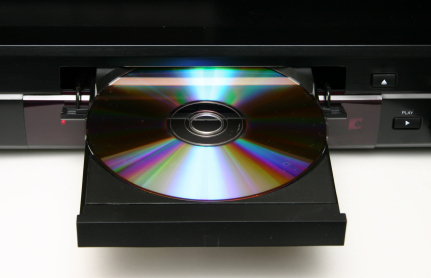

How to Connect DVD Player to TV

Wednesday, August 15th, 2012

How to Connect DVD Player to TV TV Repair

While every DVD player has a slightly different configuration and set up, there are always some standard steps to take.  You should always refer to the documentation that comes with your DVD player if you are ever uncertain about the steps to take. If you don’t have the instructions anymore, follow this guide to learn how to connect DVD player to TV:

1. Place your DVD player

While this seems like a no-brainer, always completely unpackage your DVD player and place it wherever you want it located.  This step is very important because the cords that come with your player are only so long and you may need to get an extension cord if you want your DVD player extremely far away from your TV.

2. Connect the DVD player to the TV

Your DVD player should have come with a couple of cables.  Depending on your TV, you should look for either the tri-colored composite cable (yellow, white, and red) or HDMI cable (rectangular end) and connect your DVD player to your TV.  Simply match up the colors if using the composite cable or insert the HDMI cable into the correct port in the back of the TV.

3. Plug in and test your DVD player

Plug in the power cable for your DVD player into a nearby outlet and turn on your TV and your DVD player.  You should cycle through your TV’s inputs until you find the correct one.  This will depend on how you connected your TV to your DVD player (HDMI for an HDMI connection and usually Video or AUX for composite).  If you see a DVD welcome screen, you have successfully connected your DVD player.

If you followed the above steps and still could not get the DVD player to show up on your television screen, you should go ahead and contact a television repair expert as there may be an issue with your connection ports.  TalkLocal can save you the hassle of searching for a local professional, connecting you to a high quality television repair professional in just minutes!

Security Precautions to Protect IT Systems and Data

Tuesday, August 14th, 2012

Security Precautions to Protect IT Systems and Data Computer Repair

With the decreasing size of data storing units, stealing data has been an increasing issue. It is recommended that you take necessary security precautions to protect IT systems and data.  Interestingly, the majority of the time data is stolen, it is from disgruntled employees or others with easy access to the data and IT systems.

The following are a few helpful tips to protect your systems:

–       Install anti-virus software.

–       Disconnect from the internet when you are not using it.

–       Use various passwords for different accounts, and ones that would be hard to figure out if you were an outsider.

–       Do not open email from suspicious or unknown sources.

–       Keep data storing or data transferring machines out of places that could be easily observed, (such as away from windows, etc.)

–       Require all workers to either log off or shut down their computers before leaving the building.

–       Shred all documents no longer being used.

–       Do not allow outside people to connect to your network – even if they are visiting your building or home only for a brief time.

In addition, check out these security precautions for more helpful tips.  Unfortunately, no matter how hard you try, sometimes you’ll still get viruses.  It may be beneficial to contact a professional to understand and equip yourself with the latest security systems out there.  To speak to a professional within minutes, use TalkLocal.  This completely free service will directly connect you to multiple computer repair specialists in your area.

How to Grow your own Vegetable Garden

Tuesday, August 14th, 2012

How to Grow your own Vegetable Garden Landscapers

Growing a vegetable garden may seem like a hard thing to do, but it is actually quite easy once you get started. Here’s how to grow your own vegetable garden :

– Plan in advance. Decide how much space and time you have, and how small or how big you want to start. It is advisable to start small and slowly expand your garden once you get the hang of it. You don’t get overwhelmed and give up half way through.

– Plant productive crops. Whether you are looking to sell your harvest or make just enough for your family, you want to plant crops that are in demand. What do the locals like to eat? What could your family save money on by not buying from the grocery store? You wouldn’t want your hard work to go to waste!

– Prepare the soil accordingly. Read up on what is best for the crop you intend to grow.

– Tend your garden with good quality tools. Maintenance is just as important as the initial planting.

– Secure your garden from unwelcome critters. You can either build a fence around your garden or sprinkle some coffee grounds into your soil. Some pests can’t stand coffee grounds—plus, the grounds add nitrogen to your soil! Ask your local coffee store for their spent coffee grounds.

Feel free to share your seeds because when you buy them, more often than not, you have much more then you will plan to sow.

If you want someone else to prepare a nice space for you to garden, contact a landscaper through TalkLocal. You can talk to a local professional that can meet your specific needs on the phone in minutes. TalkLocal will filter out all businesses that can’t accomodate your schedule, so you spend  less time on the phone and more time in the garden.

Cannot Find Wireless Connection

Tuesday, August 14th, 2012

Cannot Find Wireless Connection Computer Repair

A wireless connection can feel like freedom when you are traveling from place to place. But when you cannot find wireless connection, the freedom slips slowly away. If you are a Windows user and are looking for a connection, click Start and then click Connect to. If your computer does not find a network, check the following points:

– Make sure your wireless switch is turned on. Some mobile PCs have a switch on the front or the side, while others use a combination of keys. Check your computer’s instruction manual if you are unsure.

– Make sure your wireless router is working. Ensure that you have turned on your router and that the signal light is on. If it is, try resetting the router by turning it off for a minute before turning it back on.

– Make sure you are close enough to the router. For 802.11b or 802.11g routers, the computer must be within 150 feet of the router.

– Remove interfering devices. Some devices, such as microwave ovens and cordless phones, may use the same frequency as your network. Try turning these devices off and moving them away from the computer.

– Remove other computers. If several computers are using the same router, the router may be too busy to handle new requests. Try disconnecting other computers before connecting yours to the network.

– See if administrator blocked access. An administrator may have used Group Policy to block access to certain corporate networks that you are trying to connect to. Contact your network administrator to gain access.

If you are still having trouble finding a wireless connection, you may need to have a professional check out your computer. TalkLocal can connect you to up to three local service providers in minutes! Just state your problem, location, and availability in our online request form.

How Often to Get an Oil Change

Tuesday, August 14th, 2012

How Often to Get an Oil Change Auto Repair

If you have a passenger car that runs on a gasoline engine, you should get an oil change every year or every 7,500 miles. If you have an automobile that runs on a diesel engine or turbocharged gasoline engine, then you should get an oil change every six months or every 3,000 miles. These intervals are set for cars that are driving under ideal conditions; in other words, this does not account for stop-and-go traffic, unpaved roads, or short trips. Driving in these conditions makes your engine work harder and uses oil up faster.  If you are wondering how often to get an oil change, it is safer to get your oil changed more frequently—every 3,000-5,000 miles. You should change your oil filter every other time you get your oil changed.

If you fail to change your oil regularly, dirty particles in the oil will clog your filter. Since the filter can’t work efficiently, the oil becomes even dirtier. As a result, the engine speed will decrease because of the viscosity of the oil. The oil will also have trouble circulating to lubricate the cylinders and pistons. If metal parts of a car are not adequately lubricated, the parts will scrape against one another and worsen over time. At worst, the parts will become so hot that they melt and damage the engine permanently. An oil change is a fairly inexpensive maintenance procedure that you can even do yourself; don’t take the risk of prolonging waits between checkups.

If it is about that time, TalkLocal can help you schedule a checkup at a local auto repair shop. TalkLocal uses call analytics, social reputation, and online ratings to find the best businesses in your area. Simply fill out a short service request online and talk to someone who can help you—in minutes!

How Do I Secure My Wi Fi Connection

Monday, August 13th, 2012

How Do I Secure My Wi Fi Connection Computer Repair

Almost all of us are guilty of jumping onto someone else’s unsecured Wi-Fi network; this also means many of us have shared our connection network with some stranger. While this can be fine if it was an honest person looking for an Internet connection, keeping an unsecured network poses certain risks. Unsecured networks allow others to see exactly what you’re doing on your network. This can have plenty of bad consequences if accessed by the wrong person. You might be wondering, how do I secure my wi fi connection? Follow these steps to ensure that no one intercepts your Internet traffic:

Enable your router’s WEP or WPA encryption–Encryption is the first line of defense for your Wi-Fi network. It secures information transmitted between your computer and wireless router by encoding the data. If you have not already, enable your router’s encryption and use the strongest form supported by your network. You can do this under your computer’s system settings. The Wireless Protected Access (WPA) protocol and more recent WPA2 have replaced the older and less secure Wireless Encryption Protocol (WEP). Go with WPA or WPA2 whenever possible. Make sure to use a strong password for your encryption key, such as a combination of letters and numbers of 14 characters or more. Also, change the default network name and password on your router. This will make it more difficult for hackers to break into your router.

Secure your notebook at public Wi-Fi hotspots–Most public Wi-Fi connections do not use encryption, so you should assume that anyone could see your Internet traffic unless you take precautions. Use these tips to stay safe:

– Make sure it’s a legitimate hotspot and not a malicious pirate router.

– Verify that your PC’s software firewall is turned on and that Windows’ file-sharing feature is off.

– Never send bank passwords, credit card numbers, confidential e-mail, or other sensitive data unless you are sure you are on a secure site. Check for the lock icon in the bottom-right corner of your browser, as well as a URL in the address bar that begins with https.

– Always turn your Wi-Fi radio off when you are not at a hotspot.

Use a virtual private network–VPNs keep your communications safe by creating secure “tunnels” through which your encrypted data travels. Many companies provide VPN service to their mobile and offsite workers, so check with your company’s IT department for connection instructions. Paid VPN services are also available online.

If you need additional help with securing your Wi-Fi network, contact TalkLocal to get in touch with high rated IT support services near you.

How to Get Rid of Mice Humanely

Monday, August 13th, 2012

How to Get Rid of Mice Humanely Pest Control

It can be quite annoying when mice decide to move into your home. These cute, but unwelcome creatures, can carry diseases, chew through your wires, and leave messes everywhere. If you’re reading this article, chances are you have already encountered a mouse in your home. If so, try the following method to catch the unwelcome tenant. Then, take the necessary precautions to keep future mice from invading your territory.  Here are some tips, steps, and what you will need on how to get rid of mice humanely.

Catching Mice

Materials:

Cardboard tube from a roll of toilet paper

Peanut butter

A cracker

Trashcan

Table

Long piece of cardboard (ramp for table)

1. Fold two vertical lines into the cardboard tube to flatten one side of it. The opening should look like a “D”. Make sure the flat part of the tube can lie flush against a surface.

2. Place a dab of peanut butter onto a small piece of the cracker.

3. Put the cracker inside one edge of the cardboard tube.

4. Place the cardboard tube halfway off of the table; the end with the cracker should be over the edge.

5. Place the trashcan under the overhanging cardboard tube.

6. Connect the long piece of cardboard to the table at an angle to form a ramp. Make sure the angle is not too steep or else the mouse will not be able to reach the food.

7. Stand back and wait. Once the mouse travels up the ramp and toward the food, the cardboard tube will topple over into the trashcan. Once the mouse is in captivity, you can release the mouse into the wild (at least a mile away from your home).

Repelling Mice

Peppermint Oil — Put a few drops of peppermint oil on a cotton ball. Place the cotton ball in entrance areas such as vents and doorways. The scent is too strong for mice and will repel them from your home. The scent also masks food odors that may be attracting the mice in the first place.

Kitty Litter — If you have a cat, place litter boxes by entrance areas. The smell of cat urine will also ward off mice.

Steel Wool — Seal holes around your gutters, vents, and doors with steel wool covered in caulk. If you use steel wool alone, mice can chew through it and suffer from internal bleeding. The caulk will protect the mice from hurting themselves as well as effectively seal your home.

If you’d like a pest control service to take care of the problem instead, TalkLocal can find you help immediately! Just submit a service request on the website and talk with a professional in minutes.

How to Estimate the Cost of Painting a House

Monday, August 13th, 2012

How to Estimate the Cost of Painting a House Painters

Looking for a painter is hard, especially if you are on a budget. Painting costs vary from region to region and are difficult to calculate. Don’t worry, there is a way to estimate your painting costs and fit them into your budget. Remember you can only estimate the costs; various situations may arise that will increase predicted costs. Include some extra money in the budget for unexpected situations.

How to Estimate the Cost of Painting a House:

The pricing model for painting jobs are measured in square footage. Trim pieces are measured by linear feet and doors are measured by individual units. Before estimating, include the price of the painting, materials, and labor. Add them in after the estimate.

1. On a piece of paper, diagram columns or sections of your house that are being painted. An example would be wall, doors, etc. Use this diagram to record measurements.

2. Measure each room (exterior or interior) and the type of painting (walls, ceilings, etc.) separately.

3. For ceilings, deck, fences, and walls, multiply the width and height to calculate the square footage. For trim pieces such as baseboards, measure the length and adds them together.

4. Add results of the type of painting together for the entire painting job.

5. Find a pricing guide for your area for a type of painting job and create an estimate of the job. For doors, the prices double if painted on both sides.

6. Mark up the estimate by 20%, which is the common painting company markup.

These steps can hopefully give you an accurate estimate of your paint job. To locate a local painting service, use TalkLocal. If the estimate is way over your budget, consider holding off on the non-essential parts of the paint job or wait until your budget can accomodate it. You can also try haggling the price with different painting services.

Virus Hides Folders and Files

Monday, August 13th, 2012

Virus Hides Folders and Files Computer RepairViruses are never good news for your computer.  They can come from programs you download, videos you watch, cookies you get from sites you visit, and many other places.  The Internet is a less than secure environment and you can easily be exposed to getting viruses on your computer.

One type of virus that you might contract could cause many of your folders and files to be hidden.  When a virus hides folders and files, it becomes very inconvenient because then you do not have access to many of the things you need. Viruses like this come from fake anti-virus or utility programs.  These can be trial software or incorrectly labeled downloads.  By hiding your documents, the virus pretends that your computer is infected or has problems so you will freak out and be tricked into paying for the full version of the software that can supposedly fix the problem.  The last thing you want to do in this case is pay because then you have a bigger more serious virus and you also have given away your credit card information to an untrustworthy source.

The first thing you need to do when you contract a virus that hides your files is to remove it.  You should carefully research programs that can scan your computer, find viruses, and delete them.  The next step  is to find all the hidden folders and files.  You should go to Tools > Folder Options, which will open a menu.  From there click on View >  Show Hidden Files > the folder you want to view.  You will be able to see everything that the virus had hidden.  You can either manually click on each folder/file individually and unhide it through the command prompt by changing the hidden attribute.  This is a long and tedious process.  There is an easier way that automatically unhides all the programs.  You can download the unhide.exe program from Bleeping Computer and use it to recognize and unhide the files.  The process takes about 30 minutes depending on how many files need to be addressed.

If you cannot get these step to work or are still missing some files you should seek professional help.  Use TalkLocal to contact a reliable local IT business within minutes.  Simply input your problem and availability and TalkLocal will do the rest.  You don’t have to do any work and you will be connected with a company almost immediately.