Archive for the ‘services’ Category


Water Leaking from Under Refrigerator

Monday, August 13th, 2012

Water Leaking from Under Refrigerator Plumbers

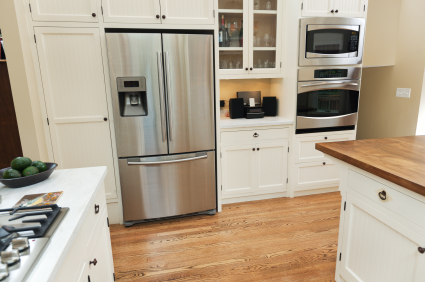
You are raiding the kitchen for a midnight snack when you step in a water puddle from under refrigerator.  Water leaking from under refrigerator is never a good sign. First, you need to determine if the water is due to a leak or condensation.

If there is condensation on the outside of your refrigerator, it may indicate that there is not enough insulation. Check the rubber gasket that surrounds the door because it is responsible for keeping cool air inside and warm air out. To see if it is broken:

1. Put a lit flashlight into the fridge. Make sure it is facing outward.

2. Close the door. If light is visible when the door is closed, you need to replace the gasket.

However, puddles under your fridge are likely due to a leak rather than condensation. Consider the following problem areas and their solutions.

Leaking Drip Pan

1. Pull out the grill from underneath the fridge.

2. A drip pan is located beneath the drain tube, on top of a set of condenser coils. Remove the drip pan.

3. Take the drip pan to your faucet and fill it with water.

4. Check to see if it leaks. If it does, replace it.

Clogged Defrost Drain

1. Locate the defrost drain, a round hole or channel located at the bottom of the freezer or fridge.

2. Check the drain for debris.

3. Clean the drain using a baster filled with hot water. The hot water should clear out any interference and drain into the drip pan.

Loose Valves

1. Move the fridge away from the wall.

2. Locate the copper water-supply line that connects the house water line and the fridge water-supply valve. You many need to remove a back panel with a screwdriver to find it. Tighten the supply valve with a wrench where necessary.

3. Check the copper supply line and plastic supply tube for a leak. If those are broken, you need to buy a replacement.

a. Turn off your water supply before removing the leaking tube.

b. Take the tube to a hardware store to find the correct replacement.

If the above suggestions do not work, consult with a local plumber through TalkLocal. Just fill out a service request online or on the phone and TalkLocal will connect you with up to three service providers in your area who can help you.
Finding Computer Drivers

Friday, August 10th, 2012

Finding Computer Drivers Computer Repair

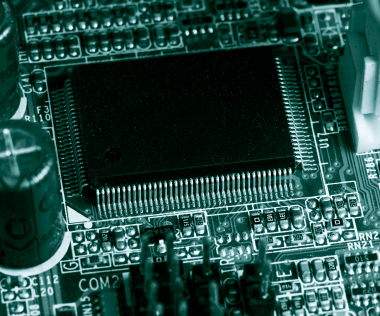
Every device on the computer requires a driver so that the operating system knows how to communicate with a new piece of hardware. However, often times, finding computer drivers is difficult and it feels like they cause more headaches than actually help out. Fortunately, there are usually only a couple of a places you need to look if you want to find a driver for a device.  Knowing where and how to download drivers will save you a lot of time and frustration.

Manufacturer Website

The most consistently helpful place to download drivers is the manufacturer’s website.  Since they developed the device, they have a vested interest in making sure that the device actually works with your computer system.  So if you purchased a computer, look on the computer manufacturer’s website; likewise, if you purchased an individual hardware component, you should look on that manufacturer’s website.

Driver Download Website

Driver download websites are large organized repositories where you should be able to find the specific driver you need. For example, Download.com or DriverGuide.com are two of the most popular driver download sites where they organize the drivers by device and hardware type. Other driver sites may also simply link to different manufacturer websites, which can be just as effective.

Windows Update

If you’re running a Windows system, this should be one of your last resources since driver availability is usually slim and outdated. Usually, if Windows detects that one of your drivers is out of date, it will automatically update and install the necessary driver as part of the update process. However, if you can’t find the driver on the manufacturer’s website, you’ll have even less of a chance finding it using Windows Update.

Drivers are usually pretty easy to find using these three resources. However, if you are still experiencing problems finding a driver for you device, it’s highly suggested that you find a computer repair professional to create a solution for you. TalkLocal can help you find that high-quality local IT professional in just minutes–so that you can find a solution as soon as possible.

If a Neighbor’s Tree Falls on your House, Who is Responsible

Friday, August 10th, 2012

If a Neighbor's Tree Falls on your House, Who is Responsible Tree Removal

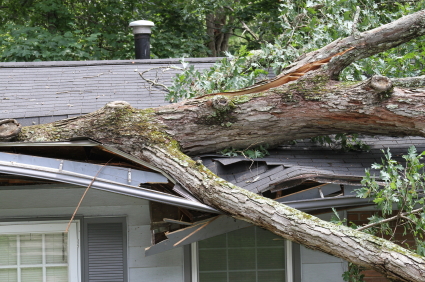
If a neighbor’s tree falls on your house, who is responsible? This is a very interesting question and one that is often vaguely written in the law, although there are a few concrete facts that you need to know. The following is a compiling of the facts that you need to know when determining who is responsible if a neighbor’s tree falls on your house.

 Most important tips before the storm hits

·      Make sure that you take proper care of your trees. If a neighbor expresses concern about one of your trees, take the necessary steps and prune your tree and its branches.

·      If your neighbor’s tree is giving you concern as a result of unkempt braches or leaves, politely ask them to trim their tree just to be on the safe side. This could be one of the best moves you make for both yourself and your neighbor to avoid the situation entirely.

When a neighbor’s tree falls on your house

·      If you had not expressed concern about the neighbor’s tree beforehand, and they maintained their trees well, then you (or sometimes your city) are responsible for the resulting damage. If you are found responsible, check with your insurance company because many times they will help pay for some, if not all, of the expenses.

·      If you are thinking about going through insurance, take into consideration the amount you will be filing to the insurance company. If it is a couple thousand dollars, it may be more beneficial to you to pay for it yourself to avoid having a non-renewal or an increased premium during the next year.

Figuring out who pays for the damage and who will repair the damage can be a complicated process. If you need help figuring out the legal side of the situation or need help with the tree removal, check out TalkLocal. They will connect you directly to a top-rated professional in your area within minutes. The service is free to use and extremely helpful – be sure to check it out!

How to Turn Closed Captioning On and Off

Friday, August 10th, 2012

How to Turn Closed Captioning On and Off TV Repair

Closed captioning is the text that is displayed at the bottom of the TV screen.  It provides a visual presentation of what is being said and what is happening on the program.  It adds other important information as well.  This transcription is supposed to help the deaf, the hard of hearing, or people who just prefer to read along with a TV program. Read on to learn how to turn closed captioning on and off.

There are two ways to turn closed captioning on and off on your TV.  You can either use a remote control or do it through your television set.  Many people choose to use their remote to do this because it is easier.  Turning closed captioning on and off through your actual television set requires you to get up and do it directly from the television — not much work, but not as convenient.

If you choose to use your remote, you must aim the control at the television.  Press the menu button and wait until the options pop up on the screen.  If you scroll through the various options you should find one labeled “closed caption” or “CC.”  There are a couple different modes in a sub-menu under this option.  Here, you will be able to see what mode the TV is currently as well as your the other options.  From the sub-menu, find the choice labeled “CC off” or “Disable Closed Captioning” to turn it off.  You can disable or enable closed captioning from this menu. Once you are satisfied with the captioning, you can exit the menus and continue watching your program.

If you want to do this process manually, approach your television and find the button labeled “menu.”  It should be located on the front or side or bottom.  It may be hidden under a panel.  Scroll through the menu using the arrows or the channel/volume buttons. Go through the menu for closed captioning as explained before. Enter the submenu and choose your preference of closed captioning.

Continuing Problems

If you have more questions about turning closed captioning on and off you should try to talk to a professional so that you can get the best help possible.  The easiest fastest way to get in contact with reliable local electronics businesses is to use TalkLocal. Just put in your problem and availability and let them do all the work.  Within minutes you will be connected to someone who should be able to help you out.

How do you File for Divorce

Friday, August 10th, 2012

How do you File for Divorce Lawyers - Family

Filing for divorce is a rough affair; it can be emotionally stressful, costly, and time-consuming all at the same time. So how do you file for divorce?  There are many steps and, depending on the circumstances surrounding a divorce, many things to consider.

First off, it’s important to find a lawyer. Even if things don’t seem complicated, there is much at stake and it is still a legal process, so at the very least you’ll want to consult with a lawyer at least once. However, it is recommended that you keep a lawyer throughout the process, as the process tends to go more smoothly and efficiently with a lawyer present.

Before you start the process of filing for divorce, you’ll want to gather all your personal and business documents. Deeds, mortgage contracts, bank records, retirement plan paperwork, etc. Have everything available in case you need it.

A divorce starts with the petition, written by the spouse requesting a divorce (the petitioner) and is served to the other spouse (the respondent). This petition includes the names of the two spouses and children and declares any separate or community property, child custody, and child or spousal support. If the other spouse refuses to sign the petition or cannot be located, a professional “server” can be hired to personally deliver the papers. Once both spouses sign this petition, the state’s waiting period begins. This initiates an automatic restraining order on both spouses and establishes the date of separation. It also prohibits the taking of any children out of state, selling or borrowing any property or insurance held by the other spouse.

Something to bear in mind is that there are many advantages of being the one who files for the divorce. For one, any allegations made against the spouse are often taken more seriously since there would appear to be no reason for retaliation at that point. Second, by being the first to file, you gain leverage and control over the situation. This can be a helpful asset during the course of a divorce. Another benefit is that you also get to determine the county in which the divorce occurs, so if you and your spouse live in separate areas, this ends up being a considerable benefit.

If you’ve read this and are still wondering how to file for divorce, consider using TalkLocal, a FREE service that will connect you with top-quality, reputable divorce lawyers in your area. All you need to do is enter your specific need, location, and availability, and TalkLocal will contact multiple divorce attorneys, who will then call YOU directly, ready to help – all within minutes. Save time and stress from trying to find the right, affordable lawyer on your own, and let TalkLocal do it for you!

How to Clean an Oven

Friday, August 10th, 2012

How to Clean an Oven Maid Services

Here’s a little joke for you: “How do people know when to move? When the oven gets dirty.”

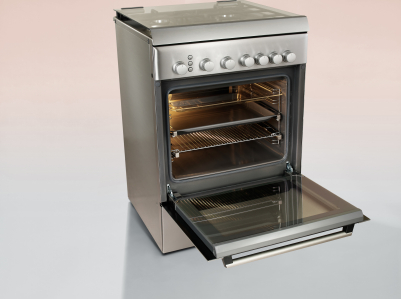
Cleaning the oven is a truly daunting job and it’s definitely not for the faint of heart. The black dried carbon stuck to the sides of your oven is incredibly hard to remove, especially if you don’t have a self-cleaning oven. Few cleaning products are powerful enough to effectively clean off the grime and the powerful ones are often contain chemicals you definitely don’t want in your food. You could be doomed to an eternity of scrubbing, or you could try this cheap and relatively labor-free method. This method uses baking soda as a primary ingredient—which is perfectly safe to be consumed —and should involve no scrubbing. However, it does take time, so it may not be the best option if you need your oven cleaned quickly.  Here is how to clean an oven:

1. Buy a large empty spray bottle (that holds a quart to a liter) and baking soda. Make sure that the nozzle isn’t too fine and that dissolved baking soda will be able to pass through. The spray bottle should also not have held any other substance other than baking soda or water previously.

2. Place three heaping teaspoons of baking soda into the spray bottle using a funnel.

3. Wash the baking soda into the spray bottle by pouring water into the funnel. Use this method to fill the bottle up with water.

4. Shake the spray bottle well so that all the baking soda dissolves. Otherwise, you might have baking soda residue at the bottom of your spray bottle after you are done.

5. Spray the solution on the black grime multiple times throughout the day, but make sure the oven is cold before you do so. You don’t want to get baking soda everywhere or get burnt.

6. Eventually the black grime will detach from the sides and flow down to the floor of your oven as a powder that you can wipe away.

Don’t have an entire day to clean your oven? Use TalkLocal for free to find quality professional help in your area that can make your oven shine!

Why Do I Need Java Updates on my Computer

Friday, August 10th, 2012

Why Do I Need Java Updates on my Computer Computer Repair

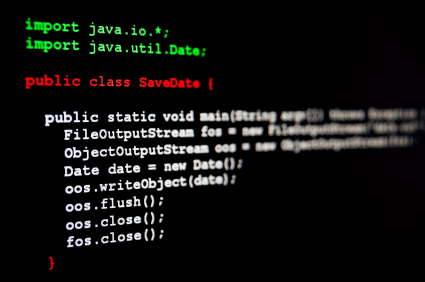
You might get those annoying pop-ups to update Java on your computer.  When you get these, you probably wonder, why do I need Java updates on my computer?  Java is one of the most common programming languages today.  It’s used in a huge variety of devices and technologies, ranging from applications to printers.  So when you get that nagging notification that says you need to update Java to its newest environment (formally known as Java Runtime Environment), most of the time, you should agree and click yes.

Why does Java update?

Java needs to check whether there are newer versions of Java released so that it can bring new features and bug fixes to your JRE.  Most importantly, the newer versions of Java address security vulnerabilities that help keep your computer safe from outside threats.  Furthermore, if you don’t have the most current version of Java, many websites and other applications will stop working and loading.

What happens if I don’t update it?

If you don’t update Java, you are leaving a major security risk to your computer since many malicious viruses and malware utilize these security holes in older versions of Java to attack your computer.  You’ll also not be able to run Java-based applications because they will require the most recent version of Java for security reasons.

Therefore, it’s better to either have the most updated version of Java or to completely uninstall it, so that your computer’s JRE won’t be exploited and used to infect your computer.  Java, however, is not actually related to Javascript, so Javascript will still continue to run if you choose to remove Java rather than updating it.

What if I my computer may be at risk?

If you’ve had an outdated version of Java and are concerned the security of your computer, you can always use TalkLocal to contact a high-rated, local computer professional who can look at your computer and give you personalized recommendations and solutions.

Best Taxi Cabs in Philadelphia

Thursday, August 9th, 2012

Best Taxi Cabs in Philadelphia Taxicabs

Philadelphia does not have the greatest reputation when it comes to taxis, but there are a few reliable companies in the area that can help you. If you’re looking for the best taxi cabs in Philadelphia, consider the following reputable services—because nothing can ruin a trip like a rude driver.

If you just landed at Philadelphia International Airport and want to travel to Atlantic City, you count on the Atlantic City Airport Car Service’s daily routes. You can check the timetables here.

Capital Dispatch Inc. is one of the highest rated taxi services in the Philadelphia area on Yelp. For the most part, the drivers are punctual and friendly. One customer reported that his driver drove back to his home after 15 minutes to return a belonging he left in the cab.

All City Taxi has also been known to go above and beyond for customer service. One customer reported that the company returned her phone in the mail. Another customer reported that the driver offered to personally return his wallet at the end of his shift. On Yelp, All City Taxi’s page is sprinkled with a few bad experiences, but overall, the company is one of the best in Philadelphia.

Instead of waiting on the corner to hail a cab, use TalkLocal to find an available taxi service that can give you a ride immediately. Submit a request online or through the phone stating your location and when you need the service. TalkLocal will put you on the phone with a local taxi driver in minutes! TalkLocal uses social reputation, online rankings and reviews, and call analytics to connect you to the best taxi cabs in Philadelphia.

How to Connect Mac to Projector Wirelessly

Thursday, August 9th, 2012

How to Connect Mac to Projector Wirelessly Computer Repair

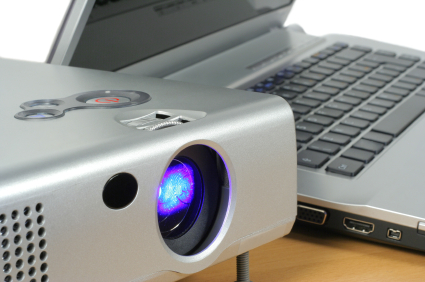
There are a few reasons to connect to a projector wirelessly: You may be using applications with a low bandwidth or you may not have the proper cables. If you do choose to connect your Mac wirelessly, keep in mind that the video quality will not be as good as with a hard wired connection. If video quality is important to you, connect your Mac to the projector with an HDMI or DVI cable. Otherwise, follow these steps to connect your Mac to a projector wirelessly.

How to Connect Mac to Projector Wirelessly:

1. Press either EASYMP or LAN on the remote control for the project. It will depend on the type of remote.

2. Install Epson Connection V2.51 software. You can find it on the Epson website.

3. Launch the software.

4. You may be prompted by a dialog box asking you to disable a firewall. If so:

a. Check the box by “Create an exception for the program in Windows Firewall.”

b. Click “No.”

5. Click “Advanced Connection” in the next dialog box.

6. Click “Done.”

7. Click “OK” in the dialog box that confirms the projector was found.

8. Click “Manual Search” at the top of the dialog box.

9. Type the IP address shown on the projector screen into the text box. Be sure to omit all zeros that precede a number. For example, “020.003.641.09” would be typed as 20.3.641.9.”

10. Check the box by the projector name when its status is “Standby.”

11. Click “Save in profile.”

12. Type the room number in the box by “Profile name.”

13. Click “Add.”

14. Click “Connect.”

When you are done with the projector, click the disconnect button on the bottom right toolbar. The next time you connect to the projector wirelessly, there will be fewer steps. Only follow steps 1, 2, and 7 from above (in that order), and then continue with these instructions:

1. Click “Profile.”

2. Click the projector you want to use.

3. Check the box by the projector name when its status is “Standby.”

4. Click “Connect.”

Disconnect as you did before. If you are having trouble setting up your projector, use TalkLocal to contact local IT support services. TalkLocal will match you with a reputable service provider within minutes of submitting your request.

How much does Teeth Whitening Cost

Thursday, August 9th, 2012

How much does Teeth Whitening Cost Dentists

Teeth whitening can cost different prices depending on the procedure and quality of the teething whitening. Depending on the dentist, you will receive different quotes. There are some do-it-yourself methods in addition to professional services. So how much does teeth whitening cost?  The price can range from anywhere from 20 dollars to more than a thousand dollars.

Top of the Line Teeth Whitening

The most expensive method is the in-office whitening method. An appointment in the dentist’s office will usually last between 30-60 minutes and cost anywhere from $400-$1000. Using this method, you can whiten your teeth up to 10 shades. You will need to have another follow up visit in addition to receiving a take home kit.

Best Value for Your Money

This category provides the same “up to 10-shades” effect as the above category. The only difference is that after the initial visit, you receive a take home kit and do the treatment yourself. It is simple to do but the only thing is that you need to make sure to follow the regular schedule.

Over-the-Counter Options

There are dozens of options when it comes to over-the-counter whitening. Typically these kits and strips are under 100 dollars. While you will not receive direct guidance from your dentist, you will still have the comfort of knowing that brand name companies are producing these products.

Supplementary Options

In addition to the longer lasting options, whitening toothpaste is also a great option. Toothpaste is great for general upkeep and changing the shade of your teeth slightly. This option will not make a drastic difference in your tooth color, but it will save you a lot of money while giving you whiter teeth.

There are various factors to consider when choosing the appropriate whitening method. If you would like advice or would like to contact a local dentist, check out TalkLocal. You will be directed, for free, to a high quality professional who can help you right in your neighborhood!