It’s Probably Clutter If…

Monday, January 14th, 2013

It's Probably Clutter If - Garbage Removal

Most people have a lot of stuff.  While it’s good to appreciate what you have, there can be a fine line between not being wasteful and becoming a pack rat.  So here are a few tell-tale signs that something is clutter.

  • If it’s current market value is between one and zero dollars, but will “assuredly” be a collectible one day… it’s probably clutter.
  • If it was marketed as a piece of exercise equipment but only functions as a coat rack… it’s probably clutter.
  • If you don’t know what it does… it’s probably clutter.
  • If you’re only keeping it because it was a gift… it’s probably clutter (and perhaps you can re-gift it, maybe to the same thoughtful person that gave you that hunk of junk in the first place).
  • If you’ve spent more time trying to fix it then you’ve spent using it… it’s probably clutter.
  • If the last time you touched it was when you took it out of its packaging… it’s probably clutter.
  • If you’ve never taken it out of its packaging… it’s probably clutter.
  • If you already own the 2.0 and 3.0… it’s probably clutter.
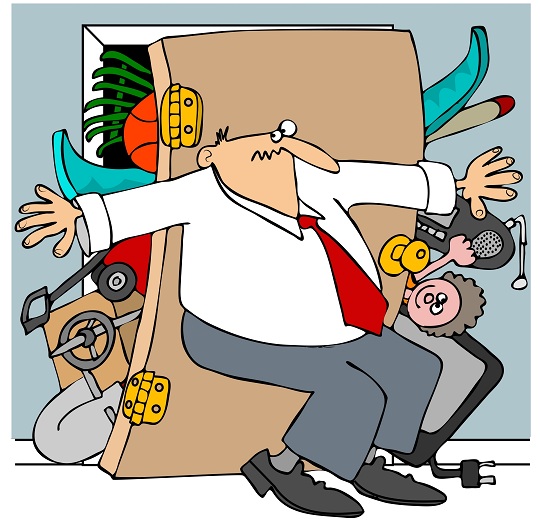
  • If the only time you ever see it is when you’re looking for your cat under the bed, in the back of the closet, or under the stairs… it’s probably clutter.

Once you’ve identified what the clutter is, it’s best to get rid of it as soon as you can.  You could try to sell some of your clutter at a yard sale, or donate all you can to the Salvation Army—or another charity that accepts second hand items.  After all, one person’s trash can be another person’s treasure.  However, a lot of the time, one person’s trash is also another person’s trash.  If you have a lot of junk that you need hauled away, you should use a junk removal place.  To find good junk removal places near you, simply use TalkLocal; we’ll connect you with the best junk removal places near you, fast.  So it may be time to stop kidding yourself, face the fact that you have clutter and get rid of it.
Gas Furnace Not Working

Monday, January 14th, 2013

Gas Furnace Not Working - Heating and Cooling

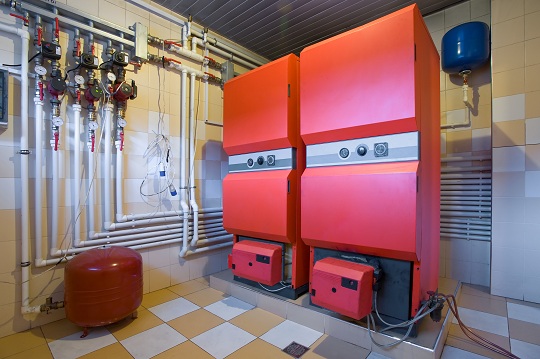
Is your gas furnace not working? While the outside world may be a winter wonderland, nobody wants his or her house to be that cold in the winter. Unfortunately, if your gas furnace is not working, your house could be as cold as the outdoors.

Why is the gas furnace not working?

One of the reasons that your gas furnace may not be working could be that the thermostat is set too low or not calling for heat. Check and make sure that it’s in “heat mode” or set it higher. If that isn’t working, then you might have to check the circuit breaker, the fuse, and the pilot light.

If the circuit breaker is tripped or blown, you will have to reset the breaker. However, if the fuse is blown then you will need to replace the blown fuse.

If the pilot light is out, then you will have to relight it. However, if the light isn’t out but the pilot light isn’t working then it may be the thermocouple that’s the problem. You will have to replace it if that is the case.

If you need more help with your heating problem, go to TalkLocal.com. This free service will call up to three heating and air conditioning experts for you so you can get the help you need when you want to! Even if all you need is a consultation!

Choosing a Quality Garage Door Repair Service

Monday, January 14th, 2013

Choosing a Quality Garage Door Repair Service - Garage Door Repair

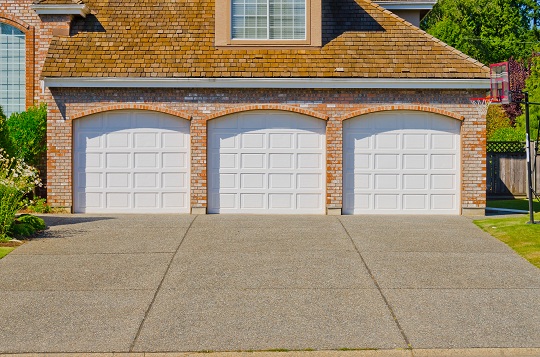
If you have ever experienced the break down of a large appliance in your home, you know it can be quite a stressful event.  Problems with a garage door or its opener are no exception.  Faced with this type of crisis, it is easy to lose your head and make hasty repair decisions.  However, the process of finding a good company to meet your needs should not be done too quickly.  There are a few important things to remember when choosing a quality garage door repair service.

How to Choose a Quality Garage Door Repair Service

First, you will want to do some background research on repair companies.  Research does not simply mean looking around for the lowest prices, either – talk to your family and friends for recommendations or search online for reputable reviews.  Although not always sure indicators, some qualities to look for may be that they are locally-owned, have been in business for some time, and hold memberships with quality business agencies (i.e. Better Business Bureau).

Once you have chosen a company you feel confident in, it is still important to be aware of what your repairmen are doing.  Be careful of being the victim of upselling (companies selling you things you do not need).  This can be especially risky in an industry like garage door repair, for consumers likely know little about the services being provided.  You obviously cannot know everything about your problem, but some preliminary research for rough estimates may be helpful.

Requesting to see a price book and some information on the parts and services you are paying for is a good idea, as well.  No reputable company will refuse you this opportunity, and the best will carry these materials at all times.  If you take a quick look at the products you will be receiving, you know exactly what you are paying for.  It is absolutely acceptable for a repair company to make a profit, but you have the right to know how much this is.

While scrutiny is important in selection, remember that not all businesses are out to swindle you.  There are many honorable garage door repair companies out there, so simply use these tips to locate the ones near you.  Use TalkLocal to quickly search for quality repairmen in your area!

Recover Lost Data on a Flash Drive

Monday, January 14th, 2013

Recover Lost Data on a Flash Drive - Computer Repair

It can be a horrifying thing to lose all important data on a flash drive. Hopefully you have your files backed up, but if you don’t, this article will help you recover lost data on a flash drive. 

If you accidentally deleted your lost files off of your flash drive:

  1. Open the trash (Mac) or recycling bin (Windows).
  2. If the file(s) is in there you can right click it to restore it to your flashdrive.
  3. If it’s not, you can try purchasing a file recovery software to search for any recoverable data. Do not save anything else to the flash drive until after you attempt to recover the data. This will prevent you from writing over any leftover parts of your lost data that has not been deleted.

Another possibility is that your lost data is hidden:

  1. In order to unhide your files:
  2. Click on Tools at the top of your screen.
  3. Click Folder Options.
  4. Select Show Hidden Files

If neither of these two options worked to recover your lost data and you are using a windows computer you can try this method:

  1. Click Start
  2. Click Run
  3. Type cmd then press enter
  4. Change the directory.
  5. Go to the directory of your flash drive
  6. Type ATTRIB -S -H *.* /S /D then press enter

If none of these methods have worked for you, it still may be possible for you to recover your lost data. If you contact a computer professional they may be able to recover the data on your flash drive. You can use TalkLocal to request a computer professional in your area and receive a call within minutes.

Roof Shingles Curling Up

Friday, January 11th, 2013

Roof Shingles Curling Up - Roofers

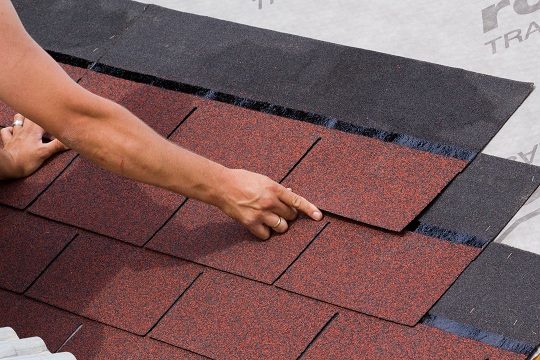
Are your roof shingles curling up? Shingles that curl up at the edges of the shingle tab are signs of a worn-out roof that needs replacement as soon as possible. When inspecting your roof for damage, it is important that you walk with caution. Curled up and damaged shingles, especially in cold weather, are prone to breaking. For your own safety, avoid stepping on raised or cupped shingles.

Curled-up shingles typically result from the wear and tear of severe weather, including very high or very low temperatures.  If you live in an area with severe winters, experts recommend choosing shingles with cold climate certification. In warmer climates, extreme heat can cause the asphalt around the shingles’ protective granules to bubble. This usually occurs when roof temperature exceeds 140 F. Prevent premature aging by making sure the ventilation below the shingle is adequate. Check your attic insulation, particularly in places where the insulation touches the roof, to make sure there is not a lack of ventilation. In places where insulation touches the roof, heat beating down on the shingle cannot pass through to the attic and causes higher shingle temperatures. Normal continuous airflow in an attic can easily keep the shingles away from those damaging short-term peak temperatures.

If you notice an aging roof with curled up shingles, use TalkLocal to find a reliable roofer that works for you!

Set Up a Corporation

Friday, January 11th, 2013

Set Up a Corporation - Lawyers - Family

While setting up a corporation may seem extremely daunting and complex, the actual process of being recognized as a corporation only takes an application to the Secretary of State with some key company facts.  If you’re looking to set up a corporation, then just follow the simple steps below.

Step 1: Create the Articles of Incorporation

You will need to check your local and state laws about the specifics to be included in the Articles of Incorporation, but they usually include basic factual information (such as name and physical address) and business statistics (like the number of shares).

Step 2: Determine the type of corporation.

There are two basic types of corporations, S and C.  C corporations are the most common and indicates that the business will be responsible for its own tax burden.  S corporations, on the other hand, leave the tax burden on the board of shareholders.

Step 3: File the application

You will need to file the Articles of Incorporation with the Secretary of State in the state that you are headquartered.  You will also need to submit a check to cover the processing fee at the time of submission (check with your Secretary of State to determine this amount).

And you’re done!  Officially and legally, you now are a corporation.  However, even if you set up this corporation without a lawyer, you’ll probably want to consult with one in the near future, so it’s recommended that you start looking for good lawyers.  One really easy way to find quality local lawyers is through TalkLocal.  TalkLocal will instantly put you in contact with highly-rated local lawyers that can help you set up your corporation and deal with any other legal issues that arise as a result.

Increasing Curb Appeal

Friday, January 11th, 2013

Increasing Curb Appeal Landscapers

Curb appeal is the aesthetic appeal of your home from the outside. It is the very first impression everyone gets, including potential home-buyers, that will decide whether they want to see what’s inside.  There are many simple, easy, low-cost improvements which can all be done in just a day that will result in increasing curb appeal for your home to all future visitors.

1. Replace Old Hardware

Hardware that’s tarnished and showing its age (like house and mailbox numbers, lock sets, and handles) may cause your house to look dingy and aged, especially if they’re of different styles and ages.  One of the easiest things to do is to replace all the hardware at once, making sure that whatever style you choose to go for stays consistent throughout the hardware (such as bronze or brushed nickel).

2. Give your mailbox a makeover

Your mailbox is undoubtedly one of the first things that visitors see, so you can use this as a platform to create incredible first impressions.  Mailboxes should complement a home and match the aesthetic that you’ve created, so you should paint or stain the mailbox to match the trim and wood of the house.

3. Install outdoor lighting

Outdoor lighting illuminating a walking path can really improve your homes curb appeal, providing both security and a soft luminescence that makes your house stand out at night.  Low-voltage or even solar powered lights can make installation really easy and energy efficient.

4. Wash your house’s face

The normal wear-and-tear and dirt on the outside of the house can negatively affect any first impressions.  Just using good ole soap and water with a brush can really help remove any dirt and dust that may be covering your house’s good side.  Also, you may want to consider renting a power washer to restore your walkways back to their natural and beautiful color.  Washing almost all surfaces, including windows and the garage door (yes, the garage door), is a must.

These are all easy one-day tips, but there are also a lot of other home improvements that can significantly increase your curb appeal, such as replacing your gutters or redoing your driveway.  If you don’t have the time yourself to do these improvements, you can always use TalkLocal to talk immediately with a local, highly rated handyman or landscaper.   You’ll be impressed by how fast and easy it is!

Setting up Three Monitors on One Computer

Friday, January 11th, 2013

Setting up Three Monitors on One Computer - Computer Repair

Having one monitor is okay, having two monitors is good, but having three is amazing! If you have multiple computer screens to work off of you can multitask and be more productive because you wont have to switch windows in one screen.  But setting up multiple monitors can be kind of a headache.  Adding one monitor is easy but the more you add the more of a headache it becomes. Here are some tips to help you set up three monitors on one computer.

How to:

In order to configure three monitors on one computer you can buy either video cards or VGA cables.  When trying to do something like this there are couple things you should consider and do.

The first and probably the most important thing is to buy your monitors.  You should try to get the same model, size, and build so that you don’t have to strain when looking at them all.   You should then install graphics cards into the computer.  Before you do this make sure you aren’t violating your warranty. Inside should be 5-8 PCI slots on the side facing the back of the computer box.  You can just insert the video cards and close the computer back up.  After the cards are installed you can set up the monitors.  You should just connect them with the cables to the back of your computer.  You computer should recognize them and detect them immediately.  Once recognized you can configure them.  Just click on the desktop, go to properties, settings, and then click on the secondary monitor.  You can arrange them however you want. Then to add the next one you can click on a new monitor, and then on “extend my window desktop onto this monitor”.  Apply these settings and you should be good to go.

To add the third monitor you should buy a PCMCIA video card to go into the side of you computer.  As soon as you insert it you should be good to go.  Many people also buy Ultramon which allows you to have a taskbar in each computer.  This program will help you when using three monitors by making your life easier

Continuing Problems

If you are having issues trying to install three monitors even after reading this you should seek professional help.  Use TalkLocal to be put in contact with a reliable local IT service company within minutes.  Simply input the problem you are helping and your availability and TalkLocal will do all the work.  You will be connected to a professional almost immediately.

Export Internet Explorer Favorites to Google Chrome

Friday, January 11th, 2013

Export Internet Explorer Favorites to Google Chrome - Computer Repair

If you’re like us here at TalkLocal, you have numerous web pages in your web browser’s favorites folders. You have spent ages compiling an archive of your favorite news sources, blogs, personal accounts, work pages, and entertainment and music websites. Switching web browsers should not reset that online personality. It is surprisingly easy to import your favorites from one web browser into another. Here is how to export Internet Explorer favorites to Google Chrome:

  1. Open a Google Chrome Window.
  2. Click the wrench icon on the right of the browser toolbar.
  3. Click Bookmarks >> Import Bookmarks and Settings.
  4. Click the drop down arrow by From.
  5. Click Internet Explorer.
  6. Note: The default will import multiple settings along withFavorites/Bookmarks; uncheck the boxes for settings you do not wish to import it.
  7. Click Import.

You can follow steps 1 through 3 to import favorites from other web browsers as well; it’s all the sites you love in all the browsers you use. These steps are easy to follow, but there can be other issues with using multiple browsers, or newer browsers with older software and hardware. If you are having any issues with your web browser, TalkLocal can connect you with up to three computer technicians in minutes, with just a phone call.

Toshiba Laptop Microphone Problem

Thursday, January 10th, 2013

Toshiba Laptop Microphone Problem Computer Repair

A Toshiba laptop Microphone problem can often be a cause for frustration. A dysfunctional microphone could have a variety of causes, and this article will give you an overview of the most common causes and how to fix them.

Check volume of microphone

First, make sure that the volume of the microphone is turned up to an audible volume. Open up theControl Panel, and from there go to Hardware and Sound. From there, click on Sound, and then select the Recording tab. There should be your microphone in the list of devices, and it should have a check mark on the picture.  Now, select the microphone and click on the Properties button, then select theLevels tab. Drag the slider to the right to increase the microphone level, and try speaking into the microphone to test it out. If you’ve maxed out your microphone volume, then it might be another problem that’s causing your microphone to not work.

Driver issue

The next option you should try is uninstalling your microphone driver and letting Windows pick the correct driver automatically. Click on your microphone under the Recording tab and click on Properties. Under the box for Controller Information, click on Properties again and then the Driver tab. Uninstall your current driver, and then click on Update Driver… Choose the Automatically update the driver to search for updates through the Internet option, and then go through the steps above to check the volume of the microphone.

Hardware issue

Since the microphone is built into the Toshiba laptop, it’s best to not try and fix it yourself. If you still have a warranty on your Toshiba laptop, you could always send it back to Toshiba to get it fixed. However, make you back up all your important files, since they will re-install your system and wipe your hard drive.

If you don’t have warranty, or you want to save all the files on your computer, you could always use TalkLocal for free to find a computer technician to fix your microphone for you right now, on your own schedule.