Archive for the ‘services’ Category


How to Remove Torrent Trackers

Friday, February 15th, 2013

How to Remove Torrent Trackers - Computer Repair

You often hear of people downloading torrent music or movies. A torrent is a file that allows you to access data from other computers. When you remove the tracker for that torrent, you can no longer share that torrent. Think of a tracker as a bridge between users that allows traffic from one computer to another. People remove torrent trackers to hide their online footprints and protect their identities. Other times, people remove trackers to increase their torrent download speed; some trackers are slow to respond or dead and can slow down your client. A client is a program that reads torrent files; Microtorrent is one such popular client. Think of the client as a tollbooth for torrent files to pass through before becoming accessible to the user. Clients rely on trackers to transfer data and share torrents. Learn how to remove torrent trackers from Microtorrent by following these steps:​

1)    Open Microtorrent. Let the torrents download fully to ensure that the data stays intact.

2)    Click the torrent whose tracker you want to delete to highlight it. The selected torrent should turn blue.

3)    Click “Trackers” in the window below the one from step 2.

4)    Click the website URL for the tracker you want to delete. The website URLs are located on the bottom half of the window.

5)    Right click the URL. A menu should pop up.

6)    Click “Remove Tracker” in the menu.

7)    Repeat steps 4 through 6 for every URL/tracker you want to delete. Keep in mind that a deleted torrent can be restored, but until then, the torrent cannot be shared.

Additional Help

For additional help, contact Seva Call to talk with local IT support professionals. Seva Call uses a combination of social reputation, online rankings and reviews, and call analytics to select the best service providers for you. Just fill out a short online service request to talk with up to three high quality service professionals in your area.


Symptoms of Heartworms

Friday, February 15th, 2013

Symptoms of Heartworms - Veterinarians

Heartworms are caused by mosquito bites; mosquitoes carry the heartworm larvae from an infected animal and bite your uninfected pet.  The heartworm cannot be transmitted from dog to dog or cat to cat; its larva must be carried by a mosquito for it to grow up into a heartworm. The larvae then take six months to grow into the adult worms and may live up to seven years in dogs and up to three years in cats, reproducing just seven months after infection. Repeated bites from infected mosquitoes increase the number of heartworms in an animal. Adult heartworms settle into the blood vessels near and inside the heart and lungs, clogging blood flow and potentially causing congestive heart failure.

Symptoms of Heartworms in Dogs

Dogs generally do not show external symptoms of heartworms in the early stages. In later stages, they will develop a soft, persistent cough and have decreased physical activity. Other symptoms include coughing up blood, breathing quickly, losing weight, fainting, bloating in abdomen due to fluids, and experiencing nosebleeds or labored breathing.

Symptoms of Heartworms in Cats

In the early stages, cats do no exhibit clinical symptoms of heartworms. However, in later stages, some symptoms are: breathing quickly, coughing, losing weight, vomiting, and having decreased physical activity. Outdoor cats are more likely to become infested than indoor cats, but they are still not completely protected. Cats produce an antigen that fights against the heartworm; however, the heartworm can still survive. Cats are only less susceptible to heartworms than dogs.

Additional Help

If you believe your pet has heartworms, or if you want to have them tested for heatrworms, go to your vet and get a proper diagnosis of the severity of the infection through blood tests, microfilarial concentration test, chest X-rays, or an ECG. TalkLocal can help you find a local quality veterinarian quickly!

Do I Need To Tip A Limo Driver?

Thursday, February 14th, 2013


Do I Need To Tip A Limo Driver? - Limo Rental

Unless you are a millionaire, you probably don’t ride in a limo often. So when prom or a wedding comes up, there is always the question of whether you tip the limo driver. The answer is yes; limo driving is a service just like a taxi, so you should tip the driver based on his or her performance. Limo drivers are either paid by the fixed rate or hourly rate, which both equate to minimum wage. The next question is then how much should you pay the limo driver?

Do I Need to Tip a Limo Driver?

Before paying a limo driver call the limo company and ask them if gratuity is included in the bill. If the limo driver did his job then tip him a 15% to 20% of the total bill. If the limo service was poor, then tip the limo driver 5% or lower of the total bill. At minimum, a limo driver should be paid around $5-10 for short trips, regardless of the percentage. For trips over an hour, the limo driver should be paid a minimum of $10-20.

Be courteous to the driver and the car. If the car becomes a mess after you’re done, be courteous and pay a higher tip. Remember that cleaning the limo is often the driver’s responsibility. Also, you can tip based on the size of the car. If renting a smaller vehicle, you can tip 10% of the total bill. For larger limos, you can tip 15% of the total bill.

Additional Help

Now that you know the proper tipping procedure, you just need to find a limo driver. To get a limo driver, use TalkLocal. TalkLocal can connect you with up to limo drivers in your area, who will be available when you need them!

Roof Vent Types

Thursday, February 14th, 2013

Roof Vent Types - Roofers

Roof vents are an extremely important part of your house, and knowing which roof vent types to choose is an important decision that shouldn’t be taken lightly. Roof vents help move air by allowing hot air to escape and cooler air to flow around your home.  This prevents excess moisture in the summer and mold growth in the winter. The climate and your type of roof are two factors you need to consider before choosing between roof vent types.

Roof Vent Types

There are a couple different roof types, beginning with the basic types. A basic roof vent increases ventilation while still preventing rain from seeping in. These vents have no mechanical parts and are fairly easy to install. If your roof is compatible, then there’s no reason to pay more for a complex vent.

Another common type of roof vent is a soffit vent. These come in a variety of shapes and sizes and are installed underneath the eaves. These vents allow airflow between the attic and the house’s exterior. Cooler air comes through the roof vents while hot air is vented through other roof vents. If you go with this option, soffit vents should be installed on both sides of the house to equalize the pressure. Often times, these vents are used in combination with ridge vents that are installed on the top of the roof. These vents are usually longer vents that run through the length of the roof and are also covered to ensure rain is kept out while still allowing hot air to vent from the roof. In combination with the soffit vents, ridge vents can take care of any air ventilation problems.

There are some other roof vent types like wind turbine vents, gable intake vents, and dormer vents. These vents are less common as they are usually more specialized vents and depend on the structure of your roof. Usually, the less complicated vents are recommended as they cost less and still do the job effectively.

Additional Help

If you would like to have new vents installed or need help replacing an old one, consider using TalkLocal to find a roofing company for you. TalkLocal is a free service that will connect you with top-quality, reputable roofing professionals in your neighborhood within minutes. Just enter in your specific problem, location, and availability, and up to three companies will call YOU directly, saving you the time and stress of finding one yourself.

Computer Freezes When Trying to Print

Thursday, February 14th, 2013

Computer Freezes When Trying to Print - Computer Repair

It’s very important to be able to print something from your computer when you need to.  But if there is something wrong with either the computer or the printing device it can be extremely frustrating. Many people can easily fix computer problems, but when it comes to printers and scanners, the problem becomes exponentially more complicated.

Computer Freezes when trying to Print

When your computer freezes because you are trying to print, it could be the result of a couple different reasons. The following are a few possible causes:

1) Too many programs running

2) Improperly installed printer

3) Drivers are not up to date

4) The file is very large

5) A dirty spool directory

The Solution

If there are too many programs running on your computer it may take your laptop a few minutes to catch up and load properly.  The screen freeze will go away as soon as the computer properly loads.  If the printer is improperly installed this could be why your computer freezes when you try to print.  You should uninstall it and re-install the printer in an attempt to rectify the problem.

You could also have out of date drivers.  You should check with your computer and printer manufacturers to see if you can download the newest versions.  If this is the issue it should be solved once the new programs are installed.

If the file you are trying to print is extremely large your computer screen will freeze while it loads and tries to catch up.  Simply give your laptop a few minutes to load and react correctly.

Furthermore you could have an overloaded spool directory so you should clear them and make sure that your computer is only running necessary programs. If none of these steps help you with your issue you may want to run a clean boot to see what is causing the problem.  A clean boot will start your operating system and use a minimal set of drivers/programs so that you can troubleshoot any issues or error messages.

Continuing Issues

If you are still having problems and nothing seems to help you should seek professional help.  When looking for assistance use TalkLocal to be put in contact with reliable local businesses within a matter of minutes.  Simply input your issue and availability and TalkLocal will automatically connect you with high quality local professionals.

How to Prevent Dead Grass from Dog Urine

Thursday, February 14th, 2013

How to Prevent Dead Grass from Dog Urine - Landscapers

How to Prevent Dead Grass from Dog Urine

Got a cute pup ruining a beautiful lawn? Maintaining bright green grass in the presence of a dog who loves to pee in different spots all over your yard can be an annoyance. If you are consistently noticing yellow or brown “dead spots” from your dog’s urine, here’s what you can do to try to prevent those unsightly spots from ever showing up again.

Nitrogen is the key factor in maintaining a healthy lawn. However, you should use caution, because the dosage can make or break your lawn. While nitrogen is one of the top ingredients in fertilizer, it is also found in high concentrations in dog urine. Therefore, the wrong combinations of fertilizer and dog urine in certain areas of your lawn can actually prove to be too much nitrogen, and can “burn” or kill grass, causing the dead spots.

There are a few things you can do to try to eliminate and further prevent yellow or brown dead grass spots in your yard:

– Try to train your dog to pee in only one area, or in a spot where there is no grass.

– After you witness a doggy potty break, take a garden hose and rinse away the urine from the grass.

– Switch to a lawn fertilizer with lower concentrations of nitrogen to prevent the “burning” effect that comes from high levels of the element.

If you want to fix already existing dead grass spots, you can scratch away the dead grass, plant some new grass seed, cover with mulch, and water it daily. In a couple of weeks, you will start to see new grass growing in those once-dead spots.

Professional Help

If you’ve tried any or all of these solutions to no avail and would like some professional assistance, try using TalkLocal to locate a landscaper near you. TalkLocal is a free service that will connect you with top-quality, reputable landscaping companies in your neighborhood, within minutes. Simply enter in your problem, location, and availability and TalkLocal will contact multiple companies, who will then call YOU directly, ready to help.

Tips on Caring for Sick Pets

Thursday, February 14th, 2013

Tips on Caring for Sick Pets - Veterinarians


1. Diagnosis: Call your vet for a proper diagnosis. If you are worried about the cost of taking your pet to a vet, many vets have emergency funds. Otherwise, the local humane shelter may have more affordable medical care for your pet.  If there is excessive vomiting, diarrhea, pain, or fever, make sure you get a proper diagnosis from a vet and figure out whether you should bring your pet home or not. If you can, bring your pet home to reduce stress and heal faster.

2. Location: Keep your sick pet in a quiet, warm, and cozy part of the house. Make sure your pet has easy access to sunlight, clean blankets, fresh air, and water. Change the blankets often to ensure that your pet is comfortable.

3. Food: Dogs tend to fast for up to two days. Not eating helps them rest their digestive system and pass toxins. However, they need to at least drink water. If your dog has no appetite for more than 48 hours, force it to eat by warming up some food and letting the aroma waft nearby. Strong smells, such as cooked chicken or turkey, usually work. You can also try sprinkling garlic powder over food or adding ginger or dill to stimulate your dog’s appetite. Discuss your dog’s diet with a vet and find out if any supplemental medication is needed.

Feed your cat food with high protein levels and plenty of vitamins and minerals. Try heating up the food if your cat doesn’t want to eat it. If your cat can’t keep the solids down, hand-feed it softer foods by placing the food directly onto the tongue. If your cat won’t drink, put the liquid into a plastic bottle and put the opening in the side of the mouth.

4. Monitoring: Record any changes in your pet’s pulse, temperature, effects of medication, food and water intake, bowel movements, and mental and physical conditions. Get pet thermometers shipped to you overnight from Amazon. If your pet has a fever, there may be an infection of some sort present. If your pet has an infectious disease, throw away any blankets it has used, as these can spread the infection and infect your pet’s toys. Pets can be allergic to disinfectants, so make sure to use a pet-friendly disinfectant.

5. Clean: Wipe away any discharges from your pet’s eyes, nose, mouth using soft wet cloths, and sponge away any discharge from your pet’s bottom (wiping may cause irritation if they have diarrhea). A full body wash is not advised while your pet has yet to fully recover, but making sure the openings are clean will ensure that your pet is comfortable and less smelly!

Additional Help

TalkLocal can help you find a quality veterinarian quickly! Just fill out a service request to be connected to up to three local professionals in just minutes.


The owner of this website is a participant in the Amazon Services LLC Associates Program, an affiliate advertising program designed to provide a means for sites to earn advertising fees by advertising and linking to Amazon properties including, but not limited to, amazon.com, endless.com, myhabit.com, smallparts.com, or amazonwireless.com.

Lost favorites in IE7

Wednesday, February 13th, 2013

Lost favorites in IE7 - Computer Repair

Lost favorites in IE7

After upgrading to a newer version of Internet Explorer, did you find that you lost your prized list of favorites? This is a scary thing, but there’s a good chance you can recover them.

Import Your Favorites

First, it’s possible that after upgrading, your favorites didn’t move over into your newest browser’s version. You can try importing them by following these steps:

1. In an open IE window, click on the Favorites icon or open the Favorites folder.

2. Next to “Add to Favorites” you should see a drop-down arrow. Click on the arrow for the drop-down menu.

3. Click “Import and Export.”

4. Click “Import from another browser.”

5. Follow the steps to finish importing your old bookmarks.

You could also try uninstalling your current version of IE to get back to your older version:

1. Go to Control Panel > Add/Remove Programs.

2. Remove the updated browser.

3. Once you return to your older version, copy your favorites folder to a different location on your computer, such as your desktop.

4. Change the name of the folder.  You can also save all of your Favorites to a CD or external USB.

5. Reinstall the most recent version of IE.

6. Change the name of the folder back to “Favorites.”

7. Move it to its correct location.

If you saved the file to a CD/USB, simply move it back to the location above. You should have your Favorites back in IE.

Additional Help

If you are still experiencing problems, contact a local professional to help with your problem. Try TalkLocal, a free service that will connect you with local computer specialists in minutes. Just enter in your location, availability, and problem, and TalkLocal will locate professionals who are willing to help you and will call you directly.

Picking a Professional Carpet Cleaner

Wednesday, February 13th, 2013

Picking a Professional Carpet Cleaner - Carpet Cleaners

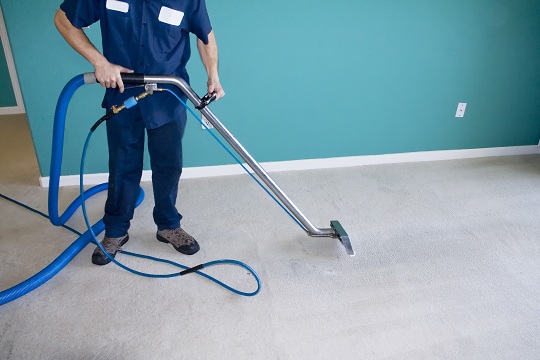
Cleaning your carpet by yourself is not only tedious and time consuming, but it may not even be very effective. Nothing would be worse than buying an expensive wet vacuum that does not even work effectively. Here are some useful tips and factors to be aware of when picking a professional carpet cleaner.

  • Never pick just one company to call and use: Make sure you call multiple companies so that you can compare prices and services. Ask the same questions to different companies so that you can compare what each one has to offer.
  • Ask your family and friends: Also remember that the most reliable way to find a carpet cleaner is from friends, family, neighbors etc; anyone who can tell you from experience that a company provides satisfactory services.

Questions to Ask Carpet Cleaning Professionals:

  • “How much do you charge?” You can ask for the cost per square foot and then use your room dimensions to estimate how much this will cost you. You may just have to ask how much they charge for rooms of a general size.
  • “What type of cleaning method do you use?” Steam cleaning is the best method, but ask if they use a truck unit because a portable cleaner is not as effective. Make sure their machine can heat up water to ensure the removal of greasy stains.
  • “Am I insured?” Be sure to ask if their company is insured in case they ruin your carpet or any furniture in your home.

While hiring a professional is expensive, remember that your carpet was too. It requires a lot of maintenance, and if you want to be sure that it lives up to its potential and brightens up your room, give it the attention and treatment that it needs.

Additional Help

If you want to find a carpet cleaner who is available when you need one, use TalkLocal, today! We’ll connect you with up to three professional carpet cleaners in your area in just minutes.

Red Flags to Watch Out for Before Fixing Your Auto Glass

Wednesday, February 13th, 2013

Red Flags to Watch Out for Before Fixing Your Auto Glass - Auto Glass Repair

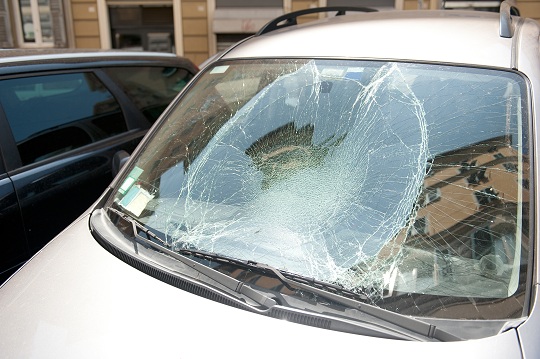
We’ve previously discussed various types of auto glass fraud, but there are even more types of fraud out there than we were able to cover.   We previously noted how sometimes con-artists will approach unsuspecting people in parking lots and try to bilk them out of money by lying to them about issues with their windshield, safety laws, and insurance policies (among other things).  We also noted that body shops are often deceptive, too, and try to trick people into replacing their entire windshield when they don’t need to.  Unfortunately, that’s not where fraud at body shops ends.  Here is a list of red flags to watch out for before fixing your auto glass.

  • The auto shop promises to give you cash back in exchange for letting them fix your auto glass and file an insurance claim.  This is certainly unethical, and in some states even constitutes insurance fraud, repair shops on the up and up don’t do things like this.
  • The auto shop offers to do the job “off the books.”  Again, this is unethical and illegal.  It could constitute tax fraud and perhaps insurance fraud, too, depending on the situation.  It also indicates that you’re dealing with a shop willing to play fast and loose with the law, and that may not even be certified.  Plus, if the job is off the books, you’re not protected as a consumer.
  • The auto shop will not give you a written estimate before they start the work.  It is always smart to get a written estimate, and reputable places will usually be willing to give you one.  If a shop refuses to give you a written estimate, it should be a warning that you’re dealing with someone who is less than credible.
  • The auto shop tells you that you must use them because they’re the only shop authorized by your insurance.  Your insurance company can only suggest that you use certain shops; it is illegal for them to require that you do so.  You are legally entitled to choose which auto shop you use.

Additional Help

When it comes to auto glass fraud, it’s always better to be safe than sorry.  And if you have any questions or want to find a reputable auto glass place near you, it’s always best to use TalkLocal—the quick and easy place to find reliable business near you. We will connect you with up to three local professionals who will be available to help you when you need them.