Archive for the ‘services’ Category


Blue Screen of Death: Bad Pool Header

Sunday, January 20th, 2013

Blue Screen of Death: Bad Pool Header - Computer Repair

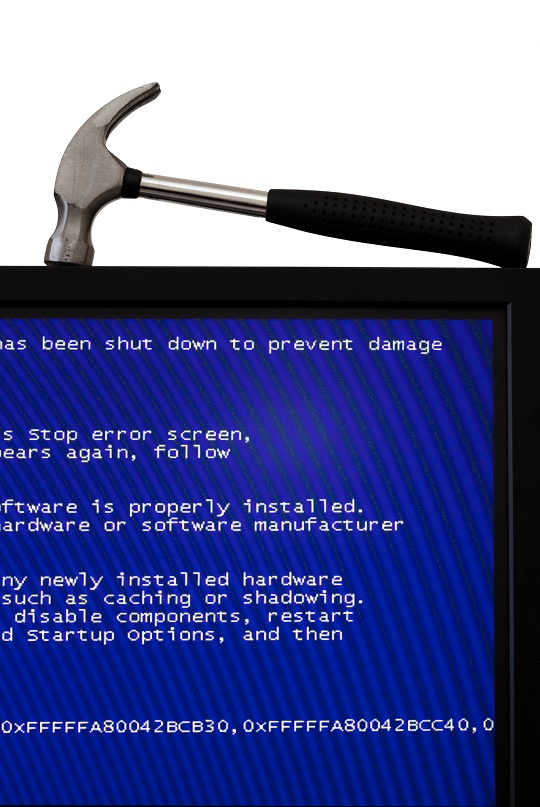
If you are a computer owner who has ever used Windows, you most likely have experienced the Blue Screen of Death (BSOD). This is also known as a ‘Windows Stop Error’, and is an operating system error that happens whenever Windows senses a software, hardware, or driver error that has occurred. The entire system shuts down and diagnostic information is then displayed to you on the ‘Blue Screen of Death’. Sometimes, it is just a glitch and a soft reboot can fix it. However, if you see “BAD_POOL_HEADER”, you most likely have bigger underlying problems to fix.

When you do get the Windows Blue Screen of Death and simply reboot to get rid of it, you are not really fixing the problem, and you could even be doing more harm than good. This is the same as ignoring the problem.  Over time, this can possibly develop into something that becomes unfixable.

How to get rid of the Blue Screen of Death

Getting rid of the BSOD by hand can be quite complicated, even if you have hours of free time to try and figure it out. A smarter approach would be to purchase registry cleaner software to fix the problem.

This usually works because almost every time the BSOD occurs, the problem is a corrupt registry. The registry is basically the brain of your computer, and tells the operating system how to run properly. A small corruption of data in the registry can start a chain reaction, which leads to the BSOD.

To fix the BSOD “BAD_POOL_HEADER” error, you need to clean out your registry. A good clean will get rid of all the useless information, error logs, and unneeded data clogging up your registry. Your computer will perform like brand new!

Additional Help

If the issue persists after trying all these things, then you should use TalkLocal to get the best help you can get quickly from local IT service professionals. TalkLocal will connect you with up to three local professionals who can help you when you need it.
How to Clean an Iron Soleplate

Sunday, January 20th, 2013

How to Clean an Iron Soleplate - Appliances Repair

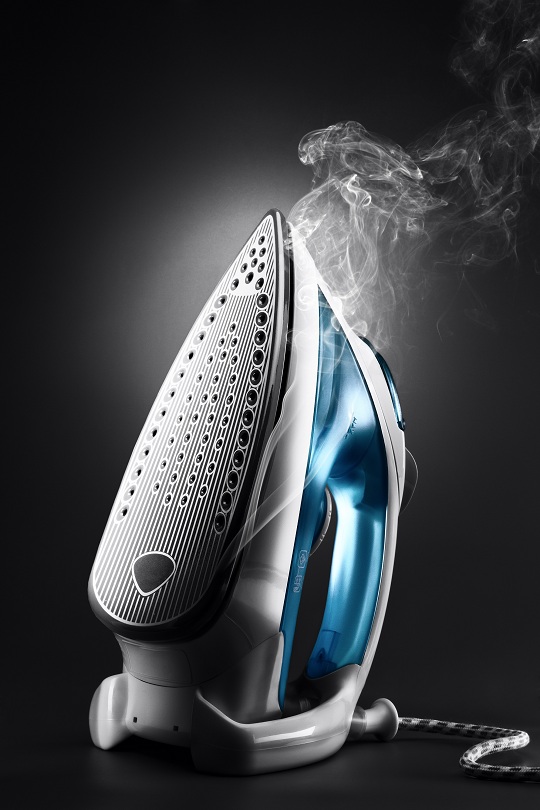
Ironing our garments makes our clothes look crisp and new. Although we usually iron clean clothes, the soleplate of the iron gets dirty over time. When the iron starts sticking to your clothes, you run the risk of damaging or burning your clothing. Below are some easy ways to help you learn how to clean an iron soleplate to keep your iron looking as new as your clothes.

Vinegar

Vinegar is an inexpensive household cleaner. This multipurpose liquid is great for removing any residue, such as starch, which may be found on the bottom of the soleplate. To clean your iron with vinegar, unplug your iron and let it cool off completely. Pour some vinegar onto a cloth or towel and wipe the soleplate of the cool iron. If there is dirt in the soleplate holes, use a cotton swab to get into those hard-to-reach spots. If the dirt is difficult to remove, combine vinegar and baking soda on a cloth and rub the soleplate. You may also try warming up a solution of vinegar, salt, and water to remove tough residue buildup. Pour it on a soft cloth and wipe away dirt.

Newspaper

To remove waxy residue, heat the iron to its hottest temperature to help melt the wax. Lay several sheets of newspaper flat on a heat-resistant surface. Then “iron” the newspaper, using a clean sheet each time until the wax has been removed. When the wax has been removed, let the iron cool down and wipe the iron soleplate with a damp cloth to remove any newsprint left behind by the newspaper.

Detergent

A mild detergent with water will get the job done. Detergent breaks down oils and dirt. Use a damp cloth with some mild detergent and wipe the soleplate. Go over the soleplate again with a damp cloth to remove any soapy residue.

You can also read the instruction manual of your iron to find useful tips for preventing residue buildup on the soleplate. Never use an abrasive material, such as steel wool, to clean an iron soleplate of an electric iron because it could damage the iron.

Additional Help

If your iron needs repairing, use TalkLocal to help connect you with a local appliance repair professional. Try TalkLocal today!

How to Stain Wood Floors

Sunday, January 20th, 2013

How to Stain Wood Floors - Painters

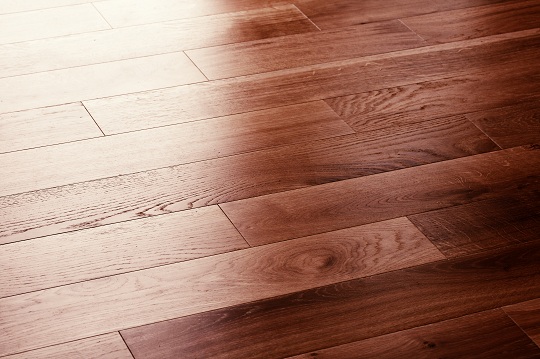
If you have a wood floor that looks unfinished, you may want to stain it to make it look more polished. If you do not know where to begin, this article will tell you how to stain wood floors. To get the best results, it is important that you stain your wood floor in the correct manner.

Supplies You Will Need:

– vacuum

– cloth

– paint roller or cloth

– stain

– polyurethane finish

– sandpaper

How to Stain Wood Floors

1. Vacuum the floor. Make sure the you clean the floor well by vacuuming any dust. Also, if you have just put the floor in, make sure that any debris from sanding is gone as well. After the floor is the thoroughly vacuumed, wipe down the entire floor with a cloth.

2. Pick your stain. Make sure that the stain will not change the grain the of the wood. Stains are normally matched to the grain and color of the wood, so pay attention to these details when buying a staining product.

3. Put your stain onto a paint roller or a piece of cloth. Roll your roller or wipe the cloth along the grain of the wood in an even manner. Make sure that the room you are staining is ventilated properly or else you risk harm from the vapors of the stain. Let the stain dry for an hour after you have finished applying it.

5. Apply the polyurethane finish, which will give your wood floor a smooth feel and protect it from damage. Again, make sure you are following the grain of the wood and painting the coat on evenly. When you have completed your coat of polyurethane finish, allow it to dry for six to eight hours.

7. Lightly sand the floor with a fine sandpaper. Make sure to wipe up all the debit after you have sanded the floor so that you can apply a second coat of polyurethane finish.

8. Apply a second coat of polyurethane finish. Let it dry overnight before using the floor.

Additional Help

If you do not wish to stain your wood floor yourself, you can contact a painting professional to do it for you. With the help of TalkLocal, you can be on the phone in minutes with up to three high quality painting professionals in your area who will know how to stain wood floors, and are available when you are.

What’s the Best Way to Clean Berber Carpet?

Saturday, January 19th, 2013

What's the Best Way to Clean Berber Carpet? - Carpet Cleaners

Berber carpets are often made from wool or nylon.  Berber carpets are manufactured by bringing together small repeating loops.  The tight weave of Berber carpet provides extra resistance against dirt and stains.  However, at the same time, this makes cleaning Berber carpets a bit more difficult.  So what’s the best way to clean Berber carpet?

Helpful tips:

–    Regular vacuuming is key to preserving your Berber carpet and keeping dirt particles from forming inside the weave.  Vacuum 1-2 times per week.

–    Dry clean your Berber carpet at least once per year by using dry cleaning methods.  Dry cleaning chemicals and machines can be found at your local department store.

–    Never scrub a stain because this will make it seep deeper into the carpet

–    Removing your shoes is a great preservation technique to keep dirt from entering the carpet.

–    Do not use regular chemical carpet cleaners to clean Berber carpet.  Using regular carpet cleaners will tear away at the natural dirt repellent found Berber carpet’s lanolin.

–    Avoid over wetting your Berber carpet because this will cause it to shrivel up as it dries.

Additional Help

In order to keep your Berber carpet from getting stained or from growing mold, regular upkeep is key. Using a carpet cleaning service can take this worry off of your hands. Vacuuming once or twice a week is recommended along with a yearly deep cleaning. Use TalkLocal to connect you to reliable, local carpet cleaners who can clean Berber carpet within minutes.

Best Google Chrome Extensions

Saturday, January 19th, 2013

Best Google Chrome Extensions - Computer Repair

Google Chrome’s new feature, extensions, provides you with time-saving tools that will improve your productivity and enhance your browsing experience.

Here are the best Google Chrome Extensions that save you time and liven up your everyday, unexciting tasks.

1. Adblock Plus

Do banner ads and constant popups bother you? If yes, AdBlock Plus is your savior. AdBlock Plus allows you to surf websites ad and pop up free by blocking banners ads, video ads and flash game ads. Adblock Plus allows you to customize your filters providing you with a safer and faster web experience by blocking distracting ads.

2. Stylish

Stylish allows you to restyle the web! Using Stylish, you can install themes and skins for your favorite websites including Google, Facebook, and YouTube. You can now design a theme that changes websites’ the color and content. You can also download premade themes from the Stylish extension.

3. Google Dictionary

Looking up a word in the dictionary is simple, but can get distracting and annoying. Google Dictionary saves you time and frustration with an extremely quick online dictionary. This feature allows you to define a word by highlighting it and clicking on the dictionary button. Now you can expand your vocabulary and quickly continue reading with minimal distraction using Google Dictionary.

4. Evernote

Want to save articles, links, and webpages to read later on? Evernote allows you to save links using cloud storage. Cloud storage  allows you to access saved items from your house, office, and even your smartphone!

5. Awesome Screenshot

Awesome Screenshot takes computer screenshots to the next level. Awesome Screenshot allows you to capture any portion of a page, annotate it with shapes or text, and blur your sensitive information. After customizing your screenshot, a one-click upload to awesomescreenshot.com gives you a shareable link you can send to your friends, family, and coworkers.

Additional Help

Extensions can save you hours of time performing the mundane tasks you do everyday. To save you even more time finding highly rated local businesses or service professionals use TalkLocal. Stop wasting hours searching the internet and yellow pages, reading review and then repeatedly calling companies until you find one you like. TalkLocal will save you the time and aggravation by connecting you with 3 service professional in minutes.

How to Remove Blood Stains on Carpet

Saturday, January 19th, 2013

How to Remove Blood Stains on Carpet - Carpet Cleaners

When anything spills on the carpet, we tend to panic., especially when we believe the spill will be difficult or impossible to remove. For example, how can you remove blood stains on carpet? It’s easier than you think! Using a few common household items you probably already have on hand, you can effectively remove blood stains on carpet.

Some Simple Tips. Remember always to use cold water to treat blood stains, since warm and hot water can make the stain permanent. Also, never rub a blood stain. Rubbing will drive the the stain into your carpet and make it impossible to remove.

Use one of these remedies for removing either fresh or dried blood stains:

How to Remove Blood Stains on Carpet Using Dish Detergent and Ammonia:

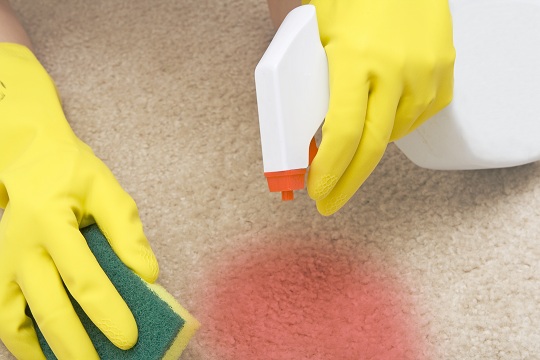
1. Combine 1 teaspoon of dish detergent with 1 cup of water and apply to the stain. It is easier to place the mixture in a spray bottle, but it is not necessary. If you do not have a spray bottle, pour the mixture on a cloth and lay the wet cloth over the stain.

2. After you apply the soap mixture to the blood stain as described above, gently blot the stain.  Be careful not to press the stain further into your carpet. Clean up as much of the stain as possible.

3. Mix 1 teaspoon of household ammonia with 1 cup of water in a spray bottle. Again, if you do not have a spray bottle, wet a cloth with this mixture and lay it over the stain. After you apply this solution to the remaining stain, blot the excess moisture until the stain disappears.

4. Add plain water to rinse out any chemicals left in your carpet and use a wet vac to remove excess moisture.

How to Remove Blood Stains on Carpet Using Salt:

Salt is an effective and easy way to remove stains. Simply sprinkle salt on the affected area; it will absorb stain residue.  Once the salt has sat long enough to absorb most of the stain, simply vacuum it up.

How to Remove Blood Stains on Carpet Using Hydrogen Peroxide:

Drip hydrogen peroxide onto the stain and let it bubble. Add more if needed. Gently blot the stain from the carpet and then use a wet vac to suck up excess moisture.

Additional Help

If you are having difficulty removing blood stains or do not have the time to remove the stain yourself, you should use TalkLocal. We can connect you with up to three high quality carpet cleaners in your area who will able to remove blood stains on carpet.

How to Give your Dog Medication

Saturday, January 19th, 2013

How to Give Your Dog Medication - Veterinarians

If your dog is sick, you might be a little nervous about getting your dog to take his medicine. Read this guide for some tips on how to give your dog medication.

Pill Medication

If the medicine is in pill form, you should try opening your dog’s mouth and putting the pill back as far as possible on his tongue. Then close your dog’s mouth, angle his head up, and stroke his throat until he swallows. Be very careful when you do this because you could get bitten. This doesn’t always work, so if it doesn’t you can always try to trick your dog by putting the pill in their dog food, or if worse comes to worse try using peanut butter (but only in small amounts).

Liquid Medication

If the medicine is liquid, you should angle your dog’s head up and then put the syringe with the medicine inside his/her cheek. Keep the dog’s head elevated so the medicine can slide down his/her throat.

Ear Drops

If your dog needs ear drops, you should place a towel over your lap and try to get your dog to rest his head on your knees. Hold his ear, insert the ear drops and rub your dog’s ear. Rubbing the dog’s ear helps to let the medicine settle inside the ear, and may also calm the dog down.

Eye Drops

If your dog needs eye drops, you should try sitting with your dog between your knees and angling their head up so you can hit them with the drops from behind.

Additional Help

Whatever medication your dog is receiving, it’s obviously important that you stay calm during administration, because your dog will almost certainly resist. If you need a veterinarian to give you tips on how to give your dog medication, don’t hesitate to use TalkLocal to find a vet in your area! We will connect you with up to three local veterinarians within minutes!

Wireless Network Security Tips

Saturday, January 19th, 2013

Wireless Network Security Tips - Computer Repair

Often times, when people create home networks they rush through the installation process in excitement and forget many essential steps to keep their networks safe, secure and long-lasting. Here are a few wireless network security tips that should give you peace of mind.

Wireless Network Security Tips

Create a password for your wireless network. Without a password, the network is open to anyone, which means anyone with wifi can easily connect to your network. Other users on your network will slow down your network speed and make you susceptible to threats from hackers. Hackers can steal personal information (both financial and virtual), steal your identity, plant a virus on your network or create other problems that may be beyond your expertise to detect or fix.

There may be a password option that comes with the installation of your wireless network. Make sure to create your own password, as many hackers are aware of the predetermined passwords.

Make sure the password you choose is strong and hard to hack. While you don’t want your password to be easy to hack, be sure your password is something you will be able to remember! Use something complex and long that has meaning to you only. Don’t use a password that can be found in your wallet or other papers. The idea is to making it virtually impossible for people to guess. Use numbers, upper case letters, and even other symbols. This will ensure security.

Make sure your SSID is hidden. A hidden SSID will eliminate the risk that hackers will even see that you have a wireless network.

Strengthen your wireless encryption. There are actually several free tools on the web that can break through the WEP encryption. There is more than one encryption base to choose from. Currently, WPA is the strongest encryption base for wireless networks. Using WPA is preferred for its strength. Depending on how secure you want to be, there are also secondary layers of encryption you can install.

Shut down the wireless network and router when not in use. Not only will this decrease the time that your network is open for threat, but it will also help preserve the life and longevity of your wireless router.

Additional Help

While these wireless security network tips make it possible for you to install your own network without help, you may wish to call for professional assistance due to lack of time or other reasons. In that case, get in touch with TalkLocal. Within minutes you will be in touch with professionals who can assist you with your wireless network security when you need it.

Signs that You Need Braces

Friday, January 18th, 2013

Signs that You Need Braces - Dentists

Braces are not just for children anymore. Braces can alleviate dental problems of all ages. Braces have now become stylish instead of looking like a metal fence across your mouth. If you are wondering whether you should look into braces, here are the common dental signs that you need braces.

Spacing

Spacing is the most common condition that is treated with braces, which occurs when teeth are spaced too far apart. If you sucked your thumb or improperly chewed in childhood, this may have been the cause of the spacing. Sometimes the teeth are too close to each other, which may cause teeth to shift inward and outward. This condition is called “overcrowding”. These conditions make the teeth more susceptible to periodontal disease (gum disease). To find out if there are spacing problems in your (or your children’s) teeth just look in the mirror. If there are noticeable gaps between teeth or if some of the teeth are shifting inward/outward, then you likely need braces.

Overbite: An overbite is a dental condition in which the upper front teeth are noticeably overlapping the bottom front teeth. If the bottom teeth are covered by the top teeth when you smile, then you likely have an overbite. A slight overbite is common and does not always require braces.

Underbite: An underbite is the opposite of an overbite: the bottom front teeth overlap or protrude in front of the top front teeth.

Crossbite: A crossbite occurs when a single tooth (or a row of teeth) is positioned closer to the cheek or to the tongue than its neighboring teeth. This can make the teeth look crooked, or even cause them to overlap each other.

If you have frequent jaw pain, headaches, tooth decay, difficulty chewing, or have a speech impediment, it could be caused by one of conditions described above. Ignoring such conditions can cause arthritis and inflammation of the jaw joint near the temple.

Additional Help

To find a local dentist for consultation on braces use TalkLocal.  TalkLocal can connect you to up to three dentists in your area who can give you the help you need, when you need it.

Signs that a Hard Drive is Failing

Friday, January 18th, 2013

Signs that a Hard Drive is Failing - Computer Repair

The hard drive is the brain of a computer. It is where we store our data, from important documents to sentimental photo albums. The hard drive is arguably the most important aspect of your computer. With so much storage and computing power, a failed hard drive can have catastrophic results. Learn the signs that a hard drive is failing so you can back up your data before it’s too late!

Why do hard drives fail?

– Logical failures occur when the electronics or software of the hard drive have a problem. This is the easiest problem to fix, but is usually rare.

– Media failures occur when the hard drive is not handled carefully. You can accidentally scratch the magnetic platters, which may cause lost data, or run into low-level formatting problems. However, this problem is rare.

– Head failures occur when there is an incorrect distance between the read/write head and the magnetic platters, or there is faulty wiring between the logic board and the head. This problem is pretty common.

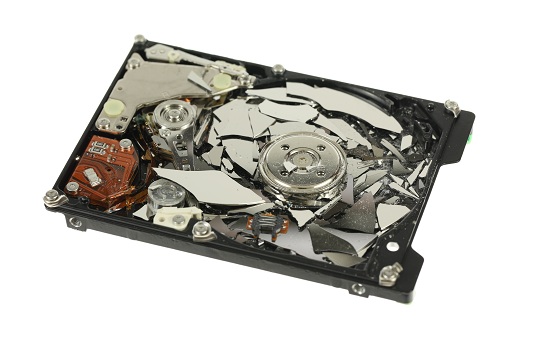
– Mechanical failures occur when any mechanical part of the hard drive gives out – the motor burns out, the drive overheats, the bearings get stuck, etc. These make up the bulk of hard drive failures, but if the platters are not affected then the hard drive can be saved.

Signs of hard drive failure

– Strange noises may mean that your hard drive is beyond repair, so act very quickly. This could mean a head crash, a failed motor, or noisy bearings.

– Disappearing data and disk errors: You may have hard drive failure if your computer won’t let you save a document or you can’t find a document you know you saved.

– Computer stops recognizing device: If your computer stops recognizing the hard drive it’s probably not a computer problem, but the device itself. Test the hard drive in a friend’s computer to see if this is the case.

– Computer crashes: If your computer regularly blue-screens or reboots, especially when assessing files, you probably have hard drive failure.

– Really slow access times: It should not take an hour to open a folder from your operating system. Slow download and access times are key indicators of a failing hard drive.

What to do?

Back up your computer data while you have time. (You should regularly be backing up data anyway). If time is limited, carefully remove the hard drive and cover it with aluminum foil or plastic wrap until you can send it to a professional. TalkLocal is the #1 place to find a reliable computer repair professional quickly and easily!