Archive for the ‘services’ Category


Can I Sync my iPod to my iPad

Tuesday, September 4th, 2012

Can I Sync my iPod to my iPad Computer Repair

Can I Sync my iPod to my iPad?  The answer is yes. The people at Apple know that you want to be able to transfer your music from one device to the next, so the steps to do so are straightforward and can be done quickly. You can sync your iPod to your iPad through iTunes on your computer by following the steps below. Syncing your iPod to your iPad is just a few clicks away!

1. Connect your iPod to your computer.

2. Sync the device.

3. Click on “Devices” on the left hand panel of your iTunes; you will see different tabs such as “Music,” “Apps” and other choices.

4. Go through the tabs and click what you want synced to your computer from your iPod. All the data on your iPod will be synced onto your computer.

5. After your iPod has fully synced, disconnect it from your computer.

6. Now plug your iPad into your computer.

7. Sync the device.

8. Once again, if you click “Devices” on the left hand panel, you will see the same tabs.

9. Go to the desired tab and choose what you want synced onto your iPad.

10. Click “Apply” > “Sync.”

11. After properly syncing your iPad, disconnect it.

 iCloud

You may also save data to iCloud, which will allow you to access your information from any device. It is Apple’s online storage device, where you can make certain files available online from other computers or mobile devices. For example, you can save your music from your iPod into iCloud and access it from your iPad.

Your content can also be transferred between your iPod and iPad through iTunes or by syncing data to iCloud. If you are having further difficulties with your Apple devices, TalkLocal can help connect you to highly trained IT professionals in your area. Just go to the TalkLocal website and fill out a short service request.
How to Increase Toilet Water Flow

Tuesday, September 4th, 2012

How to Increase Toilet Water Flow Plumbers

If you have an older toilet and you are experiencing an unusually slow refill time, it might be a result of an old toilet water supply house. Over time, these hoses can become clogged or kinked, restricting the water flow into the toilet tank.  Read this article to learn more on how to increase toilet water flow.

In order to fix this problem and increase the flow of toilet water, you must replace the toilet water supply hose.  To do so, pick up a new hose, an adjustable wrench, and a pair of slip joint pliers at your local hardware store. Twist the knob where the hose connects to shut off the water supply and unscrew the valve from that end. Finish detaching the hose from the other end by unscrewing it where it attaches to the bottom of the toilet tank. You might need to use pliers for this part if it’s tightly screwed in.

Next, use Teflon tape to wrap around each end where the hose is inserted. This helps to seal the connection after the new hose is installed. When you’re ready to reconnect, take the large end of the new hose and connect it to the end of the flush valve. Then, take the other end and attach it to the shut off valve. Use your wrench to make sure the fitting is tightened all the way.

When you’ve finished, you can turn the water supply back on by turning the valve all the way counterclockwise. This will ensure that the hose allows the highest volume of water to flow back into the tank.

If these directions seem a little too complicated or this didn’t fix your problem, you should call a local plumber to check it out for you. Try using www.TalkLocal.com to help you book a highly rated plumber in your area within minutes.

Car Airbag Replacement Cost

Tuesday, September 4th, 2012

Car Airbag Replacement Cost Auto Repair

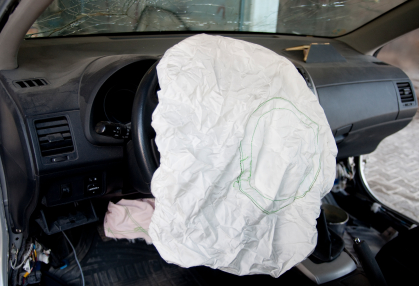
Sadly, car accidents are one of leading cause of death in the United States. Airbags are essential in the frontal protection for car accidents, along with seat belts. When these accidents happen, airbags release and have to be replaced upon repair. Without an airbag, you can run the risk of serious injury if another accident occurs. But the question is how much do car airbag replacements cost? There are several factors that go into car airbag replacement cost.

1.   Type of Car

Type of car is one of the critical factors in determining airbag replacement cost.  The price of the car correlates with the price of the airbag. A Ferrari’s airbag will cost more than a Honda’s airbag.

2.   Type of Airbags

Driver’s airbags are cheaper than passenger side airbags; there is a $200-$600 price difference. Side curtain airbags are the newest airbags to come out on the market and are cheaper than passenger side bags. Used airbags are an option for people on a cheap budget. These are deployed airbags removed vehicles and refurbished. Before buying, check with your car insurance as some companies void coverage if used airbags are installed.

3.   Additional Costs

Along with the airbag itself, there are other pieces in the car that need to be replaced. Sensors are the most important mechanism of airbags as this detects a car accident and releases an airbag. There are clock springs and other items to replace for the airbag to work properly. One of the most expensive costs is the labor costs. Never replace an airbag by yourself as installation is difficult without proper training and could lead to serious injury. Always use a professional car mechanic for installation of an airbag.

In the end, an airbag replacement will cost around $1,000, and even up to $6,000, depending on the type of vehicle. For airbag installation, use TalkLocal. TalkLocal can connect you to the best car mechanics in your area.

Turbotax has Stopped Working Windows 7

Monday, September 3rd, 2012

Turbotax has Stopped Working Windows 7 Computer Repair

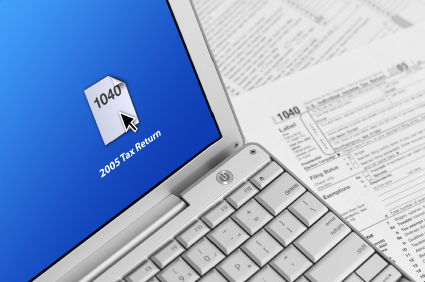
If your TurboTax software is showing a “Turbo Tax has stopped working” message on your Windows 7 computer, this may be due to a couple of reasons. The most common reasons why TurboxTax has stopped working on Windows 7 are  are listed below along with possible solutions.

Unsupported TurboTax Version

This error message may be due to the fact that some TurboTax versions are not supported on Windows 7. Windows 7 only currently supports TurboTax 2009 or higher. Using any older versions can often lead to TurboTax crashes.  You may need to purchase a more recent version of TurboTax if this is the case.

System is outdated

Make sure that your computer is up to date with the most recent hardware drivers as well as oeprating system updates. This involves using Windows Update to check if there are any updates you’ve missed as well as checking your hardware manufacturer sites to see whether or not your hardware drivers are up to date as well.

.NET Incompatibility

Since TurboTax runs on Microsoft’s .NET framework, an incompatibility could be the cause of your TurboTax crashes and issues. In order to check whether or not your current .NET framework is damaged, you should follow the Method 2 steps here to repair the .NET framework.

Antivirus Programs

Internet security software and antivirus programs may also be triggering with TurboTax’s operation.  While every antivirus installation will be different, you should try to disable these programs temporarily or on startup so that nothing can interfere with TurboTax while it is running.

If none of the above reasons solved the TurboTax crashing issues, then it is highly suggested that you use TalkLocal to get in contact with a high-quality local professional so that you can get this problem resolved as soon as possible.  You’ll be on the line with a computer repairman within minutes of submitting your request!

How to Clean a Leather Couch

Monday, September 3rd, 2012

How to Clean a Leather Couch Maid Services

Leather is a special material that reacts badly to many chemical cleaners, so soap and water is usually the best method to remove leather stains. However, different types of leather require different cleaning methods, as do different types of stains. Using a cleaner for a specific type of leather on the wrong leather could result in your couch changing colors. No matter the leather type, always do a test on an inconspicuous part of the sofa first to see if the leather becomes discolored.  Check out this article if you want to learn how to clean a leather couch.

Finished Leather

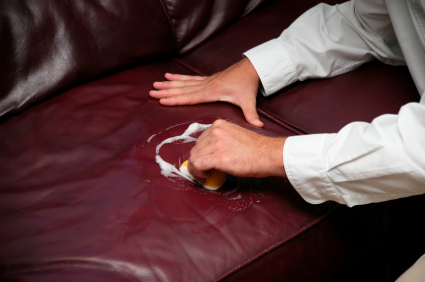
The leather on your sofa is most likely finished, which makes the leather more durable and easier to clean. This doesn’t mean that you can use whatever you want; it just means that you can use soap and a damp cloth to clean your couch. Make sure the soap isn’t too abrasive; moisturizing soap for sensitive skin is the best. The cloth or rag should also not be too abrasive, so microfiber is a good choice. Even with these precautions, still test the soap on a part of the sofa that no one will see to make sure it won’t discolor your leather. Rub the soap gently into the leather with the soft cloth, and then wipe it off with another clean cloth. Use a reliable leather conditioner, which is available at most home improvement and furniture stores, on the spot that you cleaned. This method should work for most finished leather stains, but a common stain many people have are water marks. These stains ironically come from the same method that’s used to clean them: cleaning your sofa with too much water. This is why you should always use a damp cloth instead of a soaking wet one.

Unfinished Leather

If your couch is unfinished, your job becomes a lot harder. Instead of regular hand soap, you’ll need special saddle soap for your unfinished couch. Use the same method used to clean finished leather to clean your unfinished leather sofa. In order to prevent stains from soaking into your sofa again, use a leather protection spray on your sofa after you’re done. Note that even with the special saddle soap, you need to test it on a hidden part of your sofa first to see if it changes color. Even specially made formulas for unfinished leather may not work on your sofa, since different types of unfinished leather absorb chemicals at different rates. Ultra porous materials like lamb and calf leather will absorb and lose moisture much faster than regular unfinished leather.

Since leather is a very finicky material, it’s best to call a professional in order to avoid damaging your couch. TalkLocal can find you professionals to clean your leather sofa for no additional charge!

Restore System Windows XP

Monday, September 3rd, 2012

Restore System Windows XP Computer Repair

If you are a Windows XP user, you should perform a system restore if you are experiencing frequent problems with the system but do not want to initiate a complete re-installation. This will restore your system to complete functionality without erasing any of your data files. Remember: With a system restore, you cannot pick and choose which files to restore; it automatically restores the entire system for you. A system restore can be completed in several fairly simple steps.

When preparing to complete a system restore, first make sure you have at least 200MB of free disk space. This space will be used to create a date store. The next step would be to pick a restore point. Windows XP helps you out with this by automatically creating restore points where you would typically need them most. However, if you would like to create your own point at a specific place, click on Start > All Programs > Accessories > System Tools > System Restore, and enter where you want to create a restore point.

Next, you can begin your restore. Open the program, and choose “Restore my computer to an earlier time.” You will then be prompted to choose your restore point on a calendar they will provide for you. Make sure to choose the right point because the wrong point could result in a loss of data files. Look for the restore points that are called “System Checkpoint,” these are the points that system restore created for you.

Once you select your restore point, click “Next” and the program will prompt you to confirm the point. If you are sure this is where you would like to restore the system, proceed with the restore. If successful, your computer will reboot and turn back on with a screen confirming the success of the system restore.

 If, however, your problems still occur post-system restore, the program gives you an opportunity to choose a new point and try again. This is helpful because it gives you a chance to correct any mistakes you might have made the first time around. If after multiple tries you’re still experiencing significant problems, contact your manufacturer or call a local professional to assist you. Visit TalkLocal’s website to be connected to highly rated businesses in your area, eager to help solve your problem.

Water Heater Pilot Light Troubleshooting

Monday, September 3rd, 2012

Water Heater Pilot Light Troubleshooting Heating and Cooling

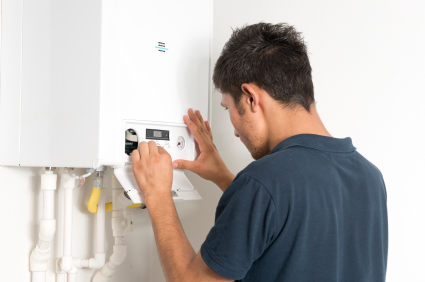
The pilot light on a water heater is used to ignite the gas that comes out of the main burner to provide light. A small constant stream of gas is released to power the pilot light, which triggers the release of the main gas source for the burner. Older water heaters have the pilot light out in the open, and are lit by a match or another flame source. Newer water heaters have the pilot light in a separate compartment, and can’t be lit by a match. Here are some steps for water heater pilot light troubleshooting:

CAUTION: If you smell gas, do not proceed. Evacuate the house immediately and call your gas department to have them fix the leak.

For older water heaters

1. Turn the temperature control knob to the lowest setting.

2. Turn the on/off switch to the pilot setting.

3. Remove the outer and inner access panels at the bottom of the heater.

4. Locate the pilot button (should be located next to the on/off switch) and hold it down as you light the pilot light in the next step. Some models don’t have a separate pilot light button, and instead it is incorporated into the Pilot setting of the on/off switch.

5. As you hold down the pilot light button, follow the silver tube inside the access panel to the end, which is where the pilot light is located. Light the end with a match or another flame source.

6. Hold down the pilot light button for an additional 30 seconds after the pilot is lit.

7. Replace and secure the access panels.

8. Turn your burner from the Pilot setting to On and set the temperature back to the desired setting. You should hear the burner heating back up.

For newer water heaters

1. Turn the temperature control knob to the lowest setting.

2. Turn the on/off switch to the pilot setting.

3. Locate the pilot button (should be located next to the on/off switch) and hold it down as you light the pilot light in the next step. Some models don’t have a separate pilot light button, and instead it is incorporated into the Pilot setting of the on/off switch.

4. While looking through the sight glass and holding down the pilot light button, slowly press the spark generator until you hear a click.

5. There should be a spark from the generator, and the pilot light should be lit. Keep on holding down the pilot light button for an additional 30 seconds.

6. Turn your burner from the Pilot setting to On and set the temperature back to the desired setting. You should hear the burner heating back up.

If your pilot light won’t light or keeps on going out, you probably have a faulty thermocouple. Thermocouples are used to sense if the pilot light is on or not, which then triggers the release of the main gas light. Replacing a thermocouple, especially on a newer model, can be confusing and shouldn’t be done by anyone other than a professional. Use TalkLocal for free to find a trained professional that can help you with your thermocouple needs!

Wall Switch is Hot

Monday, September 3rd, 2012

Wall Switch is Hot Electricians

Has your wall switch been warm or hot lately? If the wall switch is hot, your home is at risk of a fire, so electrician needs to be called immediately. Here are some of the causes of the wall switch becoming hot.

Overload

If a device that is used by the switch is drawing more current than the switch can handle, the switch become hot. One of the common mistakes a house owner makes is installing switches on a higher amp circuit. A normal switch can handle a 15 amp lighting circuits. Some homeowners don’t know about this and think switches are the same and install low amp switch into a high amp circuit. If you have installed the switch that was hot recently, check the switch amp rating. If the amp rating is too low for the lighting circuit, reinstall a switch with the appropriate amp rating for the specific lighting circuit.

Failing Switch

Switches can wear out after years of use. When worn out, they can turn on and off and cause a small spark. The small spark will cause a burn on the electrical contacts and make the contacts fail. The failing of electrical contacts cause electricity to flow into a smaller area and generate heat. This kind of problem runs the risk of a house fire, so an immediate replacement of the switch is needed.

Faulty Wiring

Wires that are broken or loose but still functioning will cause electricity to take a smaller path through the wire and create excess heat. This problem requires an immediate attention from an electrician.

If a dimmer switch is warm, do not worry; this is normal due to the way a dimmer switch functions. If you think the dimmer switch is abnormally hot, consult the manual.

To find a local electrician, use TalkLocal. TalkLocal can connect you to the best electrician in your area for immediate electrical repairs.

Lost Favorites in IE8

Friday, August 31st, 2012

Lost Favorites in IE8 Computer Repair

Having the ability to save websites and quickly access them is truly an asset. Creating favorites in your Internet explorer browser settings really helps to make doing work easier and more efficient.  But what happens when an update for the Internet deletes all of your favorites?  This may seem like a terrible occurrence, but fear not! There is a solution to your problem when you have lost favorites in IE8:

Possible Solutions:

Import the favorites folder — In order to import the favorites folder, you should go into your computer options. From there, look up the folder that had saved the sites and try to reimport them into the new updated version of Internet Explorer.  You should restart the Internet to check if this helped.

Run program through Internet Explorer directly — Click on the Start tab from the menu of Internet, and then click the Run button. Type in “regsvr32 /i shodocvm.dll” and then click OK.  When the start search box comes up, type “iexplore.exe” and click ok again. Under the tools option, click on Internet Options > Programs > Manage Add-ons. In this dialog box, click the shell namespace add-on and enable it under your computer options.

Backup and restore through computer — The first step is to open OneCare. In the backup and restore area, click on the button to restore files. You should do so from a local backup and do a custom restore. The files will be restored as they were, using the most recent backup from your computer. This can either uninstall IE8 and return to Ie7 with the same favorites or it will simply put the favorites back onto the Internet explorer version that you are using.

Continuing Problems

If you cannot find the problem or the product is no longer under warranty, you should get in contact with a professional IT business. Go to TalkLocal to be connected to reliable local companies within a matter of minutes.

How to Fix Broken Car Antenna

Friday, August 31st, 2012

How to Fix Broken Car Antenna Auto Repair

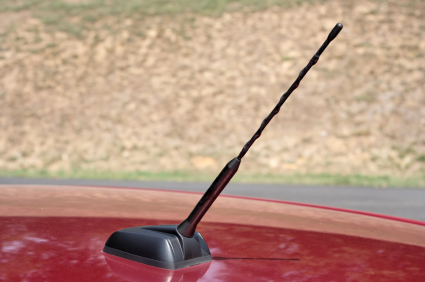
Fixing a broken or malfunctioning car antenna can be done without too much time or effort. Knowing how to fix a broken car antenna can be the difference between driving with music blasting and driving with a bunch of static playing.

Fix or Replace?

First, you need to determine whether your antenna will need to be fixed or replaced. The amount of damage to the antenna will determine which one it will be. If there is any damage to the base of the antenna, it will likely need to be replaced. However, if the antenna is still intact, check the screws at the base of the antenna to make sure it is tightly screwed in. If it is loose, simply tighten the screws until you can’t tighten it any more. Believe it or not, this is one of the top causes for poor reception.

How to Fix Broken Car Antenna

If the problem with your antenna lies in the shaft, it will need to be replaced. You can find replacement antenna shafts at just about any auto part retailer, online or otherwise. The best type of shaft to look for is one that is both flexible so it can bend without breaking, and one that is rubber coated to make it able to absorb more impact. To replace the shaft, you need only to break off what is left of the old shaft from as close to the base as possible. Use a file to taper off anything remaining of the old shaft. With the old one removed, simply attach the new antenna shaft and fasten the retaining screw.

Replacing a Broken Car Antenna

If the damage is more than that, or if this step did not fix your antenna, the next step is to replace it. Replacing the antenna is the best and most effective way of taking care of a broken car antenna. Attempting to fix a broken antenna is often a fruitless labor as the wiring can be unfixable. To replace the entire antenna, you will first have to remove the broken antenna. There will be an antenna cable attached to your stereo beneath the dashboard. Unplug this, then unscrew the antenna nut at the base, then remove the entirety of the antenna. Next, find yourself a pair of wire cutters and cut the old antenna cable. Tape this cable to the new antenna plug and place it into the mounting hole (where the old antenna used to be). Push it in as far as it will go and finally, plug the new antenna cable into the stereo. Your car stereo should now play your favorite radio stations once again!

Following these steps, you should be able to do any antenna repairs yourself, but if you feel more comfortable having a professional take a look at it, consider using TalkLocal. TalkLocal is a free service that will connect you with top-quality, reputable auto repair companies in your neighborhood within minutes. Just enter in your specific problem, location and availability, and up to three companies will call YOU directly, saving you the time and stress of finding one yourself.