Join Seva Call this Groundhog Day for Some Spring-Time Preparation!

Saturday, February 2nd, 2013

Written by Dallea Caldwell

groundhog day

February is approaching, and all of us at Seva Call are anxiously waiting for the groundhog’s prediction for 2013.  On this Groundhog Day, February 2nd, if the groundhog sees his shadow, there will be 6 more weeks of winter.

Don’t let the groundhog ruin your last month of winter! At the Seva Call office, we’ve been discussing ways we can enjoy the chilly month of February even if the groundhog does see its shadow.

All of us are looking forward for the Super Bowl. Naturally, most of us are rooting for the Ravens, but some of us are cheering for the  49ers as well. Whatever the case is, we’re all looking forward to Super Bowl parties. Have your own Super Bowl party! It’s a great time to sit around with friends and family, eating delicious food, and watching the game and all of the entertaining commercials!

The winter also gives us the excuse to snuggle up in flannel pajamas, watch movies all weekend by a fire, and drink a lot of hot cocoa. Although escaping the cold is relieving, don’t be scared to beat the cold with fun outdoor activities!

Many of us in the office love skiing and snowboarding down the slopes. Look up ski and snowboard deals from the ski-resorts near you. Our local ski-resorts allow college students to ski for $35 on Wednesdays!

As much as we try to pretend the groundhog’s prediction doesn’t matter, there is a little part of all of us that is crossing its fingers for the groundhog to welcome an early spring. If the groundhog answers our wishes, we’re more than ready to put away the blankets and firewood, and break out the shorts and barbeque.

Get a head start on your spring-cleaning early with Seva Call! We can help connect you to your local professional maid services, carpet cleaners, and moving and storage professionals.

Tips on How to Repair a Dryer

Friday, February 1st, 2013

Tips on How to Repair a Dryer - Appliances Repair

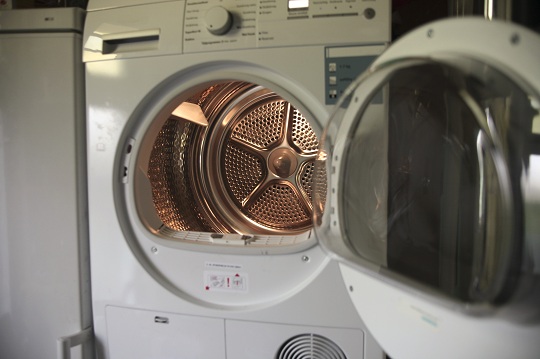
Like many appliances, your clothes dryer may develop problems over its life that cause it to work improperly or not at all. A lot of these problems are preventable with some consistent maintenance, while others can be repaired when caught early. Here are some tips on how to repair a dryer.

No Heat

If the dryer tumbles but won’t heat, there’s likely a problem with the heat source.

1. Make sure the dryer is set properly.

2. If so, make sure that it’s plugged in.

3. If it’s an electric dryer, you may need to replace a fuse or reset the breaker.

4. If it’s a gas dryer, make sure the supply valve is open and the pilot is lit.

Clothes Won’t Dry

The most likely cause of this problem is clogged vents. Although there is a lint trap in your dryer, it won’t catch everything. Over time, lint can build up inside of your dryer vent. Similarly, birds and other critters might make a nest in the vent opening in your home’s exterior, so check on that, too. There’s also the possibility that your dryer’s timer may not be working correctly. Another cause could be that the dryer is pinching the ducting against the wall, restricting airflow. You should never use flexible ducting of any kind. Its inability to support itself and resist crimping can present a fire hazard.

Dryer Won’t Turn On

The main culprit here is usually the power supply.

1. Check the connection with the outlet. If it’s plugged in, inspect the cord to be sure it’s not damaged and test the outlet with another appliance.

2. If all of that checks out, inspect the door switch. It may be stuck or broken. If it fails to make a clicking sound, you might need to have it replaced.

Additional Help

Clothes dryers are among the most convenient modern appliances anyone can own. However, they often fail to work as they’re supposed to. When this happens, if you’re not able to solve the problem yourself, you should check out TalkLocal to find a reputable local handyman. We will connect you with up to three professionals in your area who will be available to help you when you need them.

Get Cigarette Smell Out of Carpet

Friday, February 1st, 2013

Get Cigarette Smell Out of Carpet - Carpet Cleaners

I think we can all agree: cigarette smoke does not top the list of the most pleasant, refreshing scents out there. Especially when it has cooped itself up in your home and sunken into your rugs and carpets. Trying to get that stale, gross stench out of your carpet for good? Follow these easy steps.

Get Cigarette Smell Out of Carpet

There are several different methods you can try to get cigarette smell out of  carpet. You can attempt one, a combination of them, or even all of them if the odor has set in and become stubborn.

1. Purchase an allergen-eliminating deodorizer. Sprinkle it generously over your carpet (be sure to move any furniture first). Let this set in overnight, and vacuum it up the next day.

2. Buy some baking soda, and plenty of it. After vacuuming up the allergen-reducing deodorizer, take the baking soda and do the same thing. Sprinkle over the entire surface area, let it sit for several hours, and vacuum it up.

3. Scrub the carpet. Purchase or rent a carpet cleaner and complete a thorough washing of the entire carpet. Add some vinegar to the carpet cleaning detergent as well to add in some extra odor-fighting power.

4. A final option you can try is to spray Febreeze or another odor-fighting agent over the carpet after cleaning. This may not remove the odor completely, but can serve as a quick fix if you are expecting company and want to freshen the house up.

If the smell lingers…

If you have a lingering smell in your carpets, chances are the cigarette stench has also seeped into your furniture upholstery, curtains and even your walls’ paint. Scrubbing and deodorizing your carpet is a good start to removing the odor, but if that hasn’t completely solved the issue, you may need to dedicate some serious time to cleaning other parts of your house as well.

Find Professional Help

Try using TalkLocal to find a local carpet cleaning professional if you are still faced with a smoky problem. TalkLocal is a free service that will connect you with top-quality, reputable professionals in your area, within minutes. Simply enter in your problem, location, and availability, and TalkLocal will contact multiple carpet cleaning companies, who will then call YOU directly, ready to help.

Computer Stuck in Installing Updates

Friday, February 1st, 2013

Computer Stuck in Installing Updates - Computer Repair

Computer Stuck in Installing Updates?

Updates can be annoying when they become stuck. If the update download has not raised a percentage in thirty minutes and hard drive light is not constantly flitting, the updater is stuck. The updater being stuck does not stem from major problems in the computer and can be easily fixed by some simple solutions.

Problem

There can be various problems to make the updater become stuck. These can be simple with the updater conflicting with software on a computer. For example, Windows Vista had a problem with updating before the update, SP1, was installed in the computer. There could also be a problem that has not come to light until the updater started.

Solutions

Restart

The problem can be easily fixed with a simple restart of the computer. In the restart, the software conflict can be resolved so that the updater is in working order. If the updater is downloading files and is stuck:

1.      Go to the Start Button.

2.      Find either the power button or shut down with an arrow point right.

3.      Click the right arrow.

4.      Click on restart.

Safe Mode

Safe Mode loads the minimum drivers and services, and any software that is conflicting with an update is not loaded. Safe Mode can fix the problem easily and fast. To go into Safe Mode:

1.      On the boot-up screen, select the boot options menu.

2.      In the boot options menu select Safe Mode.

3.      If installation of the update is successful restart the computer so, the computer boots normally.

System Recovery

There is a way to go back to before the update started, if some of the update files were downloaded. To go to system recovery:

1.      Go into Safe Mode.

​2.      Click on the Start Button.

3.      Click on All Programs.

4.      Click on the folder named Accessories.

5.      Click on folder named System Tools.

6.      Click on System Restore.

Additional Help

These easy solutions should help with the simple problem of a stuck updater. If these solutions do not work, a professional should be contacted. TalkLocal will connect you with high quality professionals in your are who will be able to help you when you need it.

Alternative to Using Furniture Polish

Friday, February 1st, 2013

Alternative to Using Furniture Polish - Maid Services

Lemons.  That is the smell that every single person can identify as the characteristic smell of furniture polish.  This is the smell you usually walk into when you go to a house party because people like to polish their furniture before social gatherings.  Many people feel irritable, depressed, and annoyed in response to the use of furniture polish, so they want to find a sufficient alternative to using furniture polish.

Alternatives to Furniture Polish

One option many people choose to follow is making their own homemade furniture polish.  The best solution involves using oil and vinegar.  Many people advocate for using more oil and a little bit of vinegar but this can leave your furniture oily and slick.  Instead try to use the reverse of this.  Mix a quarter cup of vinegar with a few drops of oil and you will have yourself a good wood furniture cleaner and polish.  The vinegar in this solution will pull any dirt and particles out of the wood and the oil will lubricate it to prevent excessive drying.

If you are wondering what kind of oil to use, consider the ones with the longest shelf life.  Olive oil, the liquid wax of jojoba, etc. are all good options. Any boiled linseed oils have synthetic drying chemicals so you should definitely not use them. Lemon juice or organic apple cider vinegar are substitutes for the vinegar but they do have the possibility of staining your furniture so you should stick to white distilled vinegar.

In the case that you do not want to mix a homemade furniture polish, you should consider using simple oils.  Lemon oil, mineral oil, orange oil, and beeswax all can be used on their own to polish up your furniture. The lemon oil nourishes wood and helps preserve it.  The mineral oil should only be used on unfinished wood because it is nondrying so if it is used on finished furniture it will collect dust particles.  The orange oil can be used on all types of wooden furniture because it leaves no waxy buildup.  Beeswax is completely natural and so it is one of the best options you have to use.

Additional Help

If you have more questions about alternatives to furniture polish you should try to talk to a professional so that you can get the best help possible.  The easiest, fastest way to get in contact with reliable local maid services is to use TalkLocal. Just put in your problem and availability and let them do all the work.  Within minutes you will be connected to someone who should be able to help you out

Seva Man Launches in the Queen City: Buffalo, NY

Friday, February 1st, 2013

Seva Man launches in the “Queen City”: Buffalo, NY - Seva Call

Seva Call is on its way to taking over New York! After already bringing our services to New York City, we are ready to launch in the 2nd largest city in the state, Buffalo. Our service will give Queen City residents the royal treatment with a service that will help them find local professionals in minutes.

With over 5,000 local businesses, residents of Buffalo have a huge selection when picking a service professional. Seva Call narrows down their search into 3 quick and simple steps.
1) Tell Seva Call what, where and when the service is needed. Include a description of the service, a name and phone number.
2) Wait a few minutes while Seva Call’s system calls local professionals that can cater your specific needs.
3) Receive calls from professionals that want to help you.

Buffalo, it’s time throw away your yellow pages and stop searching the internet for local professionals! Seva Call will save you hours of time, and connect you with the businesses you need in less than 3 minutes.
With all this free time, Buffalo residents can now visit the beautiful Niagara Falls more often!

“Don’t worry Buffalo businesses, this helps you too!” says Seva Man.
Businesses will now be able to accept or reject client referrals from Seva Call in order to fill their schedule and expand business.

Get on your computers and start using Seva Call, Buffalo! It’s a simple way to cut time from performing your mundane everyday tasks.

Lighting Your Garden to Radiate its Potential

Friday, February 1st, 2013

Lighting Your Garden to Radiate its Potential - Landscapers

Lighting Your Garden to Radiate its Potential

Even though plants, fences and pathways seem to get the most attention when it comes to landscaping, lighting is still an essential feature that can take your front or backyard to the next level.

Different Lighting Options

It is a good idea to begin by assessing the different lighting options available to you.

  1. Post lights are great for the entry of your house. They help separate the space between the curb and your house, which, among other elements of your garden, often gets lost at night.
  2. Well lights are a great option if you want to accentuate trees or parts of your house. They are useful because they are tiny lights that are embedded in the ground and shine upwards. Some versions even resemble stones so as not to stand out too much.
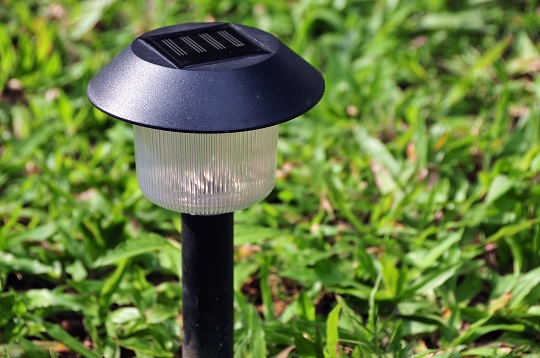
  3. Solar Lights are an environmentally-friendly option, and store energy from the sun for use at night.

These are just some suggestions; you might want to look into other options such as path, mushroom, and accent lights. Also, when shopping for different lights, look out for stylish options that will fit more appropriately with your house and garden rather than using the normal, more mundane versions of lights.

Plan Your Lighting

Drawing a plan for lighting your garden should be the first step you take before buying or installing anything. To help you get started, when it’s dark outside, use a flashlight to find the best places to put lights and to test out different angles of light to see which work best. Once you have a plan in mind, you’ll be able to decide which type of lighting to get and where to put it. If you don’t get enough lights for your garden, it won’t live up to its potential, while having too many lights can wash out your plants and do more harm than good. Your garden would go from looking accented to overwhelming.

Additional Help

Choosing the best lights and their placement may seem easy but may quickly become confusing and stressful, especially if you have to put them in the ground yourself. If you want an easy way to deal with your lighting, a knowledgeable landscaper is the best option; they’ll know the best placement and types of lights suitable for your land. If you use TalkLocal today, you’ll be connected with an available landscaper quickly and easily so you can be on your way to making your garden that much more beautiful.

Play Music From Computer to Stereo

Thursday, January 31st, 2013

Play Music From Computer to Stereo - Computer Repair

When you’re in the mood to start jamming out whether it be at a party, alone in your room, or just chilling out, how do you play your music?  From your computer? But sometimes this just isn’t loud enough! Connecting your computer to a stereo system is one of the easiest and best ways to increase the volume of your tunes.

Ways to Play Music from Computer to Stereo

1)     Directly plugging the stereo system into your computer

2)     Wireless connection through network media bridge

3)     Wi-fi free digital receiver system

How to Play Music from Computer to Stereo

Directly plug the stereo system into your computer: If you want to directly connect your computer and stereo you can buy a simple headphone jack type cord.  This will transfer the music from the headphone jack to be played by the stereo speakers.

Wireless network media bridge: You also have the option of adding a media bridge/receiver device to the wireless Internet network.  This is a very common method to bring music to your stereo from your computer.  You can buy any type of device that you want; they all perform the same function.  You simply connect one part to the computer and the other into the stereo so that they will work in tandem to send music form your computer’s soundcard to the stereo’s amp/speakers.  These types of devices usually run for under $100 but are slightly difficult to add onto a password protected network.

Wi-fi free digital receiver: The third option you have is to use a digital receiver that works with your operating system to create its wireless connection to the stereo transmitter.  These types of devices can enhance the sound of the music and is probably one of the best choices even if it is a little more expensive.

You may have to play around with each of these options to see what works best for your specific needs and for what your computer and stereo system require individually.

Additional Help

If you continue to have problems setting up a connection between your stereo speakers and your computer you should seek professional help.  Use TalkLocal to be put in contact with reliable local IT businesses within minutes.  You don’t have to do any work! Simply input your problem and availability and TalkLocal will do the rest! Almost immediately you will be connected to someone who can help.

How Much is a Personal Accountant?

Thursday, January 31st, 2013

How Much is a Personal Accountant? - Accountants

There are many benefits to having a personal accountant. A personal accountant can easily recoup the cost of their work. But how much is a personal accountant worth? That’s a good question, and the answer really depends on the complexity of your financial situation, how much work you require to be done, how good you are at keeping records.

How Much is a Personal Accountant?

A proper CPA accountant that does your business and personal taxes can cost you as little as $100 to as much as $5000 a year depending on what services they provide. Good accountants do much more than crunch numbers; they ideally should be providing financial guidance and advice, and should be helping you save money in various avenues.

So how do you know if you should hire an accountant? Well first off, if tax, money, and percentages aren’t your thing, getting an accountant is definitely recommended. Second, if there is a lot of money flowing through your business, having an accountant is generally a good idea since their job is to save you money by finding legal loopholes, taking advantage of new tax laws, etc.

Generally, the best way for you to decide whether an accountant can help you is to call a few different accountants, explain your situation, and ask them what they can do for you. Ask them how much they charge, and if it seems like they can save you more money than you are paying them, hire them. If you want to be assured of high-quality service, make sure you hire a CPA (certified public accountant). Licensed CPAs have passed a rigorous exam and likely have extensive knowledge of tax laws.

Additional Help

If you need help finding a competent and reliable personal accountant or CPA, consider using TalkLocal to find a tax specialist for you. TalkLocal is a free service that will connect you with top-quality, accounting companies in your neighborhood within minutes. Just enter in your specific problem, location and availability, and up to three companies will call YOU directly, saving you the time and stress of finding one yourself.

Where to Recycle Electronics

Thursday, January 31st, 2013

Where to Recycle Electronics - Garbage Removal

Recycling is a great habit, both for you and our environment. It helps us clean out all of the junk we don’t want or need, while avoiding throwing that junk in a landfill to pile up for years on end. When recycling various items, however, it’s important to know what can and cannot be recycled, as well as the appropriate places to send your recyclables.

Why Recycle Electronics?

Because electronics may have parts or contain certain chemicals that present harmful threats to the environment (such as toxins found in batteries), they have a special, designated method for recycling these items. In addition, recycling electronics made of metal, plastic, glass and other materials present wonderful opportunities for conserving resources. Many old electronics, like VCRs, outdated televisions and non-functioning MP3 players can often be recycled, refurbished, and resold to consumers who cannot afford the most recent, most expensive models of that same product. Or, they are simply broken down and have their parts recycled and used for something else. Either way, knowing where to recycle electronics is important.

Where to Recycle Electronics

Cell phones can often be recycled at the retail store where purchased. Many cell phone retailers will take old phones and send them off to be recycled or refurbished. Old computers are often accepted as donations by local schools or even shelters. You can sell or donate old electronics on eBay or Craigslist, or even at your own yard sale. There are also specified stations and drop-off centers for solid waste and electronics – you will most likely be able to locate one near you. Some large electronics retailers such as Best Buy also take old electronics for recycling. Bring your unwanted electronic devices to such a store and ask if they will recycle them for you.

Additional Help

If you are looking to recycle electronics, try using TalkLocal to locate a garbage removal or recycling station near you. Seva Call is a free service that will connect you with top-quality, reliable professionals in your area, within minutes.  Simply enter in your problem, location and availability, and TalkLocal will contact several companies, who will then call YOU directly, ready to help.