
How Much does a Taxi Cost in Baltimore

Wednesday, July 18th, 2012

How Much does a Taxi Cost in Baltimore Taxicabs

Taxi cabs can be a pain to deal with, especially when you’re worried about having enough cash to cover the fare. Each city and cab service has different rates, so read up on the specifics when choosing the right cab service.

Cabs in Baltimore:

How much does a taxi cost in Baltimore?  This depends on a number of things.  As for every taxi fare, it varies depending on where you are, how far you are going, and how long the trip lasts.  Additional factors come into play, such as inclement weather or particularly bad traffic conditions.

Tip percentages:

The expected tip percentage also varies depending on the city, and in some countries tipping might even offend the taxi driver.  It’s hard to give a fixed estimate for a taxi ride, but as a general estimate, the initial cost of a taxi in Baltimore is $1.80 and each additional mile is $2.20 extra.  For more accurate estimates of taxi fares, use TaxiFareFinder to get a fare estimate that takes into account characteristics of individual cities.

If you’re tired of calling numerous taxi companies and ended up still stranded, try using TalkLocal for free to find a reliable taxi company that will also give you their specific rates.

Who Can I Talk to About Divorce

Wednesday, July 18th, 2012

Who Can I Talk to About Divorce Lawyers - Family

A divorce is a difficult decision to make, and the process is lengthy and complicated.  You might be wondering, “who can I talk to about divorce?”  Simplify your divorce by knowing the facts and contacting the right professionals.

Marriage Counselor

Before turning to an attorney, consider seeing a marriage counselor to see if the marriage can be saved. Contemplating a divorce is a very daunting thing to handle on your own. A marriage counselor will help you cope with the issues and possibly address and fix the problems. Talking to a professional third party can help clear your mind to decide whether divorce is what is best for you and your spouse. You can contact a marriage counselor from this directory.

Consult an Attorney

If you have decided that a divorce is the best option, divorce attorneys can inform you of the divorce process because they specialize in family law. They will advise you on your legal rights and responsibilities, as well as the best way to proceed. A divorce is never easy, but an attorney will be able to guide you through the process and answer any questions you may have.

An attorney will help settle the custody battle, help you take inventory of your household and family possessions, help you assess the best way to manage the family budget, and assist you in safeguarding what is yours. Divorce financial planning and protecting your assets can all be settled with the assistance of a divorce attorney. Finances can be overwhelming to handle, so some people choose to consult a financial planner for additional help. However, a divorce attorney is perfectly capable of handling these affairs on their own. To contact the best attorney’s in your local area, use TalkLocal’s free concierge service. You will be able to find a reliable attorney that can meet around your schedule.

Deleting Cookies on a Mac

Wednesday, July 18th, 2012

Deleting Cookies on a Mac Computer Repair

Computer cookies, unlike real cookies, are not something you want to have.  Computer cookies can be annoying to deal with and harmful to your computer. These cookies are supposed to tailor your Internet experience based on previous sessions, however they are not always helpful.  Here is some information and steps on deleting cookies on a Mac.

What is a cookie and why is it used?

Cookies are small files that are stored on your computer. They are designed to allow the server to deliver pages that are tailored to you personally. These cookies are a convenient way to carry information between Internet sessions.  However, some cookies will retain information that you might not want them to such as usernames, passwords and other personal identifiers.  A tracking cookie will trace what you do during your online session as well as view your browsing history.  This particular cookie is seen as an invasion of privacy because it allows the advertisers who sent the tracking cookies to build profiles of the users without consent or knowledge.

Types of Cookies

Generally, there are two types: first party cookies and third party cookies. First party cookies are from the websites you ask your browser to fetch.  These cookies are helpful and harmless, and are required to interact with the site.  Third party cookies, however, are not beneficial to your computer. These are usually sent by advertisers and have the “tracking” ability.  They can also have malware, which can be detrimental to your computer. Regardless of the type of cookie, you should always clean your computer every once in a while.

Deleting Cookies

When using a Mac, the process of deleting cookies depends on what Internet browser you use. If you’re using Safari, go to the menu, pull down preferences and click on “show cookies” under security. Clicking on this will allow you to see all of the currently active cookies and clear them as needed. If your browser of choice is Internet Explorer, go to preferences, select “receiving files options”, hit “cookies,” and highlight the cookies you want to delete.

If the problem persists, you may need to seek the help of a professional.  Go to TalkLocal to find someone to help you with your exact issue in a fast and easy manner. Simply type in your problem along with your availability, and TalkLocal will do the rest. You’ll be connected to a reliable local IT professional within minutes.

Could Sharing Your Netflix Password Result in Jail Time?

Wednesday, July 18th, 2012

Could Sharing Your Netflix Password Result in Jail Time? Computer Repair


So is sharing your Netflix password allowed?  On June 2nd, 2011, Tennessee Governor Bill Haslam signed a bill that banned sharing passwords for Netflix, Hulu, Rhapsody, and any other subscription-based website.  The bill, which was in effect on July 1st, 2011, was primarily targeted at hackers who steal usernames and password to subscription sites and sell them in bulk.  However, ordinary subscribers who share their passwords with friends and family could also be subject to legal action. In a statement to the Associated Press, Rep. Gerald McCormick explained, “what becomes not legal is if you send your user name and password to all your friends so they can get free subscriptions.”

Violations involving less than $500 worth of entertainment are classified as misdemeanors; they are punishable by fines of $2,500 and up to one year in jail.  The penalty for second offenses and violation involving entertainment valued above $500 is even steeper — and may involve a felony charge.

Many have said the new law is unnecessary. Jared Newman of PCworld even went so far as to say the law went against the nature of subscription-based websites.  He also pointed out that websites like Netflix already have measures in place to keep many people from using the same password, including limiting the number of devices that can stream content from one subscription at once.  Netflix agreed with him saying in a statement reported by Tom Cheredar of MediaBeat that “Netflix already has provisions in its Terms of Use that restrict passwords to the member’s household.”

But Tennessee lawmakers maintain that the bill is an important step in stopping piracy. Cheredar speculates that they were especially concerned with protecting the music industry because it has a sizeable presence in the state and has much to lose from pirating.  But only time will tell what effect— if any — the law will have on the industry and consumer.

How can I set up two monitors?

Tuesday, July 17th, 2012

How can I set up two monitors? Computer Repair

Screen space is always at a premium, and larger monitors tend to be very expensive.  However, a simple solution is to set up an inexpensive additional monitor. This gives you two screens to organize your workspace, (instead of switching back and forth between windows) and greatly increases productivity. Setting up two monitors might seem complex, but in actuality anyone can do it.   You might be wondering, “how can I set up two monitors?”.  If you have a PC, here’s how to do this:

Hardware:

Check if you have an additional monitor port in the same shape as the monitor plug on the sides of your laptop. If you don’t have one, you will need to install an additional video card for the second monitor.

Windows XP:

1. Click Start

2. Click Control Panel.

3. Click Appearance and Themes

4. Click Display.

5. Click on the Settings tab

6. Click Identify to display a large number on each of your monitors. This shows which monitor corresponds with each icon.

7. Choose your secondary monitor, and check the Extend the desktop onto this monitor box

8. Click the monitor icons and drag them to positions that represent how you want to move items from one monitor to another, and then click OK or Apply to view changes.

Windows Vista:

1. Right click the desktop

2. Click Personalize

3. Click on the Display Settings icon

4. Click Identify Monitors to display a large number on each of your monitors. This shows which monitor corresponds with each icon.

5. Choose your secondary monitor, and check the Extend the desktop onto this monitor box

6. Click the monitor icons and drag them to positions that represent how you want to move items from one monitor to another, and then click Apply to view changes.

Windows 7:

1. Right click the desktop

2. Click Personalize

3. Click on Display

4. Click on Change Display Settings

5. Click on Detect, and then Identify

6. For the Multiple Displays dropdown menu, choose Extend these displays

7. Click the monitor icons and drag them to positions that represent how you want to move items from one monitor to another, and then click Apply to view changes.

Can’t get that second monitor to work? Need help installing another video card? Use TalkLocal to find a computer technician to install that second monitor for you right now, at no additional cost!

Dangers of Pest Control Foggers

Tuesday, July 17th, 2012

Dangers of Pest Control Foggers Pest Control

If you’re experiencing a pest/insect problem in your living space, instead of forking over a big chunk of cash for a pest control professional or exterminator, you may be considering a cheaper alternative: foggers. The use of a fogger is a method of pest control where a machine releases mists of pesticides into the air, and can be very powerful in eliminating insects or other pests. But, there are considerable drawbacks and dangers associated with using a fogger. Read on to learn the dangers of pest control foggers.

Firstly, the mists produced by a fogging machine are effective in exterminating only those pests which are exposed in the open. Those which reside in the nooks, crannies and cracks in your home will most likely not be reached by a fogger.

In addition, the chemicals used by foggers can damage furniture and fabrics in your home, and even more important, they can pose dangerous health risks to you, your family, and your pets if not administered correctly. The insecticides used by foggers can also be very flammable, and are very risky to use near open pilot flames or around other open flames.

If you are experienced enough to use one, or if your pest problem is not too pervasive, you can search among various vendors online (Amazon, for example) for foggers that range in cost from $100-$400. This, depending on the size of your home, can be considerably less than hiring an exterminator.

If you don’t want to risk the dangers of using a fogger on your own, or if your pest problem is too large for a fogger to be effective, try locating a pest control expert in your area through TalkLocal. TalkLocal is a free service that will connect you to  top-quality, reliable exterminators in your neighborhood within minutes. Just submit a service request online with your location, availability and problem, and TalkLocal will contact professionals who will then call YOU directly. It’s simple, free, and fast.

Tips for Moving into a Smaller Home

Tuesday, July 17th, 2012

Tips for Moving into a Smaller Home Moving and Storage

OK, so it’s official.  You’re moving into a smaller apartment.  We know it would be easy for you to think of this as a backwards move, but look on the bright side: people downsize all the time for all different reasons.  Think of it as a new beginning.  Here are some tips for moving into a smaller home:

  1. Measure your new space and your old furniture—you may not have to abandon all of your old furniture.  Make sure you check the dimensions of all of the areas in your new apartment, including your stairwells and doorways.  The last thing you want to do is carry a couch up three flights of stairs and then realize it won’t fit through your entry way.
  2. Take advantage of vertical space—although your new apartment may be smaller in terms of square footage, you will still have tons of space from the floor to the ceiling.  Look into creative shelving and storage solutions that go all the way up to the ceiling.  This will help you to make the most of the space you do have.
  3. Check out yard sales and second hand furniture outlets—you don’t have to buy all of your furniture brand new.  There are plenty of people like you, who no longer have use for perfectly good furniture.  Or better yet, at yard sales you might find some stuff that people are getting rid of because their family outgrew their small dining room set that would fit perfectly in your new “fun-sized” kitchen.
  4. Pack your things up in an organized way—the last thing you need in your new smaller apartment is to have to squeeze past box after box of your stuff that you haven’t had chance to go through and unpack.  Space is at a premium, so you need to get your place unpacked and organized as quickly as you can.  Start by making a box specific to each room/category of stuff (kitchen stuff, bathroom stuff, bedding, books). This will save you time and keep you sane.

If you need help moving some of your furniture to your new place, visit TalkLocal’s website. We will connect you with the highest rated movers in your area in minutes.

House Window Replacement

Tuesday, July 17th, 2012

House Window Replacement Window Replacement

Old, single pane windows waste energy, require lots of maintenance, and are often difficult to operate. New, vinyl replacement windows, on the other hand, are usually energy efficient and operate smoothly without much maintenance. You should do yourself a favor and replace your inefficient windows with new ones.

Installing replacement windows isn’t an easy task. It requires a fair amount of carpentry skills and home-remodeling experience. It also helps if your window is on the ground floor and is accessible from the outside as well.  Gather the  listed materials and follow the tips below to learn more about house window replacement.

Suggested Materials

Measuring Tape

Hammer

Drill/Driver

Screwdriver

Utility Knife

Pry Bar

Chisel

Replacement Window

Caulking Gun

Caulk

Shims

Tips

Measure for the New Window

It is important to have accurate measurements for the windows in your home. Good measurements will ensure that your windows fit properly for maximum energy savings as well as allow for easy installation. Remember, good insulation is as important as installation, so use an appropriate amount of caulk on the outside of the window.

Remove the Old Window Sashes 

The replacement windows should fit inside the existing window frame, so you only need to remove the sashes, parting bead and inside stop from the existing window. If you want to make this easier and safer, install the new windows from the inside of your home.

Install the New Window

Don’t do a sloppy job when installing your new windows because poorly installed or adjusted windows waste energy and are harder to operate. It’s best to take your time installing new windows without taking any shortcuts.

If you are interested in installing new windows but are unable to do so yourself, you should use TalkLocal to get in contact with local window installers who will get the job done quickly and professionally.

Best Vacuum Cleaner for Hardwood Floors

Tuesday, July 17th, 2012

Best Vacuum Cleaner for Hardwood Floors Carpet Cleaners

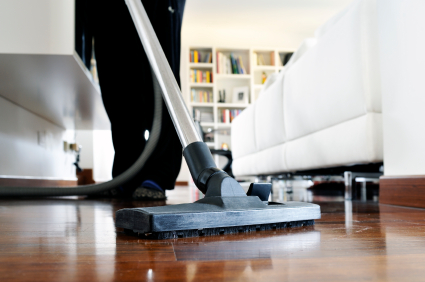
Hardwood floors are much easier to clean than carpeted floors when dealing with spills, however, there are some downsides, too; though hardwood floors are beautiful, they scratch very easily. You need to find a product that is gentle but also does good cleaning work. If you have hardwood floors, the type of vacuum cleaner you use is very important so consider the following factors to find the best vacuum cleaner for hardwood floors.

Consider:

1)     Price

2)     Cords

3)     Usability

4)     Cleaning/Filter

5)     Storage

How to Buy

The price for buying a vacuum cleaner will grow if you are looking for a product that is specifically meant for hardwood floors. You should be aware when you are shopping around that they will be more expensive than regular vacuum cleaners.

Vacuums come with both corded and cordless options. This is not truly an issue with the vacuum but of personal preference. The durability and length of the cord should be considered.

When getting a vacuum you will want to look for one that has specific features for hardwood floors. One of these features is a switch that stops the rolling brush from spinning. This brush is damaging to your floors. It also scatters the debris around rather than picking it up when it is used on wooden floors. Another feature is one that adjusts suction power.

Cleaning with vacuums gives you a couple of dirt collection options. If you use bagless vacuum with built-in bins, you may be exposed to a dirt cloud when you empty it, which could ruin your floors or affect your allergies. Bagged vacuums generally hold more dirt and are better for your floors.

Storing your vacuum cleaner doesn’t really affect the flooring but it does just make it easier to use. You have the choice between upright or canister vacuums.

Problems

If you have a large mess to clean, TalkLocal can put you in contact with a local cleaning service within minutes.  Simply input your location and availability and TalkLocal will do the rest. You don’t have to do any work and you will be connected with a company almost immediately. Go ahead, check it out!

Ctrl-Alt-Del on a Mac

Tuesday, July 17th, 2012

Ctrl-Alt-Del on a Mac Computer RepairThere is always that one rogue program that freezes and refuses to cooperate. How do you force quit this troublemaker? PC’s use the Ctrl-Alt-Del command to summon a task manager, where users can kill unresponsive processes.  But how do you do a Ctrl-Alt-Del on a Mac?  To do this, use a Cmmd-Opt-Esc command. This is the same as Cmmd-Alt-Esc because the “opt” or option key is also the “alt” key.

This brings up a sort of Mac Task Manager that is titled “Force Quit Applications.” Simply select the program that is giving you problems and then select “Force Quit.”

You can also access this Task Manager by clicking on the Apple sign on the upper left hand corner of your screen and selecting “Force Quit.” The same “Force Quit Applications” box will pop up. Follow the same procedure as above and select the application you want to force quit.

If this method does not work and your computer remains frozen, call an IT technician through TalkLocal‘s easy-to-use service that connects you with the right professional at your convenience. Just fill out a short request online and–within minutes–a high quality service provider will call you! It’s that simple.