Portable Storage Containers for Sale

Saturday, August 3rd, 2013

Portable Storage Containers for Sale - Moving and Storage

Portable storage containers and self-storage facilities are great for storing items you don’t have space for in your home or office, and are available in a wide array of sizes, from the modest 5’x5′ to the size of semi trailers. If you have excess goods that you need to easily store and move from place to place, a portable storage container will help you do that. We’re sure a company near you offers portable storage containers for sale, and we’re going to give you some pointers to help you choose the right one for you.

Location, Location, Location

First, consider location. After all, if you own your own storage unit, you’ll have to have a place to put it. Find a spot in your yard or another open space where your portable storage unit can be placed. Don’t go too out of the way when choosing a location, because you’ll want convenient loading and unloading as well.

Managing Costs

Costs for storage units can vary from company to company. Contact several storage unit businesses in your local area and get several competing quotes before you make a decision to buy. Make a list of pros and cons and compare accordingly. If local prices aren’t quite up to par, take your search to the Internet. Once you’ve reached a workable price, it’s time to contact the winning bidder and set up an appointment to have your portable storage unit delivered.

File It Away

Finally, make sure you keep all of the receipts and paperwork for your storage unit purchase. We recommend using a credit card for payment, so if there are any problems that the business cannot solve, you can contact your credit card company and resolve the situation that way.

Now Find A Storage Unit!

If you’re looking for portable storage in your local area, let TalkLocal help with your search. Our free concierge service will connect you to portable storage sales in your area within minutes.

Deep Tissue Massage Pain

Saturday, August 3rd, 2013

Deep Tissue Massage Pain - Massage Therapy

A deep tissue massage is a bit more intense than other types of massage. Although there are many benefits to a deep tissue massage, it is common for new patients to experience deep tissue massage pain. Typically, the benefits will outweigh any negative effects that come along with your deep tissue massage, but this article will outline what types of deep tissue massage pain you may experience.

Deep Tissue Massage Pain

A deep tissue massage requires your massage therapist to stimulate your muscles. If your muscles are unaccustomed to being stimulated, this may cause a shock to them and can cause temporary pain for you. However, as the massage continues and your muscles adjust to being stimulated, this pain should disappear.

Soreness from a Deep Tissue Massage

The day after your deep tissue massage, there is small chance (around 10%) you will feel soreness in your muscles. However, this soreness will only be the equivalent of soreness you may feel after engaging in healthy exercise. It is nothing to be concerned about and should disappear in a day or two.

Headache from a Deep Tissue Massage

An even smaller percentage of people have reported having a headache after receiving a deep tissue massage. It is likely that this is due to how they positioned themselves during their massage. If you are concerned about this or have experienced a headache after a deep tissue massage, consult with your massage therapist about how to best position yourself during your massage in order to avoid a headache.

Nausea from a Deep Tissue Massage

An intense massage such as a deep tissue massage can cause toxins in your body to be released, and eventually drain from your muscles and through your blood stream, which can cause mild nausea. Drinking water directly after your massage can help to eliminate these toxins from your body.

Find a Massage Therapist

Although there can be some side effects to a deep tissue massage, the benefits generally out way these, and a good therapist will adjust their technique to give you the best experience possible. With the help of TalkLocal, you can be on the phone in minutes with up to three, high-quality massage therapists in your area who are available when you are.

Install OS On SSD

Saturday, August 3rd, 2013

Install OS On SSD - Computer Repair

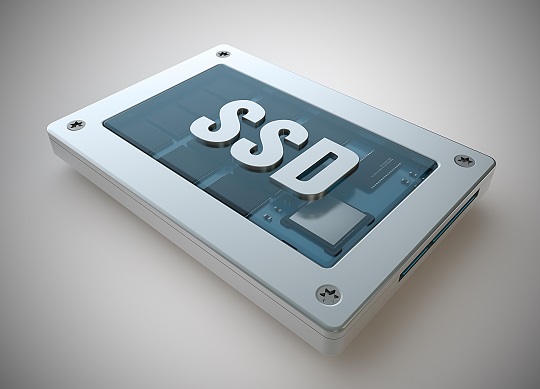
Solid State Drives, commonly known as SSDs, are a vast improvement over regular hard drives. They read and write data at a much faster rate and are much less prone to failure, unlike their Hard Drive counterparts. However, they tend to be far more expensive than regular HDs and generally have less memory space. This makes installing your operating system on the SSD advantageous, as there is less chance of a major system crash due to hard drive failure, and general usage speeds tend to be faster. Non-critical files that are not accessed as often usually go on the regular hard drive in the computer. Therefore, people often wonder how to install their OS on the SSD, but the process is actually simpler than you would think.

How to Install OS on SSD

1. Make sure that no other HDs and storage devices are connected to the computer other than your SSD.

2. Double-check that the SSD is your primary drive and that the OS isn’t installing onto some other partition.

3. Install the OS as per usual, following the instructions on the screen.

4. After finishing the installation, connect any other hard drives you would want to use to store your non-critical files. If you want to install your programs only on the secondary drive, it might be a good idea to set the default program installation directory as well.

Setting the Default Installation Directory

1. Type “regedit” in the Vista Start menu search box or in the Run dialog box (XP, Windows 7) and hit enter to continue.

2. Navigate to the following registry key in the Registry Editor:

HKEY_LOCAL_MACHINE\SOFTWARE\Microsoft\Windows\CurrentVersion

3. Locate the value named “ProgramFilesDir,” and change the default value “C:\Program Files” to your new directory path (address).

4. Reboot your computer for the changes to take place.

Need More Help?

If something went wrong during the installation, or if you would rather have a professional do this for you, use TalkLocal to find a qualified computer technician to solve your SSD issues right now. We will connect you with qualified professionals in your area in just minutes.

Chapter 10 Bankruptcy

Saturday, August 3rd, 2013

Chapter 10 Bankruptcy - Lawyers - Bankruptcy

Bankruptcy. It’s an overwhelming word to have to consider, and the many types of bankruptcy and their requirements don’t make the stress of looking into bankruptcy any easier. Whether you’re looking at a foreclosure or you’re a business that is having trouble making ends meet, don’t fret. Bankruptcy code exists to help you to find a way out of the position you’re in, so while it may be overwhelming, embarrassing, and stressful to try to navigate, Seva Call is here to help. Today we’re going to take a look at Chapter 10 bankruptcy, what it means, and what some of the requirements are.

Bankruptcy for Small Companies

When you think of corporations filing for bankruptcy, the most common type we see is Chapter 11. Chapter 10 is similar, but is meant for smaller companies. Chapter 10 bankruptcy enables a small company that is having financial difficulties to request the protection of the court while it restructures. Chapter 10 is generally reserved for situations where a major restructuring or reorganization is necessary for a company to survive.

How to File Chapter 10?

In order for a small company to qualify for Chapter 10’s protection, a company has to bring the court complete disclosure of its current financial conditions for review. While working with the court to review its financial issues, the company needs to also work toward developing a reorganization plan that will effectively allow for the current debts to be repaid. If the court decides that the company is eligible for Chapter 10 bankruptcy, and if the court finds the reorganization plan to be satisfactory, then the court has the power to grant the protection and appoint a manager to oversee the execution of the restructuring. This manager will be a liaison with the court until that company’s time in Chapter 10 bankruptcy comes to an end.

Need a Bankruptcy Lawyer?

Do you have a company that may require the protection of Chapter 10? If so, TalkLocal has a free concierge service that can help connect you with local attorneys with the expertise to help you.

28 (Mis)Adventures: Getting The Whole Kitten and Caboodle Adopted

Saturday, August 3rd, 2013

A blog about life experience and inexperience, written by Dallea Caldwell.

Boots (left), Available kitten (right)

What is the minimum number of cats required to make one a crazy cat lady? My estimate has been a generous single digit for years. Then, three discoveries blew my mind.

Fact #1: I have one cat.

Fact #2: I am a lady.

Fact #3: I am definitely crazy.

The point is that there is no minimum number. And no gender either. In fact, based on further anecdotal evidence, diagnosing Certified Crazy Cat Person-dom in otherwise healthy adults, requires considering factors besides sheer cat quantity. Additional factors include:

1. Square footage and cleanliness of feline domestic habitat.

2. Veterinary care, nutrition, comfort and cleanliness of cat(s) in question.

3. How many cats are under temporary foster care and seeking adoption.

In other words, cat people are only crazy if they can’t keep all the kitties purring their whiskers off.

Getting the Whole Kitten and Caboodle Adopted

Anyway, I house-sat last week, in case you missed it. I couldn’t very well spring my sweet kitty Malice Aumyoho Nakadema-Caldwell on a canine lion-tiger-bear like Kuma. So, I sent Malice to summer camp with a cat-person of the sane variety; what’s one more cat in a house of 12? Well, a lot apparently because, in exchange, I had to make like TalkLocal and connect three kittens to the right local cat lovers to lessen the burden.

In order: Boots, Available Kitty, and Mr, Ray Charles a.k.a RayC

So far, so good. My parents wanted the white-pawed tabby, and my aunt was on the fence about the black and white runt. No one would want to tear those bosom bros apart so quickly, right? I brought both to my aunt to help her decide and help them adjust. We quickly discovered that the tabby was too frisky for my aging parents; but my 12-year-old cousin loved him. His name is now Boots.

Just look at him go!

Meanwhile, the snuggly runt with impaired vision needed the extra care my parents were used to providing for my four-legged brother: a black and white terrier-retriever mix named Monroe. The kitten, named Ray Charles, is as snuggly as ever and more playful everyday, much to Monroe’s chagrine.

As for kitten number three, he’s super adorable, but people have been raising concerns that he isn’t neutered yet and doesn’t have his shots. They’d rather go through the SPCA where that’s all included. So, his appointment is Thursday — which certainly sweetens the pot for a certain college student who shall remain nameless (ahem Rochelle — just needs a little convincing).

So, if you’re a big-hearted foster pet owner who went to visit the stray cats who live at the horse stables, and one of them turned out to be pregnant, you may have to visit www.talklocal.com for a veterinarian. Otherwise, people will raise a red flag when your “free” kitten has a hidden price tag.

Didn’t deter me, though! Did it, Malice (aka Malicious Mittens)?

(Courtesy of ADowner Photography) Yes, of course I have professional photos taken of my cat!

What to do When Windshield Wipers Leave Streaks

Friday, August 2nd, 2013

What to do When Windshield Wipers Leave Streaks - Auto Glass Repair

We have all had it happen – you’re driving peacefully along and a spring shower bursts from the clouds, inundating your car with a blinding sheet of rain. You turn on your windshield wipers and all you can see are white, smearing streaks, blurring and hampering your vision further. So you peer left and right through the few clean spots, hoping to make it safely home. This is a dangerous situation, not to mention a frustrating one, and most of us don’t even realize that our windshield wipers leave streaks until we are caught in a torrential downpour. Get the highest rated windshield cleaning supplies and products from Amazon and have them shipped overnight starting at $3.44.

How Does This Happen?

There are a number of common causes that lead windshield wipers to leave streaks, but the vast majority of them are easily fixable. The main reason that windshield wipers function ineffectively is that they are worn and dirty. Windshield wiper blades are made of rubber, and this material can easily wear and warp when exposed to the hot sun and the elements. When this happens, they cannot connect with the glass of the windshield properly, causing them to leave streaks.

In addition, dirt on the wiper blades and on the windshield can turn into a greasy mess when mixed with rainwater. As your wiper blades try to move through the falling moisture, all they end up doing is spreading the dirt and contaminants across the windshield, making it nearly impossible for you to see.

What to Do?

The best way to stop your windshield wipers from leaving streaks is to keep them well maintained. Because they wear out so quickly, it is essential to replace them once per year. Make sure to pick blades that are recommended for your vehicle brand and model, and don’t hesitate to ask for advice at your local auto parts shop. Also take the time to keep your blades and your windshield clean. You can also find premium windshield and glass cleaners from Amazon and have it shipped overnight starting at $2.99. Use a high-quality windshield cleaner and make sure that your windshield cleaner fluid tank is always full.

Another Possible Cause

The other issue that makes windshield wipers leave streaks is scratches or deformities in the windshield glass. These can be caused by any number of things, including flying gravel from a poorly paved road and debris caught under the wiper blade that scratches against the surface of the glass every time the blade is used. You can purchase polish compounds and scratch remover kits for your windshield from Amazon and have it shipped overnight starting at $10.97. These types of issues do lead to wiper streaks, and the best remedy is to replace the windshield, which once scratched is compromised and prone to breakage.

Need to Replace Your Windshield?

If the issue is with your windshield, you will need to get it repaired. TalkLocal can help connect you with the best auto glass repair professionals in your area. Visit our website today and use our free, online referral service to find the help you need to get your car safely back on the road.

The owner of this website is a participant in the Amazon Services LLC Associates Program, an affiliate advertising program designed to provide a means for sites to earn advertising fees by advertising and linking to Amazon properties including, but not limited to, amazon.com, endless.com, myhabit.com, smallparts.com, or amazonwireless.com.

Replace a Remote Car Key

Friday, August 2nd, 2013

Replace a Remote Car Key - Locksmiths

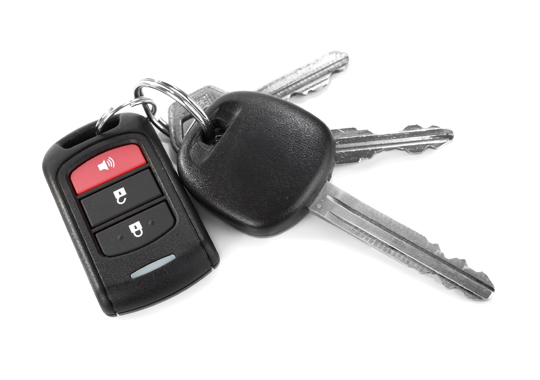
When was the last time you used your key to unlock your car door? You know, the old-fashioned way, by actually inserting the key into the keyhole and turning. If you’re like most car owners, the answer may be years. We’ve grown accustomed to having the ability to lock and unlock our vehicle from the palm of our hand, and many of us even have the ability to perform other handy tasks like open the trunk or even start the car – all from our transponder key, or from a key fob.

But what happens if you lose that all-important remote, or if it gets damaged or simply stops working? Though you may fear that all is lost, don’t fret, because it’s easier than you may think to replace a remote car key.

First Thing’s First

The first thing you’ll need is the precise year, make, and model of your vehicle, along with your VIN. The best place to find this information is in the owner’s manual that came with your car, which should be in your glovebox – but if it isn’t, you can also find the VIN number on the dashboard just inside the front windshield and/or on a decal inside the driver’s side door frame.

Get to a Dealer

The next order of business will be to get yourself to a dealership that sells your make of car. It doesn’t necessarily have to be the one where you purchased your car, so if you’re out of town, you’re not out of luck. Provide the dealership with the year, make, model, and VIN of your vehicle and they will be able to help you replace a remote car key, for a fee usually ranging between $30-$50.

Stranded?

If you’re stranded without your car key remote, you’ll want to get yourself a locksmith. TalkLocal‘s free concierge service can help connect you to a professional in your area who is ready to help.

How To Remove System Restore Virus

Friday, August 2nd, 2013

How To Remove System Restore Virus - Computer Repair

Don’t be fooled by the malicious System Restore Virus. The infected file that contains this virus is usually a video update, flash update, or video. The intention of its creators is to scare computer users with alerts of false computer issues, convince the user that the fake System Restore program can fix the problem, and make profit by recommending the purchase of the program.

System Restore is completely fake and will not improve any hard drive issues. The virus will hide all of your files, cause your hard drive to spin constantly, remove shortcuts from the start menu, and cause the desktop to go black. Do not worry though; the alerts on your computer are not true, and your files are not permanently gone. The System Restore Virus has simply hidden them.

Follow these steps to learn how to remove System Restore Virus:

1. To begin, reboot the infected computer. If the computer has already been powered down, turn it on.

2. Immediately as the computer begins to boot, press F8 many times. Pressing F8 allows you to access the “Advanced Options Menu.”

3. Once you are in the “Advanced Options Menu,” use the arrow keys to select the “Safe Mode with Networking” option. Press enter when you have selected that option.

4. Windows will now boot into “Safe Mode with Networking,” which will allow you to remove System Restore. This will stop the virus from running.

5. Now that the virus is not running it is time to begin removal. Click and hold Windows key, then press the R key. This will cause the Windows Run Box to open.

6. Type the following into the Run Box and click “OK.”

iexplore http://www.spywarehelpcenter.com/remove

7. After clicking “OK,” the computer will connect to the Spyware Help Center website where you can download their free virus removal program called Spyware Doctor by PC Tools.

8. When the PC Tools download box appears, click the “Run” button. This will cause PC Tools to launch. Click “OK” if your computer asks if you are sure you want to run PC Tools.

9. PC Tools will find the System Restore Virus after the scan is complete. Remove the virus by registering PC Tools. You must register PC Tools while still in Safe Mode to remove System Restore.

10. After registering PC Tools the virus should be completely removed. You can safely reboot into Normal Mode. The virus should be completely gone.

Having Other Computer Troubles?

If you would like professional help with removing the System Restore virus, or you need other help with your computer, just use TalkLocal. We will connect you with up to three computer repair professionals in your area in just minutes. It’s fast, easy, and completely free.

How to Cost New Bathroom Upgrades

Friday, August 2nd, 2013

How to Cost New Bathroom Upgrades - Plumbers

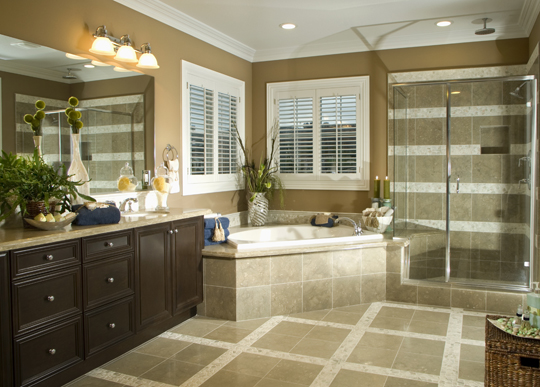
It is a well-known fact in the home remodeling industry that one of the best ways to add value to your home is with a bathroom renovation. There are a number of reasons to redo your bathroom, such as the need to remedy poor and shoddy plumbing or the desire to update a shabby, outmoded space. However, before you start your renovation project, it is important to understand the cost new bathroom upgrades will run you.

Cost of Bathroom Upgrades

It is estimated that the national average for a whole bathroom upgrade is somewhere between $10,000 and $30,000. Of course, the cost of any individual bathroom renovation project could be significantly higher or lower depending on the kind of work you want to have done. Prices can vary widely based on the choice of materials you use, the scope of the remodeling work, and whether or not you use professional contractors to do the work.

New Fixtures

The cost new bathroom fixtures will run you, for instance, depends entirely on the quality of the products you choose. The same holds true for other bathroom renovation materials, such as floor and countertop tiles – porcelain tiles are uniformly more expensive than ceramic tiles, while specialty flooring such as marble obviously costs a lot more.

Plumbing and Electrical Work

The biggest cost new bathroom renovations can incur has to do with structural repairs, as well as plumbing and electrical improvements. In many cases, people redo their bathrooms in order to mitigate existing problems with moisture leakage and the resultant drywall damage. In such cases, unless you happen to be an extremely experienced handyman, the chances are that you will have to bring in professional help. It might also be necessary to rewire the electrical infrastructure, especially if you plan on changing the floor plan of the bathroom altogether.

The bottom line is that bathroom renovations can be horribly expensive or pleasantly cheap, depending on the amount of work you want to have done and the nature of the projected renovations. The best approach is to make a solid plan before you start and to do some comparative pricing before you begin. Try to find suppliers who will sell you the materials you need at a lower price. For more complex jobs, you will need to hire a contractor, which can dramatically add to your costs. Get a quote with a ceiling estimate in writing before your contractor starts the job and see if he or she will let you purchase the materials on your own. You will typically pay less for the materials if you purchase them yourself, and that way you just have to pay the contractor for the installation costs.

Want A Renovated Bathroom?

TalkLocal can help you find the right plumber for your bathroom renovation project. Just visit our website to fill out a request, and we’ll connect you with the right professional in just minutes.

Types of Air Conditioner Filters: Electrostatic

Friday, August 2nd, 2013

Types of Air Conditioner Filters: Electrostatic - Heating and Cooling

Air conditioning systems are indispensable pieces of equipment in most houses, especially during summertime. If you’re considering changing your AC unit or installing a new one, you need to pay attention to the filters, as the effectiveness of your device depends on them to a large extent. As you probably know, conventional AC units require periodic filter replacement to work properly.

What If You Wouldn’t Have to Change Air Conditioner Filters Repeatedly?

There are types of air conditioner filters, such as electrostatic, for instance, that make this possible. Of the many types of filters, the electrostatic filters are increasingly popular due to their features and benefits.

How Do Electrostatic Filters Work?

The fibers used in the air filter are designed in such a way as to generate a static charge when air comes through them. Electrostatic air filters work like a magnet, attracting the particles in the air due to the negative-positive polarity between the fibers in the filter and the elements they come into contact with.

Why These Types of Air Conditioner Filters Are a Better Option

1. You don’t need to replace them. Electrostatic filters don’t need to be replaced. Although initial installation costs may be higher, periodic replacement of filters won’t be required.

2. They are environmentally friendly. With electrostatic filters you don’t have to buy new filters from time to time and throw away the old ones. This reduces waste and is better for the environment.

3. You can have clearer air in your house. Unlike conventional air filters, such as the fiberglass ones, electrostatic filters can absorb very small particles. People suffering from asthma or those prone to allergies are more sensitive to dust-laden environments. Electrostatic filters keep the air clean and fresh.

4. They are cost-effective. Electrostatic filters prevent dust from accumulating in the components of your air conditioning unit. A cleaner system lasts longer and is more efficient, which means that you will spend less money on repairs.

Need HVAC Help?

By checking and cleaning your AC unit regularly, you prevent potential and unexpected breakdowns while ensuring that you breathe fresh and clean air. This way, you protect both your investment and your health. TalkLocal can save you the trouble of finding a qualified HVAC professional in your area. All you need to do is log on to our website and ask for help. It’s free.