Archive for the ‘services’ Category


Folder Sync Windows 7 over Network

Saturday, February 23rd, 2013

Folder Sync Windows 7 over Network - Computer Repair

Are you tired of having to email documents to colleagues or classmates in order share them?  Are you annoyed with having to sign into GoogleDocs to access shared files? Does it bother you that your colleagues or classmates can edit and save over the files you share through your Dropbox? Windows 7 has the solution built right in! Here are some tips for file sharing with ease.

Windows 7 Homegroups

Create or Join Homegroups and Workgroups:  Homegroups and Workgroups are groups of computers that share folders.  Using Windows 7, you can easily define which of your folders are shared and which are private and then customize how you share files with people on your network.  For more information on which one of these groups will best suit your need, check out the Microsoft Help Page that explains the differences between the different types of file sharing groups.

Folder Sync Windows 7 over Network

When you are inside of a folder in Windows 7, there is a dropdown menu across the top that says “Share with.” Clicking the dropdown will give you a series of options of who you share the folder with. These options are:

  • Nobody: You are the only person with access to the files in this folder.
  • Home/Workgroup – Read: The files in this folder are visible to everyone in your group but you are the only one who can edit them.
  • Home/Workgroup – Read  and Write: The files in this folder are fully available to all people in your group.  They can both view and edit the files.
  • Specific People: This option allows you to make this folder available to specific people in your network.  When you click this option, you will be prompted with a File Sharing Wizard that will help you further.

Another more basic option for file sharing is the Public Folder option.  Files you place in this folder are instantly available to other people in the network.  You have ​public folders located inside every one of your document libraries.  Although these are easy and quick, be aware that you cannot edit permissions within your public folders.  Everything you put in these folders is available to everyone in your network.

Additional Help

If you are have having difficulties getting your files to sync with other computers in your network, or if you are having other computer-related problems, visit TalkLocal. We will connect you with up to three local computer technicians who will be able to help you when you need it.


How to Install Underground Sprinkler

Saturday, February 23rd, 2013

How to Install Underground Sprinkler - Landscapers

Are you tired of watering your lawn? A great time saving solution is to install an underground sprinkler system. Newer systems are easy to assemble, and you can save some money by installing the system yourself. Once the sprinkler system is in place, you can program it to water your lawn on a regular schedule.

How to Install Underground Sprinkler System

1. Measure your water pressure. You can purchase a simple pressure gauge at most home stores. Measure how much water your system delivers per minute. To do this, let the water to flow freely into a measure-marked bucket for one minute.

2. Send for a system layout and materials list. Mark down the water pressure information and send it to your chosen sprinkler manufacturer. You should also include a scaled drawing of your property. In return you should receive a system layout and materials list, including items not sold by the manufacturer. Contact the manufacturer for instructions on how to order the materials.

3. Run the pipes. You can dig the entire system by hand, but it may be easier to rent a pipe-pulling machine. If you dig the entire system by hand, dig the main runs first and then the branch lines. Dig at least 6 in. deep to make enough room for the pipes. If you’ve rented a pipe-puller make sure to read the directions thoroughly. Start by attaching the pipe to the machine’s blade. With the pipe connected, move the machine forward and lower the piping into the ground.

4. Assemble the zone-valve sets. You should do this above ground before cementing them to the underground piping. Install a plastic inline drain fitting on the downstream side of each valve. Connect the cable wires, making sure one of each pair of valve lead wires connect to a common white cable wire that will service all valves. Connect a color wire to each remaining lead. Once all the valves are connected and wired, install valve boxes and backfill.

5. Install a drain fitting at the lowest point of the feed line. Using Teflon tape, thread a brass drain head into the threaded end of a PVC tee and install the tee downwards at a 45-degree angle. Dig a small hole underneath the drain and fill it with gravel and sand.

6. Tunnel under obstacles, such as walkways. You can do this using a homemade sluice pipe. Attach a pointed sluice nozzle to one end of PVC pipe. Connect a hose to the other end of the pipe, and dig shallow trenches on either side of the obstacle. With the hose connected, turn on the water and push the pipe back and forth under the sidewalk to create the hole.

7. Slide a crimp ring onto each pipe and insert the barb fitting. This will connect the pipes in the system. Slide the rings in place and crimp them tightly with pliers.

8. Install the sprinkler heads. The simplest method to do this is to install a 90-degree ell pipe at the sprinkler head and thread a riser into the top of the head. If you need seasonal drainage, install a 90-degree drain head. Install it upright with the threads at the top. Tighten the sprinkler heads.

9. Fill in the hole. Backfill the hole 4 inches at a time and tamp the soil with a rubber mallet. Top off the soil with sod.

Finishing Touches

–          Follow local plumbing codes to tap into your household water system

–          Once you’ve tapped into the water system, install a full-flow ball valve

–          Install a brass nipple and the reduced-backflow preventer

–          Connect the backflow preventer to the pipe installed through the rim joist

–          Install the control panel

Additional Help

Installing your own sprinkler system is not easy, but it can save you money. If you would like to skip the work and hire a professional, TalkLocal is here to help! Just enter your problem, location, and availability into our system and TalkLocal will connect you with up to three landscaping contractors in minutes!

What are Low-E Glass Windows?

Friday, February 22nd, 2013

What are Low-E Glass Windows? - Window Replacement

What are low-e glass windows and how can they be helpful to me? Good questions! Low-e glass windows are gems that help reduce money and save energy. They have unique properties that allow them to behave in ways that typical windows can’t. Not only do they keep out heat rays during the summer, but they also have another unique property that you can learn more about below!

What Makes Low-E Glass Windows Unique?

Low-e glass windows stand for low-emittance windows. The reason that they have this name is because they contain layers of material that keeps out radiant heat. Low-e glasses keep out heat flow and reduce the U-factor with the extremely small, undetectable layers of metal and/or metallic oxides contained in the glass.

How are Low-E Glass Windows Beneficial?

Low-e glass allows visible light to travel through it! So although you are keeping out the rays that make your home too hot, you are still allowing the room to become filled with the natural, outdoor light. By using low-e glass windows, you are also reducing your energy bill, by preventing your house from being overheated by the sun’s radiation beaming through your window.

Are There Different Types of Low-E Glass?

Yes, there are different types of low-e glass. Your climate and house may require different solar gains depending on where you live and how many heat rays you would like to enter into your home. Different solar gains will have different impacts on your house’s temperature. For example, high solar gain glazings will be great for the winter when you would like to keep your home warm. However during the summer, low solar gain windows are optimal.

Additional Help

Not sure which window type would be best to help you save the most amount of money? Already know which windows you want, but need help with the installation? Check out TalkLocal! You will be directed within minutes to up to 3 local, high-quality professionals who can assist you at the time that is most convenient for your schedule. Try it out!

What is a Kryptonite Lock?

Friday, February 22nd, 2013

What is a Kryptonite Lock? - Locksmiths

Are you looking for a reliable lock to protect your bicycle? Try looking into Kryptonite locks. You may be wondering, “what is a kryptonite lock?” Well, it has nothing to do with the Man of Steel, but it is useful for locking your bicycle!

What is a Kryptonite Lock?

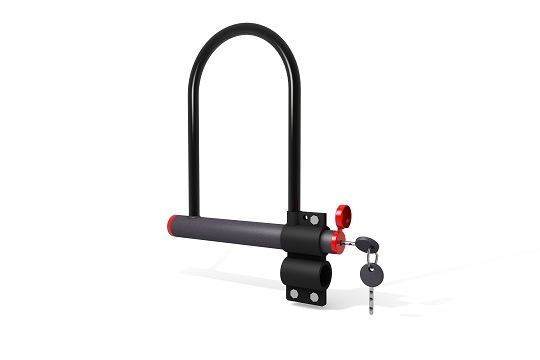
Kryptonite locks, generically known as a U-shaped bicycle lock, were originally manufactured by Ingersoll Rand in the 1970s as a bicycle lock. Previously, people used big bulky chains to tether their bicycles, but even those were easily broken by thieves who used regular bolt cutters. Kryptonite locks are U-shaped steel bars with a crossbar that cuts across the top of the “U” that can be removed to unlock the bicycle. These have proven to be extremely hard to remove using standard and widely available tools and unless the would-be thief had a disk grinder or a cutting torch, your bike is perfectly safe. They come in a variety of sizes and security levels, so you can find one that fits you and your bicycle’s needs. Getting a lock that’s too large for your bike can result in a less secure bike, so select the smallest model that fits your bike.

The downside to using a Kryptonite lock is that they’re quite heavy; a side effect of being very secure. Many people who ride their bike to work simply leave the lock on the bike rack at work to avoid having to carry it back and forth.  Also, don’t buy a secondhand model that was made before 2004! Models that were made before 2004 had a tubular pin tumbler lock, which could be easily opened with an inexpensive BIC pen. Make sure that the Kryptonite lock you own was made after 2004, during which Kryptonite started using an I-shaft on their locks.

Additional Help

If you lost the key to your Kryptonite lock, then you should contact Kryptonite to ask for a replacement key. In the case that your lock is still attached to your bicycle and/or the bike rack, find a local locksmith immediately with TalkLocal to get your Kryptonite lock off!

Restoring Lost Favorites in Outlook 2010

Friday, February 22nd, 2013

lost favorites outlook

“Favorites” are shortcuts in Outlook 2010 that refer to your most used folders, such as your Inbox and Sent items. These are likely the folders that you use the most often in Outlook 2010. Losing your favorites can be a slight inconvenience, if not a big hassle. But don’t fret; restoring lost favorites in Outlook 2010 is a quick and easy process.

Restoring Lost Favorites in Outlook 2010

The “Favorites” tab in Outlook 2010 is found in the Outlook Navigation Pane. If your favorites are disappearing and reappearing between Outlook sessions, try resetting the Navigation panel by using the following command line:

1. Click Start > Run

2. Enter the following text. Be sure to include the quotation marks. If necessary, you can just copy the code from here and paste it directly into the text box.

“C:\Program Files\Microsoft Office\Office14\outlook.exe”/resestnavpane

3. This command will reset the Navigation pane and restore your missing favorites.

Additional Help

If the above command does not work, or if you seem to be losing your Outlook 2010 favorites a little too often, it may be time to speak with a professional. Use TalkLocal to help you find one! We will connect you with up to three computer repair technicians in your area who will be able to help you when you need it most!

How to Connect Computer to TV

Friday, February 22nd, 2013

How to Connect Computer to TV - Computer Repair

You would think that your TV and computer are two separate electronic devices that wouldn’t work in tandem.  Technology is constantly evolving and changing, and today, it is possible to connect the two and use your TV as a large computer monitor.  Connecting a computer to a TV is a process but it is completely doable.

Why Connect Computer to TV? There are several benefits to connecting your computer to a TV!

– Your TV provides a larger screen for you to work from.

– Your TV may also have better resolution than your computer.

– You can use an Internet connection to stream and watch movies or TV shows online, on your TV screen.

– Connecting your computer to your TV enables you to use a TV sound system.

How to Connect Computer to TV

1) Turn off your computer and examine the back of it to find the cable plugged into the output of the video card.

2) There should be a DVI or VGA port located directly next to it.

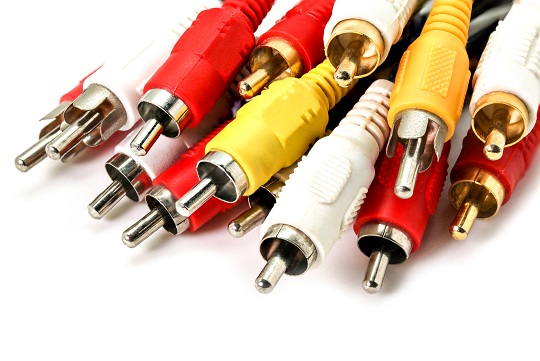
3) Use a composite/S video/component video cord to connect the TV to the computer. These are only video cords so you will need to get another cable for audio. However, if you use a VGA cord you will get both video and audio.

4) Turn the computer on.

5) Configure your display settings to show on the TV properly by going to Start -> Control Panel -> Display -> Settings -> Advanced.

8) Make sure the aspect ratio is set properly (to make sure the computer screen image will fit completely in the TV screen) and adjust the resolution.

You should now be able to use your TV as a monitor for your computer.

Additional Help

If you have more questions about how to connect your computer to your TV, you should try to talk to a professional so that you can get the best help possible.  The easiest, fastest way to get in contact with reliable, local technology companies is to use TalkLocal. We will connect you with up to three technicians in your are who will be available to help you when you need them.

Common Cat Allergies

Friday, February 22nd, 2013

Common Cat Allergies - Veterinarians

Common Cat Allergies

Like humans, cats can allergic be to a variety of things. Cat allergies can manifest as inhalant allergies, contact allergies, food allergies, or insect allergies.

Inhalant Cat Allergies

Inhalant, or airborne allergies, are caused by your cat breathing in particles in the air. Pollen allergies are common in cats, just like they are in humans. Cats can also be allergic to household sprays, like aerosol. Symptoms of inhalant allergies in cats include upper respiratory issues, irritation in the nasal passage, and eye infections. The best way to help your cat with inhalant allergies is to keep them away from such sources. Your veterinarian can also prescribe medications, or eye drops in the case of eye infections.

Contact Cat Allergies

Another way that cats can have allergic reactions is through skin contact. The most common contact allergies in cats are from plants, especially those with oily leaves. Other things that can cause contact allergies for cats are wool, dust, cleaning supplies, carpet cleaners or fresheners, carpet, or even cat litter. Contact allergies will usually result in itching and discomfort for your cat. In more extreme cases, you may notice skin eruptions, bumps, hives, or fur loss. A veterinarian can prescribe a solution to help with the itching, or provide a shot of steroids for the more severe cases.

Food Allergies

The foods cats eat can also cause them to have an allergic reaction, even if they are only eating designated cat food. Turkey, chicken, and other poultry products are the most common food allergies in cats. Human food is generally not recommended for cats. Chocolate and dairy in particular can cause a bad reaction for your cat. A veterinarian can prescribe special cat food for cats with food allergies.

Insect Allergies

The most common insect allergies for cats are fleas. Fleas can cause your cats to feel itchy. You will notice them scratching themselves excessively if they are allergic.  Fleas can also cause fur loss and bumps on the skin, as well as black spots that look like dirt (these are the fleas). A veterinarian can prescribe medication or a solution that will help your cat with its allergic reaction. You should also treat your house for fleas, so that your cat does not become infected again.

Additional Help

If you suspect your cat is having an allergic reaction to something, you should bring your cat to a veterinarian for a proper diagnosis and possible treatment. You can use TalkLocal to receive up to three phone calls in minutes from high quality local veterinarians that are available to see your cat when you need them.

When Should I Prune My Trees?

Thursday, February 21st, 2013

When Should I Prune My Trees? - Landscapers

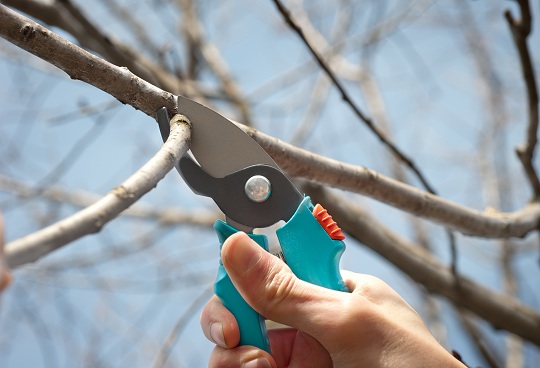
You should prune your trees for a variety of reasons: to remove dead, broken, or diseased branches, and to remove undesirable branches that are too long or too low. Pruning your trees at the wrong time can lead to sick trees and even more dead branches, but you may be asking, “when should I prune my trees?” For all trees, you should prune branches when the weather is dry and rain is not in the forecast for a few days. Pruning in moist weather can cause disease in the tree. Also, avoid pruning in overly hot weather. 70-degrees is ideal.

Choosing the right time of year to prune depends on the type of trees:

Spring Flowering Trees

Prune trees that flower before June 1st immediately after flowering. If you prune later into the summer it could hurt the following season’s bloom.

Summer Flowering Trees

Trees that bloom after June 1st can be pruned any time, but avoid pruning in the heat of summer when bugs are active. You may also trim these trees after each bloom to promote flowering next season.

Evergreens

Allow evergreens to grow freely in late spring and early summer. Then in late summer you can trim back 50-90% of new growth. Be careful not too cut into older wood. Prune evergreens every year to promote more compact growth, allowing some new growth to remain each year. Do not prune evergreens in late summer or early fall because new growth will be prone to winter damage.

“Sappy” Trees

Trees such as maple, birch, and dogwood should be pruned in late summer or early fall. Pruning them in the spring will not hurt the trees, but there will be a very heavy sap flow at that time.

Deciduous Trees

You can prune these trees in the spring or summer (depending when they bloom) but you can also prune deciduous trees in the winter. With the leaves off, you can easily check for damaged branches.

Additional Help

Consult a professional landscaper if you are unsure of the types of trees in your yard. Use TalkLocal anytime to find reliable landscaping professionals in your area. Just type in what, where, and when you need help and TalkLocal will connect you with up to three local professionals in minutes!

Transponder Key Not Working

Thursday, February 21st, 2013

Transponder Key Not Working - Auto Repair

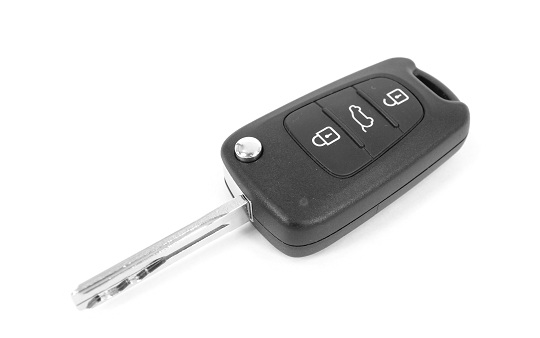
Your transponder key for your car makes your driving experience a lot easier.  Most can remotely unlock and lock your car, and some transponders offer that ability to open your trunk or even start your engine!  They’re also extremely important for those vehicles with key-less entry and ignition.  However, in the rare case that your transponder key no longer works, it can become a huge inconvenience.  Fortunately, transponder keys are fairly simple and there are really only a couple of issues to troubleshoot.

Transponder Key Not Working? Check the battery

Since the transponder needs to be able to emit a certain frequency in order to work, it needs to have a requisite amount of electrical power.  If the power is low, the transponder may emit a signal of a different frequency that your car does not recognize, and, therefore, will not react.  You may want to replace the battery in the transponder; contact your local dealer or manufacturer to find the necessary type of replacement battery.

Chip Damage

For one reason or another, your transponder chip may have become damaged and now is no longer working.  If this is the case, you may need to actually buy a new transponder key from your dealer.  The main reason you’ll want to talk to your dealer (even though it may be more expensive than going to a local locksmith) is because they can deactivate your old key so it will no longer give any unauthorized person access to your car.

 Additional Help

You should call your dealership as soon as possible so that you can get your transponder key replaced.  Even though it may be expensive, remember that your transponder key is extremely important for adding another layer of security to your car.  However, if you have any other car problems or troubles, TalkLocal can help you find a high quality local auto-repair shop to take care of your problem within minutes!

​Can’t Change the Volume on Mac

Thursday, February 21st, 2013

​Can’t Change the Volume on Mac - Computer Repair

Sometimes you can’t change the volume on Mac. This frustrating issue can have a few different causes, but don’t worry, there are easy solutions.

Possible Reasons You Can’t Change the Volume on Mac

– If a red light appears in the headphone jack, the Mac is trying to output sound to the headphone jack because it thinks there is something plugged in, even though it is empty.

– The volume keys on your computer might not be functioning properly, so make sure there is contact between the key and the keyboard. Your keyboard could be dirty with crumbs, dust, or dirt, all of which can intercept a proper connection between the key and the keyboard.

– You may be experiencing software problems. Keep reading to learn how to fix your settings.

Solutions

Headphone Jack: Plug a headphone in and out of the headphone jack. Sometimes the Mac does not recognize that you removed a device. You may also try blowing air into it with a compressed air can as dust can block the sensor and make your computer think there is a device plugged in. Also, try poking the sensor with a toothpick or the rubber end of a bobby pin. Additionally, Under System Preferences, open up Sound and make sure “Digital Out” is selected, instead of “Internal Speakers.” Also, make sure the “Output Volume” is NOT on mute.

Volume Keys: Make sure your keyboard is clean. Use a compressed air can to blow away any particles that accumulate between and under the keys.

Software Problems: If it is a problem with the software, try resetting the PRAM and NVRAM.

1. Shut down your Mac and then turn it back on.

2. Press and hold the command, option, P, and R keys before the gray screen appears. Hold these keys until the computer restarts and you hear the start-up sound for the second time.

3. After you hear the sound, you can release the keys.

Additional Help

If you are having further difficulties, you can use TalkLocal to help connect you with the best IT professionals in your local area. We will connect you with up to three computer technicians who will be available to help you when you need them.